Bloated, disconnected tech stacks are responsible for high costs, scattered data, and needless inefficiencies.
Fortunately, it’s never been easier to create a concise, optimized sales toolkit for outbound sales. By following a simple step-by-step process, you can boost sales productivity and cut costs.
What Is a Sales Toolkit?
A sales toolkit is a collection of B2B sales apps. It is used across the sales process to assist with everything from prospecting to closing.
A good toolkit improves outbound sales efficiency and team performance. It does this by automating repetitive sales tasks, improving organization, and providing data-driven insights to help your team make better decisions.
The average sales toolkit handles the following tasks:

Customer relationship management
Lead generation
Sales outreach
Enablement and performance analysis
Sales intelligence
Data enrichment
Great toolkits are curated networks of interconnected sales tools. They aren’t just a mess of siloed apps. They have synergy.
But the best toolkits don’t just harmonize. They’re also small and easy to manage. Concision is key, considering that 70% of sales reps are overwhelmed by the number of platforms and that the average sales organization uses 10 tools.
By overwhelming reps with technical admin, these expansive stacks inevitably lead to productivity losses. And when tools don’t integrate, you also get inconsistent workflows and poor cross-functional handoffs.
Benefits of a Sales Toolkit

A sales toolkit helps B2B teams do more with less—more outreach with fewer reps and more meetings booked with fewer sales tasks. It also improves lead qualification, enhances outreach personalization, and enables companies to build consistent, scalable processes.
Greater Efficiency and Time Savings
Sales tools handle manual work like CRM logging, follow-ups, account research, and even performance tracking.
This leads to significant boosts in efficiency, allowing reps to spend more time actually selling and building relationships. In fact, McKinsey found that AI and automation can free up sales capacity by 20%, and that was in 2023 before the advent of generative AI.
Better Lead Generation & Qualification
Sales intelligence tools and B2B enrichment solutions provide companies with quality lead data: firmographics, demographics, and online behavior. This helps sales reps better qualify their leads, and they can even automate it with lead scoring systems. This means only the best leads make it to a sales meeting, so less time is wasted chasing people that would never turn into customers in the first place.
More Personalized Outreach (Higher Engagement)
Prospecting tools help you research accounts so you can personalize your cold outreach (emails, calls, and LinkedIn messages). Sales engagement platforms, CRMs, and AI SDR tools help you personalize your cold outreach at scale through automated multichannel outreach. As a result, you get better engagement and conversion rates.
Scalable and Consistent Process
Sometimes a sales rep who considers themself a loose cannon vet who "doesn't play by the rules” is a good thing. But usually, the inconsistency they bring to your sales processes hinders your ability to forecast sales, standardize best practices, and analyze and improve your sales process. Tools help here by enforcing your sales playbooks and workflows via automations.
For example, a cold call solution can auto-log call transcript summaries in your CRM. That way, no self-proclaimed lone wolf account executive can wink, tap their forehead, and say, “It’s saved in there, partner.” After which, they no doubt quit and ride off into the sunset with all the knowledge they’ve acquired over the years about your customers but never divulged.
In short, sales toolkits lead to process consistency, and that means growth without chaos.

The Main Categories of a Sales Toolkit
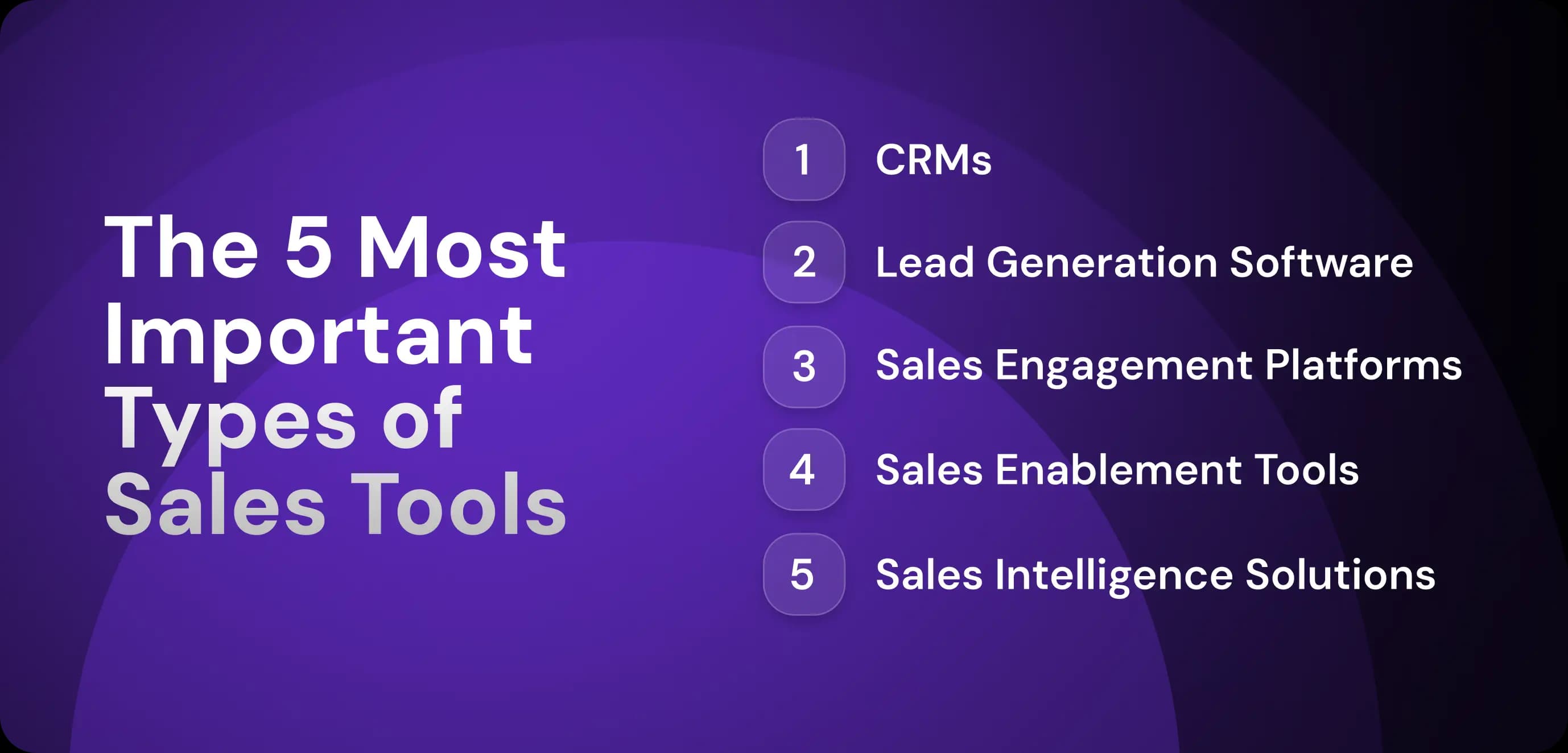
There are five sales technology categories at the core of any high-powered sales toolkit: CRMs, lead gen, sales engagement, sales enablement, and sales intelligence. As you’ll see, they’re all essential components of an effective sales toolkit.
CRM Tools
CRM tools help your sales team centralize, store, organize, and analyze your contact and company records, as well as your sales communications. HubSpot CRM, Salesforce, and Pipedrive are well-known examples.
The CRM is the central hub of B2B data that powers automation in other B2B sales tools. For example, outreach automation tools often use CRM data to personalize automated email messages, drawing info like “lead job title" from the CRM into the email template.
Lead Generation Tools
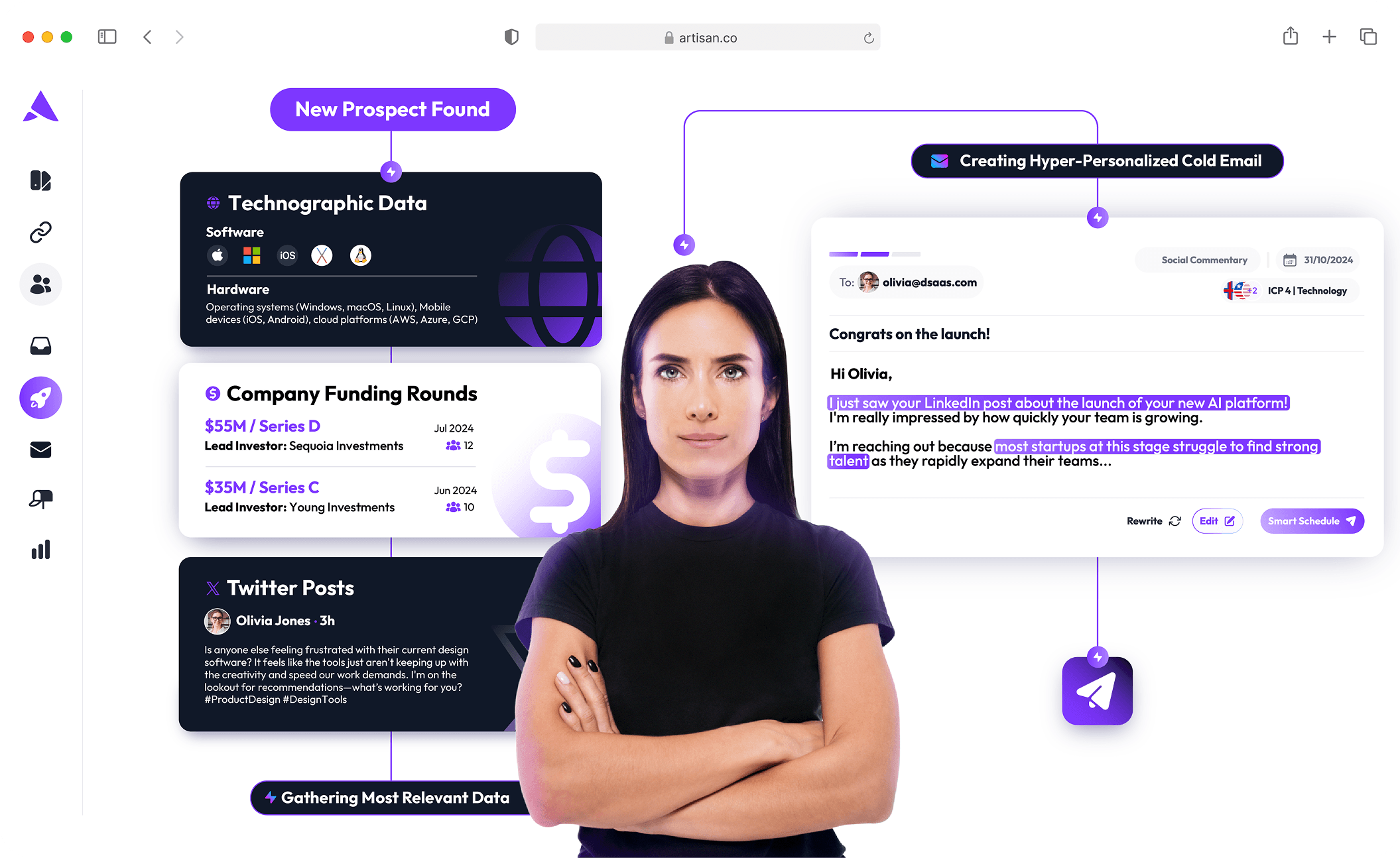
Lead generation tools help sales teams automate prospecting, account research, and data enrichment. They range from phone lookups tools and email verification apps all the way to full-scale AI SDR platforms that automate the entire outbound lead generation process from initial lead discovery to booked meeting.
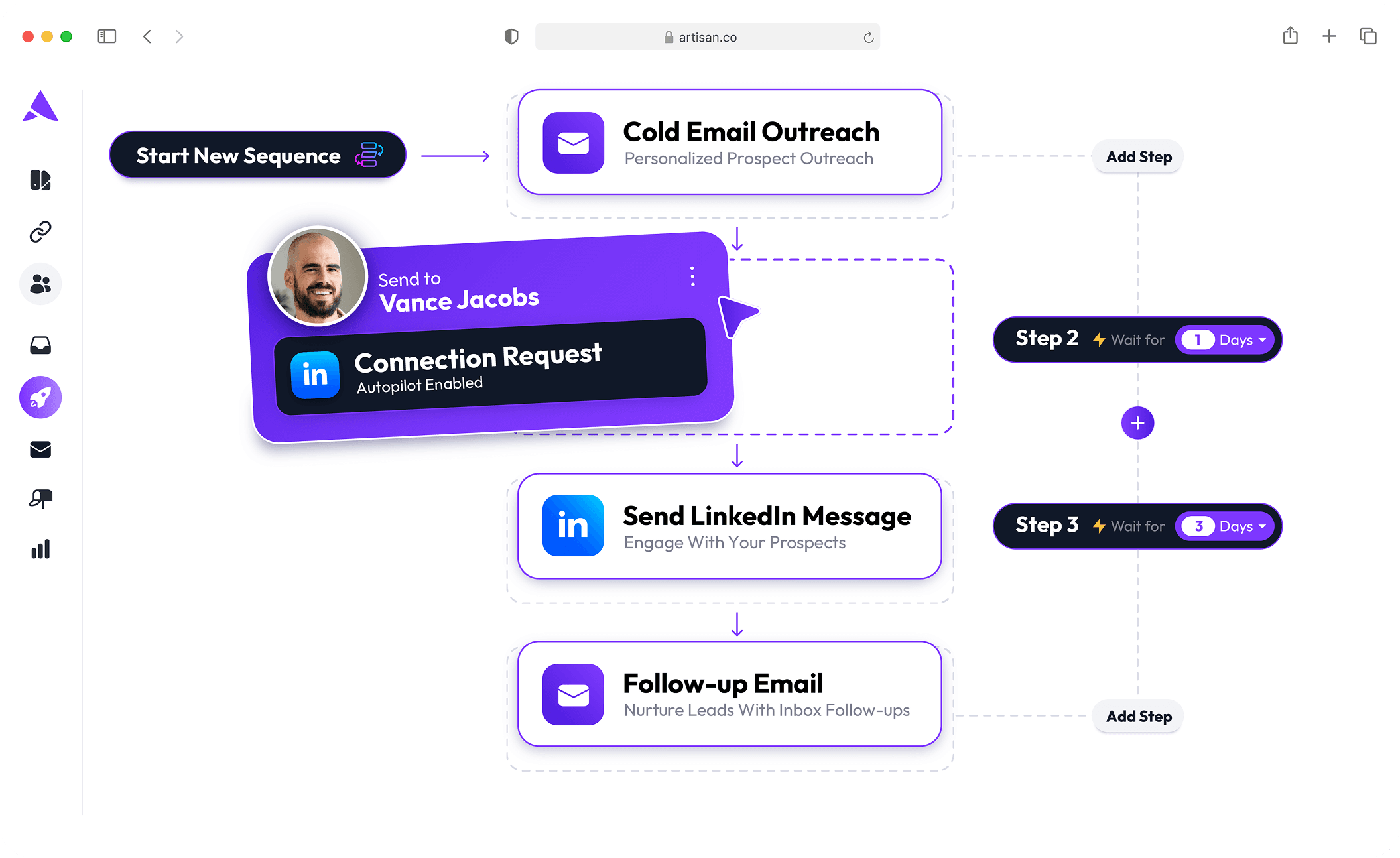
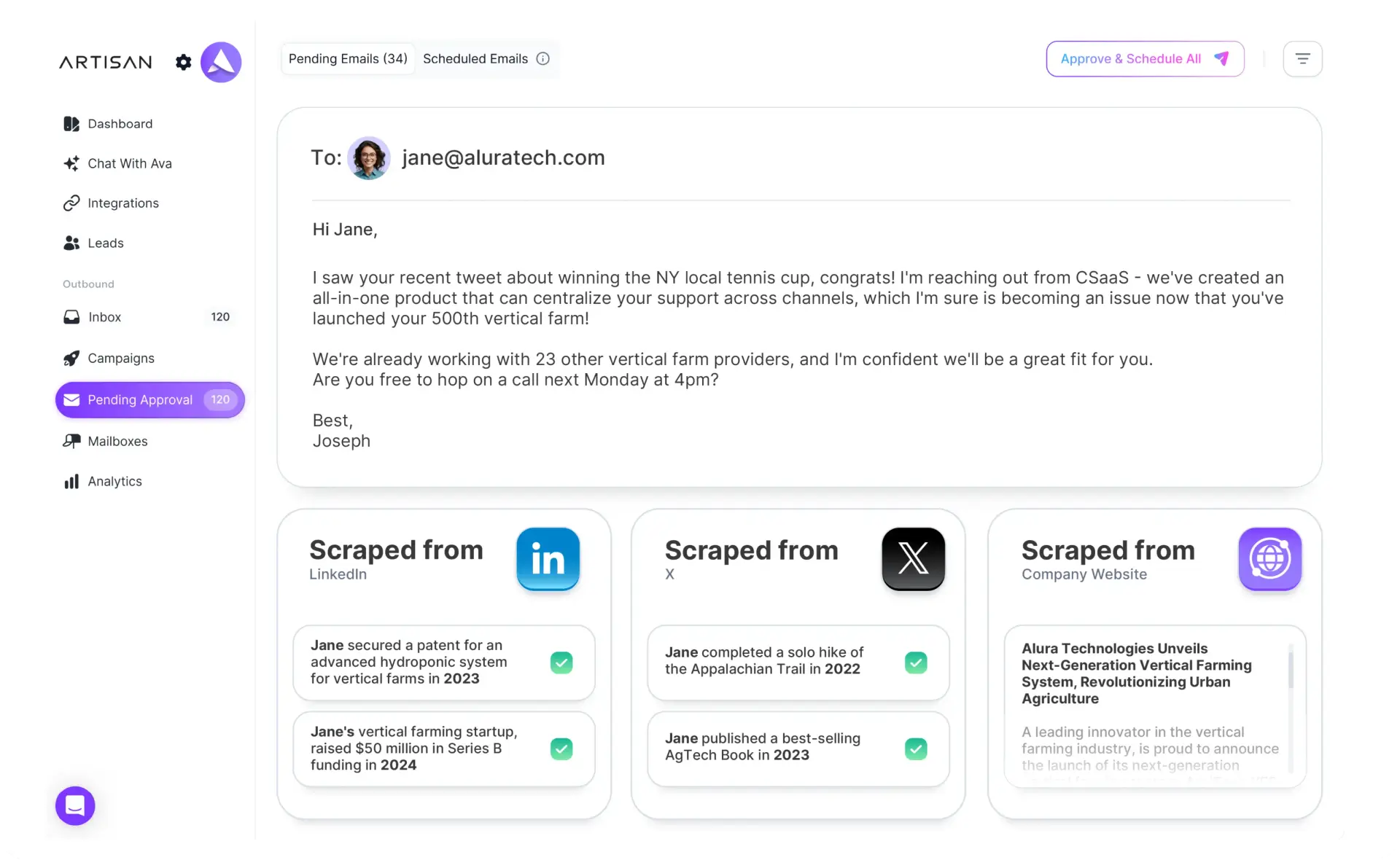
Artisan is one of the fastest-growing new companies in the AI SDR space. It combines lead generation, sales engagement, and sales intelligence into one platform powered by a virtual AI sales rep called Ava. Ava finds target leads, researches them, and sends personalized emails and LinkedIn messages like a real employee.
Sales Engagement Platforms
Sales engagement solutions allow sales teams to build and automate outreach sequences across various sales channels—email, LinkedIn, and calls.
In addition to boosting outreach efficiency, they also help sales teams standardize their outbound sales process and personalize messages at scale.
Sales Enablement Software
Sales enablement tools organize content that helps reps sell. They store battlecards, email templates, sales decks, and case studies. Some tools also offer performance analytics that help sales coaches find ways to train their team.
Enablement tools are critical for scale and consistency. They ensure each rep is operating from your sales playbook and using the best marketing assets available.
Sales Intelligence Software
Sales intelligence platforms help sales reps and go-to-market teams understand buyer signals, account changes, and prospect context to more efficiently prioritize and personalize outreach.
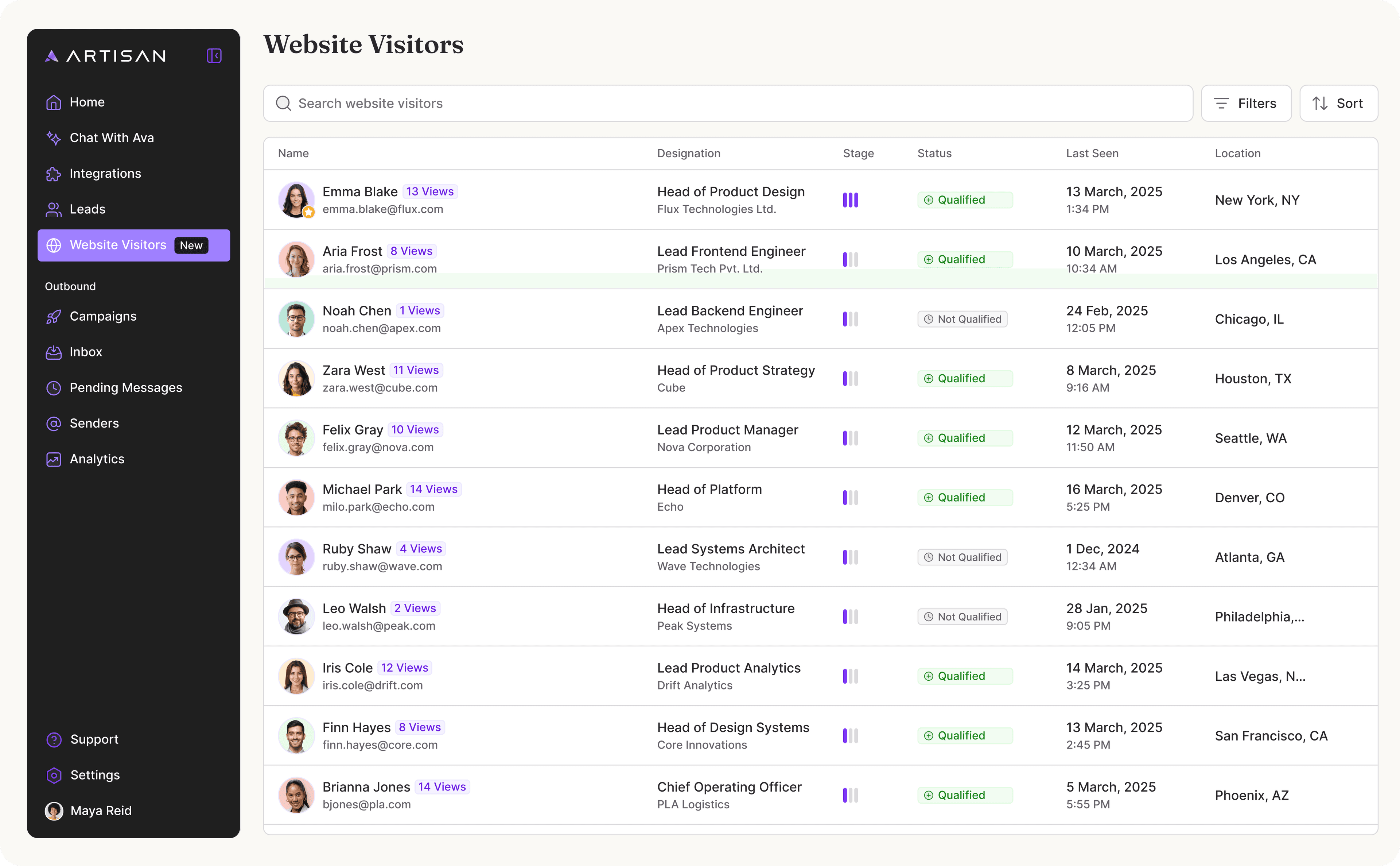
Most lead gen tools incorporate sales intelligence to some degree. Artisan, for example, tracks web visitors and monitors buyer intent and triggers automated outreach based on that online behavior.
How to Build Your Sales Toolkit
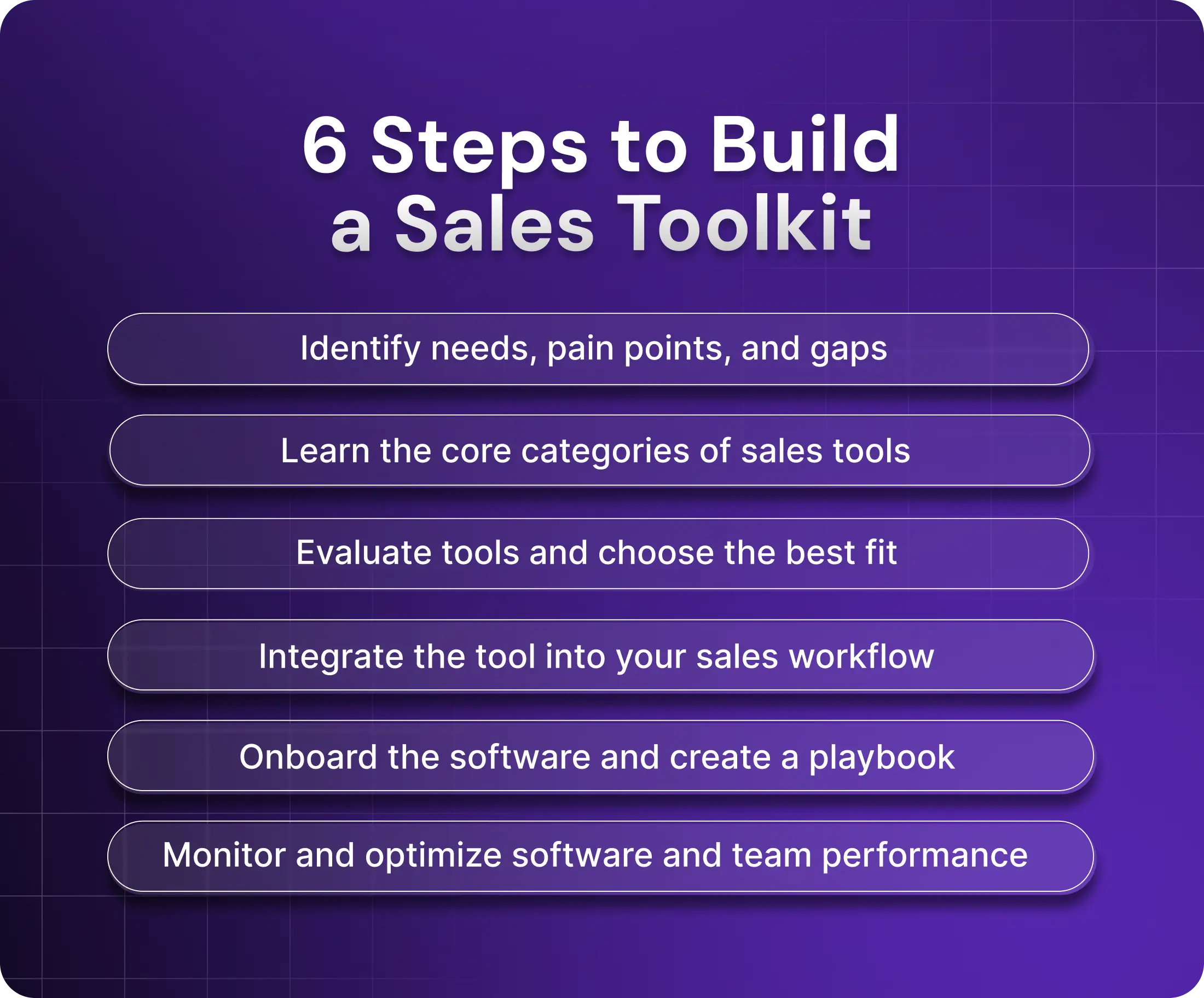
Here is the six-step process you can use to build a sales toolkit tailored to your business’s specific needs.
Step 1: Assess Your Needs and Gaps
Before you start investigating options, identify where you need support by analyzing your current sales processes.
Ask the following questions to assess needs and gaps:
What are your team’s biggest friction points?
Where are deals getting stuck or leads dropping off?
What percentage of leads are actually qualified?
Which admin tasks do reps spend the most time doing?
Which current software tools have the lowest usage or ROI?
To find the answers, survey your sales team and review metrics in current sales tools. Your reps are likely the people with the greatest knowledge of key frictions, frustrations, and issues in your current sales process.
Step 2: Identify the Core Tool Categories
Are there any core tool categories you are lacking in your current sales tech stack?
Here are five core categories of a modern tech stack:
CRM for data management
Lead generation tools for sourcing leads
Sales engagement solutions for outreach
Sales enablement software for consistency
Analytics and intelligence platforms for B2B data and feedback
While reviewing your tech stack, look for both duplicates and gaps. You don’t want to have several tools that essentially do the same thing.
Step 3: Evaluate and Choose Tools
Now that you know which types of tools you need, you can start evaluating them. Don’t miss this step. You can save a world of headaches by thoroughly trialing tools rather than opting for the one that seems most promising.
Here’s a comprehensive evaluation checklist for sales tools:
Start with a shortlist: Research the market using sites like G2 and Capterra, and draw up a list of tools that meet your criteria.
Compare features: Are there tools and functionality that will help solve the pains and frictions identified in step one?
Look at integration capabilities: Tools should play nicely together. Otherwise, you’ll increase manual work caused by data silos.
Consider scale potential: If your company is growing, you must be sure that the platform will work as well for twenty reps as it does for three.
To evaluate each platform, read user reviews on software review sites like G2 and Capterra. Schedule demos and free trials. And include your sales team in the decision-making process. After all, if the end users dislike the tool, they’re probably not going to use it, and nothing kills investment return like zero usage.
Step 4: Integrate Your Workflow
This is where many businesses struggle. They buy several tools that work well alone, but not as a cohesive unit. They purchase showboats who can’t pass the ball or throw an alley-oop.
Make sure you tie your software platforms together. For example, your enrichment tool should automatically populate your CRM with B2B data, and your CRM should be able to trigger outreach sequences in your engagement platform. Set up these connections through native integrations and integration apps like Zapier.
To simplify your life, consider an all-in-one platform like Artisan. Artisan erases the need to worry about integrations, since it handles enrichment, outreach, analytics, and intelligence in one place.
Step 5: Onboard and Roll Out a Playbook
Next, outline how your team should use the software. Document the workflows for the most common operations so new users can quickly onboard and use the tool as efficiently as possible.
Cover the following tasks before onboarding:
Who does what: Outline decision-making authority, escalation paths, and data access permissions.
When to use it: What tasks should be done within the platform?
How to use it: Create or link to detailed guides and tutorials for different features (you can likely find these on the vendor’s website).
Success metrics: What metrics will you track to determine if the tool is producing desired results?
You can organize all this material in a sales enablement platform, which comes with templates, tags, and filters that make it easy to create and find standard operating procedures.
Step 6: Monitor, Iterate, Optimize
Be sure to track adoption rates and tool performance, always looking for ways to help your team members get more out of the tools. Ask users what they’re struggling with. Are there any workflows that could be improved?
Additionally, continue to adjust the automations and outreach content based on customer results. For example, if an email automation is getting low reply rates, consider changing the copy or fine-tuning the AI SDR with a new sales playbook. Consistently monitoring and iterating is how you march towards sales toolkit optimization.
Recommended Tools for Each Category
Theory only takes you so far. Eventually, you need to get your hands dirty and try out tools. The sales software market is confusing (and very saturated). That’s why we’ve listed top performers across all major sales categories to help you get started.
CRMs
Salesforce: Best for sales teams that want extensive workflow customization and top-notch reporting functionality.
HubSpot CRM: Ideal for organizations that want an easy-to-use, all-in-one CRM with features for marketing, customer service, and data ops in addition to sales.
Prospecting & Lead Gen
LinkedIn Sales Navigator: A prospecting tool designed for sales reps that want to find and engage new leads on the LinkedIn platform.
ZoomInfo: A sales intelligence platform for enterprise brands that need extensive data on contacts, companies, and industries.
Artisan: An all-in-one outbound tool that also includes a database of over 300 million B2B, ecommerce, and local leads with enriched, hygiene-checked profiles.
Generect: A powerful platform for CRM data enrichment and workflow automation that helps sales teams keep their databases accurate, up to date, and fully integrated with outreach and analytics tools.
Outreach Tools
Outreach.io: Outreach automation solution with tools for streamlining outreach and deal management.
Salesloft: Easy-to-use sales engagement platform with cadence automation, email tracking, and conversation intelligence features.
Ava by Artisan: AI-first outbound sales platform for sales teams that want an AI sales agent to automatically build and run personalized multichannel sequences across LinkedIn and email, automate follow-ups and lead nurturing, and schedule meetings for reps.
Enablement Tools
Highspot: Go-to-market sales enablement platform for mid-market and enterprise teams looking to improve sales content management and streamline sales coaching.
Seismic: An enablement platform that provides sales managers and coaches with AI-driven feedback on sales performance and sales reps with content personalization suggestions (for outreach).
Intelligence Tools
Clearbit: A data solution that helps inbound sales teams enrich inbound leads with intent data, demographics, and other intel.
Gong: A conversation intelligence tool that tracks and analyzes all sales interactions to identify areas for improvement and the patterns of successful sales reps.
Access a Plug ‘n’ Play Sales Toolkit with Artisan
Don’t want to pay for, onboard, and set up multiple tools? Consider an end-to-end sales automation tool like Artisan. It bundles intelligence, outreach, enablement, and prospecting into one AI-powered solution that generates leads on autopilot.
Let Ava Handle the Busywork
Ava is the platform’s AI BDR. She automates lead discovery, enrichment, outreach, follow-up, nurturing, and even email deliverability optimization. That means 80% of outbound work is handled with no manual effort from your sales team.
Multi-Channel Automation
Ava creates and runs multi-channel sequences tailored to the behavior and demographics of particular leads, which she discovers by scraping social media and the web. Ava handles LinkedIn outreach, email messaging, and CRM updates—along with all follow-up and replies.
Built for Speed and Scale
Artisan is highly scalable, allowing businesses to increase their outreach efforts—sending hundreds of personalized messages every day—without growing headcount.
One Last Thing Before You Build Your Toolkit
If you want to transform your outbound sales team into a revenue-generating machine, you need software to automate the busywork involved in contact management, prospecting, outreach, intelligence, and enablement.
Ava—Artisan’s AI sales agent—finds B2B leads, researches them, creates outreach sequences, and even replies to their responses, all without human intervention. This allows your team to scale lead generation without hiring new sales reps or overwhelming them with an arsenal of different tools.