What is CRM data management? A tactical guide
Messy CRM data is hurting your pipeline. Learn how to clean, organize, and activate CRM data to improve sales and boost outbound results.
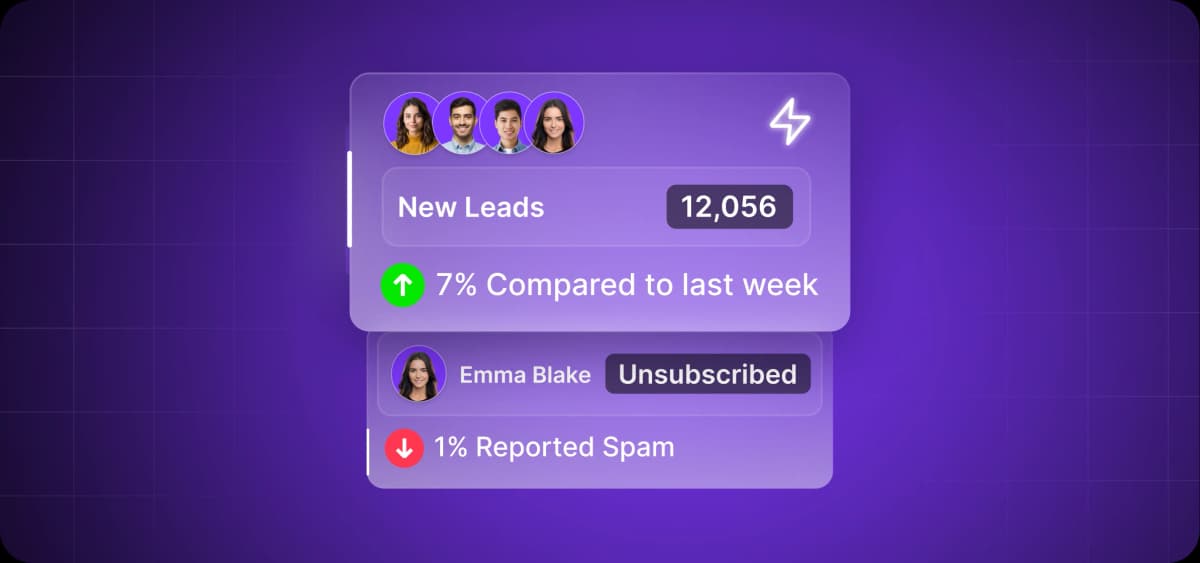
Your CRM probably has duplicate records, outdated contact info, and deals stuck in the wrong pipeline stages. You're not alone—76% of CRM users say only half of their organization's data is accurate and complete.
The problem isn't that your team doesn't care about data quality. It's that maintaining clean CRM data takes consistent effort that most teams don't have time for.
This guide covers what CRM data management actually means, why it matters for revenue, and how to build systems that keep your data clean without constant manual cleanup.
What Is CRM Data Management?
CRM data management is the way in which you organize customer information in your CRM to keep it clean, accessible, and usable.
CRMs have evolved from simple contact databases into complex systems juggling massive amounts of data. This includes contact details, communication history, purchase behavior, engagement patterns, deal stages, support tickets, product usage, intent signals, and more.
With all this information and the ways you can use it—from AI-powered insight analysis to multi-channel automation—you need tested data management frameworks and systems.
CRM Data Management vs. Customer Data Management (CDM)
CRM data management and customer data management are related but separate concepts.
Your CRM is a specific application—Salesforce, HubSpot, or Pipedrive, for example—that manages customer relationships for sales and marketing. CDM is the broader strategy for keeping customer data consistent across systems.
Sveta Golubeva, head of marketing at CVAT.AI (and all-around data pro), explains this distinction:
“Let’s take B2B ecommerce as an example. CDM is basically a module or microservice that allows the owner of a marketplace or web store to collect customer data, analyze it, and deliver personalized experiences. CRM is the standalone platform used by sales, account managers, and business development people. CDM can be part of a CRM, but it can also be part of an email marketing platform or other systems."
Most small to mid-sized companies only need CRM data management. Managing customer information within your CRM is sufficient when one system holds most of your customer data and a few dozen people use it.
Larger companies with multiple departments and systems eventually adopt CDM to prevent data chaos across the organization. You don't need both from day one—start with clean CRM data and add CDM infrastructure when inconsistencies across systems start costing you deals or creating customer experience problems.
Why CRM Data Management Matters
Good data management transforms your CRM from a bloated database into a revenue engine.
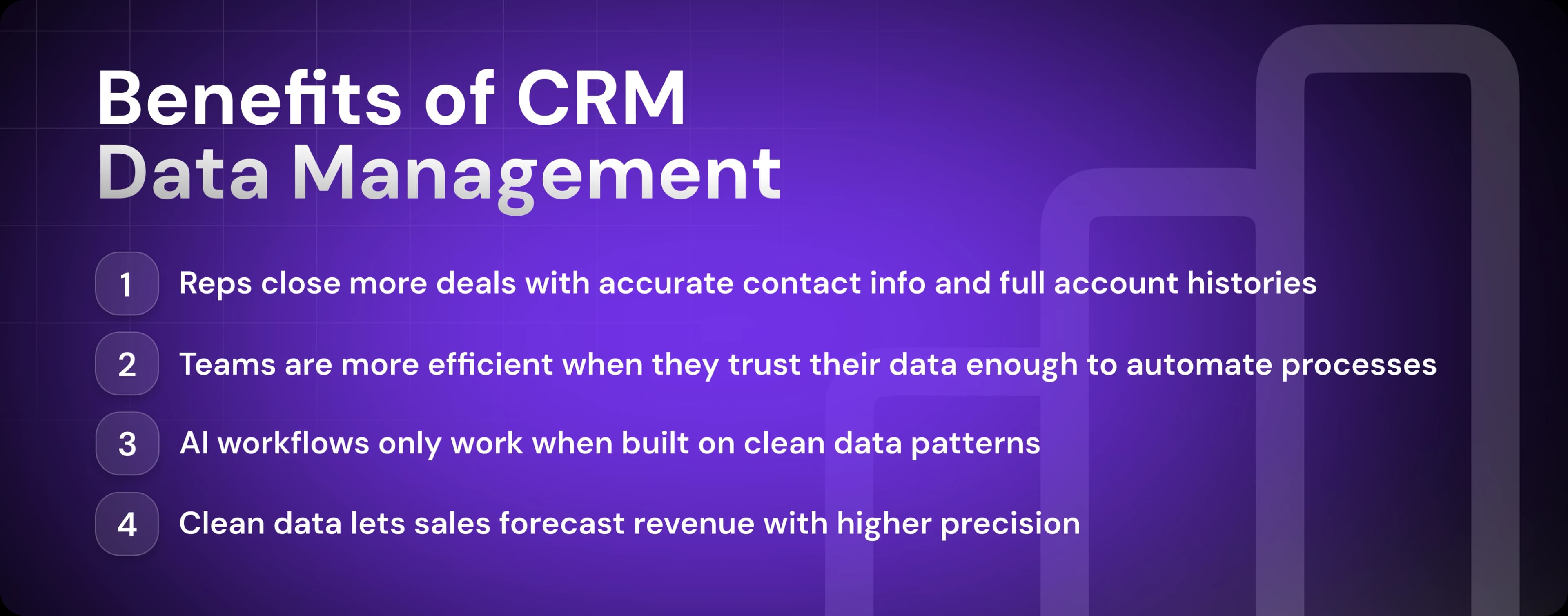
Let’s look at the top four benefits: better sales execution, efficiency through automation, AI readiness, and actionable insights.
Better Sales Execution
Bad data undermines your credibility. Incorrectly starting a sales call with "So, are you still at [Company Name]?" kills deals before they start.
When your CRM data is properly managed, your reps aren't wasting time calling contacts who left a company six months ago or hunting through Slack threads to find context that should be immediately available.
They're working with accurate information—current job titles, up-to-date company data, complete interaction history, and clear buying signals.
This means they can prioritize accounts accurately and personalize outreach in an engaging way. In addition, duplicate records won’t inflate their pipeline with ghost opportunities. Simply put, they can be better salespeople.
Efficiency Through Automation
Teams that are extremely satisfied with their CRM are over five times more likely to report a very positive impact on sales efficiency and four times more likely to report significant revenue growth, according to Insightly.
The difference between those satisfied teams and everyone else? They trust their data enough to let automation run.
When your data management is dialed in, automation stops being a liability.
Leads get routed to the right reps based on accurate territory and account data. Follow-up sequences trigger at the right time because engagement data is tracked. And reminders fire when deals go stale because your pipeline data is current. Enrichment tools also append missing information automatically because your data structure is consistent.
AI Readiness
AI can automate CRM data enrichment and management at a level that simply isn’t possible with traditional if-then rules. Yet forty-five percent of executives don't feel their CRM data is prepared for AI, according to recent data by Validity. And they're right to worry.
If you're planning to use AI for prospecting, personalization, or forecasting, your data management needs to be bulletproof first. Otherwise, you'll be letting AI compound your data problems.
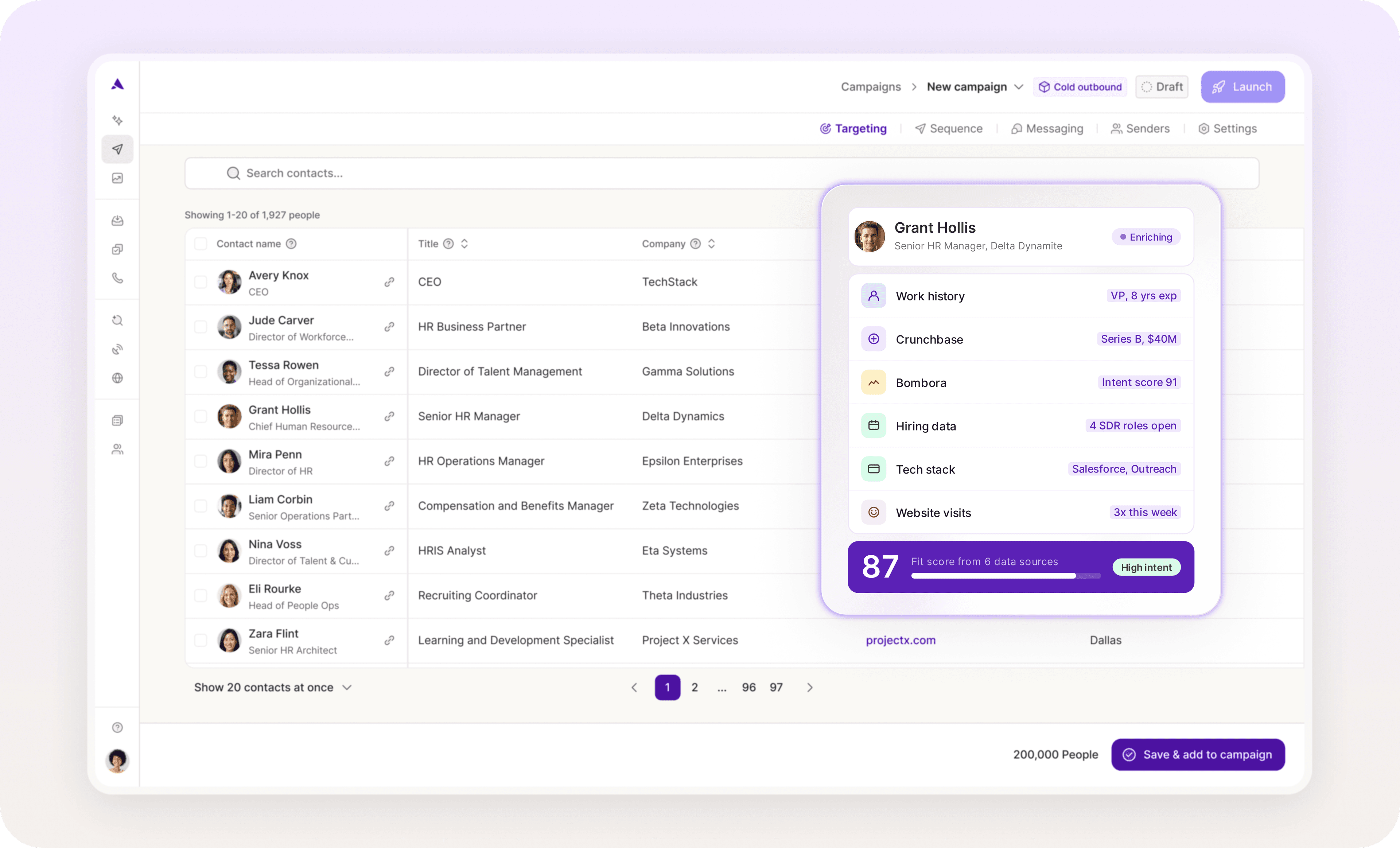
Want to see how a next-gen AI platform can automate significant portions of your sales cycle—including prospecting and data enrichment? Artisan is an all-in-one platform that finds, researches, prioritizes, and connects with new leads at scale, syncing all relevant data with your CRM in the process.
Actionable Insights
The previously cited report by Insightly has also shown that a quarter of sales teams have difficulty accessing accurate data and insights. That's one in four teams making decisions based on gut feel instead of reality.
When your CRM data is managed in the right way, you have accurate insights to base your decisions on. You can forecast with confidence because your pipeline data reflects what’s actually happening, not wishful thinking polluted by stale opportunities and duplicate accounts.
Core Components of CRM Data Management
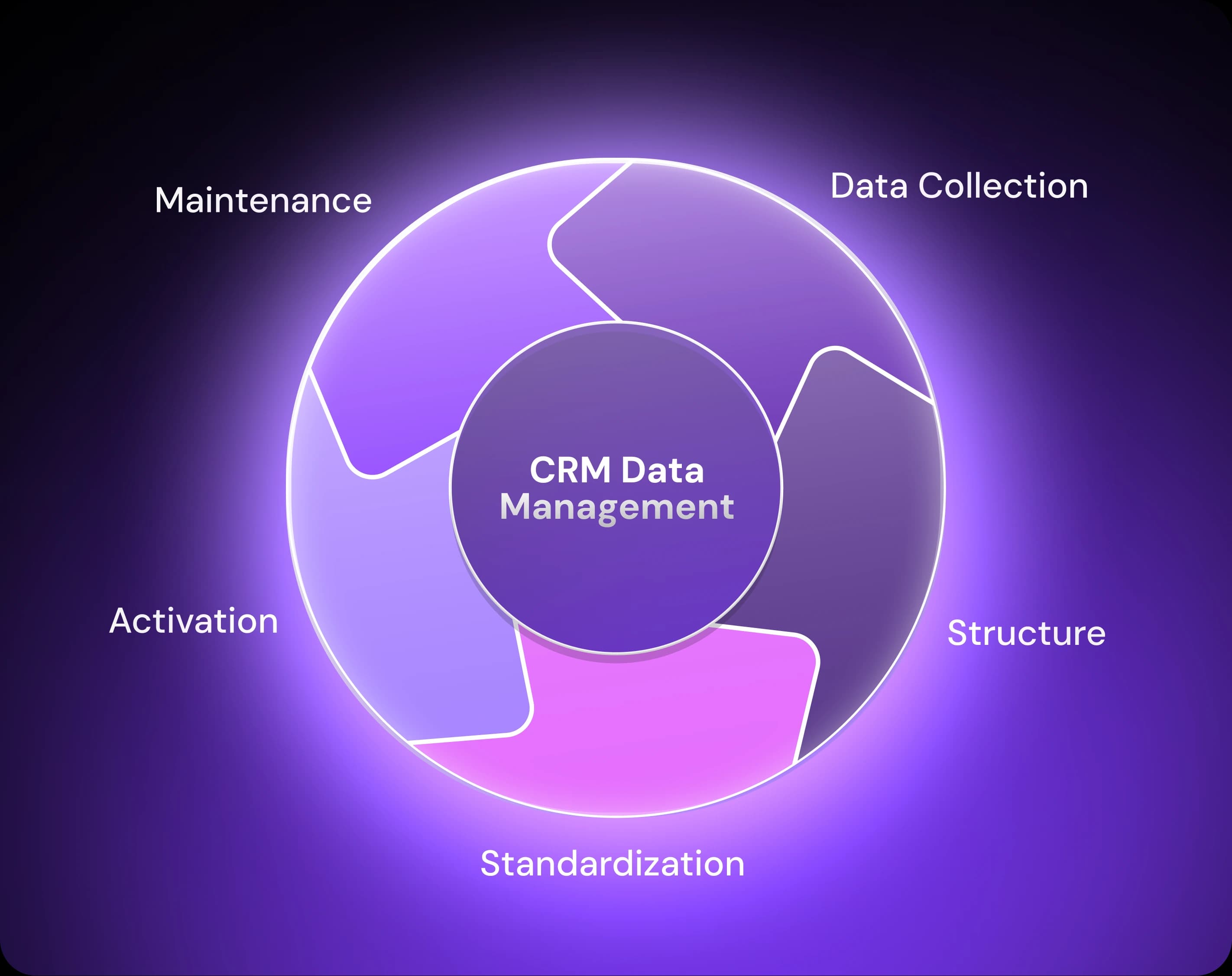
CRM data management breaks down into five core components—data collection, data organization, cleansing and standardization, analysis and activation, and maintenance. You need each of these to keep your customer data clean and usable.
Data Collection
Data flows into your CRM from multiple sources: web forms, LinkedIn integrations, marketing automation platforms, outbound sales tools, and support systems. Good data collection means controlling quality at the point of entry rather than fixing problems later.
A lead from LinkedIn should land in your CRM with the same required fields as a lead from your website—email, company name, and lead source. That means configuring required fields at the source, using dropdown menus instead of free text where it makes sense, and setting up API mappings that route data to the right places automatically.
Organization and Structure
Good organization means standardizing how you capture company size, industry, roles (especially those of decision-makers), buying signals, and whatever else determines whether a deal closes or dies.
The problem with poorly organized CRMs is that teams often use default fields, create overlapping tags, or build pipelines that don't match reality. Six months in, they can't run a basic report because nobody can agree on what "qualified" means or which stages deals should be in.
You need custom fields that capture what matters for your sales process, tags that segment accounts in meaningful ways, and pipeline visualizations that reflect how deals actually move through your organization.
Cleansing and Standardization
Effective cleansing requires automation: validation rules that catch bad data at entry, deduplication tools that merge records based on matching criteria, enrichment integrations that append missing information from third-party sources, and so on.
Only 27% of sales professionals say they have a clear, data-driven view that allows them to make effective decisions. That’s partly because data degrades constantly—people change jobs, companies get acquired, and email addresses bounce.
The only way to stay ahead is to build systems that clean as you go, because those quarterly cleanup projects never happen.
Analysis and Activation
When you have clean, organized data, put it to work. Use it to prioritize high-value accounts, spot at-risk deals early, and personalize outreach based on actual customer behavior.
When data isn't being used, it stops getting updated. Sales reps don't see the point in logging activities if no one's looking at the reports. Managers don't enforce data hygiene if they're not using the insights. Before long, you're back to messy, outdated records.
Maintenance and Security
Lastly, proper CRM data management demands regular audits, up-to-date role-based access controls, and backup systems maintenance.
Your CRM contains customer contact details, deal sizes, pricing information, and competitive intelligence. A breach exposes data, destroys trust, and can sink deals in progress when prospects lose trust.
Types of CRM Databases
If you pick two CRM databases at random—Tableau and Zendesk, for example—there’s a good chance that you’ll feel you’re looking at two separate products. This is normal. There are several categories of CRM databases, each with different applications.
Here’s an overview of the different types of CRM databases with their associated use cases:
Operational CRM databases handle day-to-day sales activities: contact management, pipeline tracking, and task automation. This is what most people mean when they say "CRM."
Analytical CRM databases surface insights and trends from your data. They analyze patterns across deals, identify what's working, and forecast future performance. They’re less about logging activities and more about understanding what the data tells you.
Collaborative CRM databases streamline coordination across teams. Sales, marketing, and support all work from the same customer data, so nothing gets lost when an account moves from prospect to customer to renewal.
Consolidated CRM databases blur these boundaries, bundling operational tools, analytics, and cross-team collaboration into one system.

Automate your outbound with an AI BDR
Meet Ava—your AI BDR who handles prospecting, outreach, and follow-ups, so your team can focus on closing.
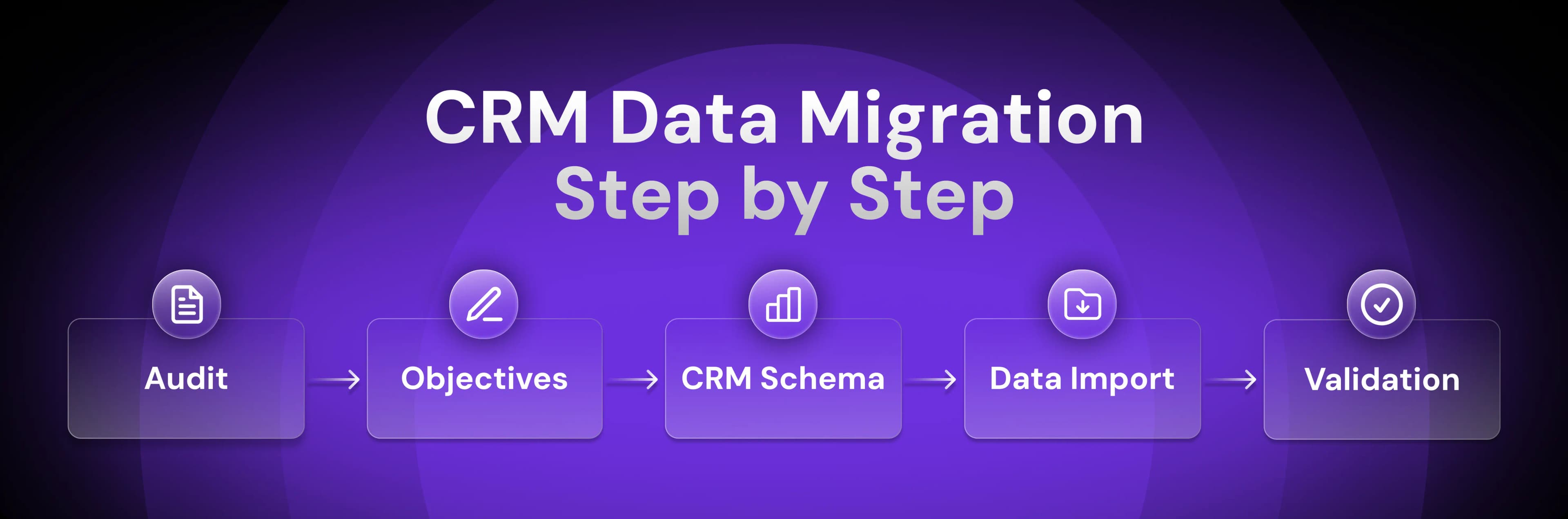
How to Migrate CRM Data in 5 Steps
Moving to a new CRM without a solid migration plan is how you end up with duplicate records, broken pipelines, and teams that can't find anything.
Let’s look at how to migrate your data in the right way.
1. Audit Source Systems
Map every place where customer data lives: your current CRM, marketing automation tools, spreadsheets, support systems, and your sales team's personal notes. You've got more data than you think, but you'll only move a fraction of it to your new CRM.
Run a comprehensive audit of each system. Document what data exists where, identify duplicates across systems, and flag what's outdated or incomplete.
Here’s your pre-migration audit checklist:
Export and consolidate customer data from all systems into one place (this could be your old CRM or a master spreadsheet).
Standardize data formats across systems (phone numbers, names, company names, dates).
Flag records with missing critical fields (email, company name, owner) using filters or validation rules.
Run deduplication reports to identify and merge contacts based on matching emails, phone numbers, or company and contact name combinations.
Check for outdated information by filtering for old timestamps, inactive email addresses, or records without recent activity.
Filter records older than a certain number of years that can be archived rather than migrated.
This audit will help you clean up data before migration. If 30% of your contacts have invalid email addresses now, importing them into a new CRM just moves the problem.
2. Define Scope and Objectives
Set clear objectives first, then design a data structure that actually supports those goals.
Think beyond cleaning up duplicates or purging stale records. You're building a better data structure, not creating a slightly improved version of your old CRM.
Here’s a list of common migration objectives:
Improving data quality and accuracy
Increasing user adoption through better UX
Streamlining workflows that currently waste time
Enabling the system to scale with your business
Integrating seamlessly with other tools
Unlocking better analytics for decision-making
Once you've defined your goals, you can proceed to design your data structure, also known as your CRM schema.
3. Design Your CRM Schema
Your “schema” is the way your data is organized in your new CRM: fields, tags, and pipeline categories that determine whether information is findable and usable.
Here’s your schema design checklist:
Establish naming conventions before data goes in. For example, decide on "Lead Source" vs "Acquisition Channel," "1-10" vs "Small" for company size, "Discovery Call Scheduled" vs "Discovery" for deal stages, and so on.
Map your sales process to pipeline stages. If deals move from Discovery to Demo, to Proposal, to Negotiation, build those exact stages instead of generic defaults.
Create custom fields that capture deal-critical information—budget authority, decision timeline, and competitive alternatives.
Define relationships between objects—how contacts link to accounts and how opportunities connect to contacts.
And of course, document everything. If "Industry" in your old CRM needs to become "Vertical" in the new one, reflect that in your documentation.
4. Extract, Clean, and Load Data
Import your clean, mapped data in batches, not all at once. It’s a far more efficient way to spot and remedy errors before they compound, and any deeper structural issues will become apparent before you migrate all your data.
Here’s a simple data import hierarchy:
Accounts and companies (foundation layer)
Contacts linked to those accounts
Deals and opportunities associated with contacts/accounts
Activities and notes tied to specific records
5. Validate and Monitor Post-Migration
The import is complete, but migration isn't finished until you've verified everything works and your team is actually using the system.
Run the following validation tasks immediately after migration:
Verify that key metrics match: total pipeline value, open opportunities, and active accounts.
Spot-check high-value accounts for intact contact relationships, deal history, and activity logs.
Test critical workflows: creating deals, linking to accounts elsewhere in your tech stack, triggering automations, and email and calendar integrations
It’s also important to set up a feedback channel for your team to report issues during the first few weeks. Identifying issues is one thing, but they also need to find their way up the chain of command as quickly as possible.
9 Best Practices for CRM Data Management
The following nine practices will help you stay consistent with CRM data management over time.
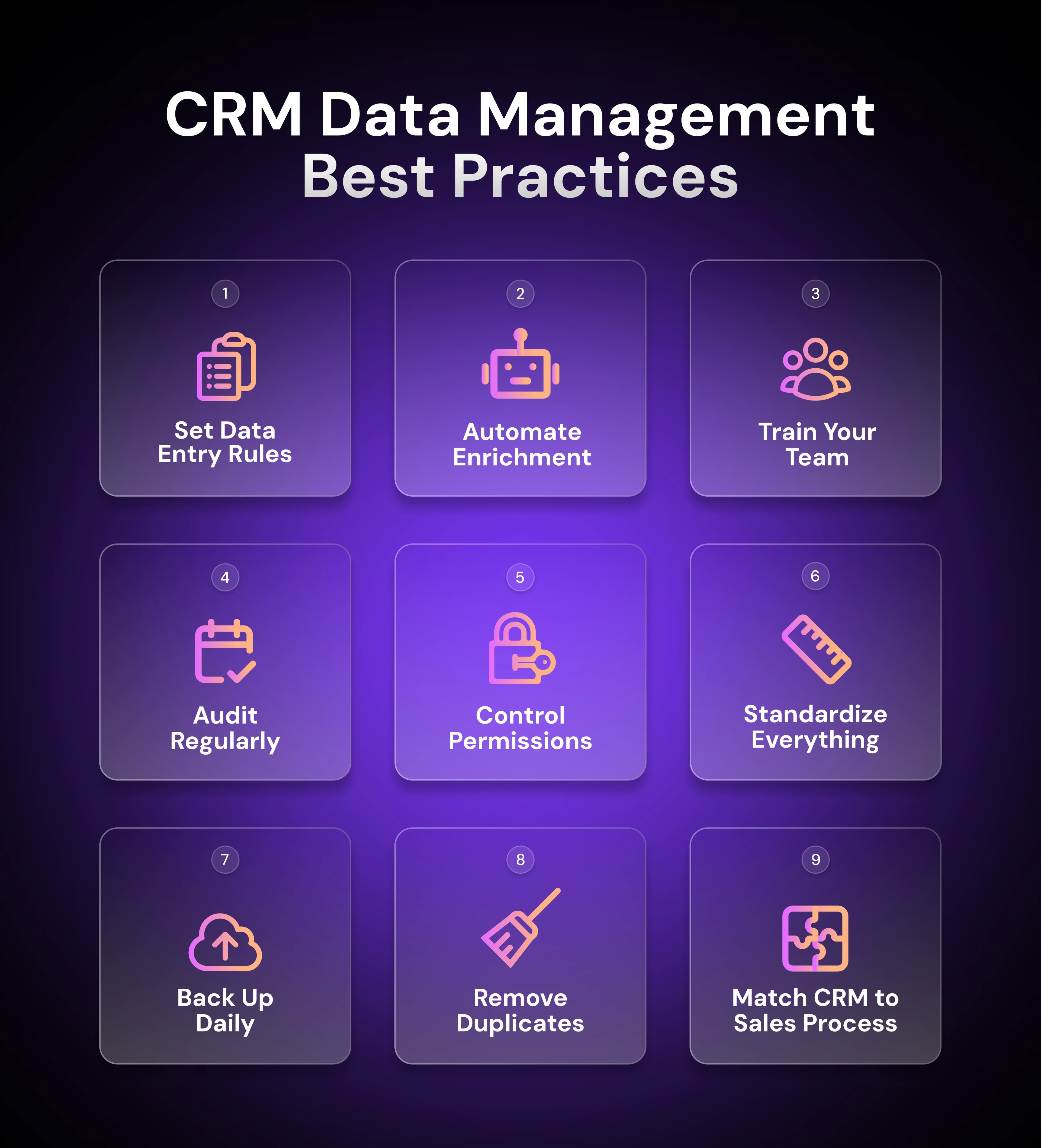
To reinforce them, assign clear ownership of data maintenance and security. Someone needs to monitor data quality metrics, update field definitions as your business evolves, and retire outdated workflows.
1. Define Data Entry Policies
Your team needs clear rules for how new records are added to ensure consistency.
Establish the following data entry standards:
Required fields that must be filled before saving (email, company name, lead source)
Standard formats for phone numbers, dates, and company names
Rules for when to create new records versus updating existing ones
Naming conventions for accounts, contacts, and custom fields
Document these policies in a guide your team can easily find (ideally, within the CRM system itself.)
2. Automate Enrichment
In a report published by Validity titled The State of CRM Data Management in 2025, over half of respondents said their organization relies on manual data cleaning efforts to improve CRM quality. That's time your team shouldn't be spending on copy-paste work.
Use enrichment tools to auto-fill missing fields like job titles, company size, industries, or phone numbers. Connect your CRM to data providers that append information as new contacts are added and regularly review existing profiles.
Artisan, which is powered by AI BDR Ava, automates enrichment by pulling data from a wide range of sources. When a new contact enters your system, Ava automatically reviews company information, email addresses, and job titles, updating and supplementing where necessary.
3. Train Sales Teams on Data Hygiene
Run regular training on the importance of data hygiene and common mistakes to avoid.
Your training should cover all of the following:
Why data quality directly impacts reps’ ability to close deals
Common data entry mistakes and how to avoid them
How to use validation features and required fields
When to update existing records versus creating new ones
How to spot and flag duplicates or data issues
4. Audit Regularly
It’ll be easier to fix problems if you catch them early. Schedule monthly or quarterly audits to review your data health and catch issues before they compound.
Monitor all of the following areas:
Duplicate records across contacts, accounts, and deals
Records with missing critical fields (email, company name, deal stage)
Deals stuck in pipeline stages longer than is normal for your sales cycle
Contacts with bounced emails or outdated job titles
Data freshness metrics (last activity date, last modified date)
In addition, track your duplicate rate, percentage of complete records, and data age over time. If quality drops between audits, it’s a sign that you need to change your auditing practices.
5. Use Role-Based Permissions
Not everyone needs permission to bulk import data, merge records, or delete accounts. Structure access based on what each role actually needs.
Consider implementing the following permissions for core roles:
Sales reps: Create and edit their own contacts, deals, and activities
Sales managers: View team data, run reports, limited bulk editing
Operations and admins: Full access to bulk imports, merges, deletions, and system configuration
Marketing: Create leads and campaigns, with limited access to sales pipeline data
A comprehensive permissions structure prevents accidental overwrites and makes it easier to track who made changes when something goes wrong.
6. Standardize Fields and Tags
When deal stages vary between "Demo Completed" and "Demo Done," pipeline reports become meaningless.
Here’s a basic standardization checklist to get you started:
Lock down picklist (dropdown) values so reps can't create new options on the fly.
Define exact naming conventions for custom fields and tags.
Establish format rules (phone numbers, dates, currency).
Create a data dictionary documenting what each field means and how to use it.
Retire unused fields that create confusion.
Always establish your naming conventions during migration, then restrict who can modify them. This way, you’ll prevent the slow drift back into chaos where "Lead Source," "Source," and "Acquisition Channel" all end up meaning the same thing.
7. Back Up Frequently
Bad imports happen. Systems fail. Users accidentally delete records. That’s why it’s essential to run regular backups to protect yourself from data loss.
Here’s how to establish a backup routine:
Set up daily or weekly automated backups (depending on data volume).
Store backups in a separate system from your CRM.
Test the restoration process at least quarterly to verify that backups work.
Keep backups for 30 to 90 days minimum.
Document who has access to backups and restoration procedures
Most CRM platforms offer built-in backup features or integrate with backup tools. Simply configure the process once and let it run automatically.
8. Deduplicate on Schedule
Duplicates multiply faster than you think. All it takes is a contact created from a web form while their record already exists or an import that doesn't catch matching emails. Even with solid workflows and proper training, duplicates will slip through.
Follow this process to catch and address duplicates early:
Run automated duplicate checks with regularity that makes sense based on your data growth rate.
Review flagged duplicates before auto-merging to avoid mistakes.
Establish merge rules for which record wins when duplicates are found.
Track duplicate rate over time to spot process issues.
If you address duplicates before they snowball into thousands of records that require manual cleanup, you’ll save a lot of admin time that would otherwise be wasted.
9. Align CRM Setup with GTM Strategy
Your CRM structure should mirror how your team sells. And there’s rarely a one-size-fits-all template when it comes to this.
Here’s what alignment looks like in practice:
Pipeline stages match your real sales process, from first contact to closed-won: If your sales cycle moves through Discovery, Technical Review, Proposal, Legal Review, and Closed-Won, this is what you should call your pipeline stages.
Custom fields reflect your ICP criteria and qualification standards: If you only sell to companies with 50 or more employees in healthcare or finance, create fields that capture employee count and industry.
Required fields capture information that determines deal outcomes: If knowing budget authority and decision timeline separates deals that close from deals that stall, make those fields required.
Reports surface the metrics your team uses to make decisions: Build a report that shows average deal size by lead source and ditch "total contacts added this month.”
When there's misalignment, reps work around the system instead of with it. They stop logging activities because the fields don't match their process. They ignore required fields because they're not relevant. And your data quality collapses because the CRM fights against how work actually gets done.
In Short: CRM Hygiene Is a Growth Multiplier
Clean CRM data lets your team focus on the right accounts and make decisions based on actual pipeline health.
The problem is that finding time and resources to maintain data quality is difficult, which explains why so few organizations have reliable data to work with.
Artisan solves this problem. It gives you access to millions of verified B2B leads with continuous enrichment and hygiene monitoring that keeps your data fresh.
Automate your outbound with an AI BDR
Meet Ava—your AI BDR who handles prospecting, outreach, and follow-ups, so your team can focus on closing.

Adelina Karpenkova
SME @ Artisan
Adelina Karpenkova is a writer helping businesses tap into AI's potential and clear up misconceptions. She works with B2B teams on latest industry knowledge.