What is outbound email automation? Full guide
Learn how outbound email automation works, with best practices and reviews of top tools. Discover what works for startups, SDRs, and enterprise teams.
A lot of work goes into email outreach—researching leads, writing personalized emails, and following up, to name just a few recurring tasks.
All of this work is incredibly time-consuming for reps.
Outbound email automation is the antidote. It allows sales teams to scale outreach and multiply the number of leads they can engage—and convert—without increasing their workload.
What Is Outbound Email Automation?
Outbound email automation is the use of email software to send targeted emails to potential customers. Sales teams implement email automation to scale their cold outreach and targeted lead generation without sacrificing personalization.
Here are three examples of email automation:
A five-part cold email sequence that automatically sends to a segment of your lead list over the course of three weeks.
An automated follow-up email that sends to a lead who hasn’t responded to the first email after two days.
A cold email blast that sends 50 personalized emails to 50 leads simultaneously, automatically filling an email template with lead data from your CRM.
Unlike inbound email automation, these leads have yet to express interest in your brand. And unlike manual email workflows, it’s much faster. Automation software handles repetitive tasks and makes use of email templates, list segmentation, and email scheduling.
Some tools, such as Artisan, also come with a suite of AI features that crank the automation up a notch, taking care of everything from personalization to lead scoring based on recipient behavior.

Why Outbound Email Automation Works
B2B sales reps and BDRs spend a significant amount of time crafting and personalizing cold emails. Outbound email automation tools cut that time dramatically, freeing reps up to focus on more critical tasks, like holding calls with qualified prospects.
Here are the key benefits of outbound email automation:
Improved email personalization at scale
Reps never forget to follow up
More precise segmentation
Automated A/B testing of email elements
Greater volume of sales outreach
This leads to higher reply rates, greater brand exposure, and more booked meetings for sales teams.
Key Components of a Successful Outbound Email Automation Strategy
Outbound email automation done poorly will do nothing but frustrate leads with irrelevant, generic messages.
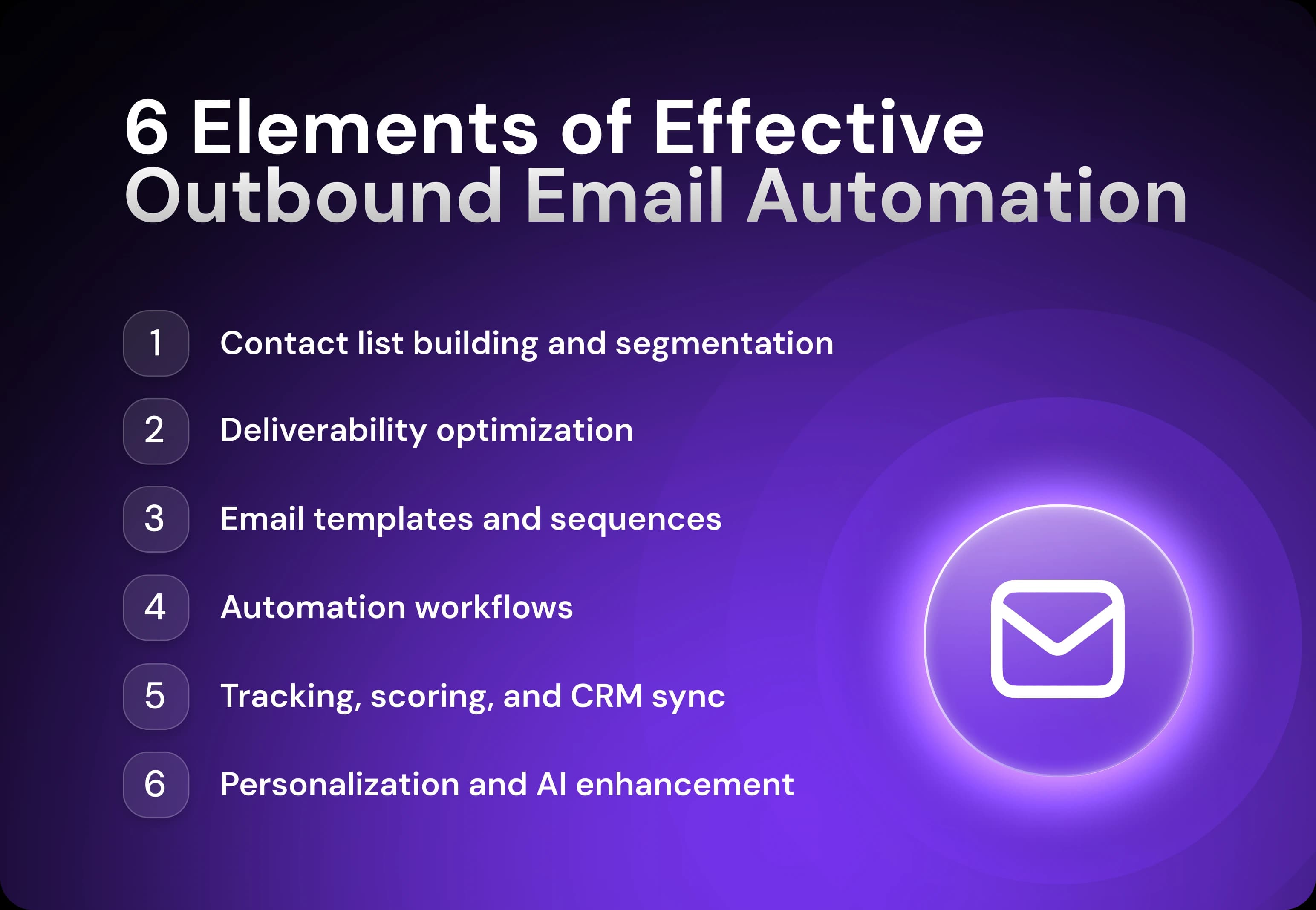
Successful strategies tend to have six core components: segmented lead lists, deliverability optimization, tested templates, automation workflows, tracking and scoring, and in-depth personalization.
Let’s look at all of these in depth.
Contact List Building and Segmentation
To find leads worth cold emailing, use a B2B prospecting tool with a reputable database that covers your ideal customer profiles (ICPs) and location.
Artisan’s database, for example, has over 250 million B2B, ecommerce, and local lead profiles and includes data like email address, job title, revenue, location, technology use, and much more.
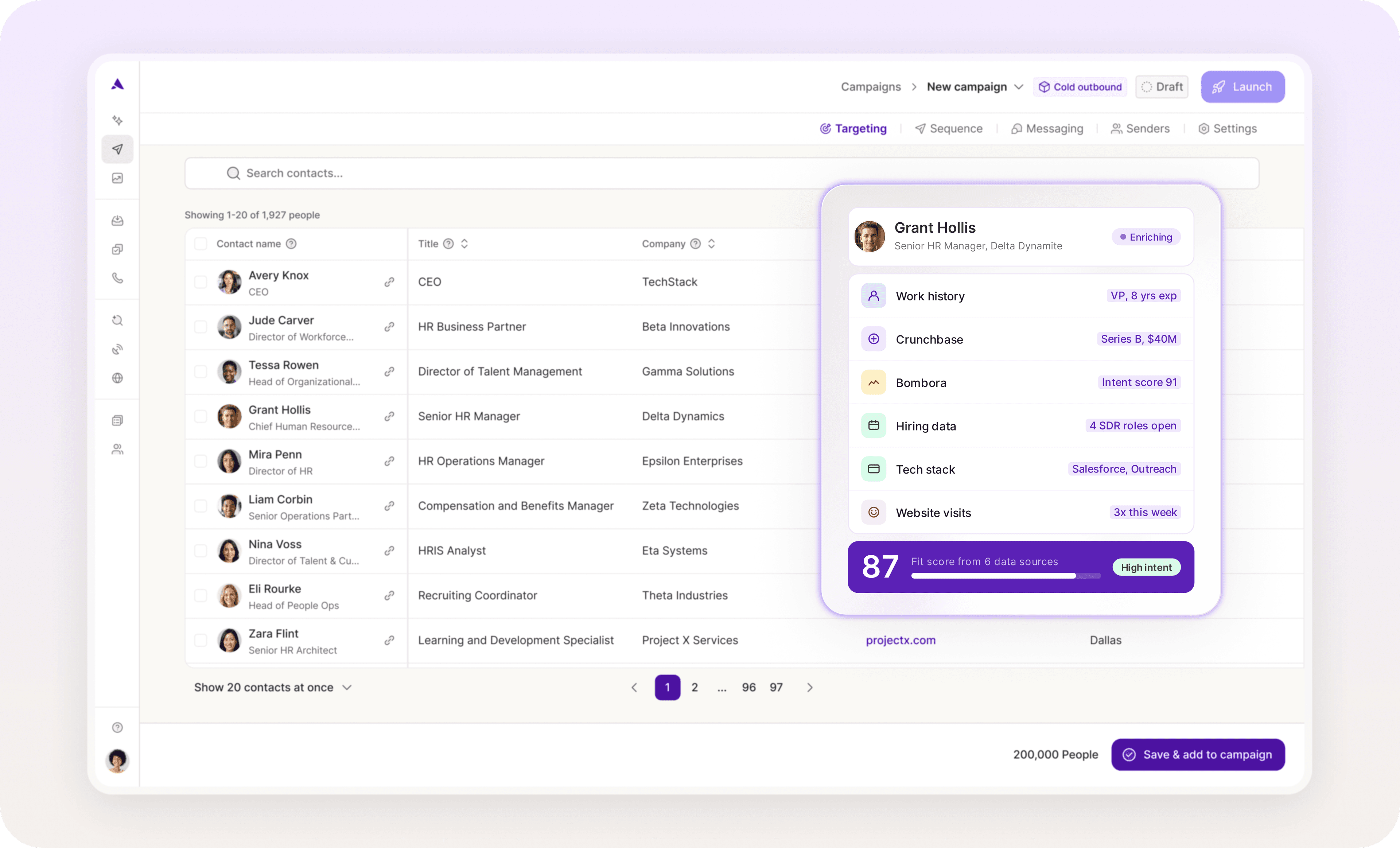
These tools are also key for targeting your outreach. You can use them to create lead segments around different data points, including demographic and firmographic data—for example, “CFOs from property management companies in NYC.”
Deliverability Best Practices
The best outbound email automation strategies prioritize email deliverability—the rate at which your emails land in your leads’ inboxes (as opposed to spam folders).
To boost deliverability, invest in email automation software that offers email warm-up, inbox rotation, and bounce testing.
Your chosen tool should also help you track deliverability so you can spot issues and fix them. These features run in the background but are very important—they ensure your leads actually see your sales emails.
Email Templates and Sequences
Email templates are partially pre-written emails that contain fields like “job title.” These fields autopopulate with information relevant to the recipient of the email.
Your email automation software does this personalization automatically by retrieving data from your CRM, social media, or a third-party database.
An email sequence, on the other hand, is made of multiple email templates strung together. Each template does its part to accomplish a goal—like convincing VPs of Sales to take a meeting with you.
Artisan has a drag-and-drop email sequence builder. Once the sequence is ready to go, AI BDR Ava personalizes templates using a range of data points.
Automation Workflows and Scheduling
Scheduling is the easiest way to automate a sequence. You go into your email automation platform and set the intervals between email sends. Some AI email tools will even determine the best times to send emails based on their analysis of open rate data.
You can create even more personalized experiences for your customers by setting other rules in your sequencing tool. For example, you might create an “if, then” logic that sends a web demo invitation email if a lead clicks on a product link in one of the emails in your sequence.
Tracking, Scoring & CRM Sync
To optimize your email automation strategy, take advantage of your email automation tool’s built-in analytics and email tracking features.
Track the following metrics:
Open rate
Click-through rate
Bounce rate
Conversion rate
Unsubscribe rate
List growth rate
Integrate your stack so all email communication is tracked in your CRM. Most CRMs come with lead scoring tools that rate leads based on how they’re engaging with your emails, which automates lead qualification and alerts reps to the highest-value opportunities.
Personalization and AI Enhancements
Today’s most efficient outbound email automation strategies leverage AI to automate personalization at scale.
AI-powered email tools can analyze vast amounts of data about your leads—from their recent social media activity to their job responsibilities—and use that intel to generate hyper-tailored messages.
Advanced AI sales tools like Artisan can even do the following:
Research leads across social and the web to discover talking points
Generate tailored multi-channel sequences based on lead attributes and activity
A/B test subject lines and email content to identify what messaging works best
Optimize send times depending on when leads are most likely to open emails
In short, integrating AI tools into your outbound strategy saves reps time and allows your business to reach more leads in a personalized manner.
Best Practices for Outbound Email Automation
Now that you know the key elements of an outbound email automation strategy, it’s time to understand and implement the email tricks that separate the masters from the amateurs.
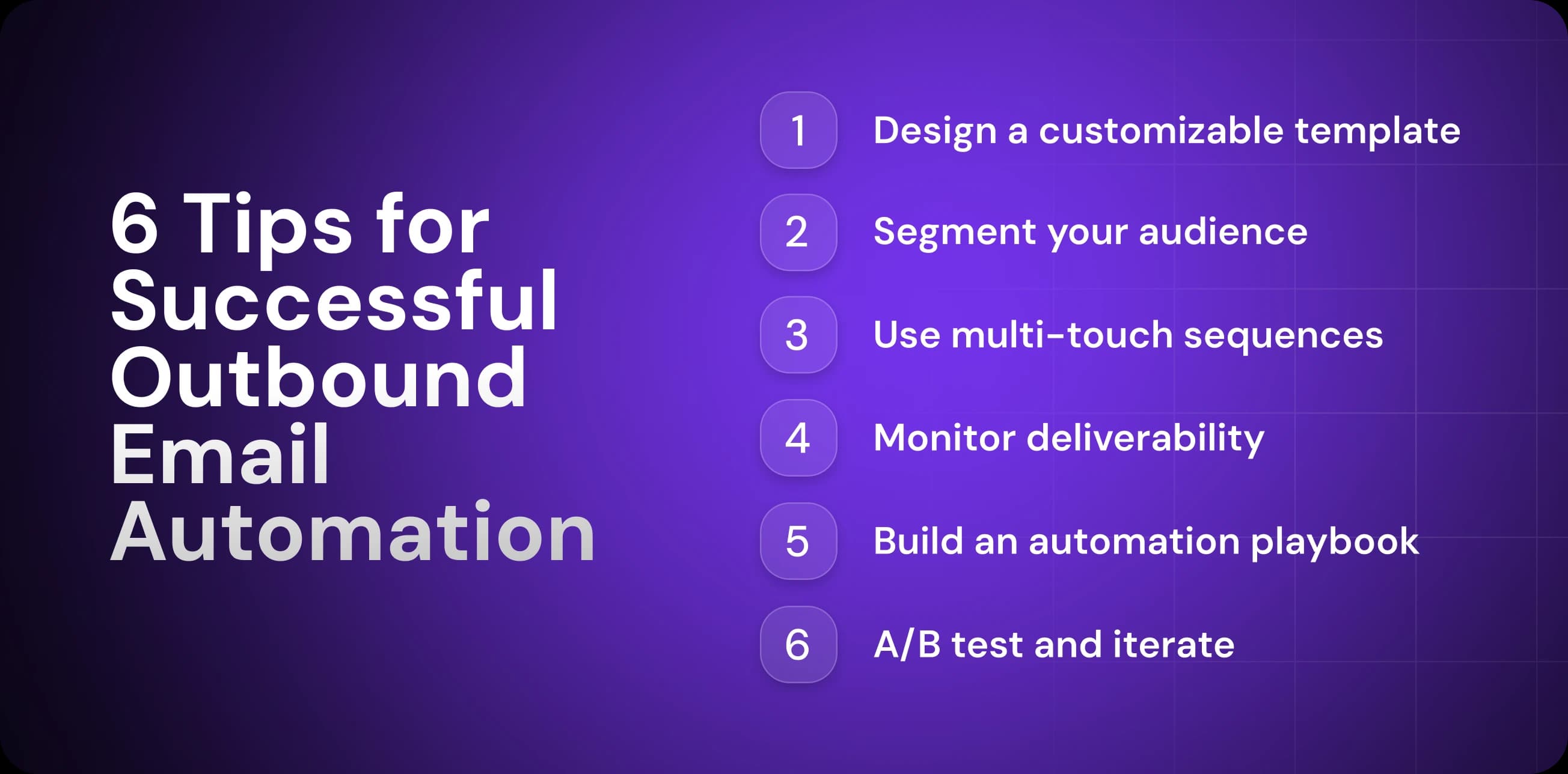
Start With a Template Then Customize
Your email templates are the foundation of your outreach emails. They provide an overall structure and enable your team to reach out to thousands of prospects without reinventing the wheel every time.
If templates are the base, think of customization as the icing on the cake. It turns an interesting offer into something that resonates with leads on an individual level.
Tailor the following parts of your cold emails where appropriate:
Recipient’s name and company name
Pain points for their specific role
Recent news in their industry
Relevant case studies and product recommendations
Here’s a comparison to show how a template becomes a fully personalized email through customization:
Hi [name],
Congrats on the new [recent company news]!
I wanted to reach out because a lot of companies in the [recipient industry] industry are coming to us for help with [industry challenge], which is [pain point].
So far, we’ve helped [reputable company 1 in this industry] and [reputable company 2] achieve [main benefit].
Would you like to see how?
Regards,
Sam
Here’s the customized version:
Hi Marcus,
Congrats on the recent promotion!
I wanted to reach out because a lot of companies in the residential real estate industry are coming to us for help with rising competition in the market, which is preventing them from standing out as a realtor.
So far, we’ve helped John’s Realty and RGNO generate hundreds of leads on Facebook.
Would you like to see how?
Regards,
Sam
Keep in mind that the more targeted your email list is, the fewer open fields you’ll have to include in your template. For example, if all the leads are in the residential real estate, just write that in the template instead of [industry].
Segment Your Audience by Buyer Persona and Industry Vertical
Dividing your audience into different groups by job title, industry, and other characteristics enables you to create hyper-targeted outreach sequences.
Here are the best ways to segment your audience:
Build separate lists in your CRM for each segment to easily upload them into your email automation tool.
Create lists for different decision-maker types and list out common pain points—CFOs, CEOs, and sales directors might all need your tool, but they all need it for different reasons.
Group leads by vertical (SaaS, real estate, financial services, etc.) because their priorities and challenges differ.
Write different templates for each segment, taking into account that group’s unique needs, fears, responsibilities, KPIs, and industry terminology.
Track engagement across segments to see which parts of your audience are most receptive to your offers (then double down on that segment).
To illustrate, here’s how Yad Senapathy, CEO of project management training company 4PMTI, uses segmentation to personalize his email outreach:
“Our automation divides recipients into groups according to their industry and role to make the recommendations they receive relevant. For example, a person working in IT as a program manager might receive an email that shows them cybersecurity project management workshops, while someone in construction management would see options that are related to risk and scheduling.”
When you segment your audience into groups and then craft email templates and sequences containing content relevant to each group, your reply rates will be much higher than if you blast out the same emails to every lead.

Automate your outbound with an AI BDR
Meet Ava—your AI BDR who handles prospecting, outreach, and follow-ups, so your team can focus on closing.
Use Multi-Touch Sequences With Variable Content
Multi-touch email outreach sequences that include different content types outperform one-off emails.
Here’s a standard template for cold email sequences:
Problem (email one): Introduce yourself. Define the pain point you want to help them solve. Introduce your solution, and share the transformation you’ll help them achieve.
Proof (email two): Now it’s time to get them to believe what you said in email one. Share a case study that illustrates how you helped a customer like them.
Value (email three): To earn their trust, share a piece of valuable, educational content that will help them solve a part of the problem (a checklist, template, or a how-to guide, for example).
Breakup (email four): Reiterate the original problem and share the benefits you expect them to receive. To create a sense of urgency, write something along the lines of “If I don’t hear back, this will be the last message you'll see from me.”
It should go without saying that in each email, you’re ending with a call to action to book a sales meeting or take some defined next step. To boost open rates, send messages through other channels, including LinkedIn and via phone. Hit them from all angles.
Monitor Deliverability and Avoid Spam Triggers
There’s nothing more annoying than crafting an email sequence only to discover it’s not reaching any of your leads.
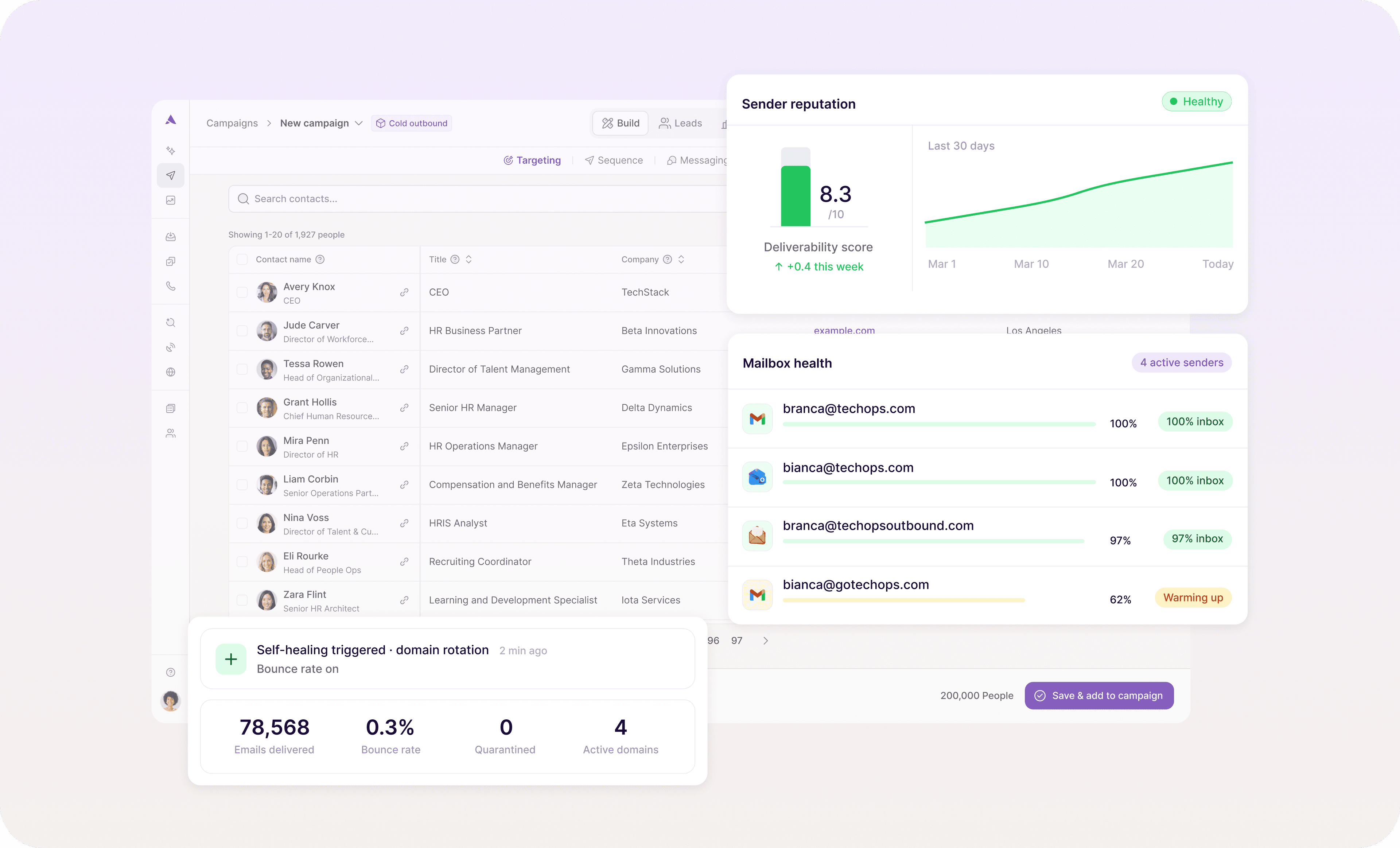
Here are the best ways to optimize email deliverability:
Set up DKIM, SPF, and DMARC records for your domain to prove legitimacy to Internet service providers.
Warm up new email addresses by gradually increasing daily email sends (20 emails per day the first two weeks, then increase slowly).
Limit email sends to around 50 per day so that sudden surges don’t set off spam triggers.
Personalize email content—the better your engagement rates are, the better your sender reputation and deliverability will be.
Remove hard bounces from your email list because they can hurt your sender reputation.
Some email automation tools, like Artisan, have built-in, AI-powered email deliverability tools, like inbox rotation, send limits, and email warm-up. These work in the background, so you don’t have to worry about those pesky spam filters.
Create a Shared Automation Playbook (PDF)
A shared automation playbook is where you document your framework for how your team should automate its outbound emails.
Your automation playbook should include all of the following:
Pre-built sequences and templates for different audience segments and scenarios
Behavioral trigger conditions
Email scheduling rules
Subject line formulas
A/B testing protocols
KPIs to track (and where to track them)
CRM and email automation tool setup and integration steps
Troubleshooting guides for common issues
Compliance requirements
Escalation paths
Processes for handing interested leads over to AEs
Putting all of this information into a shareable PDF ensures that any salesperson or ops professional involved in outbound email automation will know what to do and deal with all possible scenarios.
A/B Test, Iterate, and Learn from Replies
What you don’t test, you’ll struggle to improve. You need to be relentless with your A/B testing.
Test all of the following elements:
Subject lines
Pain points and benefits
Value propositions
CTAs and button designs
Intervals between emails
Email length
If you find that a certain subject line is outperforming another, make a hypothesis for why that is. Then, test your hypothesis. This is how you steadily march towards a fully optimized email automation system.
Case Studies and Real-World Examples
Let’s look at how real companies are using outbound email automation so that you can emulate their approach in your own email outreach.
HubSpot: Follow-up Sales Email
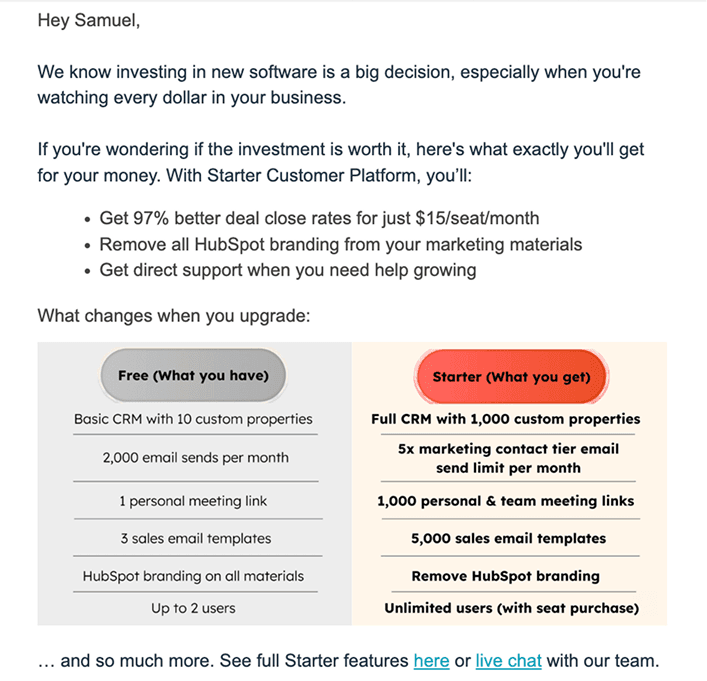
HubSpot’s automated sales email is designed to encourage free users to purchase a paid subscription.
Right off the bat, they share a benefit that’s hard to ignore—97% better close rates for those who switch to the paid CRM.
To drive home the value of upgrading, they also include a visual that displays key differences between the two plans. Putting the paid-tier features in color and the free ones in gray makes it feel like a much better option.
Their CTA is excellent too, giving leads the option to choose between two low-friction tasks—exploring the feature page or live chatting with their team.
Mailshake: Product Update Email
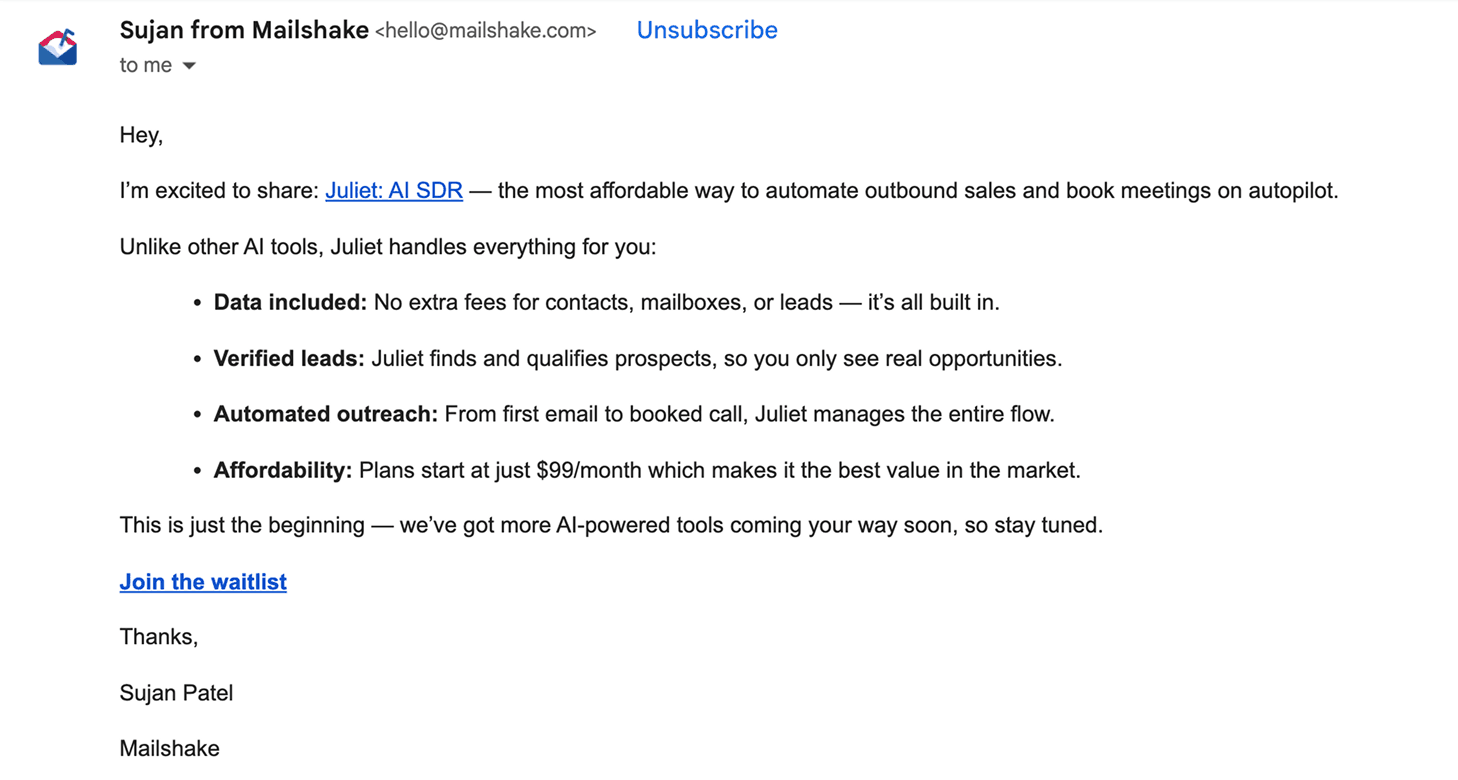
In an effort to turn leads into buyers, Mailshake’s automated email promotes a new AI feature.
After introducing its main benefit—generating meetings on autopilot—it quickly shares a bulleted list of other benefits.
Notice how the email focuses almost entirely on the value of the software. It doesn’t even discuss how the software works. It’s focused instead on what it accomplishes for users.
Feature update emails like this are a good outbound email technique for re-engaging cold leads.
Product School Events: Event Promotion Email
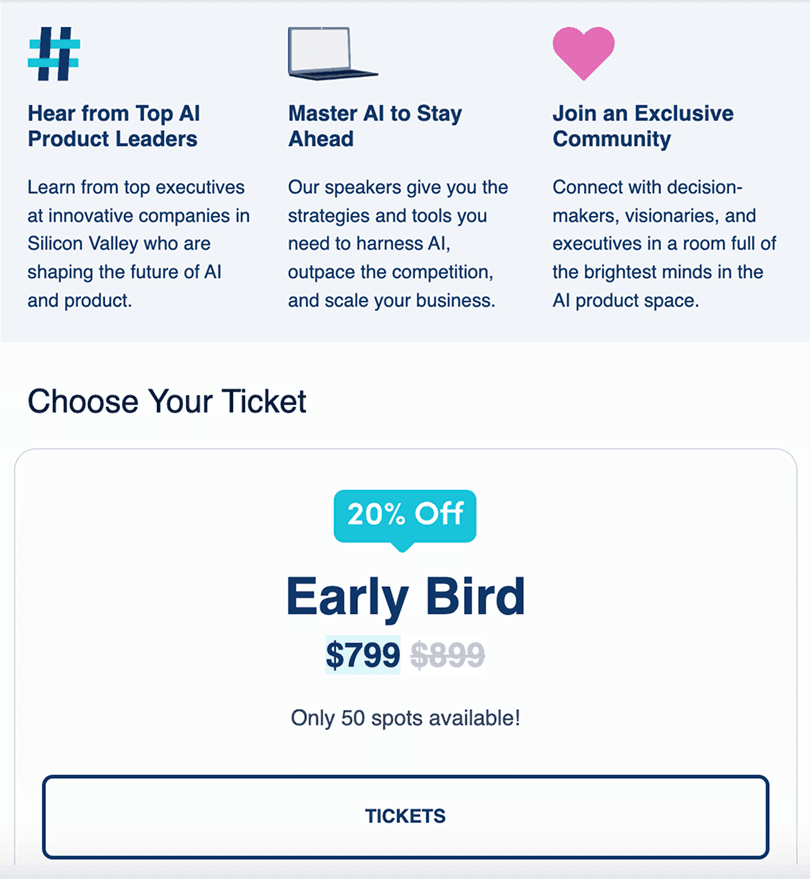
This automated outbound email from Product School Events is a good example of how to promote or sell events like webinars or conferences.
At the top of the email are three benefits of attending—hear from AI leaders, learn AI techniques to get ahead in your career, and network with well-connected peers. That’s a perfect example of leading with value.
There’s also an early bird special that offers the chance to get tickets for 80% off the original price. Below the price, the email states there are only 50 spots left, which increases urgency at just the right moment.
The Future of Outbound Email Automation
Outbound email automation used to mean email templates, scheduled emails, and basic sequences. Now, with AI technology, companies are running outbound campaigns with a minimum of manual input.
AI-Generated Email Content Becomes the Norm
Increasingly, BDRs are using AI tools to write cold emails. And not just to generate copy. They’re also using it to find and research leads. According to HubSpot’s 2025 Sales Trends Report, over half of surveyed sales reps think AI tools for research will improve performance.
The good news is that this flood of AI content creates an opportunity for responsible businesses. If you can use the right AI cold email tools and tactics to generate personalized email content that doesn’t sound like it was written by a microwave, you’ll stand out in your lead’s inbox.
Full AI SDRs Managing Conversations
An AI SDR is a software solution that can research leads, send them messages, and perform other cold outbound functions. Companies are adopting these tools because they allow their sales team to scale personalized outreach without hiring human employees.
Take Artisan’s AI SDR Ava, for example. She messages leads with personalized outreach on email and social media. She responds to leads who answer and books meetings for your account executives.
Smart Send-Time Optimization
Machine learning algorithms analyze data like email open rates to predict when your target leads are most likely to be at their desks. They then automatically send sales emails at the best times.
Teams are also using dynamic triggers that automate email sends when a specified event occurs. Take this example from Michael Alexander, Managing Director of Tangible Digital:
“I configured campaigns to generate emails when something significant occurred in the market of a prospect, such as when his or her competitor rose in search positions. The emails were to the point, I indicated the shift, described what it meant to their traffic, and outlined a definite course of action that they can take.”
Automated Prospecting and Cadence Building
Until recently, it was common practice to create separate sales cadences for each segment of an audience. AI allows for hyper-targeting, allowing you to create cadences for specific leads.
Artisan, for example, manages your entire prospecting workflow, from list building to company research and personalized cold outreach. No human intervention is needed after initial setup. That’s a relief to salespeople sick of searching the web and social for information on leads they aren’t even sure will answer.
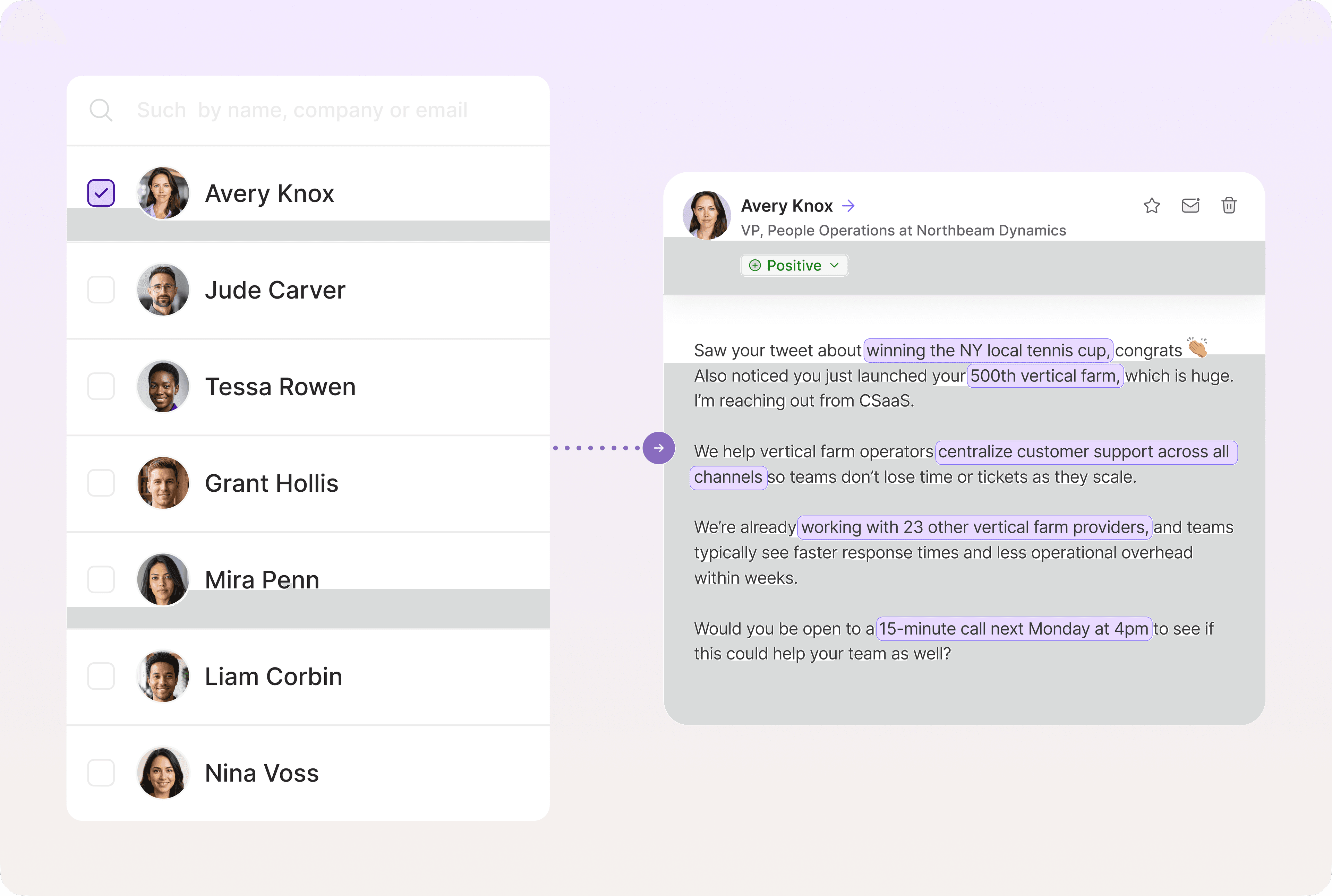
Omnichannel Sequences
Sales teams can configure sales automation platforms to send coordinated outreach across multiple channels, such as email, social, and SMS. This consistent, diverse approach to outreach can significantly boost response rates.
Tools and Solutions for Outbound Email Automation
Your tech stack is the foundation of your outbound system. Pick wisely, and you’ll see open and response rates at a level that matches—and even surpasses—human-written cold emails.
Artisan (AI-powered platform)
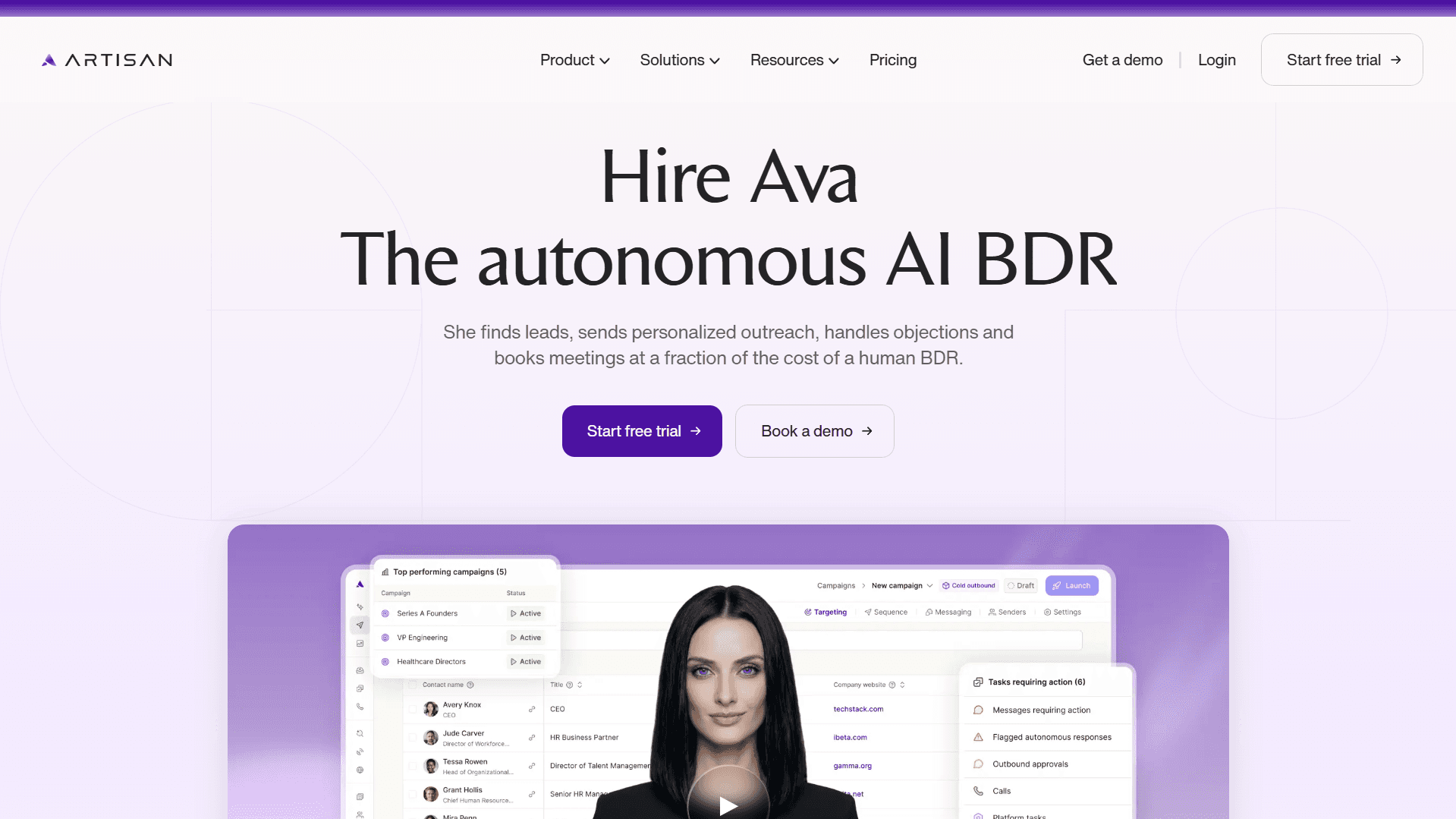
Artisan has established itself as a leader in the new category of AI-first outbound automation platforms.
AI BDR Ava handles the entire outbound sales process, from finding and researching leads to deploying tailored multichannel outreach sequences.
Here are Artisan’s key features:
Automated email outreach via email and social media
AI BDR called Ava that handles lead research and outreach
Access to a database of over 300 million B2B, local and ecommerce leads
CRM sync
Email deliverability optimization
Message personalization
Artisan offers a way for companies to consolidate their outbound tech stacks into one easy-to-use AI platform. Book a demo to learn how Ava can help you book sales meetings on autopilot.
Reply.io
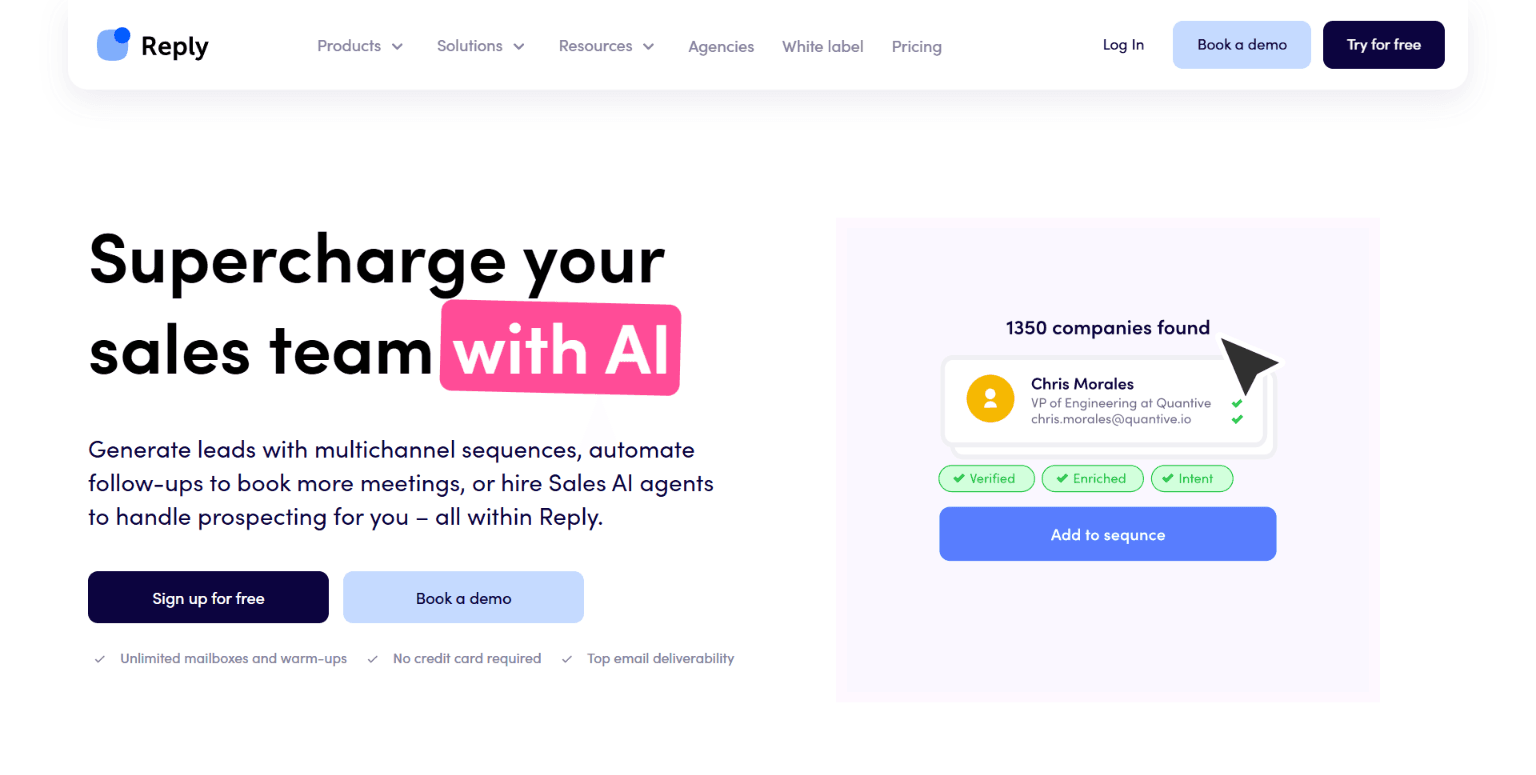
Reply is a LinkedIn and email outreach automation platform with AI features like response handling and email personalization.
It’s a good option for automating repetitive tasks involved in cold outreach. But some users find its breadth of automations and features overwhelming, especially when they lack a background in digital marketing and email marketing.
Salesloft
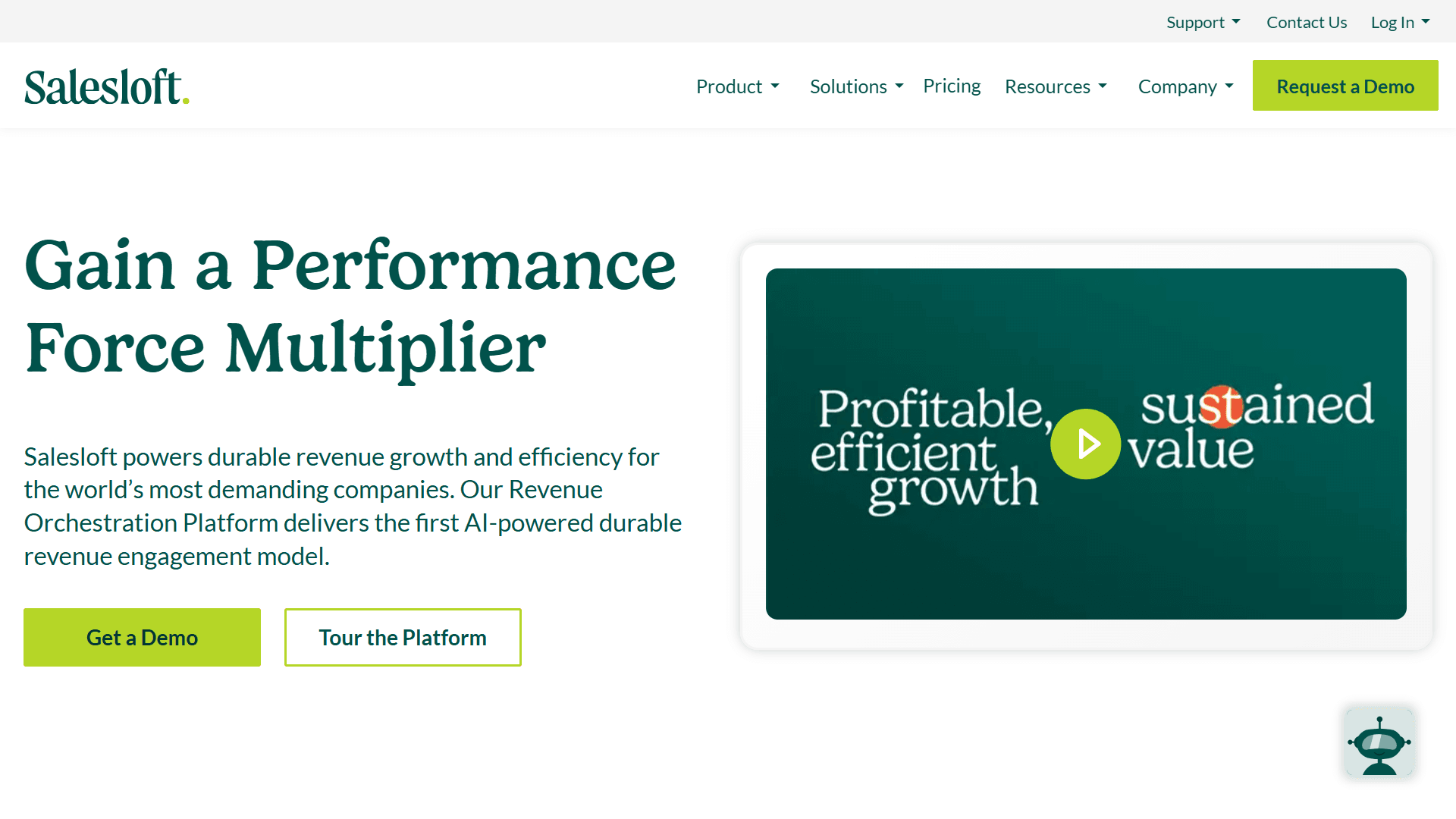
Salesloft is a sales engagement platform that allows sales teams to build multichannel cadences.
It’s primarily used by enterprise brands that need deep analytics, CRM syncing, and multiple seats for large outbound SDR teams.
Apollo.io
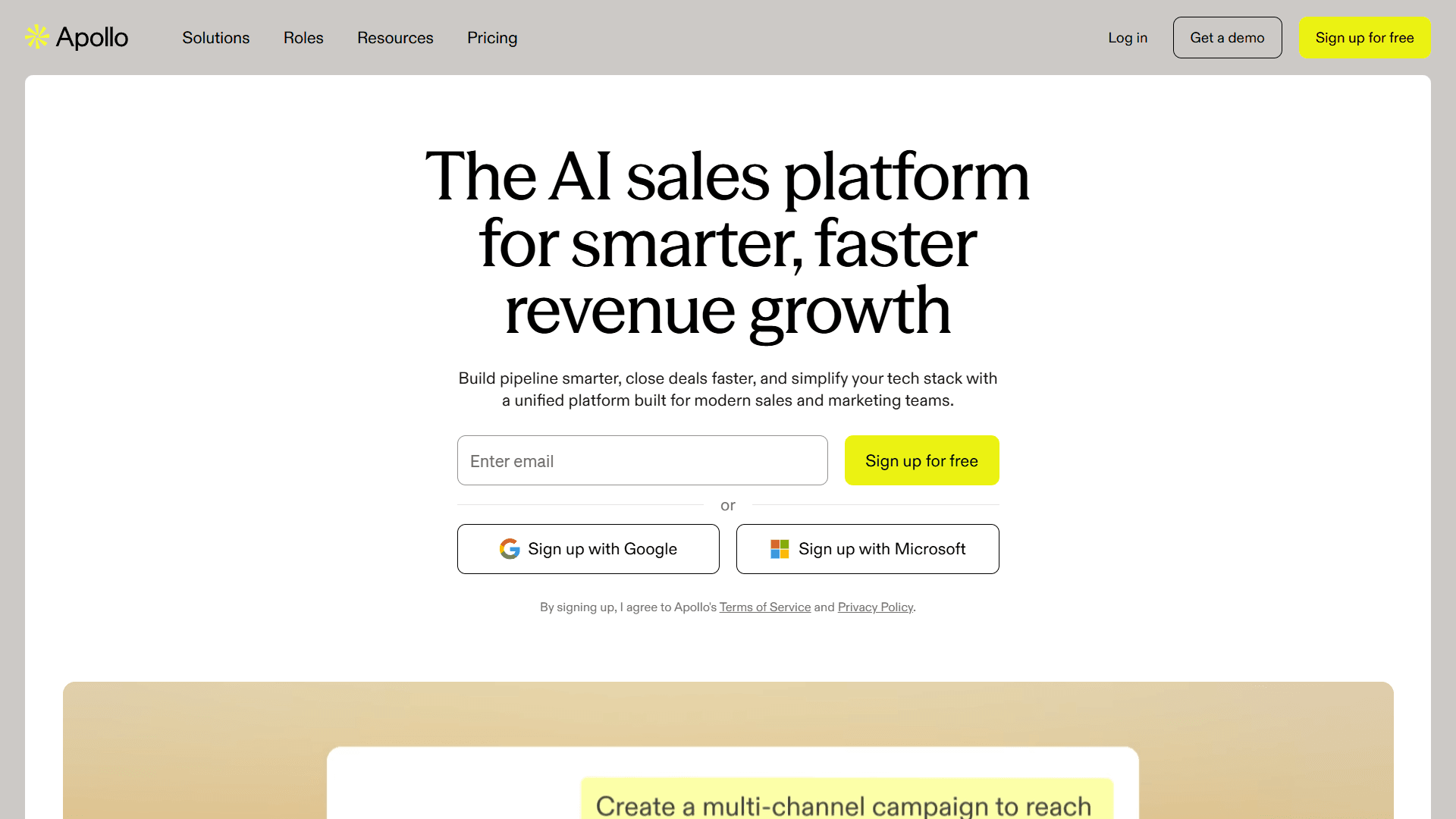
Apollo is part prospecting tool and part outreach automation platform. You can search its database to find leads that match your ideal customer profile and then use the sales engagement feature to build automated sequences and reach out to them.
It offers a free tier and a Basic tier at $49 per user per month. This lower entry pricing, along with its all-in-one functionality, makes it a good option for startups.
Some users, however, might find the credit system frustrating. You can quickly run out of credits and will have to buy more to unlock contact data.
Outreach
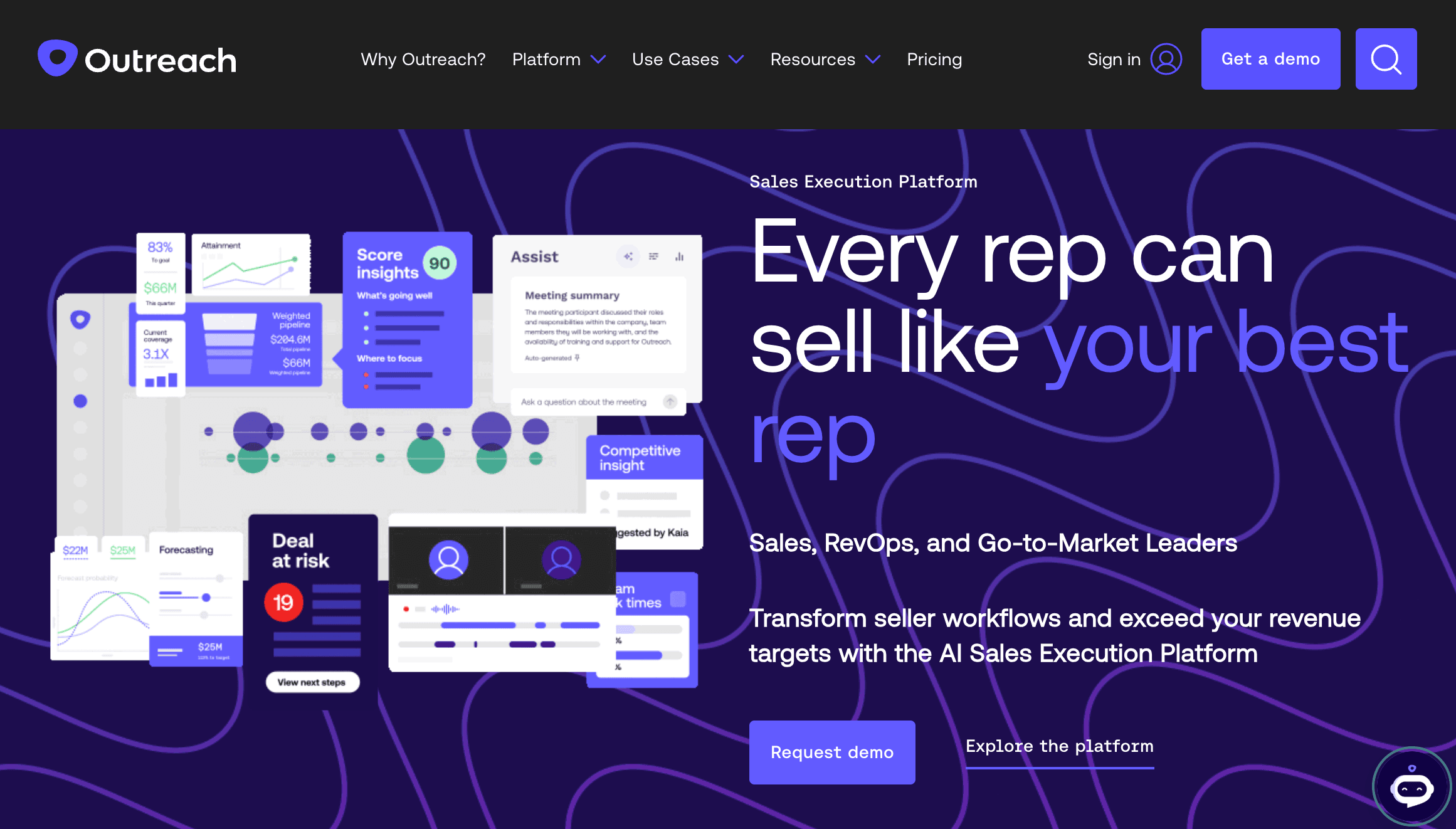
Outreach is an AI revenue workflow platform built for mid-sized and enterprise teams.
It’s broad in scope, offering prospecting and sales engagement tools, like cadence automation, as well as tools for managing deals, forecasting sales, and empowering sales coaches with performance data.
It’s Time to Run Your Playbook
Outbound email automation involves a lot of moving parts, from sequence building to email tracking and analytics. But it’s easier to pull off than it sounds, especially if you’re using an AI-powered, all-in-one platform that does the hard work for you.
Artisan’s AI BDR Ava requires little human intervention. Once set up, she’ll automatically find ideal prospects, research them on social media and the web, and run targeted multichannel campaigns across email and social media, generating interested leads on autopilot.
Automate your outbound with an AI BDR
Meet Ava—your AI BDR who handles prospecting, outreach, and follow-ups, so your team can focus on closing.

Sam Rinko
SME @ Artisan
Sam Rinko is a former SaaS sales rep turned tech writer. He sold real estate software before writing about lead generation, cold calling, and AI sales tools.