CRM best practices that actually work for SMBs
From choosing a CRM to keeping your data clean, learn bold best practices to align sales, marketing, and customer service.
Most CRMs fail not because sales teams don’t care, but because they try to run before learning to walk. No amount of automation or dashboards can fix missing fundamentals.
In this guide, we’ll strip CRM best practices down to what actually matters: clean data, clear goals, and workflows that help sales and marketing finally play on the same team.
Why Follow These CRM Best Practices?
Why follow CRM best practices in the first place?
Because most teams don’t have a technical CRM problem—they have a habits problem.
If your data is messy, your pipeline is unclear, and your reps are updating deals only when someone’s watching, this is process debt. And it compounds fast.
Validity reported in The State of CRM Data Management that 34% of sales leaders say poor CRM hygiene directly leads to lost revenue, and nearly half of teams spend more time managing data than selling.
When your CRM fails, it can negatively impact sales velocity and marketing ROI. But when it works, it becomes the backbone of revenue.
Let’s quickly look at the most common CRM issues along with the benefits of adhering to proven best practices.
What Are the Most Common CRM Issues?
Inconsistent data entry
Low adoption among reps
Missing or outdated contact info
Duplicated records clogging the system
Custom fields without clear owners
Overbuilt, underused systems
Disconnected sales, marketing, and customer success teams
Overcomplicated reporting dashboards
What Are the Benefits of a Good CRM Strategy?
Pipeline clarity and accurate forecasting
Complete customer visibility across teams
Scalable, automated outreach
Real-time deal tracking
Consistent data structure and clean records
Better lead prioritization
Faster sales cycles
Stronger handoffs between marketing, sales, and success
Higher CRM adoption rates
Best Practice # 1: Set Clear CRM Goals
CRM success starts with purpose. And that purpose is to drive your revenue growth. Too many teams launch their CRM with vague goals like “improve visibility” or “streamline processes.”
But the bitter truth is that purpose doesn’t mean anything until you define what success looks like in plain numbers.
Tie CRM to Revenue Outcomes
The best CRMs are built backwards—from revenue goals down to daily actions. Once you tie CRM data to revenue, every update and automation has context.
Every workflow, automation, and CRM dashboard should improve one of these metrics:
Demo-to-close rate
Lead response time
Upsell and renewal conversion
Sales cycle length
Pipeline velocity
Average deal size
Churn rate
Rep productivity (deals managed per rep)
Forecast accuracy
Customer lifetime value (CLV)
Create Measurable Milestones
Your next step is to turn your revenue targets into small, visible wins that are easy to track and work on. What happens if you don’t set milestones? Teams won’t know whether their CRM strategy is actually working or just collecting data for the sake of it.
Track the following indicators (aka milestones) to know whether your revenue teams are moving in the right direction:
Weekly activity goals: Calls made, demos booked, follow-ups completed, and new contacts added
Stage conversion benchmarks: Percentage of leads moving from “Qualified” to “Demo” to “Proposal” to “Closed Won”
Engagement health metrics: Email open and reply rates, call connection rates, and demo attendance
Data hygiene metrics: Percentage of records fully filled out, duplicate rate, and bounce rate
Automation performance: Sequence reply rates, lead routing accuracy, and SLA compliance
Best Practice #2: Choose a CRM That Actually Fits
HubSpot, Pipedrive, Close, Attio, Salesforce—the CRM market offers lots of options. This is good news. It means you get to choose one that fits your budget and needs and that will grow with you as you scale. Just keep in mind that the most popular CRM won’t necessarily be a great fit for your team.
Consider Team Size and Complexity
Different business stages and niches have their own unique sets of needs. Both tech startups and retail mid-market companies need a CRM. Would it be the same CRM? In a word, no.
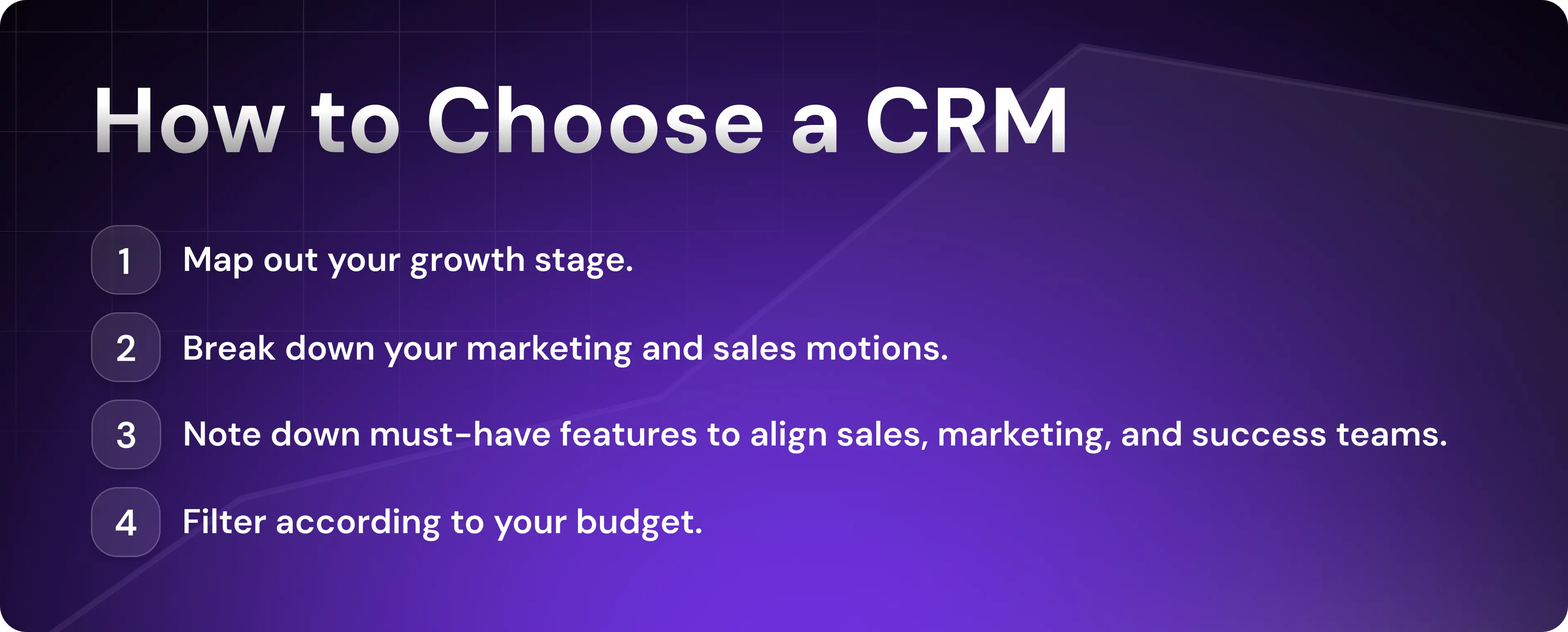
To select a CRM that will help your team without burying them in admin work, start by mapping out your current growth stage:
Early-stage startups (1 to 10 reps). You need quick setup, excellent customer service, basic automation, and an intuitive UI. Consider tools like Pipedrive, Attio, and HubSpot for Startups.
Mid-market teams (10 to 100 reps). You need customizable pipelines, advanced cross-team automation, and role-based permissions. Consider HubSpot Pro, Salesforce, and Pipedrive.
Start with the simplest CRM that solves 80% of your problems. Once you outgrow it—usually, within two to five years—you may want to consider migrating to an enterprise solution.
Sometimes, you’ll also need well-integrated solutions from the very beginning. For example, if you’re a startup and want to combine your inbound and outbound motions within one CRM, HubSpot for Startups, integrated with Artisan, will be a great combo.
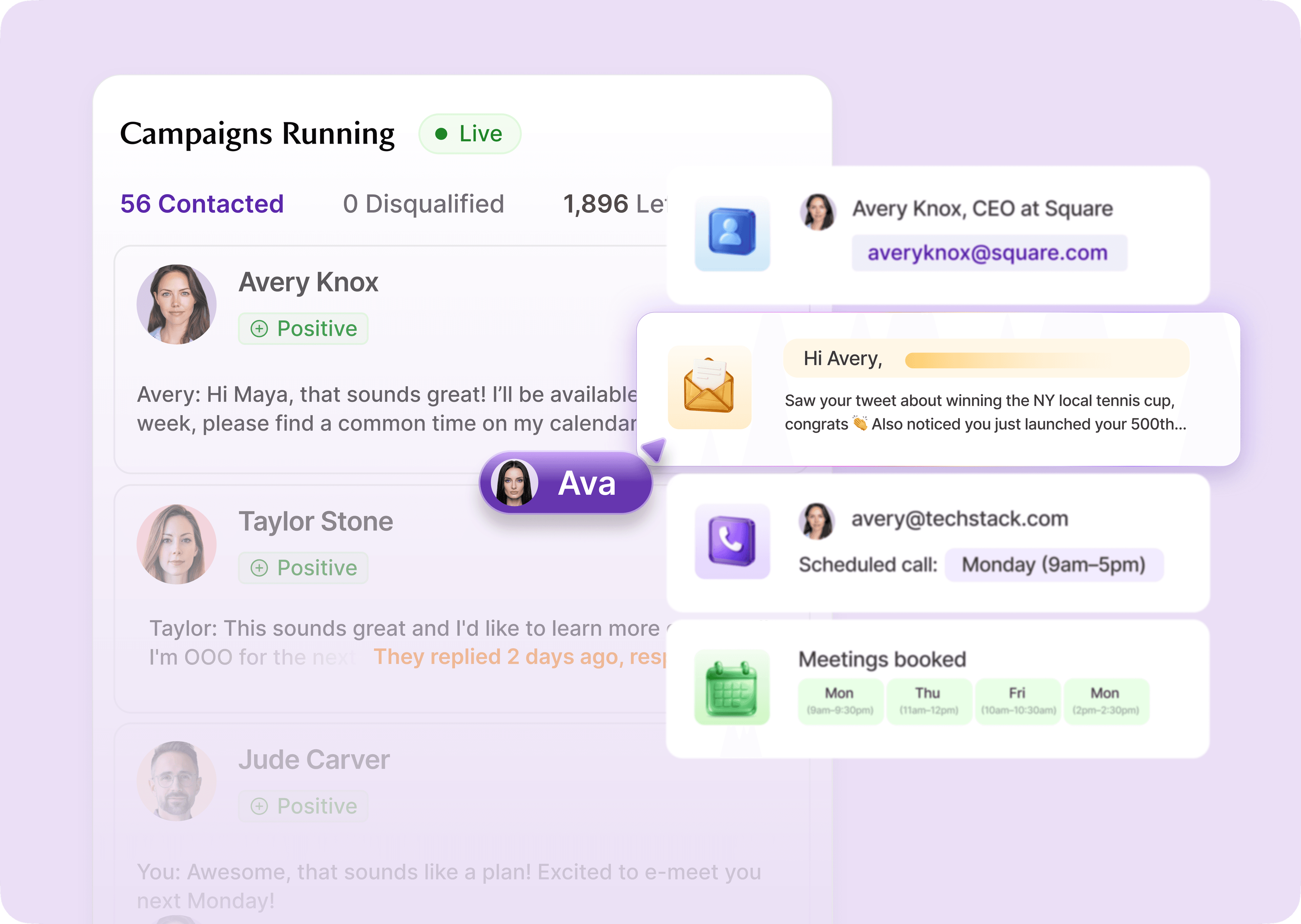
Artisan is an all-in-one sales platform for cold outreach via email and social media. It has a built-in CRM to track outreach performance and lead status and sync the data with CRM records.
Must-Have Features to Look For
No matter your company size, a CRM should make work simpler. Every “feature” you add should remove manual work.
Look for the following CRM core features and important characteristics:
Ease of use: Fast onboarding, intuitive UX, minimal clicks
Automation options: Auto-logging, task reminders, workflow triggers
Reporting and analytics: Custom dashboards for team and revenue visibility
Integrations: Native connections with Slack, Gmail, Zoom, billing, and calendar tools
Data hygiene tools: Duplicate prevention, required fields, and data validation
AI capabilities: Lead scoring and smart task suggestions
Mobile access: For field reps or hybrid teams
Scalability: Support for new teams, more data, and deeper automations as you grow
Finally, skip the fancy “features” until you actually need them. Otherwise, you’ll burn lots of money and clutter your workflows.
Best Practice #3: Make a CRM Implementation Plan
An implementation plan helps visualize the interconnections among people, data, features, and processes, all while spotting potential bottlenecks. As a result, you’ll have a smooth CRM rollout with great team adoption.
Prep Before You Launch
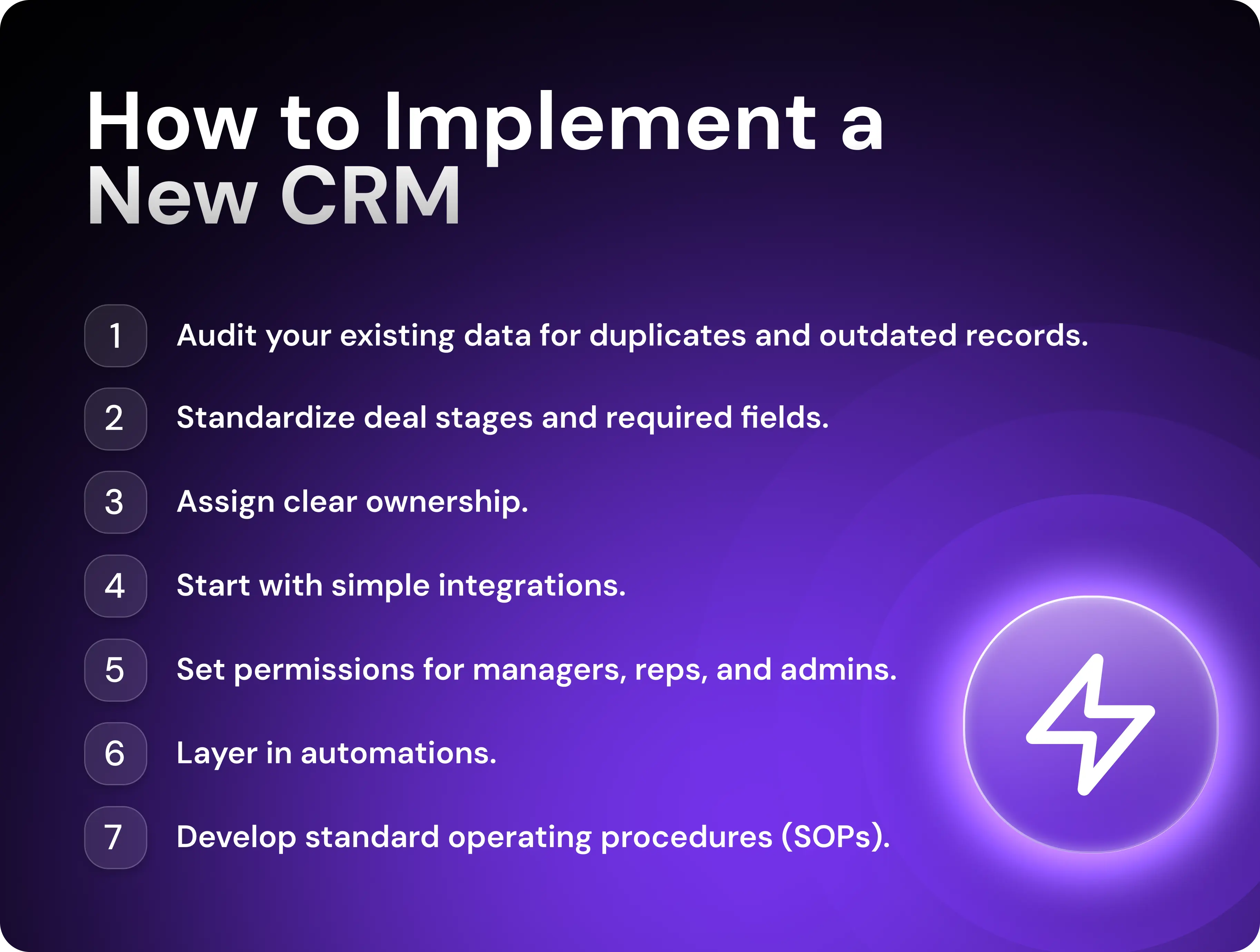
Start by auditing your existing data—remove duplicates, fill in missing fields, and delete outdated records. Nothing kills adoption faster than a CRM that feels unreliable from day one. Good preparation saves you months of cleanup later.
Next, define your pipeline. Standardize deal stages, required fields, and exit criteria so that every rep speaks the same language when logging opportunities. At the same time, decide on your data model—how leads, contacts, companies, and deals relate to one another. Developing the right logic from the beginning will spare you broken workflows and headaches after the rollout.
Assign clear ownership to maintain reports, data hygiene, and automations. Then, map your integrations. Connect the most important ones—like email, calendar, online chat, and your outbound tools—on day one, and leave advanced tools for later once your workflow stabilizes. Set permissions for managers, reps, and admins.
Importantly, document everything to save hours when onboarding new hires and so you know what to fix if the logic breaks.
Build in Phases
Your CRM is a living thing that evolves in three stages—core setup, scale, and expansion. Each comes with key milestones. You’re already familiar with the core setup stage from the previous section, so let’s go over the other two.
In Phase 2—scale and automate—you build efficiency into your workflow. Once your basic pipeline is running smoothly, start layering in automations for repetitive tasks and integrating marketing tools. Design dashboards that give everyone visibility into progress.
This phase is also when you should document your standard operating procedures (SOPs). For example, how to create deals, how to qualify leads, when to close lost deals, and so on.
Phase 3 is for optimization and expansion. You bring the rest of the organization into the CRM ecosystem. In practice, that means onboarding your customer success team, accounting, legal, logistics, and so on.
SalesOps specialists will also fine-tune lead scoring and enrichment and refine processes based on real usage data during this phase.
Best Practice #4: Keep Your CRM Data Clean and Organized
Messy data kills revenue. Yet clunky CRMs are everywhere. Why? Because salespeople are often picky about their opportunities and overlook lead record updates. The cure is a solid, three-step workflow built around a consistent data framework.
1. Build a Consistent Data Framework
Data hygiene starts with standardization. If every rep logs information their own way, you’ll never get accurate reports. An enforceable data framework will keep your CRM consistent, no matter who’s entering the data.
Your CRM data framework should include the following:
Required fields for contact, company, and deal properties before saving
Dropdowns instead of text fields to reduce typos and naming errors
Record linking to avoid orphaned records
Owner assignment rules—every record needs a clear owner for accountability
Standardized deal stages with clear exit criteria
Defined lead sources to track where every opportunity originates
Data validation rules to block duplicate entries or incomplete imports
Activity logging standards
2. Schedule Ongoing Cleanups
Even the cleanest CRM data decays fast as people change jobs and deals go stale. That’s why it’s important to schedule regular CRM maintenance days.
Here’s an example of a cleanup checklist:
Weekly: Review bounced emails, validate new imports, and fix missing fields.
Monthly: Run deduplication checks, verify company domains, and close out inactive deals.
Quarterly: Refresh automations, field rules, and dashboards.
Add hygiene KPIs (duplicate rate, incomplete fields, and bounce rate) to your team dashboard for accountability and full oversight.
A cleanup schedule also needs an owner between reviews. Give that owner a list of checks, a way to flag exceptions and clear rules for proposed changes. Artie’s use-case library includes ongoing CRM data quality. Use your actual cleanup checklist to evaluate fit.
3. Use AI for Data Enrichment
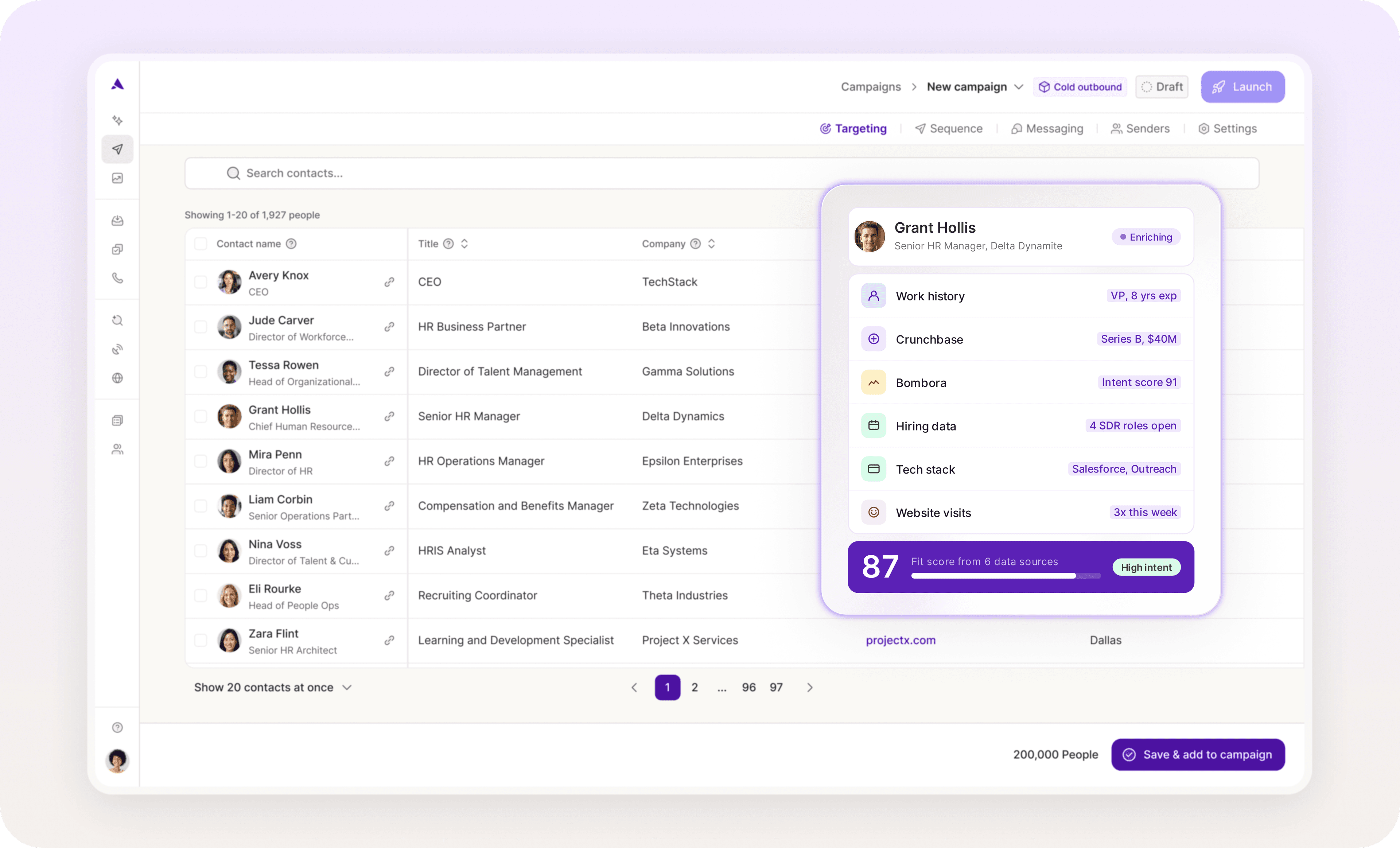
CRM maintenance consumes a significant amount of time. AI fixes that by automating repetitive work. For example, Artisan helps with lead enrichment and updates B2B data such as job titles, emails, technographic and firmographic data, and more—at scale and on autopilot.
Best Practice #5: Rely on Automation and AI
Automation saves your reps from tedious tasks and unlocks the true power of CRM automation. Even better, AI tools are adding a powerful layer of human-like intelligence to traditional if-then workflows, freeing reps up even more to focus on closing deals.
Automate Repetitive Work
Updating fields after every call, writing notes after every Zoom meeting, logging emails twice—every rep knows the pain.
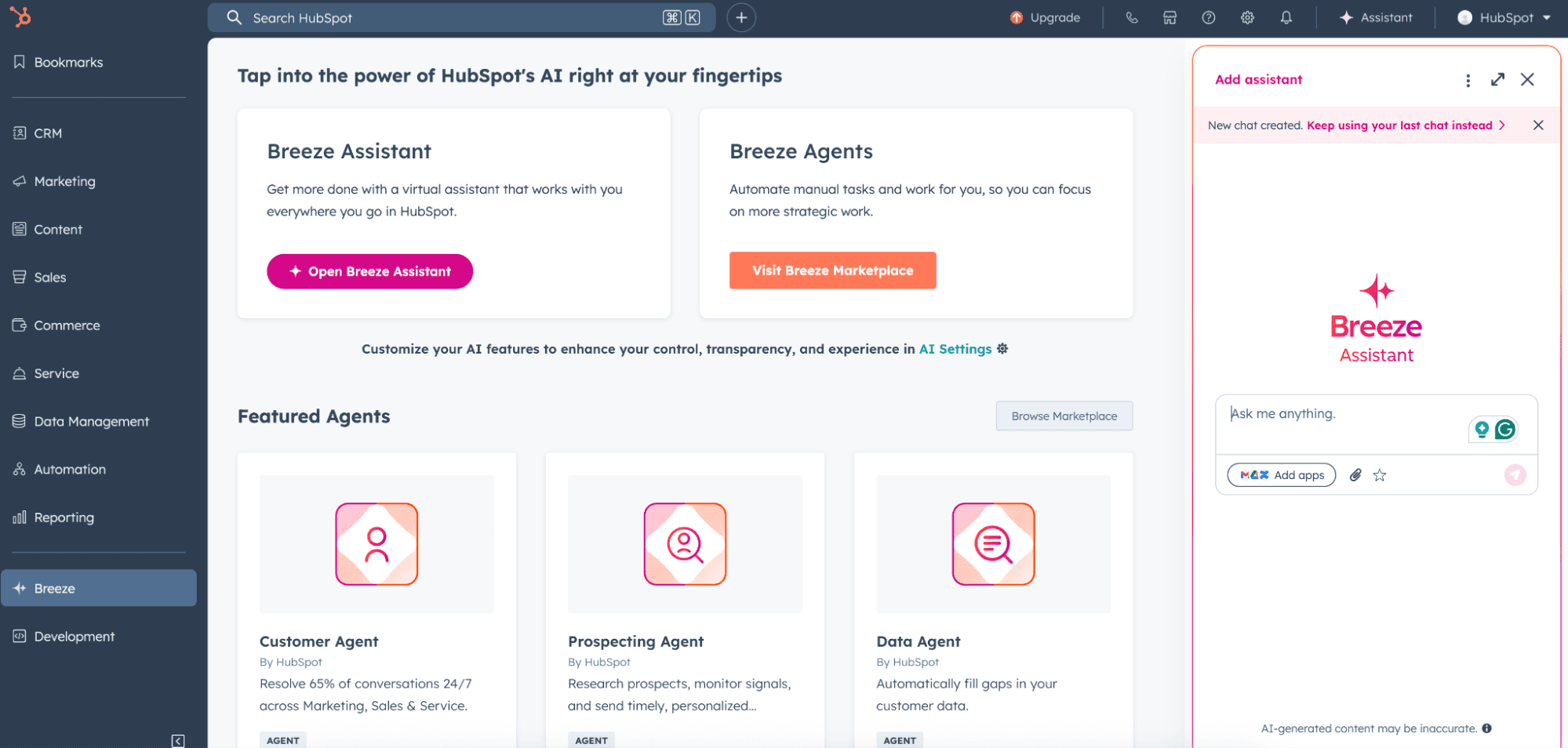
Modern CRMs like HubSpot handle administrative tasks with built-in AI assistants. For example, Breeze, HubSpot’s AI agent, can help you decipher call transcripts and turn them into notes and follow-up emails. It can also generate any report in seconds by following your prompts.
And you can go even further with automation. For instance, Artisan, which is powered by AI BDR Ava, allows outbound sales teams to track website visitors and update lead records with intent data in real time.
Use AI to Prioritize Leads
When every lead looks the same in your CRM, reps start chasing whoever replied last or “feels warm.” What comes next? A pile of missed opportunities that waited for too long or were forgotten altogether.
This happens not because your sales reps are careless, but because the ecosystem allows for cherry-picking. Without visibility into which leads are actually ready to buy, even great reps waste hours on low-intent contacts while hot prospects slip through.
To stop jeopardizing your sales funnel, use CRMs with AI-driven lead scoring that prioritize leads based on buying intent, real-time web behavior triggers, social engagement, and sentiment.
Here’s an example of how you can attribute scores to inbound leads based on behavioral data:
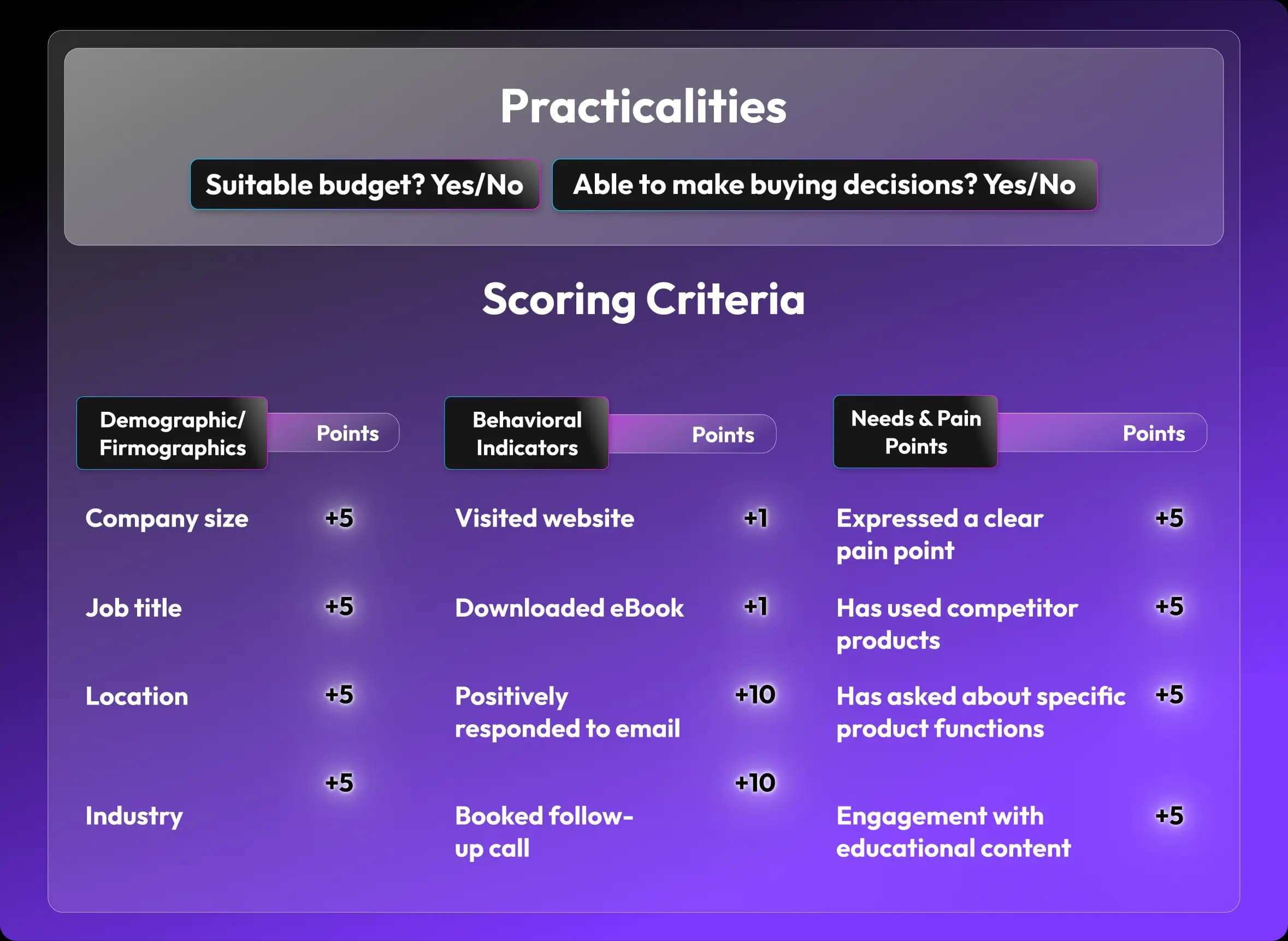
Artisan automatically assigns scores to leads based on buying signals and firmographic, technographic, and demographic data. The platform works behind the scenes to scrape the web 24/7, identifying intent data and launching cadences with deep personalization, all thanks to AI BDR Ava.

Best Practice #6: Align Sales and Marketing Around CRM
If marketing measures MQLs while sales measures closed revenue, you’re not running one funnel. This will likely prevent you from nurturing the right leads and losing revenue. The fix is to create one source of truth.
Sync Customer Data Between Teams
A single customer view is the foundation of alignment. Unify your CRM, so everyone sees the same context in real time.
Here are the six best syncing practices that fit any sales team:
Build shared dashboards that show pipeline health, campaign influence, and deal status for all teams.
Unify contact records. Store every interaction—from ad clicks to closed deals—in one place.
Ask your reps to add notes directly to contact profiles so marketing sees what messaging or pain points actually resonated.
Add custom properties for alignment. For example, fields like “Lead Source,” “Campaign ID,” and “Last Marketing Touch” help connect marketing performance to revenue.
Agree on clear definitions within your pipeline for Lead to MQL to SQL to Opportunity to Customer. That way, all teams measure progress the same way.
Use one attribution setup (first-touch, last-touch, or multi-touch) across teams so marketing ROI and sales outcomes align.
Build Feedback Loops
Alignment between teams stems from constant feedback loops. If you have none, start with closed-loop reporting. When deals are marked as closed-won or closed-lost, push that data automatically back to marketing. This creates a full picture of campaign performance and says which leads turned into revenue.
In addition, make sure sales logs lost-deal reasons like “budget,” “timing,” or “competition.” Those notes are pure gold for marketing when refining messaging and targeting.
Once the foundation is in place, move to an advanced approach that extends the feedback loop across the entire revenue cycle.
However, remember that you have to include your customer success (CS) team in the loop, too. CS teams can determine if the expectations set in marketing and sales actually hold up after purchase. When success data (renewal rates, NPS, upsell trends, etc.) feeds back into the CRM, your pipeline targeting becomes more accurate.
Best Practice #7: Drive CRM Adoption Across the Team
Your primary goal should be to make people want to work with the CRM. If the process feels forced, reps will push back—and that means poor data.
Get Buy-In Early
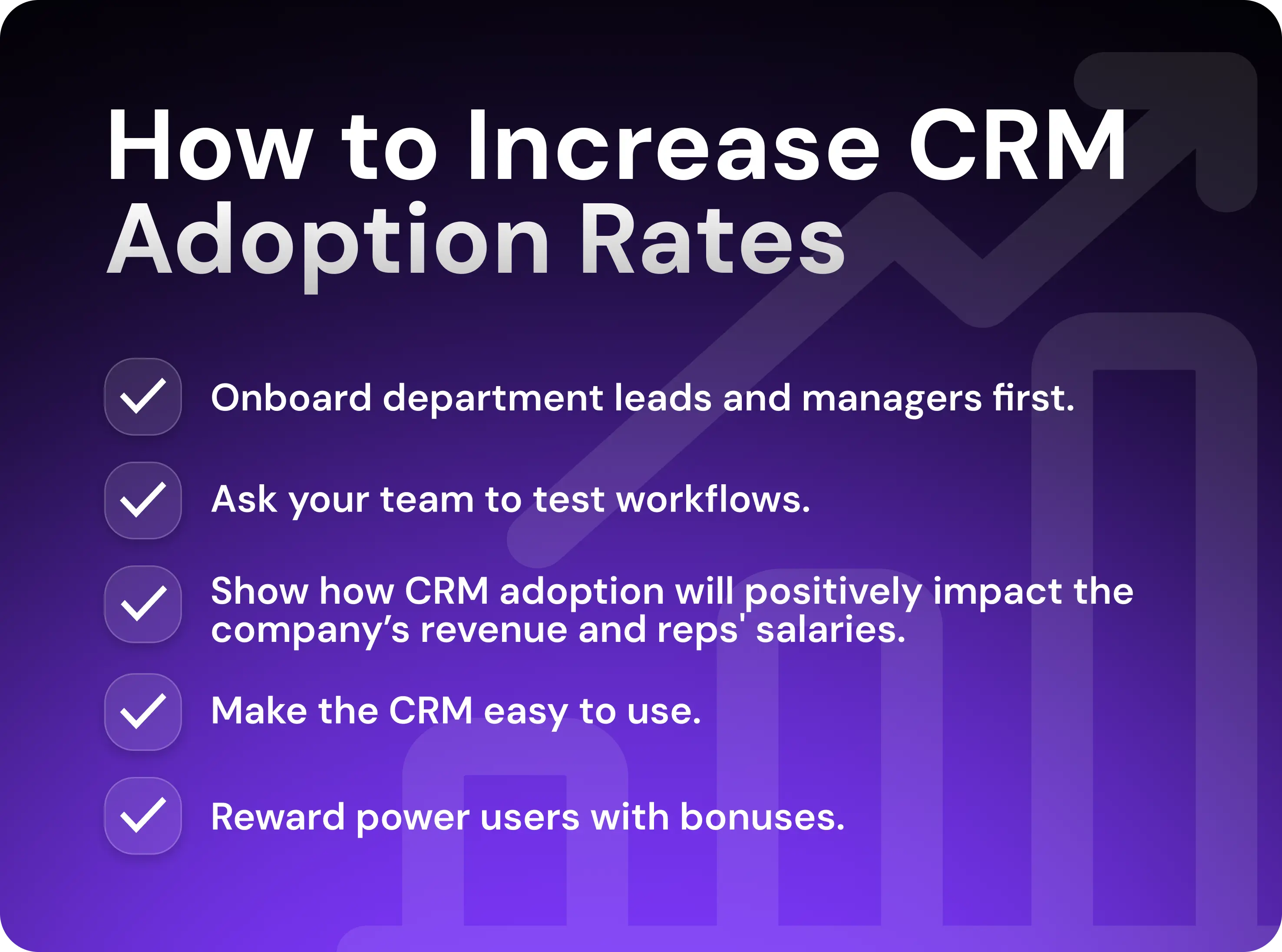
Start from the top. Get department leads and managers on board first. Their adoption signals legitimacy.
Next, launch a small pilot with your most proactive team members. Let them test workflows, spot friction, and help define best practices before a full rollout. Make their success visible. When peers see early adopters closing faster or spending less time on admin work, they’ll naturally follow.
Also, show benchmarks of how CRM adoption will positively impact their salaries, as CRM usage can increase company revenue by up to 41%.
Make It Easy to Use
Simplify everything. Automate activity tracking, remove redundant fields, and keep forms short. Integrate emails, calendars, and chats so reps don’t have to switch tabs. If your CRM feels lighter than spreadsheets, adoption will take care of itself.
Track and Reward Usage
Visibility drives discipline. Track CRM logins, pipeline updates, and data quality metrics. Create a leaderboard and celebrate clean, consistent usage. You can even add small bonuses for those who finish in the top three spots.
Leverage CRM Analytics to Iterate
Data is useless unless it leads to action, so build dashboards that track metrics that actually matter and lead to action. And don’t clutter your dashboards. If a metric doesn’t tell you what to fix or repeat, remove it.
Focus on the following metrics that reveal friction across your pipeline:
Lead velocity by segment, owner, and channel
Deal stage drop-off
Calls, emails, demos, and follow-ups (rep activity)
Revenue attribution for campaigns, channels, and assets
Forecast accuracy
Lead source performance
Customer acquisition cost (CAC)
Sales cycle length
Renewal and upsell rates
Deal velocity by rep
Once you’re finished designing your dashboards, use them to adjust what your team does every day. Run monthly and quarterly reviews to identify and resolve bottlenecks and spot and expand on winning tactics.
Here is a list of adjustments you can make to improve key metrics:
Tweak sequences
Replace low-performing messages
Refine ICPs and personas
Adjust deal stages
Rebuild lead routing
Provide rep training
Rebalance rep workloads
Revise lead scoring
Make Your CRM a Revenue Machine
When your CRM is clean, enriched, and automated, your team moves faster. Every campaign will be sharper, and every outreach message will feel intentional. Reps operate with clarity and don’t burn hours on mundane work.
Artisan makes that shift possible. AI BDR Ava enriches data, personalizes outreach, and spots buying signals on autopilot and at scale, which means your reps can focus on the all-important human task of closing deals with hot leads.

Jenny Romanchuk
SME @ Artisan
Jenny creates senior-level content for sales, SEO, and marketing professionals. She also leads partnerships at the District #1 Charitable Foundation.