How to Integrate Your CRM With Email Marketing to Boost B2B Sales


Most CRM-email integration guides talk about newsletters. That’s cute. But it’s not what sales teams need. We care about full pipelines, faster handoffs, and cold outreach that actually moves deals forward.
This guide shows you how to build a CRM-email integration that strengthens your sales funnel:

Dynamic segmentation that updates itself
AI personalization that feels human-written
Real-time data that flags hot leads and triggers action
Why Integrating CRM With Email Marketing Matters for Increased Sales
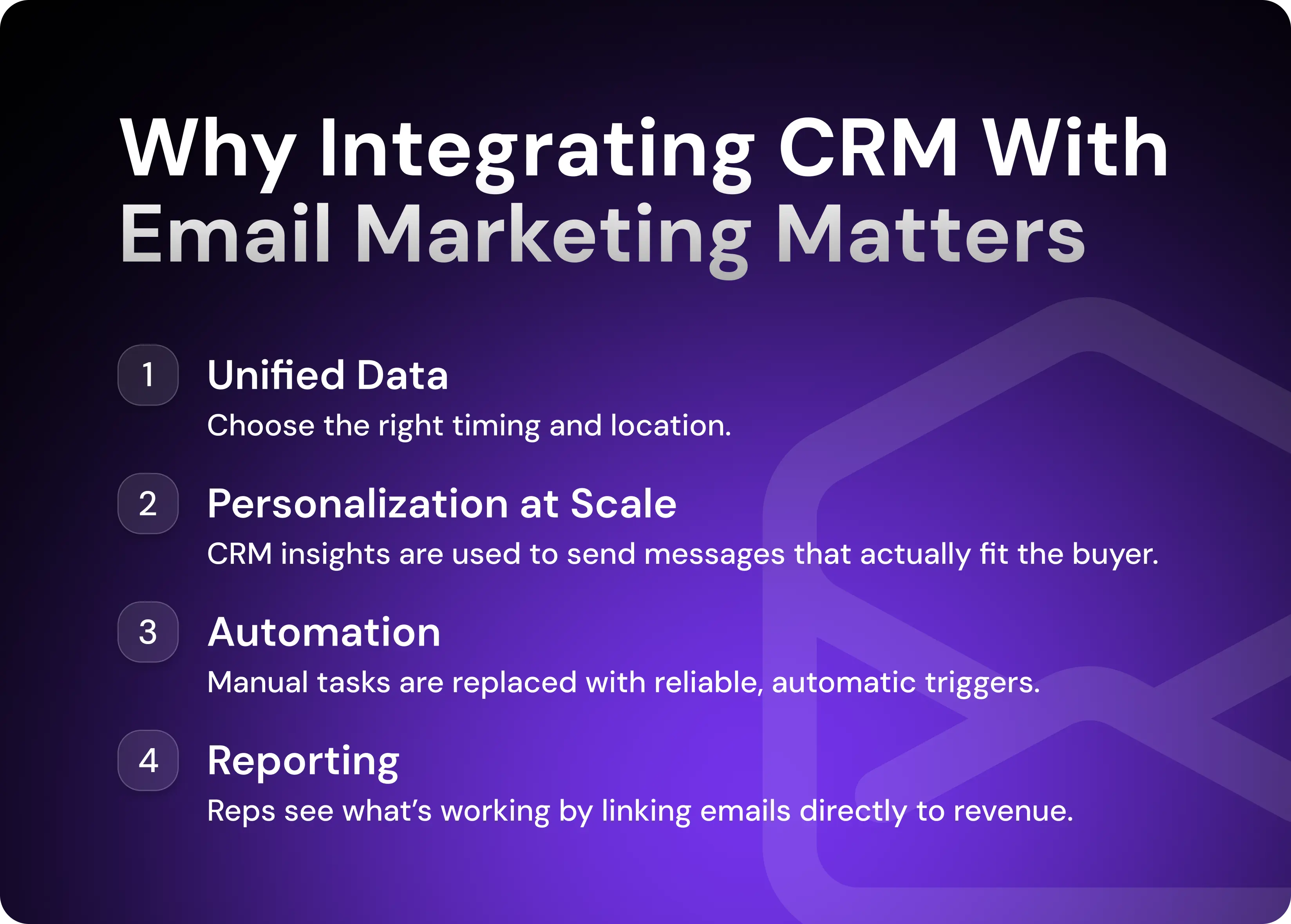
When your CRM and email platform finally work together, your entire inbound and outbound motions change. What’s required for successful integration is a mix of unified data, personalization at scale, automation, and analytics.
Unified Data and Team Alignment
Most misalignment in sales comes from fragmented information. Marketing tracks engagement in one tool; sales logs conversations in another. In The State of CRM Data Management 2022, Validity found that 34% of sales leaders say poor CRM hygiene directly leads to lost revenue, and nearly half of teams spend more time managing data than selling.
CRM-email integration improves this situation.
Every email, click, reply, and stage change becomes part of one shared record. Reps walk into calls knowing exactly what to expect, and marketing sees which messages actually moved the pipeline.
There are four key benefits of unified data:
Fewer missed follow-ups
No duplicated outreach
A shared understanding of who each prospect is
A smoother experience for the buyer
Personalized Outreach at Scale
Personalization is most effective when it’s tied to data, not when it’s based on a generic cold email template or uses shallow first-name variables. When your CRM feeds your email marketing, personalization becomes a natural extension of automated outreach.
For example, HubSpot sends emails to landing page visitors who haven’t yet made a demo request, tailoring the content to intent.
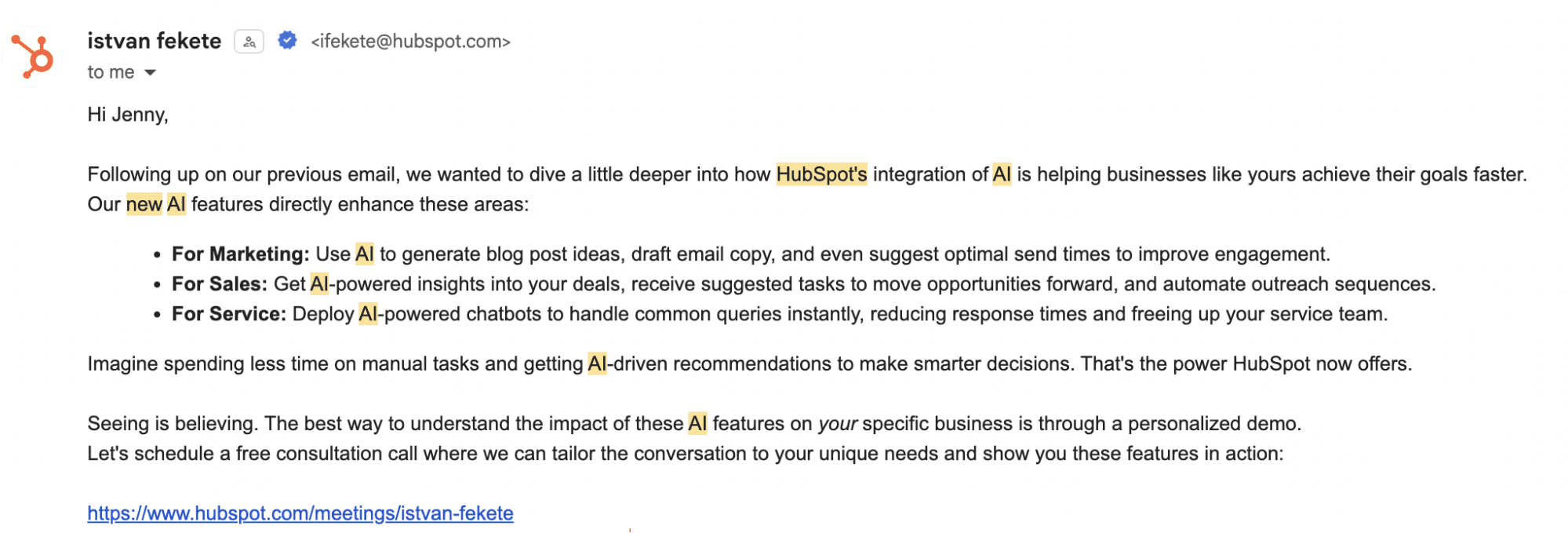
This level of personalization is possible thanks to CRM fields like the following:
Industry
Persona
Company size
Pipeline stage
Past interactions
Region
Product interest
Previous responses (if any)
Your email platform then adapts messaging for each segment without forcing your BDRs to rewrite everything manually and triggers targeted follow-up messages if recipients don’t respond.
Automated Workflows and Efficiency
A CRM-email integration turns scattered manual tasks into a predictable system.
Stage change from Lead to MQL? A new sequence starts immediately.
Demo booked? The system sends preparation materials automatically.
Lead inactive for 30 days? A re-engagement workflow kicks in.
The value is consistency. Reps don’t forget steps, messages remain relevant, and deals keep moving even when your team is overloaded.
Improved Analytics and Reporting
Once your CRM and email platform share data, you can start measuring how email moves your pipeline.
Integrated reporting shows you the following critical metrics:
Which sequences drive actual opportunities
Which segments convert fastest
How long it takes a lead to respond
Which touchpoints consistently move deals forward
Where drop-offs happen in the buyer journey
For founders and sales leaders, these analytics make it much easier to double down on what works and cut everything that doesn’t.
How to Integrate Your CRM With Email Marketing (Step by Step)
A successful integration isn’t complicated, but it must be structured. If you do it haphazardly, you end up automating all the inconsistencies you were trying to fix.
Step 1: Choose Your Integration Method
You’ll typically have one of three paths when integrating your CRM with your email software:
Native integrations: CRMs like HubSpot already connect to common email tools. This path is simple and stable.
Third-party connectors: Zapier, Make, and Tray.io transfer data between platforms. Use them when a native option doesn’t exist or you need custom routing.
All-in-one platforms: Some CRMs include built-in email automation. These are good if you want everything in one place and don’t need separate tools.
No matter which method you choose, always use a two-way sync. This keeps your CRM and email platform fully aligned by updating both systems whenever something changes—contact details, lifecycle stages, activities, etc.
Without a two-way sync, segments drift, workflows trigger at the wrong time, and your reporting stops reflecting reality.
Step 2: Connect and Sync Key Data
An integration is only as powerful as the data it handles. If all you sync is name and email, you’re leaving most of the potential of your integrated system on the table.
The goal is simple—connect everything that shapes your messaging, timing, and prioritization.
Sync all the following fields where possible:
Industry
Company size
Region
Persona
ICP fit score
Last activity date
Lifecycle stage
Website activity
Product usage
Lead scoring,
Number of decision-makers involved
However, before syncing, clean your CRM.
Lead record duplicates create confusion. Inconsistent titles break segmentation. And outdated leads slow down workflows. A clean CRM ensures your automation works correctly and your personalization is accurate.
Upper-funnel data matters, too. Form inputs, landing-page activity, and content downloads help you tailor messaging based on what prospects have already engaged with.
And then there’s high-intent behavior, like anonymous website visits, that you can de-anonymize to unlock super-relevant, warm outreach opportunities.
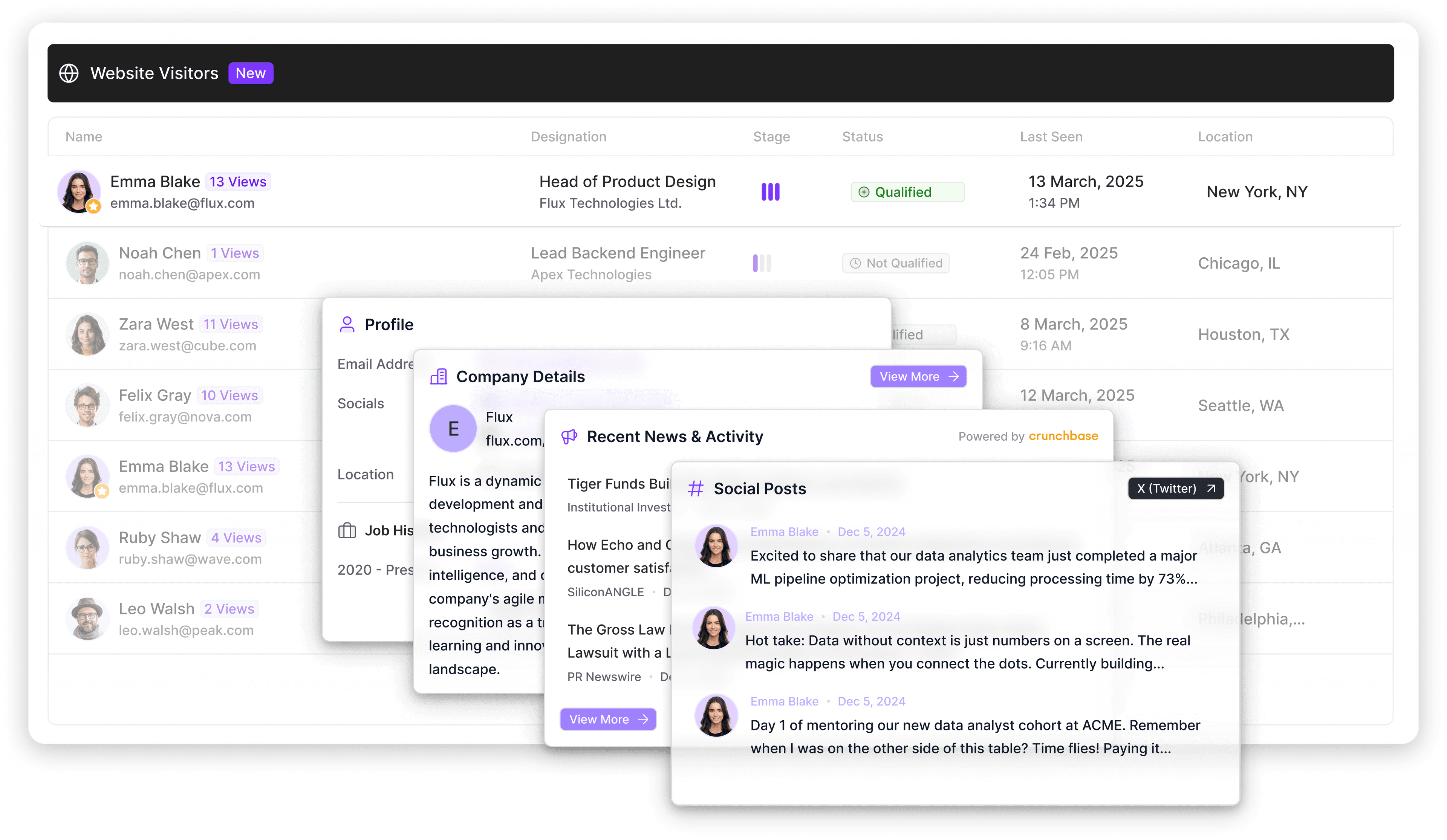
Artisan’s website visitor tracking is super useful for this. It identifies anonymous ICP traffic, enriches it with firmographic and intent data, and pushes it straight into your CRM. Once it’s there, your workflows trigger immediately.
Step 3: Set Up Segmentation and Workflows
Once you start segmenting, your CRM-email setup is actually doing work. This workflow takes raw data and groups people based on shared characteristics.
Basic segmentation starts with a few key fields: pipeline stage, industry, company size, persona, activity level, and region. These give you a solid foundation, but it's in advanced segments where the real lift happens. For example, cold outreach performance jumps when you target behaviors that correlate with buying readiness, organizational change, and hidden intent.
Here’s a list of advanced segments for cold outreach and lead nurturing campaigns:
Pricing-page visitors showing intent
Newly hired leaders (0 to 90 days)
Accounts with multiple stakeholders active recently
Prospects who engaged with competitors (e.g., attended webinars, events, livestreams, etc.)
Newsletter subscribers who never converted
Stakeholders who recently interacted on LinkedIn
Leads with repeat high-intent sessions
Past closed-lost accounts showing fresh intent
Stalled prospects who need reactivation
Users exploring a specific product feature
Once you establish segments, map the following outreach workflows to buyer journey stages:
Awareness: Give leads context. Show the problem. Share simple, relevant examples to help them understand why the conversation matters.
Consideration: Help them compare. Provide use cases, product fit examples, customer stories, and anything that explains how your solution works for people like them and what benefits they will gain.
Evaluation: Now leads are qualifying you. Share ROI, tailored demos, your customers’ stories, competitive clarity, and anything that reduces uncertainty.
Decision: Remove friction. Proof points and ROI examples work well here.
A good workflow doesn’t force the buyer to jump stages. It matches their pace, answers their questions, and moves them forward without pressure.
Step 4: Enable Tracking and Analytics
Tracking is how you know whether your CRM-email setup is actually pushing deals forward.
To measure impact properly, GTM, RevOps, or sales teams should track the following metrics:
Reply rates
Positive vs. negative reply patterns
Opens and clicks behavior
How quickly leads convert after a sequence
Meeting-booked conversions
Bounce and deliverability issues
Domain-level engagement
Revenue attributed to outbound
A/B test outcomes tied to actual deals won or lost
Tracking is vital because it provides you with actionable insights. Which message template creates movement? Which unnecessary step loses your buyer’s attention? Which ICP segment responds most consistently?
When email data is isolated from CRM data, these answers stay blurry. Integration makes them visible.
Step 5: Test, Tweak, and Optimize
Optimization is your Formula 1 fuel for your sales funnel. Sales teams that excel at weaving email marketing into their processes scrupulously examine the structure and logic of their sequences, workflows, and collected data.
Regardless of whether your campaign flopped or caused an influx of great leads, you have to ask concrete questions to understand the reason behind changes and act upon the findings.
Use this list of question categories to guide your analytics and optimization in the right direction:
Messaging and relevance
Targeting and list quality
Channel mix and touch strategy
Sequence structure and flow
Intent signals and timing
Routing and operational accuracy
Follow-up quality
Overall KPI performance
Here are several examples of specific questions you can use as inspiration for your own tests:
Are we emailing too early?
Does this CTA align with the buyer's readiness?
Are unqualified accounts slipping into our segments because of loose rules?
Are we sending too many or too few touches?
Do prospects drop off at the same step across multiple sequences?
Are we personalizing with the right details?
Does our timing reflect real engagement windows?
Are we routing high-intent accounts fast enough?
Are we over-relying on email when this persona responds better on social?
Every improvement compounds, and every friction point you remove tightens your sales cycle.
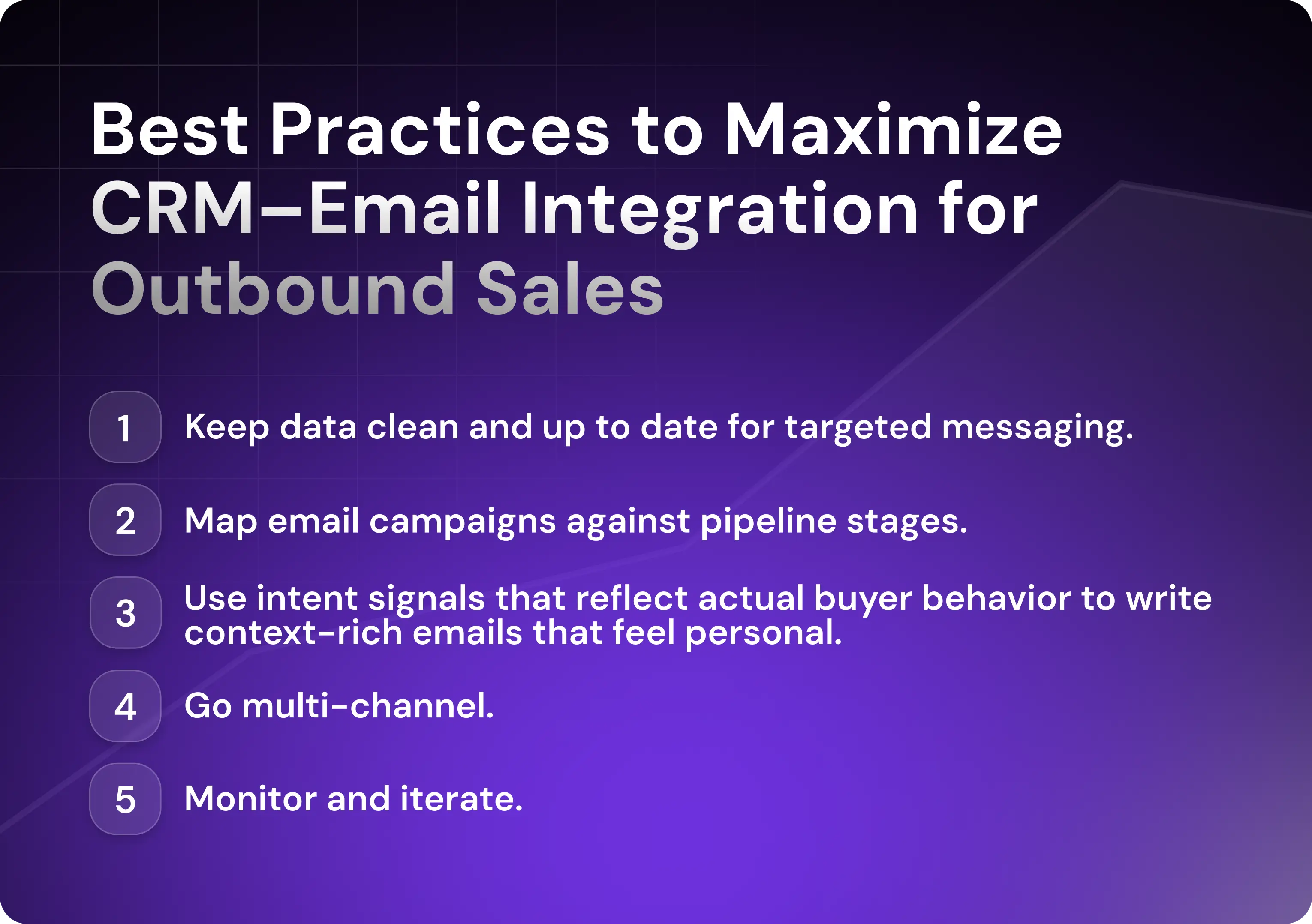
Best Practices to Maximize CRM–Email Integration for Outbound Sales
Outbound sales processes based on CRM data simply work better. Reps receive notifications about intent signals in real time, directly inside the deal record, and can act the same minute intent appears. Either that or automation workflows trigger and emails are sent without direct rep input.
Keep Data Clean and Up to Date
Good data is the foundation of predictable lead generation from your cold outreach. Clean data drives accurate segmentation, reliable sales automation, and targeted messaging.
Likewise, if your CRM data is inconsistent, your workflows break. If your fields are outdated, your personalization becomes irrelevant. If your lifecycle stages aren’t maintained, your analytics stop reflecting reality. Whether it’s good or bad data, it triggers an avalanche of subsequent results.
Align Email Campaigns With the Sales Pipeline
Pipeline-aligned messaging is one of the biggest wins of CRM-email integration. And each stage demands a different conversation.
A prospect in the awareness stage needs education about potential solutions.
A prospect in the evaluation stage needs ROI proof.
A prospect in the decision stage needs friction removed.
When your campaigns map directly to these stages, every email picks up the thread from the last touchpoint. Reps enter conversations with full context, and buyers get the guidance they need.
Utilize Personalization (Beyond First Name and Company)
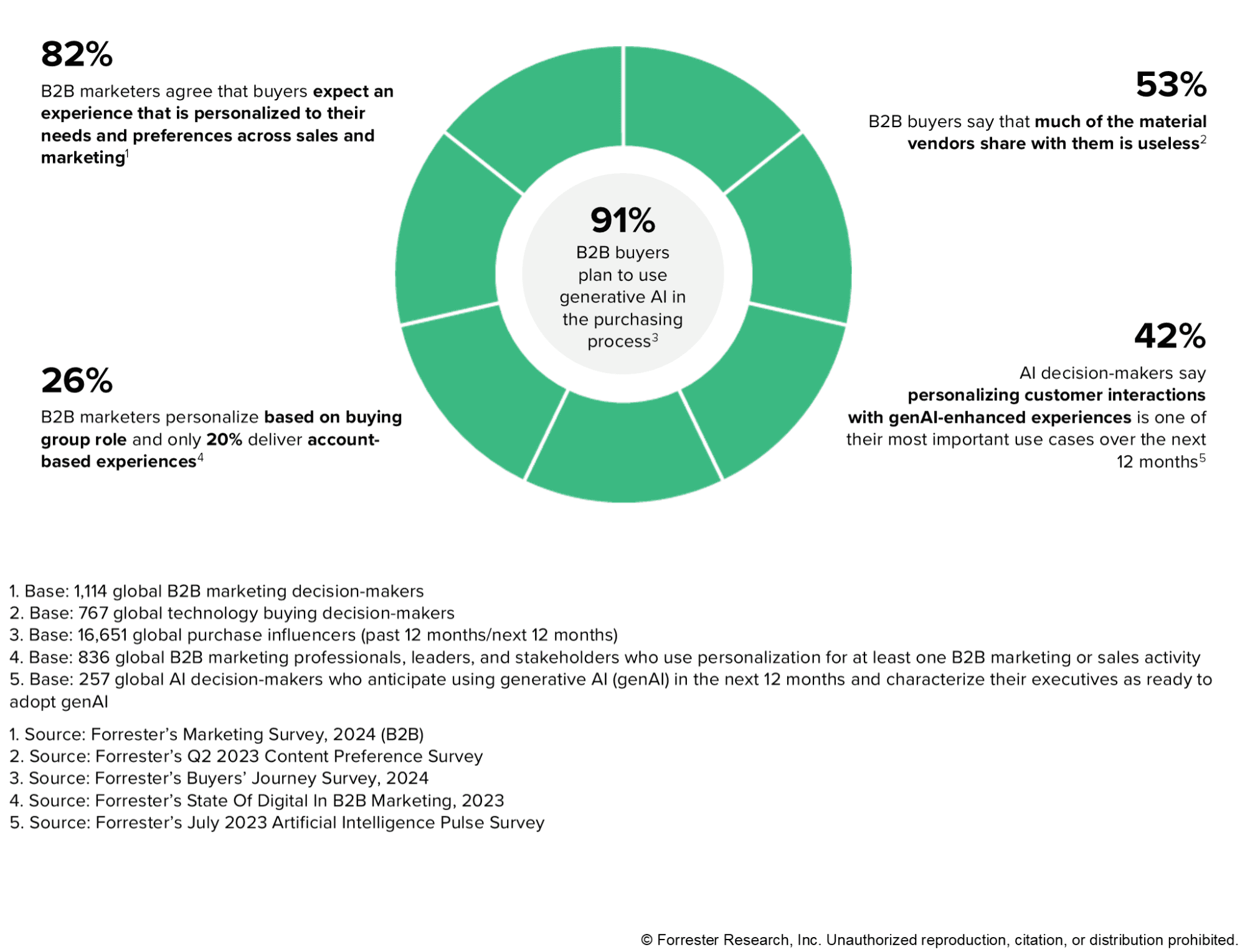
In The State of B2B Personalization, Forrester reported that 82% of global B2B marketing decision-makers expect tailored sales and marketing experiences, underlining how personalization tied to CRM data is now table stakes.
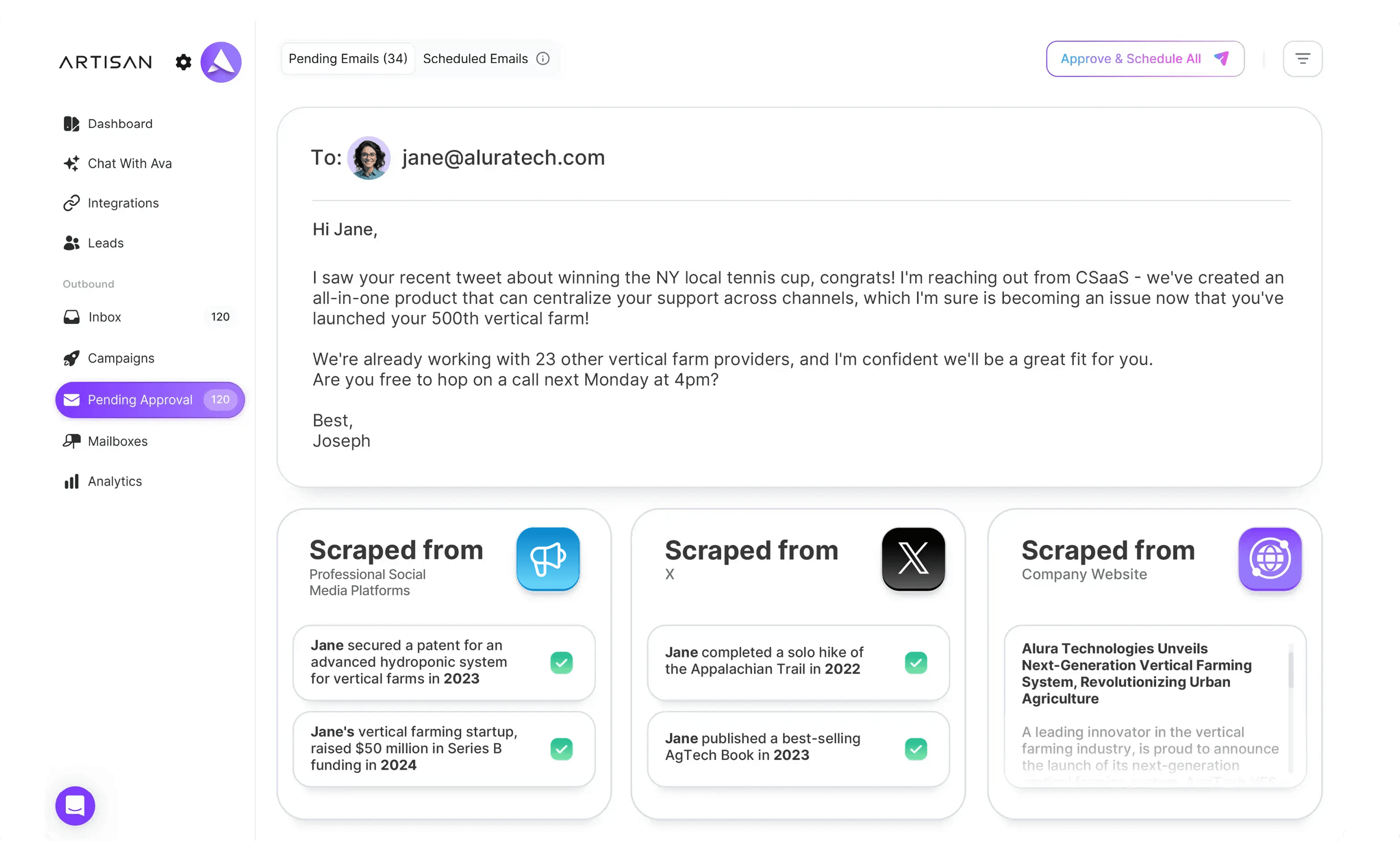
For deep cold email personalization, use intent signals that reflect actual buyer behavior.
For example, imagine a prospect who acted in the following way:
Visited your integration documentation
Opened the last two nurture emails
Clicked on a case study for a company in their exact industry
A generic follow-up would waste the opportunity. A CRM-driven email, however, can speak directly to their context. So when your CRM locks in specific intent, your outreach platform fires highly relevant, personalized emails.
Here’s a simple example of a cold email tailored to the intent:
“Noticed you were looking into integrations—want to learn how our solution integrates natively with nearly all major B2B apps?”
AI tools like Artisan automate personalized email delivery. Artisan’s AI BDR, Ava, for example, uses CRM data, website behavior, engagement signals, and enrichment data from Artisan’s in-house B2B database to craft messages that reflect what each buyer is actually doing.
Leverage Multi-Channel Touchpoints
Email rarely works alone. Actually, according to a McKinsey B2B Pulse Survey, omnichannel engagement is no longer a differentiator. It’s an expectation.
Modern B2B buyers move across roughly ten channels during a single buying cycle, and they expect every touchpoint to be coordinated.
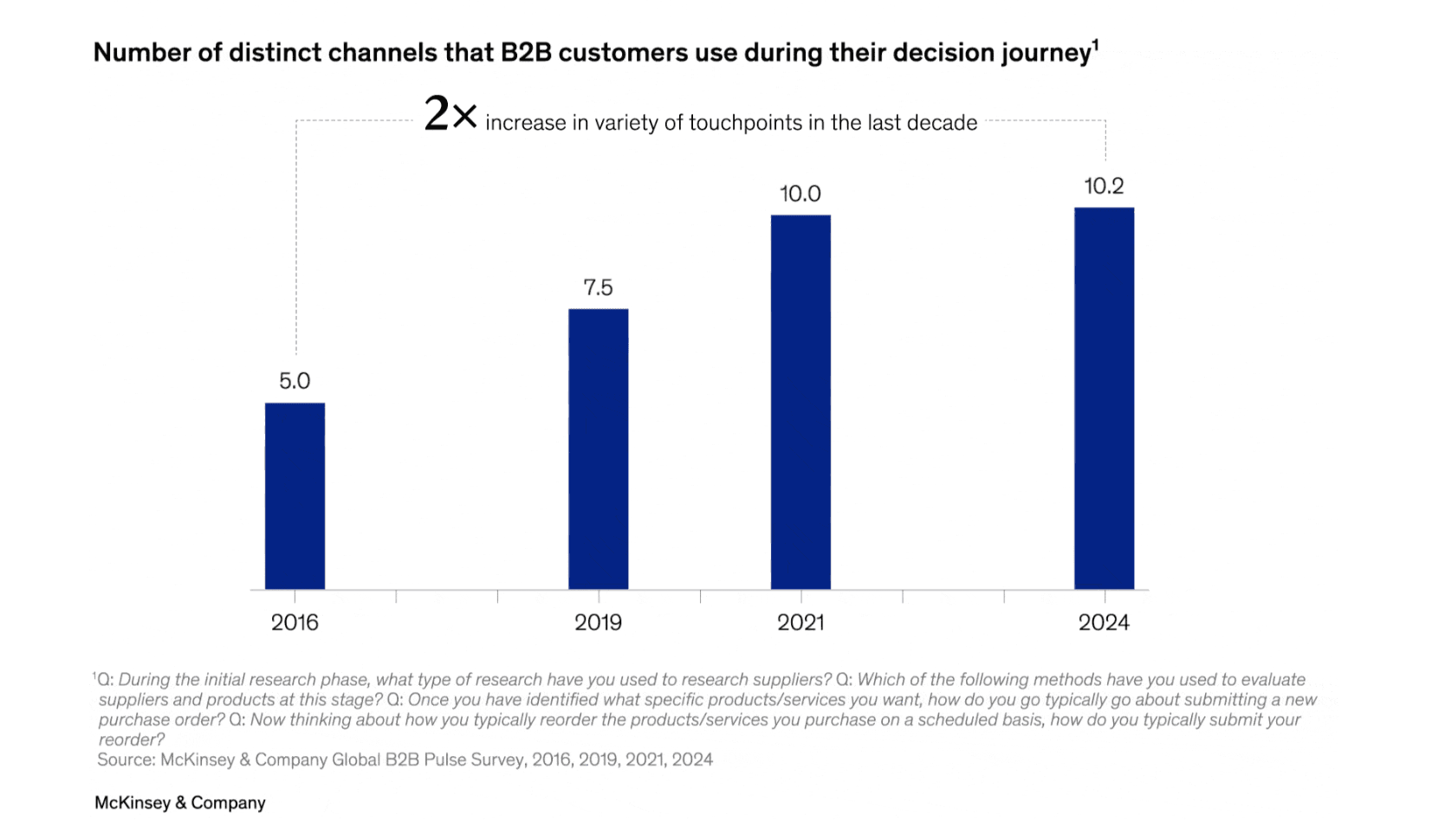
Cold prospects move faster when communication spans email, LinkedIn, and calls—with each channel supporting the next.
When your CRM and email marketing tool share data, these channels stay coordinated. There’s no doubt about who was contacted, when, or through which channel.
For instance, Artisan syncs with HubSpot and Salesforce, allowing for multi-channel touchpoints. Reps see email, LinkedIn, call, and website activity together, so the next touch is based on signals, not assumptions.
Monitor Performance and Iterate
Regular monitoring creates a cycle in which your outreach improves on a month-by-month basis. It’s one of the hallmarks of a CRM-email integration strategy that drives above-industry response and meetings-booked rates.
Every month, evaluate your system by asking the following questions:
Which sequences produce meetings, and which don’t?
Where do leads stall?
Which ICP segment generates the strongest response ratio?
Which messaging patterns correlate with won deals?
Where can branching logic make the journey smoother?
Consolidation and AI: The Future of CRM-Email Integration
Modern AI platforms are adding a powerful layer of automation to CRM-email workflows. Artisan, for example, prospects, qualifies, and connects with leads with an absolute minimum of input from reps. This allows you to scale without expanding your sales team.
AI Automation With Ava
Ava is Artisan’s AI BDR who sits at the center of the platform. She automates all of the early and middle stages of the outbound sales cycle, conducting deep lead research and enriching your CRM profiles with up-to-date information.
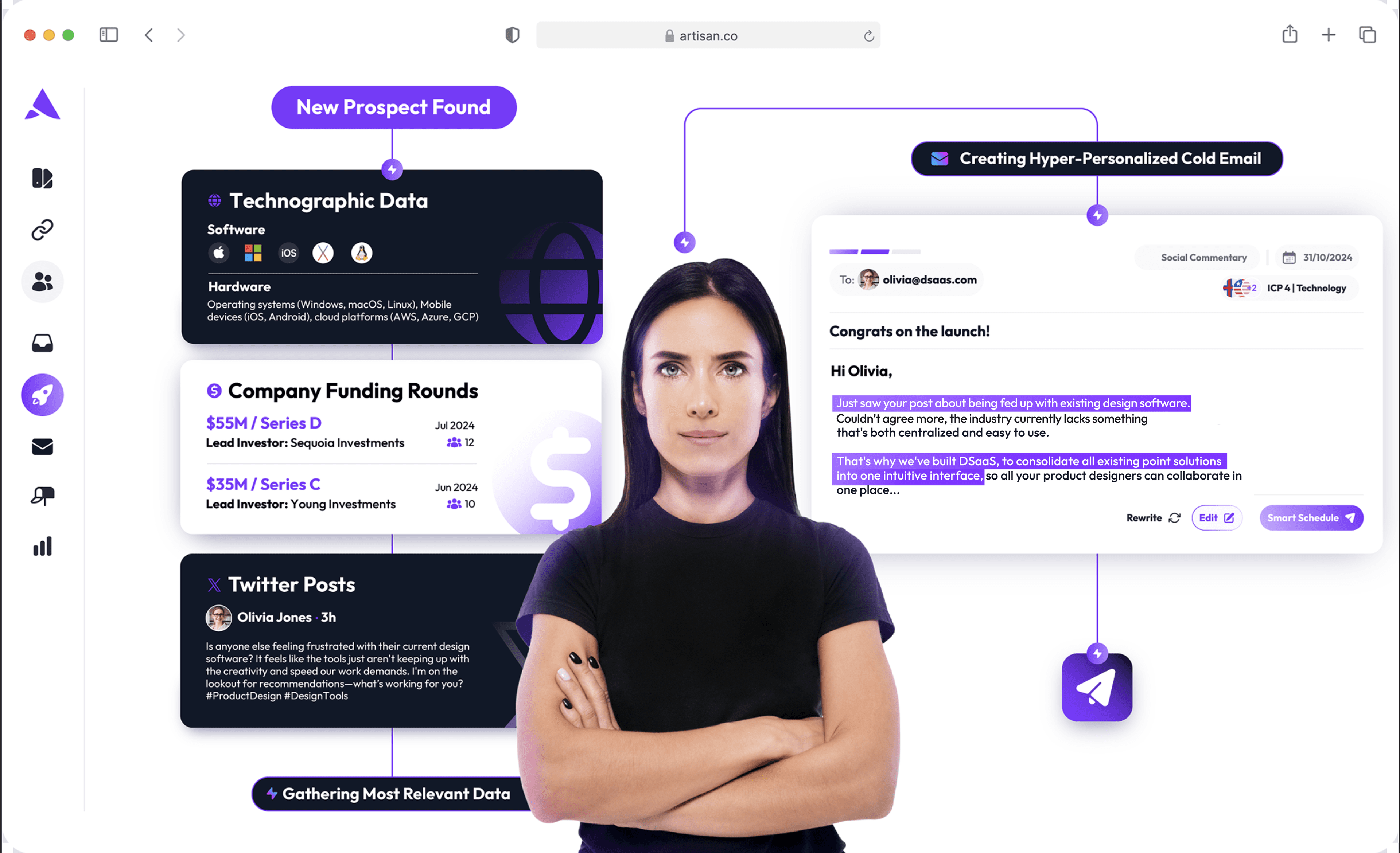
All Your Cold Outreach Tools Under One Roof
Artisan brings together all the outreach features sales teams need to run successful campaigns. These include a database of over 300 million B2B, ecom, and local leads; deliverability optimization; email and LinkedIn message composition; background A/B testing; and analytics.

In-Depth Email and LinkedIn Analytics
The only way to know if your integrated email marketing is truly working is by measuring it. That’s why Artisan provides in-depth reporting for a range of metrics—email deliverability, opens, replies, and more.
The Last Step to Smarter CRM–Email Automation
Disconnected tools kill good outbound.
A tight CRM-email integration brings everything under one roof so AI can finally do what it’s meant to do: target smarter, time better, and write messages people actually answer.
Artisan streamlines your stack and puts AI in charge of the backend of your outbound engine. AI BDR Ava autonomously handles prospecting, lead profile enrichment, message personalization, and follow-up—which means your reps can prioritize those all-important human tasks.