Firmographic and technographic data explained
A practical guide to firmographic and technographic data for B2B teams. Build smarter ICPs, better segments, and more personalized messaging.
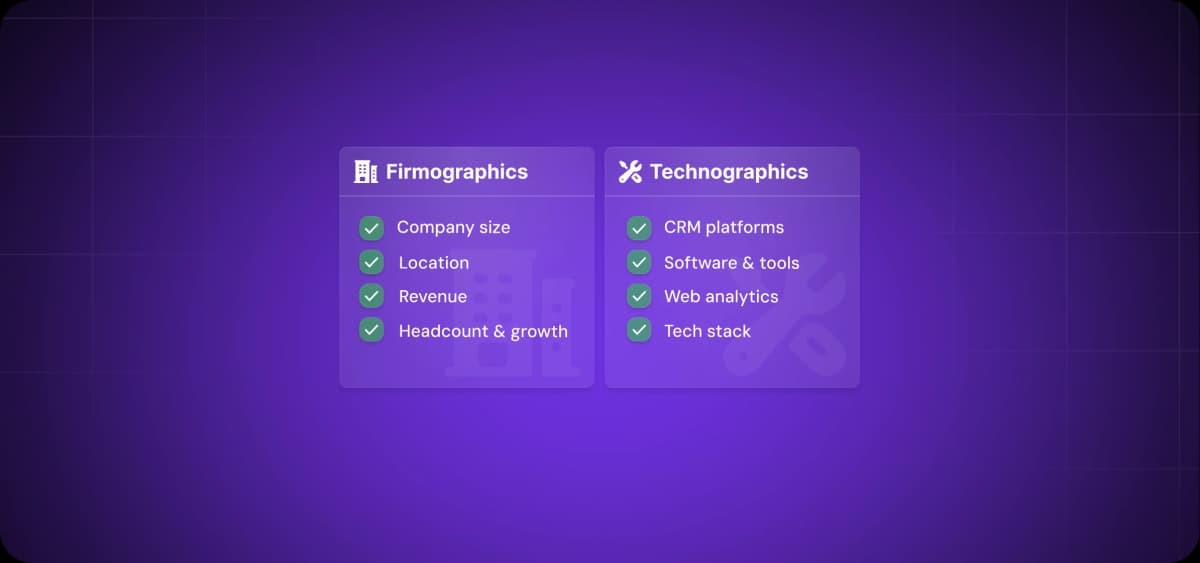
What do a 20-person local company and a 200-person global business have in common?
They're both in your ICP. For all practical purposes, however, that’s where it ends.
They buy for different reasons and respond to different messages. So how do you approach them without manually crafting every message?
The answer is by using firmographic and technographic data. When combined, they give you the information you need to segment your market, prioritize leads, and tailor messaging on autopilot.
What is firmographic data?
Firmographic data—also known as “firmographics”—represents the definable, observable features of a company. It’s like demographic data but for companies.
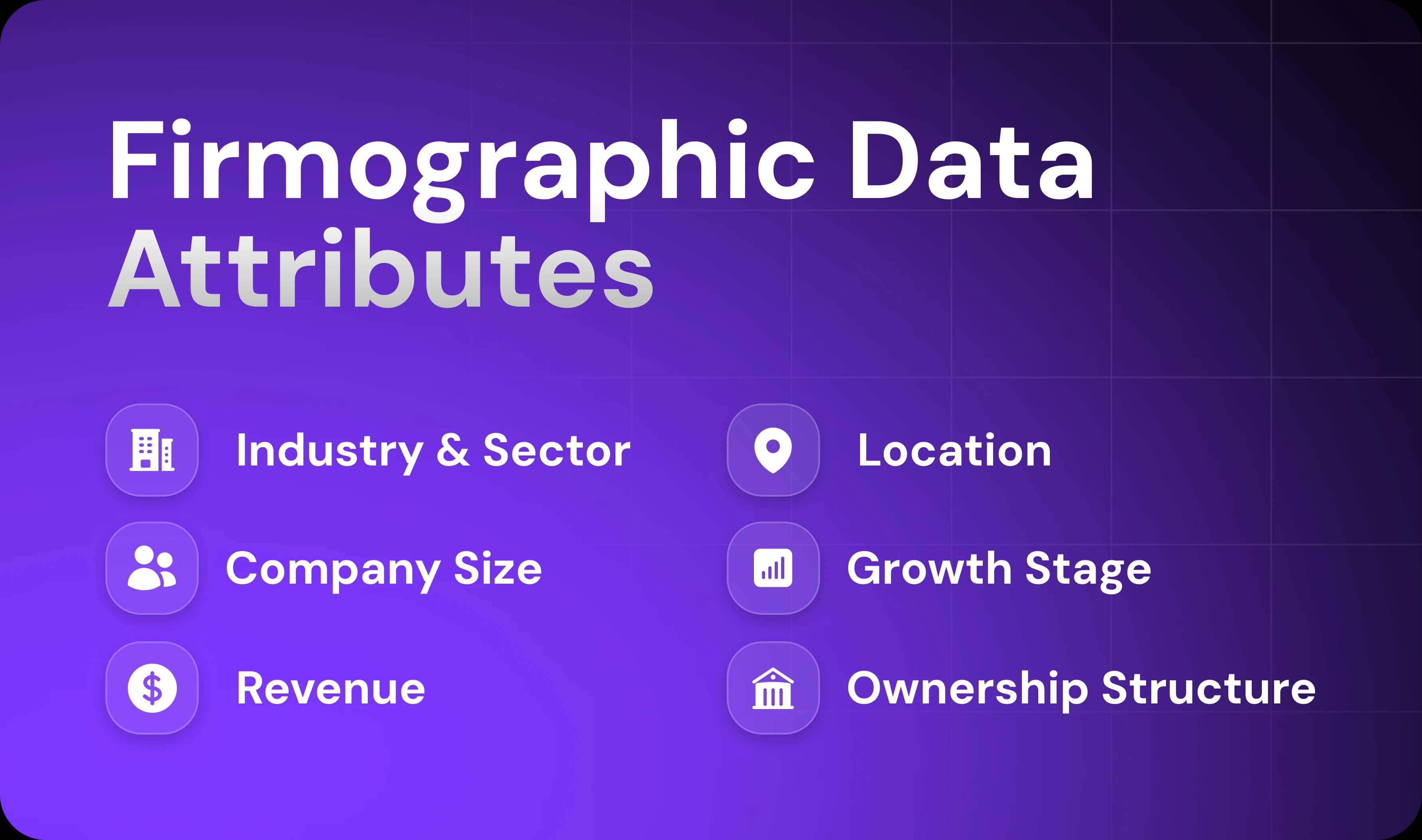
Here’s an overview of the main categories of firmographic data:
Industry and sector: What market they operate in (SaaS, manufacturing, healthcare, etc.)
Company size: Number of employees, usually in bands (1–10, 11–50, 51–200, etc.)
Revenue: Annual revenue or revenue range
Location: Headquarters, regional offices, where they operate
Growth stage: Startup, growth-stage, mature, or enterprise
Ownership structure: Public, private, VC-backed, bootstrapped, PE-owned, etc.
These attributes form the foundation of your ideal customer profile (ICP). Take your best customer, write down their firmographics, and apply those same criteria when qualifying new prospects.
A complete firmographic ICP might look like this: B2B SaaS companies, 50 to 200 employees, $10M to $50M annual revenue, headquartered in North America, series B or C funding stage, venture-backed.
Main uses of firmographic data in B2B marketing and sales
Firmographic data is used for three tasks: finding the right accounts, prioritizing them, and messaging them correctly.
Here's how to use firmographics:
Market segmentation and ICP creation: Slice your total addressable market into segments by company size, industry vertical, or geographic region.
Lead qualification and prioritization: Define which set of firmographics represent your highest-value targets and automatically prioritize leads.
Messaging and positioning: Include specific firmographic details in your outreach messages as a way of personalizing them.
Without firmographics, outreach messages will all look the same, irrespective of the size, segment, or specific needs of your targets.
What is technographic data?
Technographic data gives you insight into a company's technology stack—the software and platforms they use to run their business.
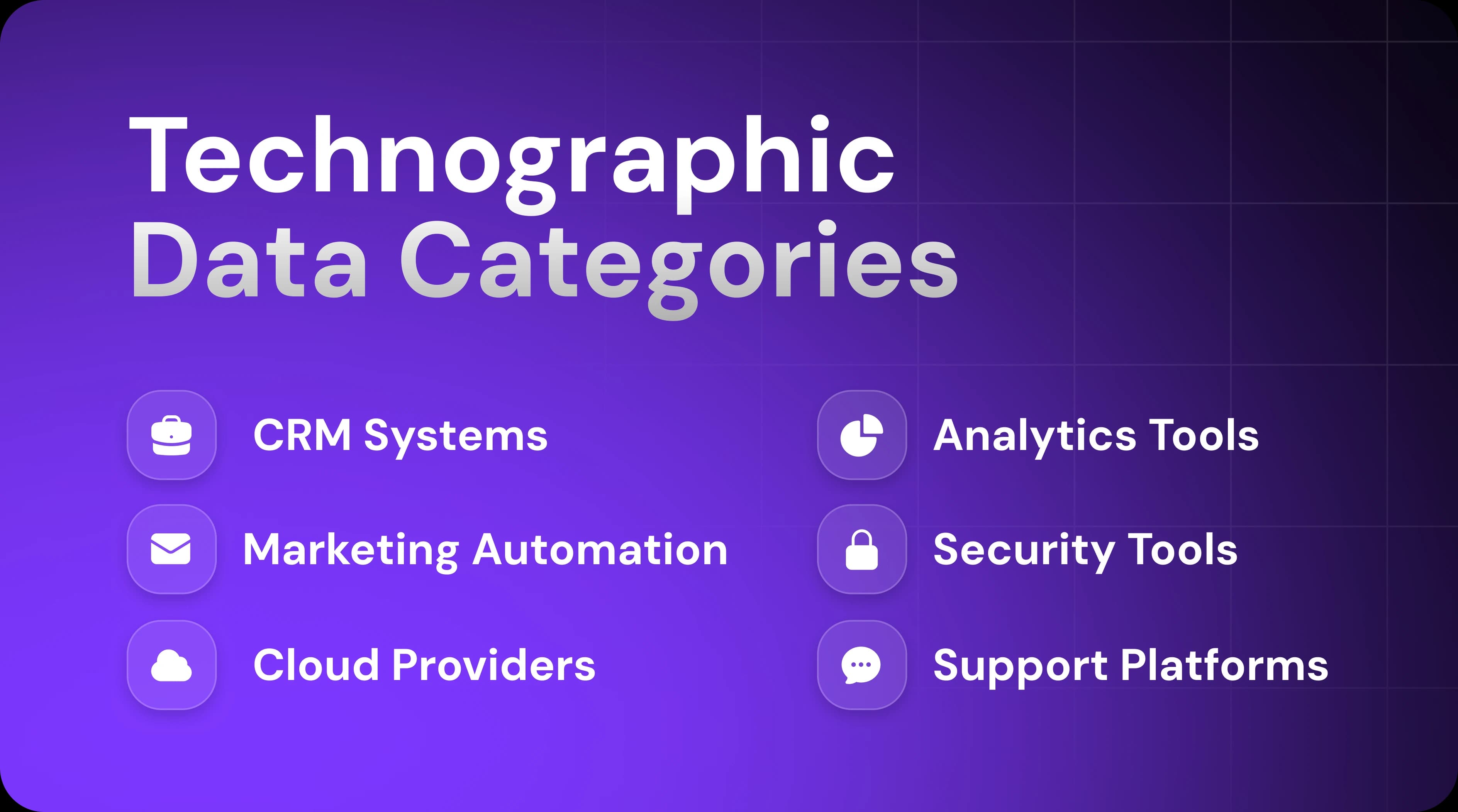
Here's an overview of the main categories of technographic data with examples:
CRM systems: Salesforce, HubSpot, Pipedrive, Microsoft Dynamics
Marketing automation platforms: Artisan, Marketo, Pardot, ActiveCampaign
Cloud providers: AWS, Google Cloud, Azure
Analytics tools: Google Analytics, Mixpanel, Amplitude
Security tools: Okta, Cisco, CrowdStrike
Support platforms: Zendesk, Intercom, Freshdesk
When choosing which technographic data to track, focus on tools that directly relate to your product's integrations, competitive positioning, or buyer requirements.
Main uses of technographic data in B2B marketing and sales
Companies use technographic data to assess buying readiness based on a target account’s current tech stack.
Here’s how to use technographic data:
Tightening qualification: Filter out poor-fit accounts. If a product requires a specific platform and the potential customer doesn't use it, you can disqualify them early or adjust your approach.
Understanding maturity and integration needs: Determine whether a company has a simple or complex tech stack and whether it's up to date or made up of legacy apps. This helps you prioritize leads.
Identifying replacement or competitor opportunities: Position your solution as an upgrade or alternative that solves problems a current tool doesn't.
Tailoring messaging to tools they already use: Knowing a company's stack lets you speak in terms that recipients at a target account already understand.
Firmographic vs. technographic data
Both firmographics and technographics help you target leads more effectively, but they cover different characteristics. So which one should you prioritize?
How they differ
Firmographic data describes the company. Technographic data describes what systems they operate on. That's it.
Why both matter in segmentation
Customer segmentation starts with firmographics. It allows you to narrow big categories to companies that match your ideal size, industry, and geography.
Technographic data clarifies intent for the target accounts that remain. They show which companies in your target segment are using competitor tools, outdated systems, or complementary platforms—signals that indicate buying readiness.
A SaaS company with 100 employees in financial services, for example, might fit your firmographic ICP. But if they recently consolidated their tech stack and signed a three-year contract with a competitor, they're not ready to buy.
Meanwhile, a 50-person company in healthcare—slightly outside your firmographic sweet spot—might be using a legacy CRM with no native integrations. Technographics increases their priority score for outreach.

Automate your outbound with an AI BDR
Meet Ava—your AI BDR who handles prospecting, outreach, and follow-ups, so your team can focus on closing.
How firmographic and technographic data work together
Firmographics and technographics work better when combined. One filters for fit, the other filters for timing and intent. Here's what that looks like in practice.
Build a sharper ICP
Your ICP will be more precise if you layer both data types together.
A firmographic-only ICP might look like this: Series B SaaS companies, from 50 to 200 employees, $10M to $50M revenue, based in North America.
Now let’s add a technographic data point—use of legacy analytics tools like Piwik. That narrows 10,000 companies down to 150 with ICP fit and an active need.
Improve segmentation and targeting
Firmographics and technographics let you build micro-segments inside your CRM and marketing automation platforms.
For example, a company selling a point-of-sale (POS) system to jewelry stores can create segments like:
Independent jewelry retailers with 1 to 3 locations using outdated legacy POS systems
Mid-sized jewelry chains with 5 to 15 stores on basic Square or Shopify POS
High-end jewelers with custom design services using Salesforce
These micro-segments let you tailor outreach by industry, company size, and tech stack. Your messaging becomes more relevant, and your targeting becomes more precise.
Boost lead scoring and prioritization
Because you’re incorporating a larger amount of data, combining firmographic fit with tech alignment gives you a more accurate lead score.
Here’s an example of a points-based lead scoring model:
Company size matches ICP: 20 points
Industry matches ICP: 15 points
Revenue range matches ICP: 10 points
Uses competitor product: 25 points
Tech stack includes integration requirements: 10 points
This scoring system lets you route high-fit, high-intent leads to reps immediately. Leads with a lower score stay in a dedicated nurture sequence without wasting sales time on accounts that aren't ready to buy.
Marketing and sales use cases
Firmographic and technographic data drive execution across every marketing and sales channel. They determine who gets added to outbound sequences, which accounts become ABM targets, and how sales reps tailor their discovery calls.
Smarter outbound outreach
Trigger-based outreach becomes sharper when you combine firmographic and technographic signals.
You can set triggers that fire when a company matches your firmographic ICP and shows technographic activity, like adopting a tool that creates integration needs for your product.
An even smarter move involves layering in company activity signals like job postings, funding rounds, and leadership changes. Imagine, for example, that a mid-market retailer (firmographic fit) still uses a legacy POS system (technographic fit) and posts a job opening for a director of operations (intent signal). In this case, they're hiring someone who will evaluate their tech stack—that's your window to get on their shortlist.
Increasingly, teams are turning to AI to automate data gathering and sales outreach. Artisan, which is built around AI BDR Ava, can handle all of the early and middle stages of the outreach cycle, including lead prospecting, profile enrichment, message personalization, and optimized delivery.

Better ABM workflows
Account-based marketing (ABM) involves sending personalized campaigns to high-value customer accounts. Firmographic and technographic data make this possible at scale by showing you which users to target and how to message them.
The micro-segments you build with both types of data become the foundation for coordinated marketing campaigns. You can orchestrate touchpoints across email, LinkedIn, direct outreach, and events—all tailored to the same account profile.
The workflow stays consistent, but the messaging adapts to each segment's industry and tech stack.
Stronger messaging for sales teams
Sales pitches land better when they're tailored to a prospect's tech stack. This is as true for an outreach email as it is for discovery calls and demos.
For example, a prospect using Salesforce likely deals with complexity and customization challenges. A prospect using HubSpot is more likely to prioritize simplicity and ease of use. Knowing their system before the call gives reps an immediate opening to build rapport around shared pain points.
Ads, content, and personalization
Marketing and sales teams can create variations of case studies, whitepapers, and landing pages that match different industry, company size, and tech stack traits. Firmographic and technographic data determine what each prospect sees across every touchpoint.
Here are three examples of data-driven content personalization:
Dynamic landing pages show different messaging, integrations, and pricing based on visitor data (e.g., location or past website behavior).
Email variants reference the recipient's current tools and industry pain points.
LinkedIn and display ads target by job title, company size, and technology usage.
Where to source firmographic and technographic data
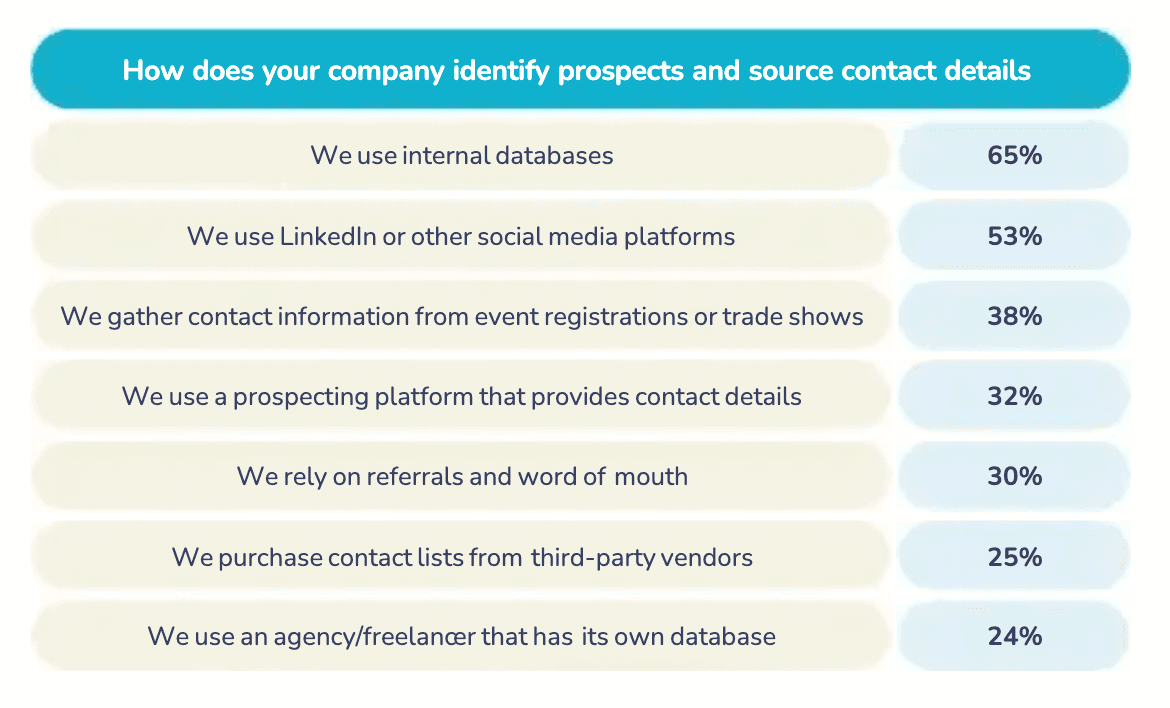
According to Sopro's State of Prospecting 2025 report, companies source prospect data from multiple places: 65% use internal databases, 53% pull from LinkedIn and social media platforms, 38% rely on event registrations and trade shows, and 32% use prospecting tools.
Most sales and marketing teams combine several sources to get complete firmographic and technographic coverage.
Firmographic data sources
Firmographic data is widely available because most of it is public or semi-public information.
The most common source is your own internal database—leads captured through demo requests, content downloads, and website forms. If you're collecting company information through lead capture, you likely already have a good pool of firmographic data.
For net-new prospect research, you can gather firmographic data from these sources:
LinkedIn: Company pages show employee count, geographic location, industry classification, and recent growth news.
Public databases: Sites like Crunchbase track funding rounds and revenue estimates.
Third-party data providers: Platforms like Lotame and Bombora provide intent and firmographic data sets aggregated from anonymous browsing behavior and content consumption patterns.
Company websites: About pages, press releases, and careers sections reveal prospect locations, team size, and growth stage.
Alternatively, you can automate the entire process by using data enrichment and prospecting tools. Artisan, for example, filters leads from its 300 million-strong database according to the firmographic criteria you specify. Simply define your ICP, and the platform surfaces companies that match.
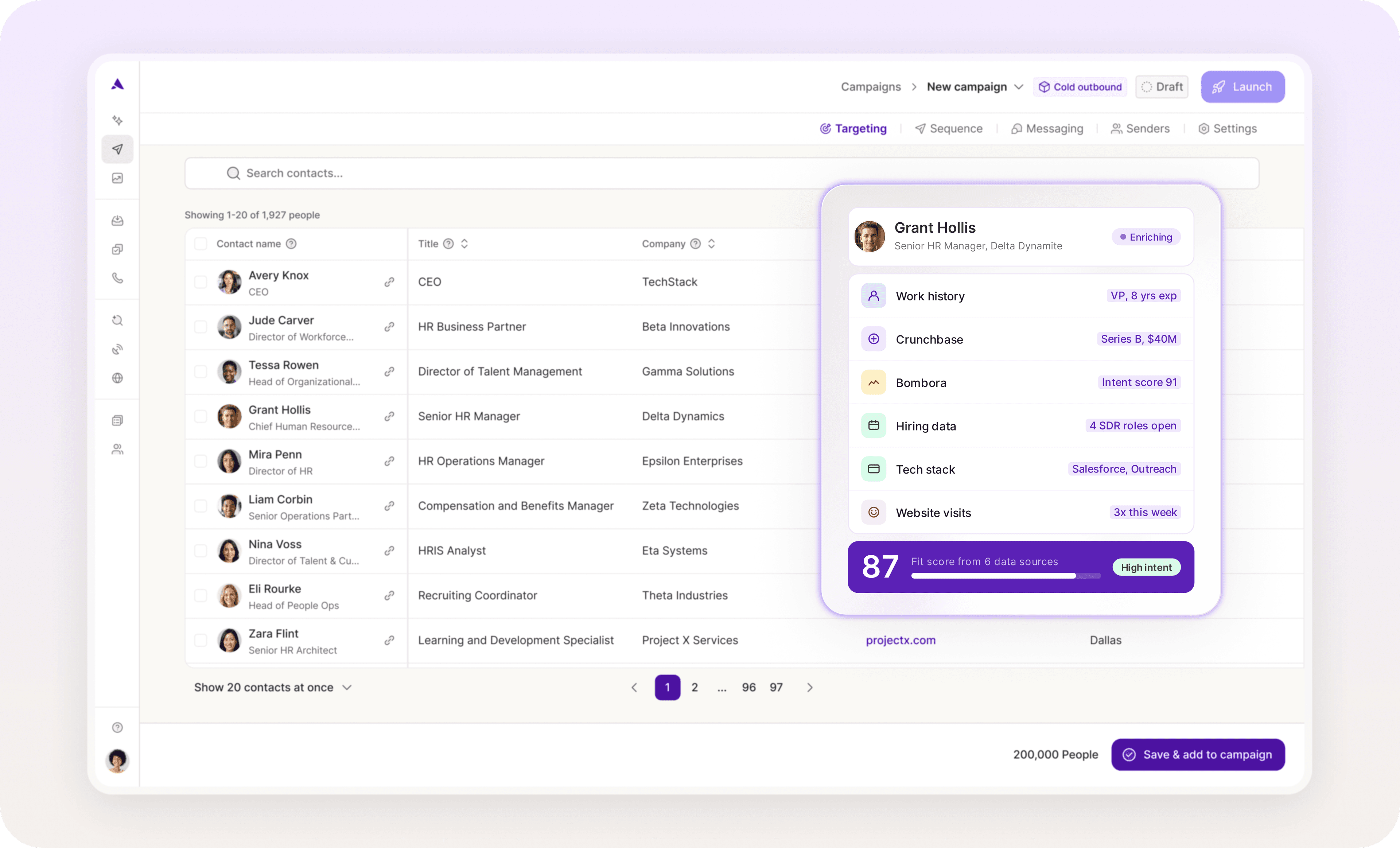
Technographic data sources
Technographic data is harder to collect manually because tech stack information isn't always publicly visible.
You can piece together a company’s tech from the following signals:
Job postings: Listings that require experience with specific technologies (e.g., "Must know Salesforce" or "Experience with HubSpot required") reveal what apps the company uses.
LinkedIn profiles: Employee profiles often list software skills and certifications, showing what tools the team works with daily.
Company tech stack pages: Some companies publish their stack on their careers page, engineering blog, or sites like StackShare.
In addition, you can use specialized tools that track technographic data at scale:
Technographic enrichment platforms: BuiltWith, Datanyze, and 6sense identify technologies by analyzing website code, tracking pixels, JavaScript libraries, and DNS records.
Install-base databases: Platforms monitor which companies use specific software by tracking public integrations, vendor partner directories, case study mentions, and API connections.
How to operationalize data inside your CRM and workflows
Collecting firmographic and technographic data? Easy. Putting it into action? Also easy—if you build it into your workflows from the start.
In other words, you need to structure the data properly in your CRM so it can create segments, calculate scores, and trigger outreach automatically.
Enriching CRM records
Firmographic and technographic data should live in your CRM as structured fields that you can filter, segment, and report on.
Create custom contact and company properties like employee count range, revenue band, industry category, and growth stage. Add technographic properties for the key tools in their tech stack.
Dedicated enrichment platforms can also update records automatically—weekly, monthly, or in response to specific events like funding announcements or leadership changes.
Connect your enrichment tool via native integration or Zapier, then configure workflows to refresh company properties when records meet certain criteria, like a deal reaching a specific stage or job title change for a decision-maker.
Keep the source and observation date when a field changes. If the new value conflicts with an account note or territory rule, route it for review before it affects a campaign. Artie lists ongoing CRM data quality among its responsibilities. Evaluating that review work is separate from choosing the provider that supplies the firmographic or technographic data.
Building rule-based segments
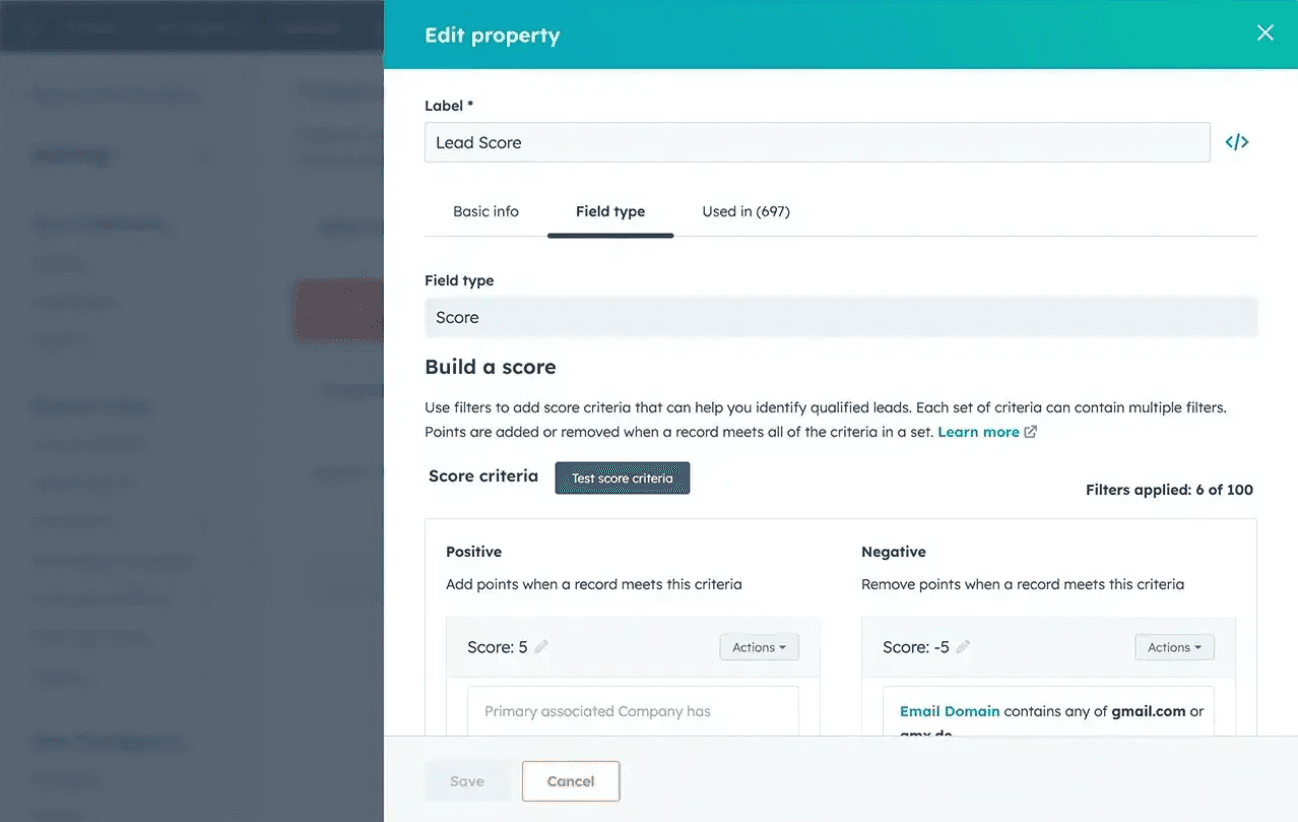
Link firmographic and technographic fields to scoring rules and segment leads based on their scores.
Your scoring criteria should assign points for different attributes that match your ICPs. Company size might be worth 15 points, industry match 10 points, and using a specific CRM 5 points. When a lead enters your CRM, their firmographic and technographic data should be scored automatically against these rules.
Here are examples of how companies might be assigned to segments based on their scores:
Mid-market SaaS companies using Salesforce score 60 points and land in the "CRM optimization" segment.
Enterprise SaaS companies with recent funding score 70 points and land in the "high-priority ABM" segment.
Early-stage SaaS companies using HubSpot score 45-60 points and land in the "growth-stage tools" segment
Here’s an example of what this looks like in HubSpot:
Triggered workflows and outreach
Lastly, you should use firmographic and technographic data to trigger internal actions and outreach sequences that keep your team moving without manual intervention.
Here are a few examples of workflows that can run independently:
Outreach enrollment: Based on segment assignment, leads are automatically enrolled in different email sequences—mid-market accounts are added to one sequence and enterprise accounts to another, for example, with each tailored to their profile.
Automatic task creation: When a lead matches premium firmographic criteria (enterprise size, high revenue band) and uses a key technology in your integration ecosystem, create a task for your sales manager to review the account within 24 hours.
Account handoff triggers: When a prospect moves from marketing qualified to sales qualified based on firmographic score, automatically reassign the contact owner, create a follow-up task for the newly assigned rep, and send an internal Slack notification.
Time-sensitive opportunity alerts: If a company in your ICP raises funding (firmographic event) and already uses a complementary tool (technographic fit), send a real-time notification to your sales team.
Stalled deal reviews: High-value accounts that go cold should be automatically flagged for monthly check-ins, while lower-value accounts that stall can be archived after 90 days to keep your pipeline clean.
Real examples of firmographic and technographic targeting
Here are three examples of segments built on firmographic and technographic data. Each segment combines company and tech stack data to create a narrow, high-intent list. Messaging is then tailored to match what you know about each account—their size, their tools, and their gaps.
Example 1: Outbound prospecting
Segment
Early-stage SaaS companies, 10–50 employees, North America, still using Mad Mimi for email marketing.
Message
Subject: Still using Mad Mimi?
Hi [name],
Noticed your team is still on Mad Mimi. Since it was retired, you must be evaluating alternatives.
[Product] makes migration simple—under a week, no data loss, and you get full automation and native integrations.
I can show you how it works in 15 minutes: [demo signup link]
[sign-off]
Example 2: Account-based marketing (ABM)
Segment
Enterprise healthcare companies, over 1,000 employees, using AWS and Salesforce, recent executive hires in technology or digital transformation roles.
Example campaign
The campaign runs across three channelsl. Every touchpoint reflects the same combination of industry, tech stack, and growth signals.
Ads: LinkedIn ads target VPs of sales and IT at these specific accounts.
Personalized pages: Landing pages show AWS and Salesforce logos in the integration section and case studies from healthcare companies.
Direct outreach: Sales emails reference their cloud infrastructure and compliance requirements instead of starting with generic enterprise messaging.
Example 3: Expansion or upsell
Segment
Existing customers who recently adopted Marketo but haven't purchased the marketing attribution module in your product.
Message
Subject: Saw you added Marketo—ready to connect it?
Hi [name],
Noticed your team recently added Marketo to your stack. We have pre-built integration templates that connect [your product] to Marketo in about 15 minutes; no dev work needed.
Want to set up a quick call to walk through it?
[sign-off]
Data-driven targeting only works when the data does
Your firmographic and technographic data is as good as useless if it lives in a spreadsheet that doesn’t sync with your broader workflow. Instead, you should structure it thoroughly in your CRM so that it can be used to trigger segments, route leads, and personalize outreach automatically.
Artisan automates this entire process. AI BDR Ava autonomously finds leads that match your ICP, enriches each account, and triggers personalized outreach based on hundreds of data points. All of which frees up your reps to focus on those all-important face-to-face meetings.
Automate your outbound with an AI BDR
Meet Ava—your AI BDR who handles prospecting, outreach, and follow-ups, so your team can focus on closing.

Adelina Karpenkova
SME @ Artisan
Adelina Karpenkova is a writer helping businesses tap into AI's potential and clear up misconceptions. She works with B2B teams on latest industry knowledge.