How to maximize ROI with strategic post-event marketing
Get the most out of every event with smarter post-event marketing. Learn how to follow up, repurpose content, and convert attendees into customers.
Classic event marketing playbooks consist of a few polite thank-you emails right after an event ends. In a time when personalization matters more than ever, old tactics don’t cut it.
We wrote this article for teams that want to generate revenue from webinars, live events, and conferences. It’s a tactical, step-by-step post-event marketing playbook to turn attendee signals into pipeline—grounded in automation, outbound personalization, and multi-channel follow-up.
How to Start Strong: The First 48 Hours After Any Event
Remember your last time at a conference?
The people who emailed you in the first 48 hours got most of your attention, didn’t they?
This is the window when intent is highest and context is fresh. Armed with the right tactics, business development representatives (BDRs) can fill their pipelines by sending just a few emails.
Send Thank-You Emails That Feel Personal
The mistake sales teams make is sending the same thank-you to everyone. It’s no surprise it rarely converts—everyone expects this.
At minimum, your email should reflect why someone showed up and how they engaged. That means pulling in event data you already have but probably aren’t using.
Here’s a list of online event signals BDRs can use for thank-you emails:
Sessions attended or skipped
Time spent watching (full session vs. partial)
Questions asked in Q&A
Poll answers
Chat messages or emoji reactions
Resource clicks (slides, demo links, docs, etc.)
On-demand replay views
In your email, reference one or two specific interactions and tie them to a next step that matches their behavior.
Here’s an example of a thank-you email for an online event:
Subject: Glad you joined {{event name}}
Hi {{first name}},
Appreciate you spending time with us at {{event name}}. I noticed that you stuck around for most of the session on {{session name}}, so I wanted to follow up personally.
Based on what we covered, teams like yours usually care most about {{specific outcome tied to session topic}}. If you want to see how that can be applied to your setup, we can do a quick walkthrough.
Either way, here’s the recording and slides in case you want to revisit anything.
Feel free to ask any questions.
Regards,
{{your name}}
Offline event data is harder to get but more than worth the extra effort.
Collect the following offline event signals to personalize your thank-you emails:
Booth visits or badge scans
Live demo attendance
Session check-ins
Conversations logged by reps
Business card exchanges
Event app activity (agenda saves and speaker follows, for example)
Post-event social engagement (tags, comments, reshares, etc.)
Reference a specific activity, such as a conversation or attendance at a session, in your email and provide some context. Talk about what was discussed or topics that speakers covered during a presentation, for example.
Here’s an example of a thank-you email for an offline event:
Subject: Great chatting at {{event name}}
Hi {{first name}},
Good meeting you at the booth yesterday, especially the part about {{specific challenge or topic you discussed}}.
If you want, we can pick up the conversation and look at how others are solving it. I figured you might be interested in this particular case where we pulled off a miracle for {{client name or a case study}}.
Talk soon.
Regards,
{{your name}}
Launch a Multi-Channel Follow-Up Sequence
A thank-you email alone isn’t enough anymore because inboxes are crowded, and buyers live across channels.
As a rule of thumb, every attendee should get at least one follow-up email and at least one LinkedIn touchpoint (for B2B audiences). There’s no need to spam attendees with five emails.
Here’s a simple three-step sequence template you can use:
Day 0 to 1: Personalized thank-you email tied to event activity
Day 1 to 2: Social media connection request referencing the event
Day 3 to 5: Light follow-up with a CTA to download a piece of content or book a meeting (either social media or email)
The goal of this cadence is to reopen the loop while the event is still fresh in their minds. It’s also exactly where teams break down because of the workload even a light three-step cadence brings along. Because emails have to be personalized, which is a lot of work!
Sales teams that use Artisan can send entire email and social media sequences on autopilot. AI BDR Ava handles sequencing, timing, and deep personalization based on the data you feed her.
Recap the Event Publicly (Fast)
If your event disappears from the internet the moment it ends, you’re wasting momentum. Within one to five days, you should ship short highlight clips or quotes, a punchy recap post, and visual takeaways (in the form of slides, stats, and diagrams).
This reminds attendees why the event was worth their time while also creating new entry points for prospects who didn’t attend. To keep the momentum going, tag speakers, call out smart audience questions, and encourage attendees to comment or reshare. That social activity becomes another intent signal you can feed directly into outbound follow-up.
Post where your buyers already scroll:
LinkedIn (personal profiles and company page)
X and Bluesky if your audience is active there
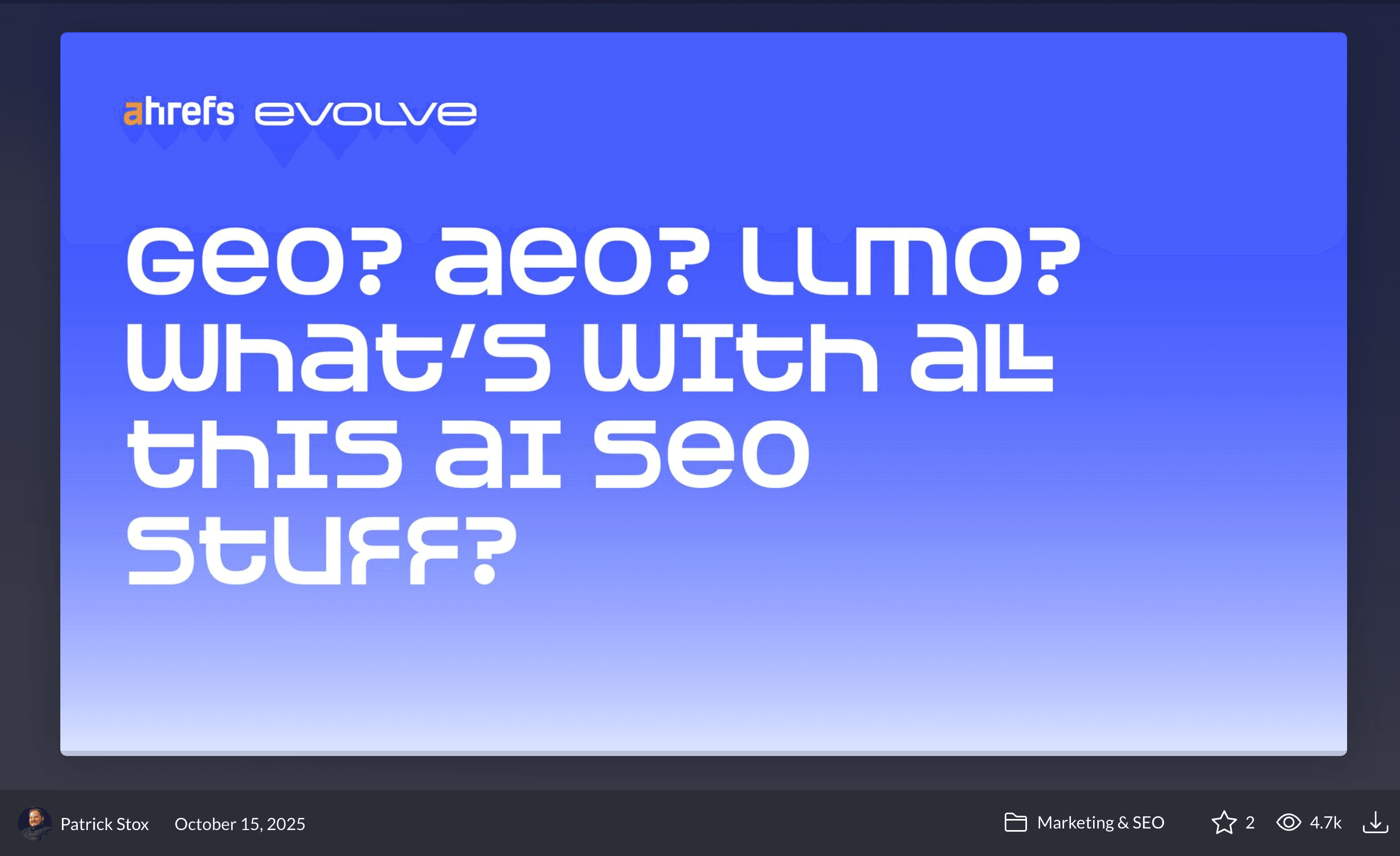
Also, use your event’s hashtag to build brand awareness. HubSpot introduced their #inbound{{year}} hashtag long ago, but it’s still trendy. Attendees, speakers, partners, and HubSpotters use this hashtag to find people going to the event. In addition, it’s an easy way for HubSpot to prospect relevant businesses post-event.
Turn Event Content Into a Marketing Engine
Events create raw material. This opens up an incredible opportunity for continuous post-event content marketing. If you stop at a single recording link, you’re leaving leads on the table. Team up with your marketing team to create a comprehensive content calendar that can run for months after the event.
Repurpose Your Event Content Everywhere
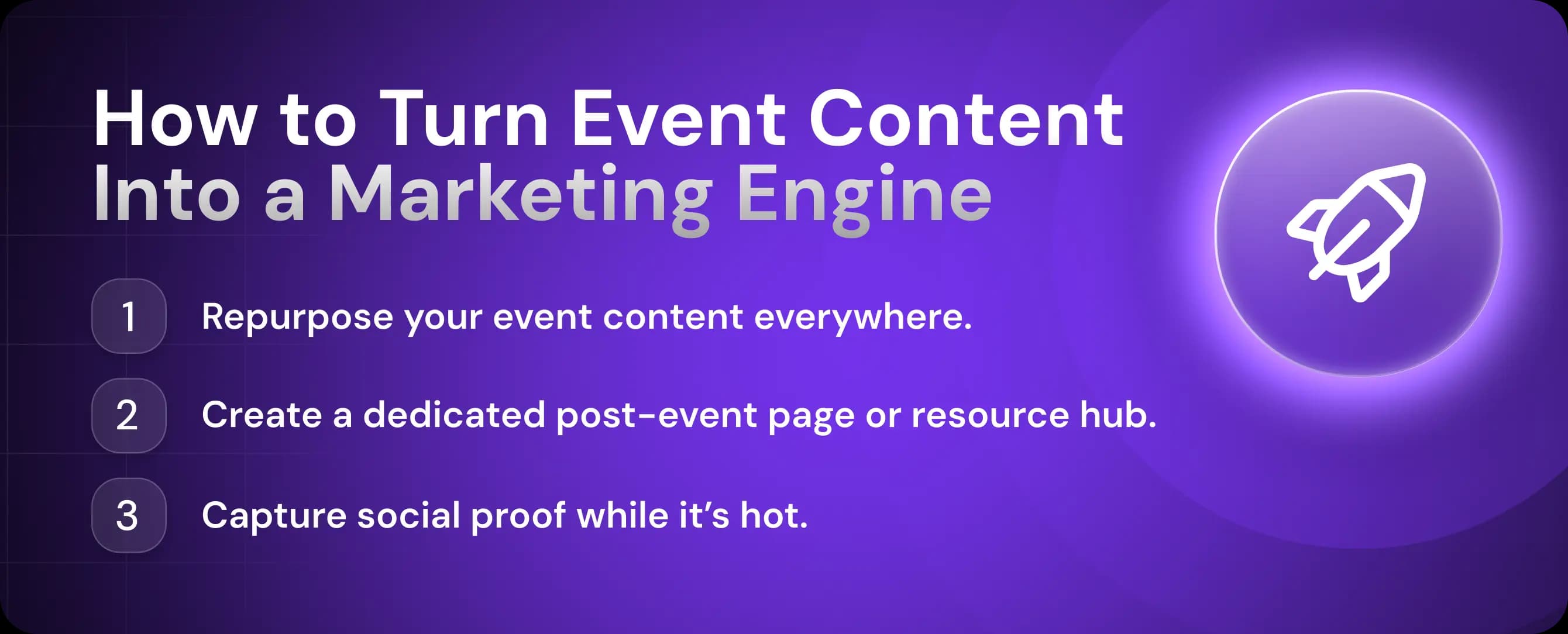
One event should fuel dozens of touchpoints across marketing, sales, and outbound. Together with the marketing team, you should create modular assets that match the buyer's journey.
Repurpose event content with these formats:
Short-form video reels (30 to 90 seconds): Key insights, strong opinions, audience questions
Blog recaps: Key takeaways, frameworks, and examples
Sizzle reels: High-energy cuts for LinkedIn, sales decks, and future promotions
Infographics: Stats, workflows, and before-and-after visuals
Newsletters: Post-event thoughts and insights from keynote speakers
Slide carousels: Repackaged slides with commentary for LinkedIn
Don’t overthink post-event content marketing. If someone missed the event, they should still be able to learn something useful in under two minutes.

Automate your outbound with an AI BDR
Meet Ava—your AI BDR who handles prospecting, outreach, and follow-ups, so your team can focus on closing.
Create a Dedicated Post-Event Page or Resource Hub
Create a single post-event destination you can link to in attendee follow-up, new lead gen materials, and for event-related SEO queries.
This page should include the following five elements:
Full recording or gated on-demand version
Slide deck and key visuals
Short written takeaways
Speaker highlights and quotes
Clear call-to-actions for a product demo, consultation, or your next event
For example, Braze, a customer engagement platform, turned its flagship conference into an ongoing resource page and a lead magnet. Braze gated the conference recording and teases viewers with handpicked sessions in the event description.
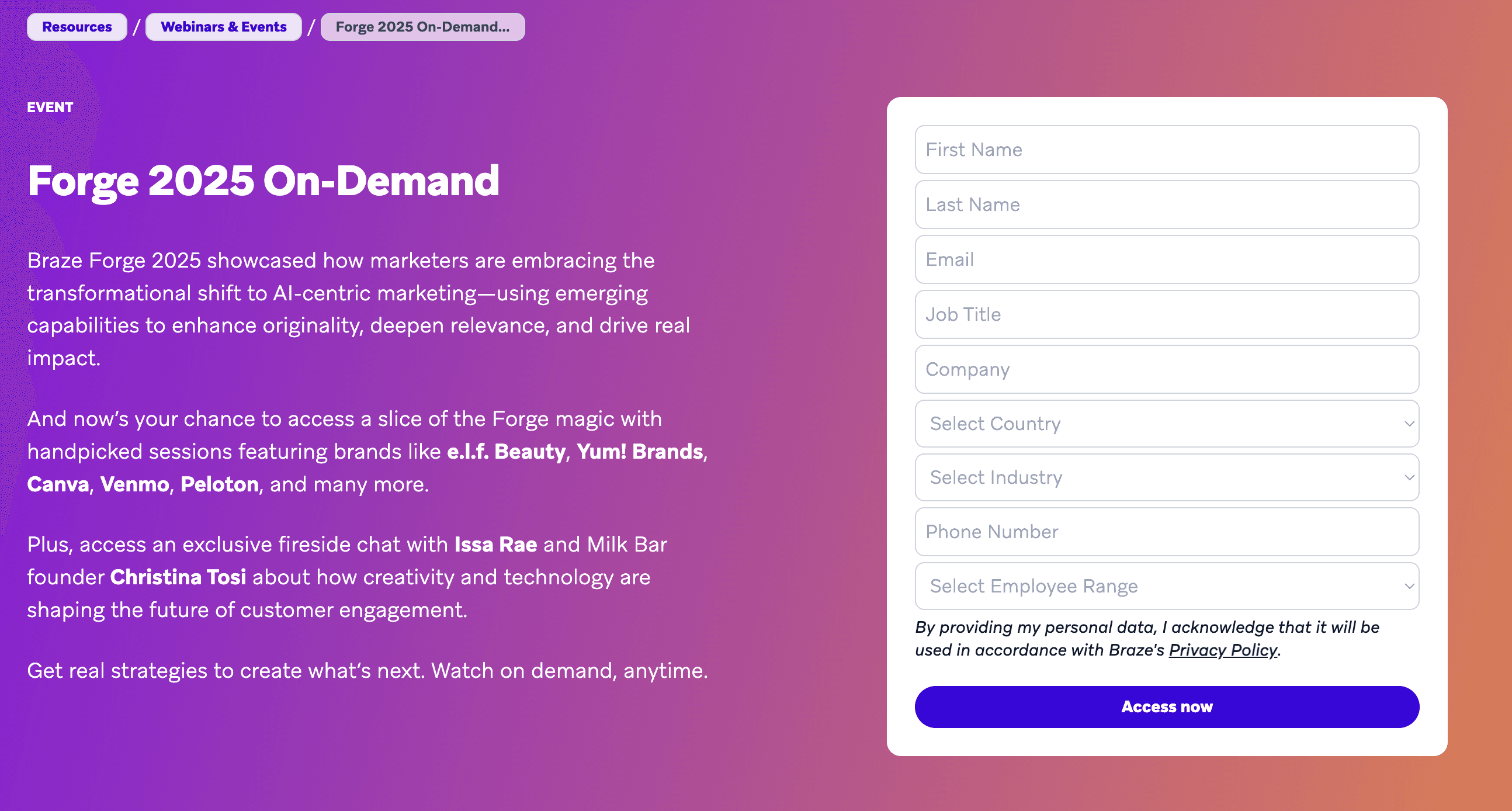
This page includes three post-event marketing best practices at once:
Extends lead generation beyond live attendance
Creates organic entry points via search and social
Acts as an intent signal hub
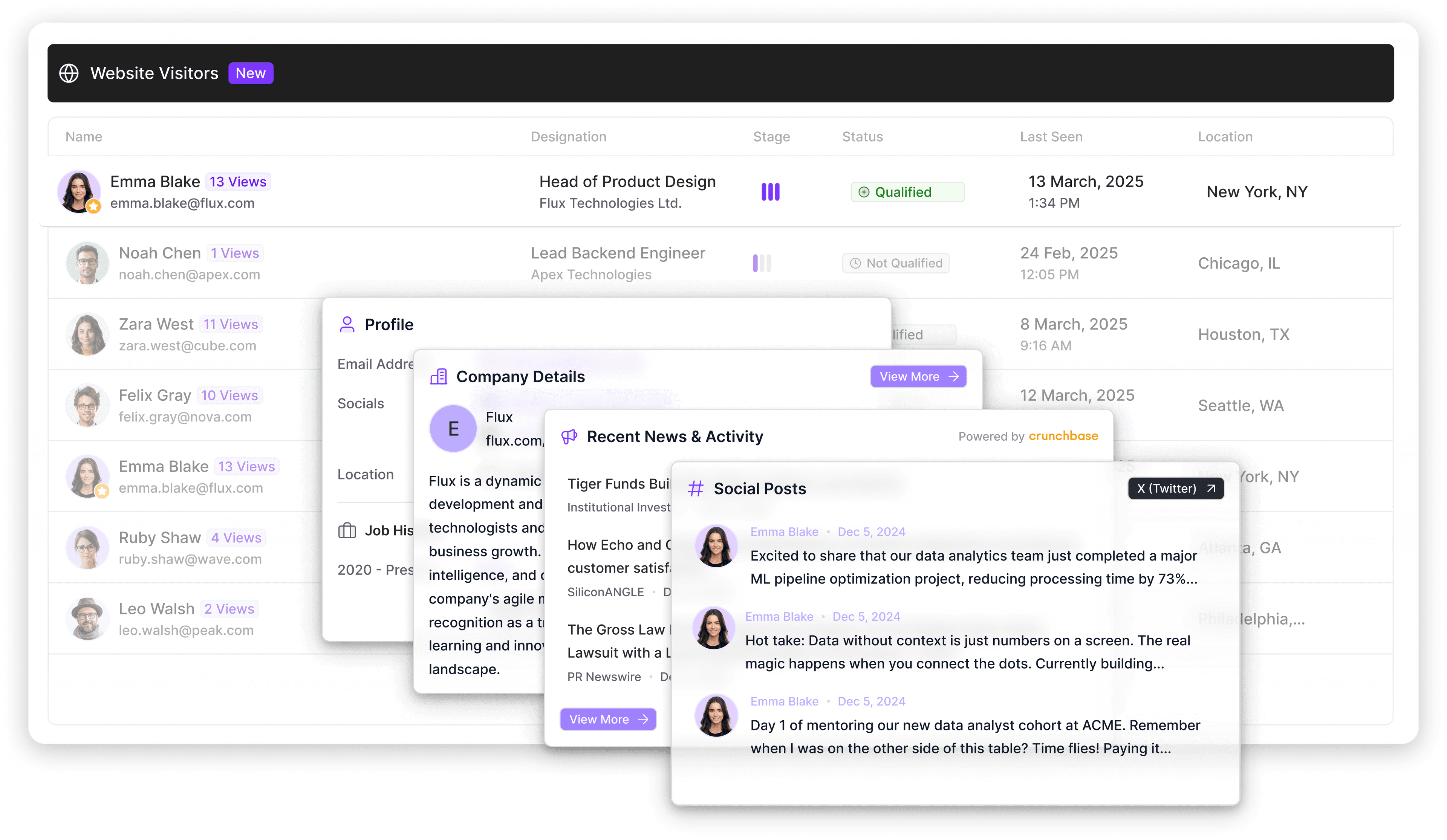
With Artisan, when someone revisits your post-event page, AI BDR Ava detects anonymous visitor engagement and triggers outbound follow-up automatically. This way, your landing page continuously generates qualified leads.
Capture Social Proof While It’s Hot
Ask for social proof while attendees are still mentally at the event to turn attendee sentiment into brand credibility. Then repurpose it aggressively across all channels to build trust with your audience and reach new leads.
Here are the best moments to catch your attendees during an event and record a few words:
Right after the session ends
In the first follow-up email
Inside the event platform or app
On LinkedIn within 24 to 48 hours
That’s right—you can ask for a testimonial or a LinkedIn post (good for influencers) even after the conference ends. You can also create collaborative posts by sharing quotes from a private chat or Q&A—with permission, of course.
Once your content is ready, distribute it across your owned channels and with paid ads. Don’t forget to tag your brand and speakers and use event hashtags.
Segment, Score, and Follow Up With Precision
Follow-up personalization starts with customer segmentation—in this case, event attendees. Precisely segmenting your attendees will almost always boost engagement significantly.
Use Event Data to Segment Your Audience
Different audiences need different messaging. The best approach is usually to segment attendees using basic criteria and then use an automation tool to individually personalize segment-specific email and social media templates.
Here are the criteria for segmenting your audience:
Session attendance
Engagement level
Industry
Role
Company size
Tech stack,
Region
Ideal customer profile (ICP) fit
This segmentation determines what you will reference in email copy and the level of nurture depth you apply to attendees. Some cadences will be educational; others should push for a sale.
Attendee segmentation also ends the disputes over which departments “own” whom. Marketing qualified leads (MQLs) will be the responsibility of the marketing team, and they’ll be put into automated outbound. Sales qualified leads (SQLs) will be routed to BDRs for personalized engagement.
Score Attendees Using Engagement Metrics
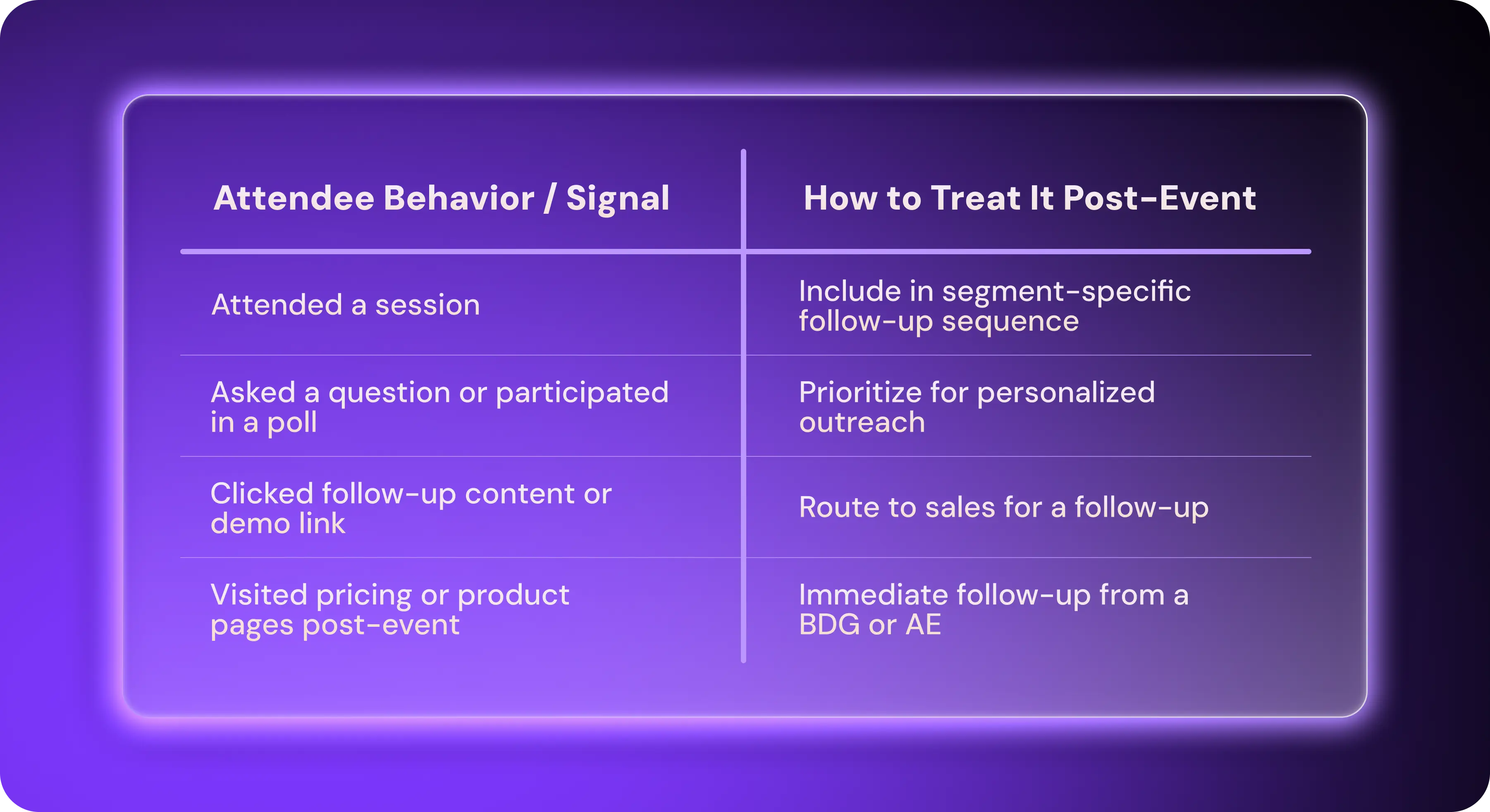
Segmentation tells you what to say. Scoring tells you who to email and call first. Event attendance alone is a weak signal. High-value leads usually exhibit one of the following high-intent engagement metrics:
Poll participation
Questions asked in Q&A
Chat messages or reactions
Booth visits or demo attendance
Resource clicks post-event
Repeat visits to the event page or recording
Design a simple scoring model using the signals above. Where possible, use this scoring model to automatically trigger outreach sequences inside your CRM or with an outbound platform like Artisan.
Automate Personalized Outreach at Scale
If you’re hosting an event with hundreds of visitors, follow-up shouldn’t depend on reps remembering who did what.
Use an automation tool like Artisan to trigger personalized outbound campaigns for high-intent leads the moment a signal appears. You can, for example, ask AI BDR Ava to monitor post-event site behavior or analyze event activity recorded in your CRM and launch highly personalized email campaigns.
Build Long-Term Attendee Engagement
Over 50% of marketing leaders cite post-event follow-up coordination with sales as a top challenge. This should come as little surprise, since most teams treat post-event follow-up like a one-off email campaign. Instead, you should aim to build long-term attendee engagement.
Keep the Conversation Alive on Social Media
Share event highlights in the two to four weeks after an event. Use hashtags consistently, tag speakers and partners, and encourage community discussion by asking for opinions.
In addition, turn your event recording into content assets in the form of short highlight clips, strong audience questions, speaker soundbites, and visual takeaways (slides, frameworks, diagrams, etc.).
Host a Follow-Up Event or “Ask Me Anything” (AMA)
If the first event creates interest, small follow-up events—even digital ones—build on that foundation of trust and engagement. You don’t need another big production. Lightweight formats work best here.
Choose one of the following formats for your follow-up event:
A 30-minute mini-webinar diving deeper into one topic
A hands-on workshop or teardown with a subject-matter expert
A Slack or Discord AMA
A partner-led roundtable with a small audience
From a sales perspective, follow-up events are gold. Attendance alone becomes a strong buying signal, and outreach tied to a “next step” feels helpful.
Offer Exclusive Post-Event Perks
These perks serve a double purpose. They reward existing attendees and give you compelling hooks to promote future events.
Here are the most effective post-event perks we’ve seen teams use:
Early-bird access to your next event
VIP-only sessions or Q&A invites (these are gold for sales reps)
Downloadable templates or playbooks referenced during the event
Gated guides tied directly to the session topic
Measure Your Post-Event Marketing and Fill Data Gaps
Once you’ve put your post-marketing strategy in place, it’s important to measure performance. Tracking a handful of key metrics will enable you to prove pipeline impact. In addition, you can use post-event surveys to fill data gaps and prepare for your next event.
Analyze Post-Event Data and Report on Key Metrics
Tying activity to revenue outcomes justifies the expenses of your post-event marketing. There’s no need to overcomplicate this process—measuring awareness and lead gen across key metrics is enough.
Track the following metrics to gauge the impact of your campaigns:
Revenue closed from event-sourced leads
Post-event website traffic
Content engagement (views and downloads)
Email open and click-through rates
Marketing-qualified leads (MQLs) generated
Sales-qualified leads (SQLs) generated
Add a short explanation of what the numbers do and do not show. Separate event-sourced leads from event-influenced opportunities, identify missing data and carry forward the actions from the review. Preparing that recurring results brief is an assignment to evaluate with Artie, an AI employee. Keep your existing attribution definitions consistent across events.
Run Short Post-Event Surveys
Your CRM won’t tell you why people showed up, what they actually wanted, or what made them bounce. A short post-event survey fills those data gaps.
Aim for three to five questions max, and use one-click answers where possible or multiple choice. Also, send surveys within 72 hours when the recall is fresh. Response rates likely won’t be huge, but there should be enough to spot patterns.
Here are examples of post-event survey questions:
“How useful was this session?”
“What was the number one topic you wanted more depth on?”
“What best describes your role?
“What are you trying to solve in the next 90 days?”
“Want a follow-up on this topic?”
The last question can generate new leads. Don’t fret about asking it.
Use Insights to Improve Your Next Event
Use data from your event to lay the ground for future events. In particular, pull real language from Q&As, social media comments, and survey responses and optimize email marketing, landing pages, and CTAs based on these phrases.
Also, pay attention to drop-off points. When people don’t engage with content, it tells you that you may have overdone the long intros, vague titles, or sales sections. And always double down on topics that did lead to demos or SQLs.
How Tools Like Artisan Strengthen Post-Event Marketing
Event organizers are increasingly supplementing human marketing activities with AI automation. Modern AI tools like Artisan—which is powered by AI BDR Ava—allow for a level of personalization at a scale that simply wasn’t possible before.
Automate Follow-Up Without Losing Personalization
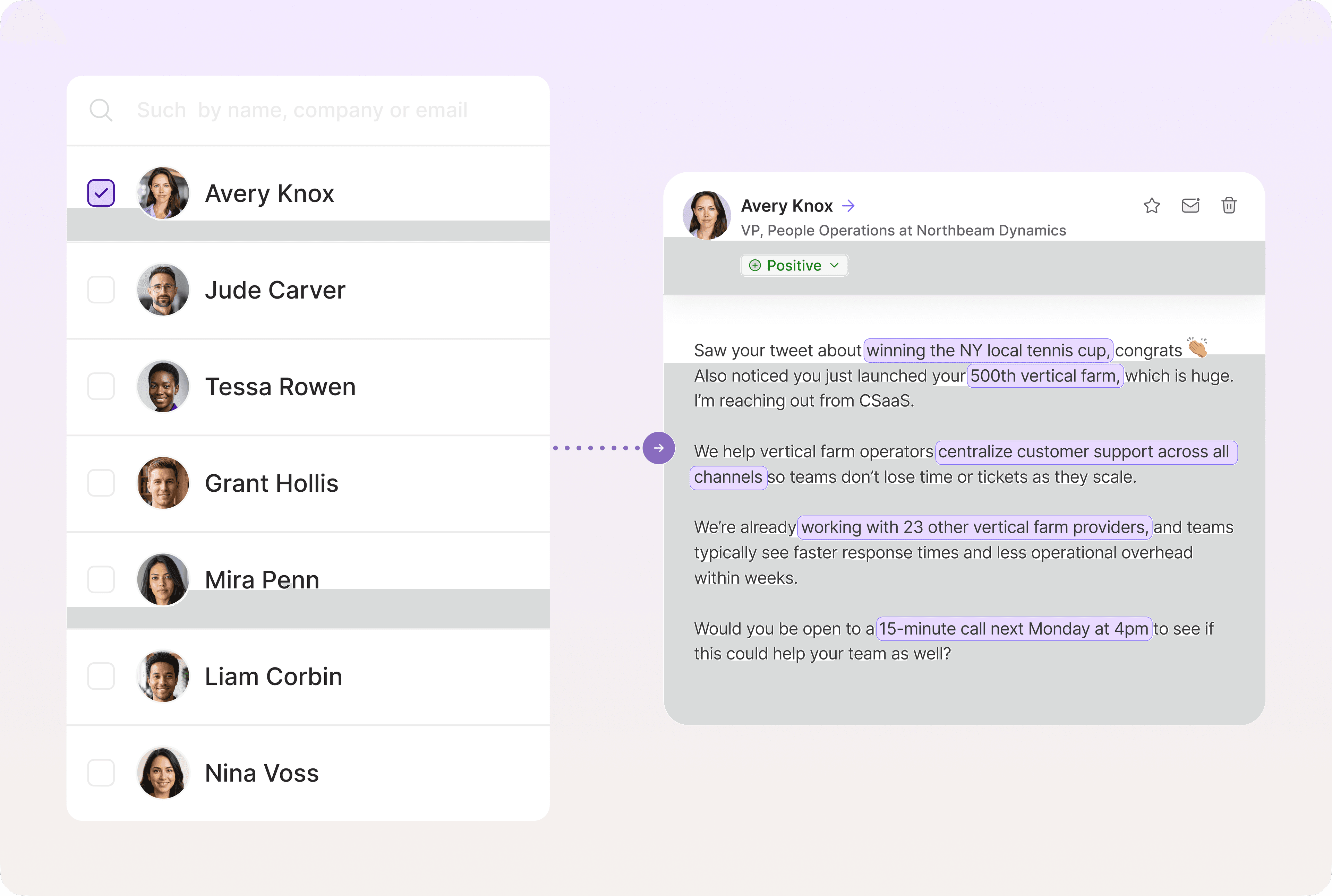
When you add leads from your event to Artisan, Ava will automatically personalize emails and social media messages based on a range of data points, such as recent activity, job changes, interests, and more.
Automatically Route Leads to Reps When They Show Interest
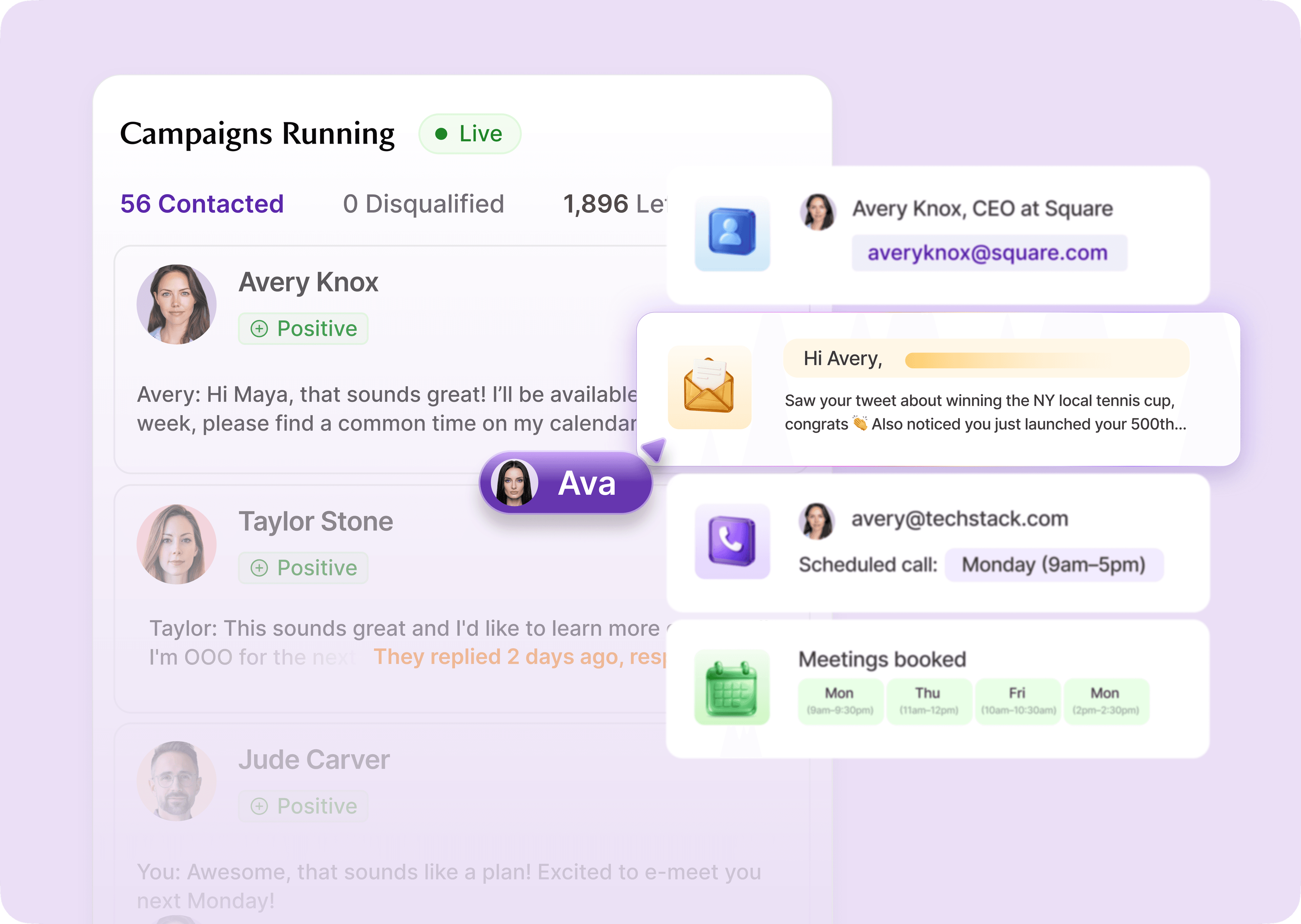
Using sentiment analysis, Ava automatically detects positive and negative responses. She removes the negative ones from the sequence and hands over qualified leads to your sales team to book meetings and close deals.
Boost Conversions on Post-Event Emails With Hands-Off A/B Testing
Artisan continuously tests subject lines, messaging angles, and CTAs in the background to optimize for replies and meetings. Ava also optimizes her writing style based on the coaching points you provide to improve response rates.

The Curtain Closed, and It’s Time to Convert
A solid post-event workflow can dramatically boost your event ROI. It helps you convert interested leads, activate hesitant ones, and gain insights into your audience preferences. The key is to act fast, personalize with intent, and use automation where humans shouldn’t be spending time.
A tool like Artisan can help you with a smooth post-event marketing and ensure seamless hand-offs and human-like personalization. Do more and better with the power of AI.
Automate your outbound with an AI BDR
Meet Ava—your AI BDR who handles prospecting, outreach, and follow-ups, so your team can focus on closing.

Jenny Romanchuk
SME @ Artisan
Jenny creates senior-level content for sales, SEO, and marketing professionals. She also leads partnerships at the District #1 Charitable Foundation.