6 Best Enterprise AI Agent Platforms for Business Process Automation
Compare enterprise AI agent platforms by workflow fit, deployment controls and pricing, with a practical checklist for moving from pilot to production.
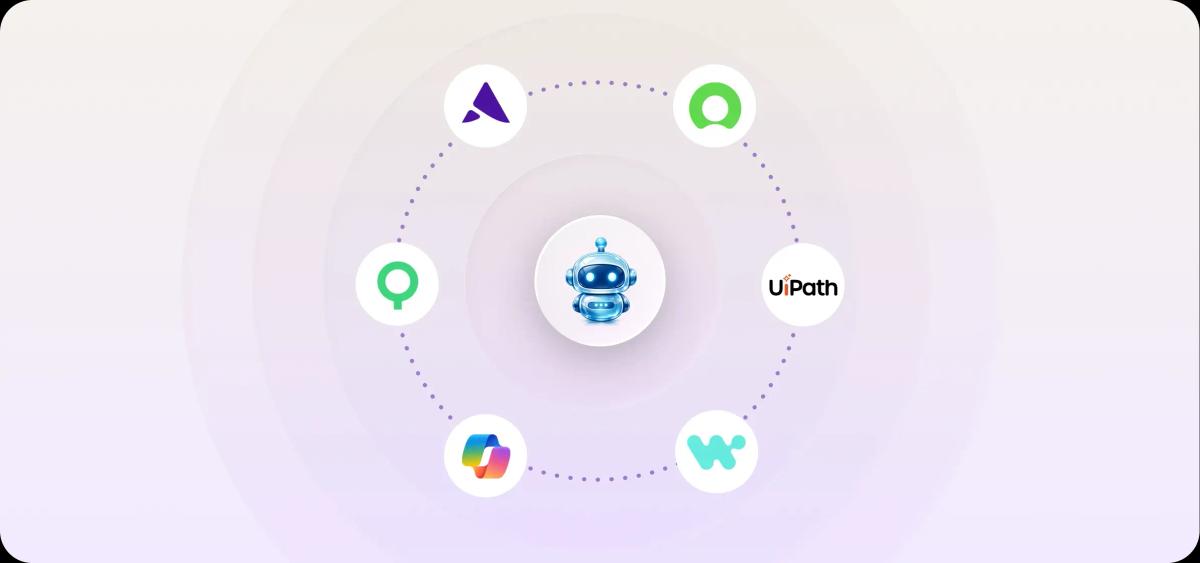
For enterprise AI agent platforms, compare WIQ for discovering and automating operations work, Microsoft Copilot Studio for Microsoft 365 workflows, UiPath Maestro for processes involving robots and people, Workato for application integrations, and ServiceNow for service workflows. Artisan Ava is a packaged agent for outbound sales. The five broader platforms let teams configure agents for multiple processes; Ava handles a specific sales workflow.
This comparison uses published product documentation and pricing checked November 5 to 6, 2026. The examples are illustrative, not results from hands-on product testing. Artisan publishes this guide and offers Ava, the outbound sales product included below.
Enterprise AI agent platforms compared: use cases and pricing
Platform | Consider it for | Pricing |
|---|---|---|
Ops teams building agents from existing work | Custom quote | |
Microsoft Copilot Studio | Microsoft 365 and Power Platform estates | $200/month per 25,000-credit pack; billed annually |
UiPath | Teams standardizing on UiPath | Plan-based quote |
Workato | Integration-heavy automation teams | Usage-based; Genie actions |
ServiceNow | Service workflows on the Now Platform | Quote; required tier and plugins |
Artisan Ava | Outbound sales teams | Custom plan by outbound volume |
1. WIQ: An AI agent platform for enterprise operations
WIQ is an AI agent platform for enterprise operations teams. It combines observed work in apps with documents, system data and team input, then turns that evidence into a blueprint: the steps, tools and approvals an agent follows, reviewed before deployment. For example, an accounts payable team could use observed invoice exception handling to define an agent that checks a purchase order and routes mismatches for approval.
Advantages
The team reviews the agent’s instructions before deployment. Process owners see the step order, tool calls, escalation paths and approval gates as a document, before approving the agent for production.
Capture is scoped by allowlists and blocklists. Observation can be limited to approved apps and domains, so the team can exclude sensitive applications from capture.
WIQ describes its own runtime and deployment to other platforms. Teams can run an agent in the WIQ app and follow its steps, or use the deployment options for platforms such as Claude, Copilot and Workato. Select the route that fits the systems and access controls you use.
Limitations
Deployment depends on the access and tool connections you grant. An agent can only act in systems with a configured route, so a pilot should verify each integration path rather than assume coverage.
Rare exceptions need additional examples. Observation can miss unusual cases. The team needs to supply those cases before relying on the agent to handle them.
Pricing
Request a scoped proposal covering the number of processes observed, agents deployed and the runtime you intend to use.
Verdict
Choose WIQ when you have undocumented operational processes, need an auditable specification before an agent touches production systems, and need to manage the resulting agents.
Choose Microsoft Copilot Studio instead if your processes already live in Microsoft 365 and Dataverse and you want a low-code builder with bundled connectors. Choose ServiceNow if the workflows run inside ITSM or HR service modules, where native orchestration matters more than external process observation.
2. Microsoft Copilot Studio
Copilot Studio is Microsoft's low-code graphical studio for building agents and automated workflows. You define what an agent knows, which systems it can act on through prebuilt or custom connectors, and where it is published, including Teams, web and mobile apps. As an example, an IT operations team could build an agent that answers software-request questions from policy documents, opens a ticket through a connector and reports status in Teams. Configure the environment, identity and data policies for the selected deployment; verify where its connected systems process data.
Advantages
Multi-channel publishing. One agent definition can be published to Teams, websites and mobile apps without separate engineering per channel.
Connector reuse. Prebuilt and custom connectors link agents to business data and line-of-business systems, so workflows already running on Power Platform connectors can gain an agent front end quickly.
Analyst-friendly authoring. Knowledge sources, topics and tools are assembled in a graphical studio, which lets business teams iterate without waiting on a developer queue.
Limitations
Credit-based cost forecasting. Each agent action consumes Copilot Credits at a different rate, so you need a pilot with a realistic action mix before budgeting high-volume autonomous agents.
Microsoft-centric runtime. The strongest deployment paths assume Microsoft 365, Teams and Power Platform. Teams standardized on other collaboration or integration stacks get less out of the box.
Process design is still required. Knowledge sources and connectors do not define your approval rules or exception paths. Supply those from reviewed documentation, process mining or observation before enabling actions.
Pricing
Microsoft's licensing guidance lists Copilot Studio at $200 per pack per month billed annually for 25,000 Copilot Credits. Unused monthly credits do not roll over, pay-as-you-go is available and consumption differs by action type. These are tenant capacity prices, not per-agent prices.
Verdict
Choose Copilot Studio if your organization runs on Microsoft 365 and the first production agents are employee-facing assistants in Teams that read internal knowledge and trigger connector-based actions. Tenant-level governance, existing admin roles and the connector catalog make the existing Power Platform team a natural owner.
Choose WIQ instead if the core job is mapping an operations process across systems like SAP and ServiceNow before any agent runs, since WIQ produces reviewed blueprints that can then deploy through Copilot. Choose Workato if the agents must orchestrate many non-Microsoft SaaS applications and your integration team already owns recipes there.
3. UiPath Maestro
UiPath Maestro is an orchestration layer that coordinates AI agents, software robots and people across a business process, with process intelligence feeding the models that tell you where each process actually stalls. In practice you model an end-to-end flow, assign steps to an agent, a robot or a human approver, and let Maestro track every instance. If your ops team already runs UiPath robots for invoice matching, Maestro is the route to putting an agent in front of them without rebuilding the automation estate.
Advantages
Agents, robots and people share one process. A single process definition can hand a step to an agent, a deterministic robot or a person, with the handoffs recorded in the process history.
Process intelligence tied to execution. Mined event data shows which process variants exceed their service-level targets, and you can route the fix into the same orchestrated process rather than a separate analytics tool.
Mature RPA for brittle systems. Where a target application has no API, UiPath's UI automation remains the practical fallback, and Maestro can sequence it alongside agent steps.
Limitations
Each step needs its supporting services. The deployment must include the services needed by its steps. Mining is useful for discovery, but is not a prerequisite for every orchestrated process.
Exception paths still need to be documented. Example: a claims team that never documented its exception paths will spend the pilot defining them before any agent runs end to end.
Governance lives in UiPath's model. Approval gates and credentials follow the UiPath deployment model, so teams standardized on another identity or workflow stack need an integration plan.
Pricing
Under Unified Pricing, Maestro Orchestrate is available on Community with a monthly execution limit, and on Standard and Enterprise, but not Basic. Commercial execution consumes Platform Units; called services, such as AI agents and document processing, consume their own units. Confirm the platform tier, tenant enablement and service entitlements before estimating the total. Licensing documentation
Verdict
Choose Maestro if you already own UiPath robots and want agents governed inside the same orchestration and audit model. Finance, shared-services and claims operations with high-volume, long-running processes gain the most from its mixed human, robot and agent routing.
Choose WIQ instead if your priority is capturing how work is done across tools before committing to a runtime, since its blueprints can deploy into several platforms. Choose Microsoft Copilot Studio if your estate is Microsoft 365 first and you have little RPA to protect.
4. Workato
Workato pairs its integration platform with Genies, purpose-built AI agents that act inside the same recipes and connectors your team already uses for integration. Agent Studio lets you assemble a custom genie from skills, knowledge sources and existing integrations, then scope it to a business function such as finance or HR. Example: an accounts payable genie reads a vendor invoice, matches it against the purchase order in NetSuite, posts a Slack question to the requester when amounts differ, and holds the payment step for approval. The genie uses the connections and error handling your integration team already maintains.
Advantages
Reuses existing integration work. A genie can call recipes and connectors already running in your tenant, so adding an agent rarely means building a second integration layer.
Function-scoped agents. Agent Studio lets you give each genie its own skills and knowledge, so procurement and payroll agents can have different tool access.
Runtime for outside blueprints. WIQ lists Workato as a supported execution platform for its agent blueprints, so you can keep process discovery and agent execution on separate tools without changing runtimes.
Limitations
Depends on connector coverage. If a target system lacks a Workato connector, the genie inherits whatever custom HTTP work you build first.
Usage metering affects design. Because Agent Studio is measured in Genie actions, agent design and action volume affect the bill.
Plan dependent. Agentic features apply under specific plans, so an existing integration license may not include them.
Pricing
Workato measures Genie usage by input prompts: each user- or system-sent prompt counts as one Genie action. Reasoning, retrieval and direct skill execution are included, but recipe functions, IDP and event streams can add separate usage. Model both prompt volume and those other meters, then request a quote for the plans and environments you need. Licensing documentation
Verdict
Choose Workato when your automation team already runs core processes on its recipes and wants agents that reuse those connectors, approval steps and logging. Finance, HR and revenue operations groups with an existing Workato tenant can reuse the integrations their teams already maintain.
Choose ServiceNow instead when the workflows live in ITSM or HR case management and you want agents inside that record system. Choose Microsoft Copilot Studio when Teams and Microsoft 365 are the primary surfaces and your staff are Power Platform makers rather than integration engineers.
5. ServiceNow AI Agents
ServiceNow builds agents inside the Now Platform, where the workflow, record data and approval chain already live. You create or customize agents in AI Agent Studio, assign them tasks within orchestrated workflows, and the platform handles execution against the same tables your service desk already uses. A practical example: an agent reads a new HR case, pulls the relevant policy, drafts the response, and routes anything ambiguous to a human queue. This matters because the agent inherits ServiceNow's existing roles, audit trail and assignment rules instead of needing a separate permission model.
Advantages
Governance comes from the platform. Agents operate under the same role-based access, workflow states and audit logging that already govern ServiceNow records, which lets reviewers evaluate the agent alongside the existing platform controls.
Service workflows are a native fit. IT, HR, customer service and facilities cases follow structured intake, triage and fulfilment steps that ServiceNow already models, which gives agents well-defined boundaries.
Third-party agents can connect. AI Action Fabric supports communication with other agents through A2A and MCP. Foundation and Advanced include outbound A2A; Prime adds inbound MCP Server Console capability. Check the supported direction, authentication and tier for each integration.
Limitations
Value concentrates where ServiceNow is the system of record. Work that mostly happens in SAP, Salesforce or email needs integration effort before an agent can act on it with the same reliability.
Access depends on plugins and tier. The AI agent documentation notes that availability depends on the plugins and pricing tier you hold, so an existing instance does not guarantee agent features.
Cross-vendor interoperability is not automatic. Validate the supported protocols, authentication and permissions for each external agent you connect.
Pricing
ServiceNow entitlement depends on product tier and plugins. Foundation and Advanced support configuring supplied agents; Prime supports building net-new agents from natural-language instructions. AI Control Tower is included across tiers, but full management of external AI requires a separate AI Control Tower for Enterprise AI license. Request a quote for your workflows and required capabilities. Licensing documentation
Verdict
Choose ServiceNow when your target processes already run as ServiceNow cases and you want agents governed by the controls your team has spent years configuring. The combination of workflow orchestration, role-based permissions and audit history supports service desk automation without moving those records to a new system.
If the processes you want to automate span procurement, finance or operations tools where ServiceNow is only one stop, look at WIQ's agent platform for enterprise operations, which observes work across systems, builds blueprints with approvals and guardrails, and can deploy agents through runtimes you already own. Teams standardized on Microsoft 365 with Power Platform expertise may find Copilot Studio a faster start.
6. Artisan Ava
Ava is our packaged outbound sales agent, and it sits in this comparison as a specialist rather than a general agent builder. Ava finds and enriches leads, writes personalized outreach, handles replies and books meetings as one preconfigured workflow. A practical example is a three-person SDR team that wants a fourth seat covering first-touch email without hiring. You configure Ava for outbound sales. It does not handle procurement or IT tickets.
Advantages
The outbound process is already built. Lead sourcing, sequencing, reply handling and meeting booking are part of the product. Your team still configures targeting, messaging, integrations and approval settings.
Human control over sending is documented. Campaign settings support approval before outreach goes out, separate from how Ava handles autonomous replies, plus sender routing and exclusion lists.
Ava runs alongside an existing sales stack or as a consolidated outbound setup, so you decide whether it replaces tools or adds to them.
Limitations
Ava does a single job. Finance, HR, support and operations workflows are out of scope, so it does not substitute for WIQ or Copilot Studio in a company-wide automation program.
Results depend on your ICP definition, domain health and inbox deliverability. Review targeting and sending infrastructure before increasing volume.
Confirm the approval, sender-routing and escalation settings for your rollout before enabling autonomous sending.
Pricing
Artisan’s pricing page offers customized plans based on the team’s outbound needs, with plan sizes expressed in leads contacted per month. Request a quote for your expected volume and campaign requirements.
Verdict
Choose Ava when the process you want automated is outbound prospecting and you want a finished agent instead of a build project. A revenue team with a defined ICP and a healthy sending domain can configure an outbound pilot around that existing workflow, and you can enable the documented approval-before-sending control during a pilot. Request a plan for the number of leads you expect to contact each month.
Choose WIQ, Copilot Studio or Workato instead when outbound is one of several processes to automate, or when your workflows live in ServiceNow, SAP or Microsoft 365 rather than a CRM and inbox. Those platforms require design work but let your team configure agents for additional processes.
How to take an agent from pilot to production
Test the agent on completed cases. Compare its decisions with the team’s decisions, including missing information, rejected requests and system errors.
Check approval rules with a real action. For an invoice agent, matching the purchase order should not grant permission to release payment.
Try an action outside the agent’s permissions. The connected system should reject it, even if the agent attempts it.
Route failed cases to the team that handles them. An invoice mismatch should reach accounts payable with the invoice, purchase order and reason for the mismatch.
Inspect the run history. It should show the records read, changes made, approvals received and errors returned.
Build or buy the agent
Build when the process is specific to your company and changes often. Buy a packaged agent when the job is standard and the vendor already maintains it. Our comparison of Relevance AI alternatives for outbound sales covers packaged sales tools for teams deciding whether to build an agent or buy one.
Illustrative example: customer order changes
Consider a customer operations team receiving order change requests by email. An agent reads the request, checks stock and pricing in the ERP, updates the order and confirms with the customer. The blueprint allows unattended changes below a value threshold, requires a manager's approval above it, and escalates to a person when the ERP returns an error. Before launch, the team reviews the blueprint against its current process. The agent runs in the company's existing agent platform. The customer operations lead owns it and reviews exceptions daily.
Frequently asked questions
What is the difference between an AI agent platform and RPA?
RPA automates defined steps through interfaces or APIs. An AI agent can use a model to interpret a request and choose among permitted actions. The two can work together: an agent interprets an invoice exception, a robot retrieves the purchase order, and a person approves the payment. UiPath Maestro is one platform that coordinates these different steps.
Which platform should run the agent if we own several?
Run it where the process's systems, identities and approvals already live. Start by evaluating ServiceNow for ticket workflows, Copilot Studio for Teams-facing workflows, and Workato or UiPath for processes spanning several applications. Consider WIQ when you also need to discover the process, build agents from it and manage them across the team.
How do we keep an agent inside its scope?
Limit the agent’s access to the records and actions its job requires. An invoice agent might read purchase orders and prepare an approval request while having no permission to release payment. Failed matches should go to accounts payable for review.

Artisan Team
Expert insights from the team at Artisan
Our writing team blends direct operational experience, in-house data, and thorough research to bring you the very latest insights and updates about sales and GTM automation.