Identify buying signals to close deals faster
Identify the buying signals that matter. Track prospect intent in real time, personalize outreach, and scale revenue with AI-powered automation.

Most salespeople only take note of buying signals once a deal is already warm. That’s too late.
Knowing how to recognize early-stage buying intent can dramatically shorten your sales cycle and improve the overall quality of your sales-qualified leads.
The skill is knowing how to use sales automation tools to capture real-time signals and how to use that data to score leads in line with your ideal customer profile.
How buying signals shorten the sales cycle
Buying signals have become the staple of account-based marketing and B2B sales. They shorten the sales cycle because they align seller action with when buyers are actually deciding.
According to 6sense’s 2025 Buyer Experience Report, buyers now complete roughly 60% of their research independently before engaging with a seller. And vendor preference forms during that window. In fact, 94% of buying groups rank preferred vendors before first contact, and 77–80% of deals close with the early favorite.
Buying signals let sales professionals step in while those decisions are still forming.
Teams can configure revenue intelligence tools to capture specific buyer intent and develop messaging that speaks directly to prospects’ pain points. They can then design automated workflows that engage potential customers with highly personalized campaigns the moment they’re conducting research.
In practice, this process resembles the domino effect. A pricing-page visit—in which the company the visitor represents is identified via IP tracking—triggers the delivery of a use-case-specific case study via email. That context shapes the follow-up. The follow-up earns the meeting. And automation makes the process scalable and repeatable.
Now imagine the opposite scenario. Without signals, sales teams need a dozen or more manual touches just to surface the problem, and even then there’s no guarantee of success.
The four types of buying signals you can’t afford to miss
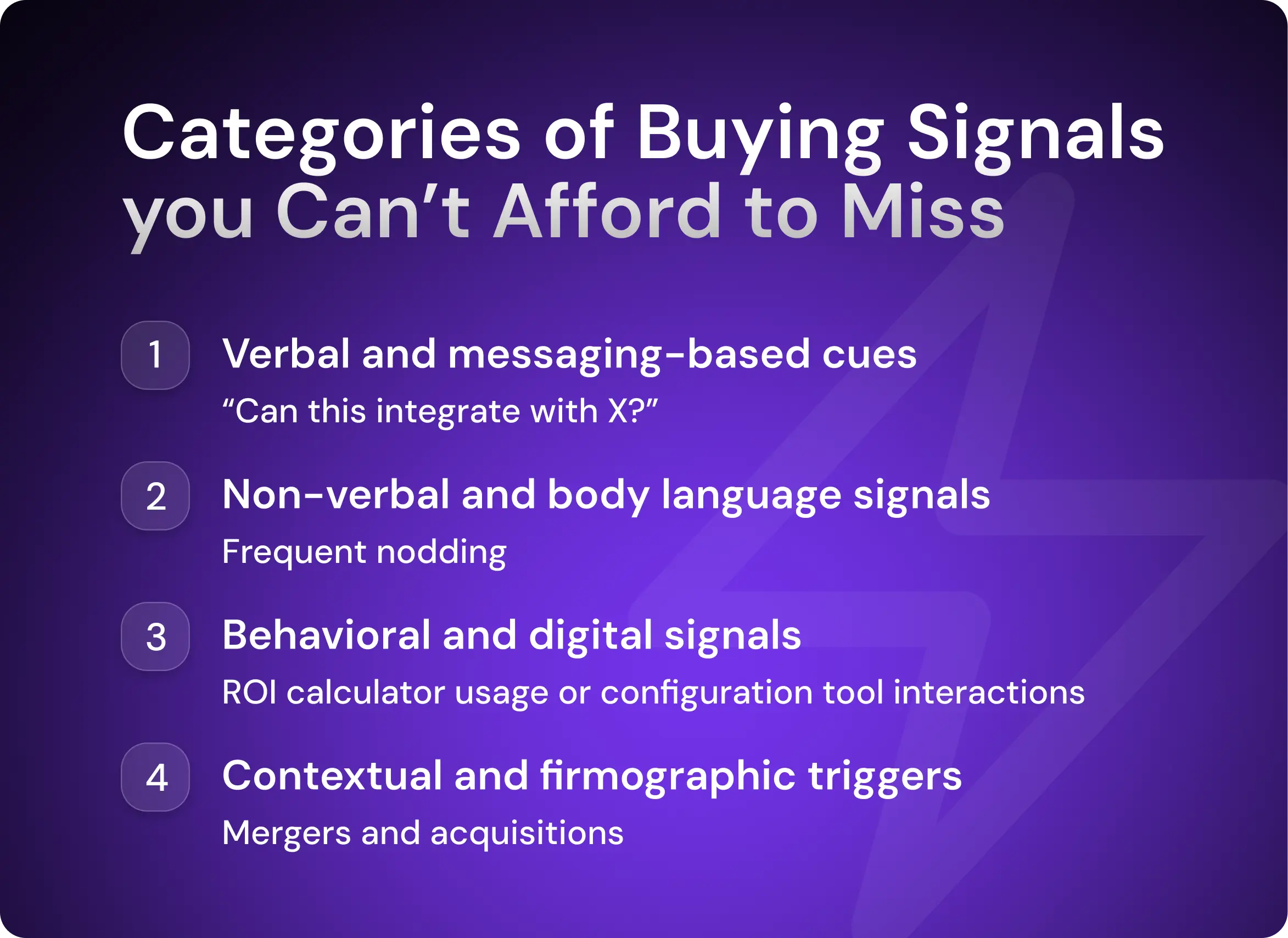
Buying signals show up long before a deal officially counts as pipeline. The team’s task is to spot them early, classify them correctly, and act accordingly.
1. Verbal and messaging-based cues
Verbal buying signals are the most obvious types of buying signals. They’re also the most commonly missed because they tend to be scattered across various channels.
You’ll hear them in inbound emails, cold-call responses, demo calls, and follow-ups. These verbal signals indicate a shift from curiosity to ownership.
Typical high-intent language patterns include:
“Can this integrate with X?”
“How soon could we start?”
“What would this look like for our team?”
“If we moved forward…”
“We’d need this live by Q3; is that possible?”
These phrases indicate the buyer's sales readiness.
Other verbal cues that show strong buying intent include questions about the following:
Platform security
Speed of rollout and onboarding support
Competitor functionality
Pricing and contract-structure
Revenue intelligence platforms such as Gong and Claap automatically transcribe calls and analyze language patterns. This setup turns verbal signals into triggered actions automatically. For instance, when a competitor comes up, a relevant comparison asset, such as a listicle, is shared.
2. Non-verbal and body language signals
Non-verbal cues are the physical signals buyers exhibit during Zoom calls and in-person meetings that reveal engagement before they put it into words. They often appear earlier than verbal intent and help sales teams gauge a lead’s level of interest.
Non-verbal buying signal | What it usually means |
Leaning forward | High prospect interest, active evaluation |
Frequent nodding | Agreement or internal validation |
Direct eye contact (camera on, steady gaze) | Focus and engagement |
Taking visible notes | Serious consideration, internal sharing likely |
Turning toward other stakeholders on the call | Group alignment forming |
Reduced multitasking (no phone, no side screens) | Serious consideration in the run-up to a purchase decision |
Immediate follow-up questions | Verification of required features or support with intent to act |
It’s relatively easy to assess body language signals during sales conversations, but they disappear the moment the call ends. So how can you act on them? Use the conversation intelligence platforms we’ve mentioned previously, which also often decode language patterns and overlap with non-verbal cues.
3. Behavioral and digital signals
Behavioral and digital signals happen when buyers are undertaking vendor research independently. For experienced teams, they’re often the earliest reliable indicator that an account has moved from passive awareness into active evaluation.
The key is knowing which online behaviors matter.
Strong buying signals (high urgency, high intent)
These behaviors usually indicate active evaluation or vendor shortlisting. When you see them, the speed and precision of your messaging matter.
Here’s a full rundown:
Positive responses to outreach that pitches a meeting
Repeated visits to pricing and product pages within a short time window, e.g., over four visits in a week (this is usually tracked at the account rather than individual level)
Product comparison page views or competitor comparison content consumption
Multiple stakeholders from the same account visiting feature pages
Return website visits after a sales interaction (post-call research behavior)
Security, compliance, or integration documentation views
Use of on-site tools like ROI calculators
These signals should immediately trigger direct sales follow-up.
Common buying signals (moderate intent, context-dependent)
These signals indicate interest and problem awareness but usually require additional confirmation. They also work best when combined. One signal alone rarely justifies highly personalized outreach or aggressive marketing. If several occur together, that’s a much stronger indicator of intent.
Here are the most important common buying signals:
Case study or whitepaper downloads tied to a specific industry or use case
Webinar attendance focused on implementation or outcomes
Product feature page depth (time-on-page and scroll)
Repeated visits to blog posts tied to pain points
Revisiting content after a long dormant period
Social media engagement (likes, comments, profile views)
4. Contextual and firmographic triggers
Contextual and firmographic triggers reflect structural change inside a company, which often creates urgency, budget movement, or new priorities.
Common high-signal contextual triggers include:
Job changes in leadership or functional roles: A new VP of Sales, Head of RevOps, or Marketing Ops will often reevaluate the current tech stack.
Funding rounds or profitability milestones: New capital unlocks budget and shortens approval cycles.
Mergers and acquisitions: In these situations, stack consolidation, data integration, and process alignment can become immediate needs.
New department or team expansion: Hiring spikes usually precede tooling gaps.
Geographic expansion or new market entry: With expansion, compliance, localization, and scale challenges surface fast.
Artisan tracks firmographic changes and automatically runs outreach via email and social media. AI BDR Ava, a fully autonomous sales rep, researches leads and launches deeply personalized pitches that match—and even surpass—human quality.

How to score and prioritize buying signals in real time
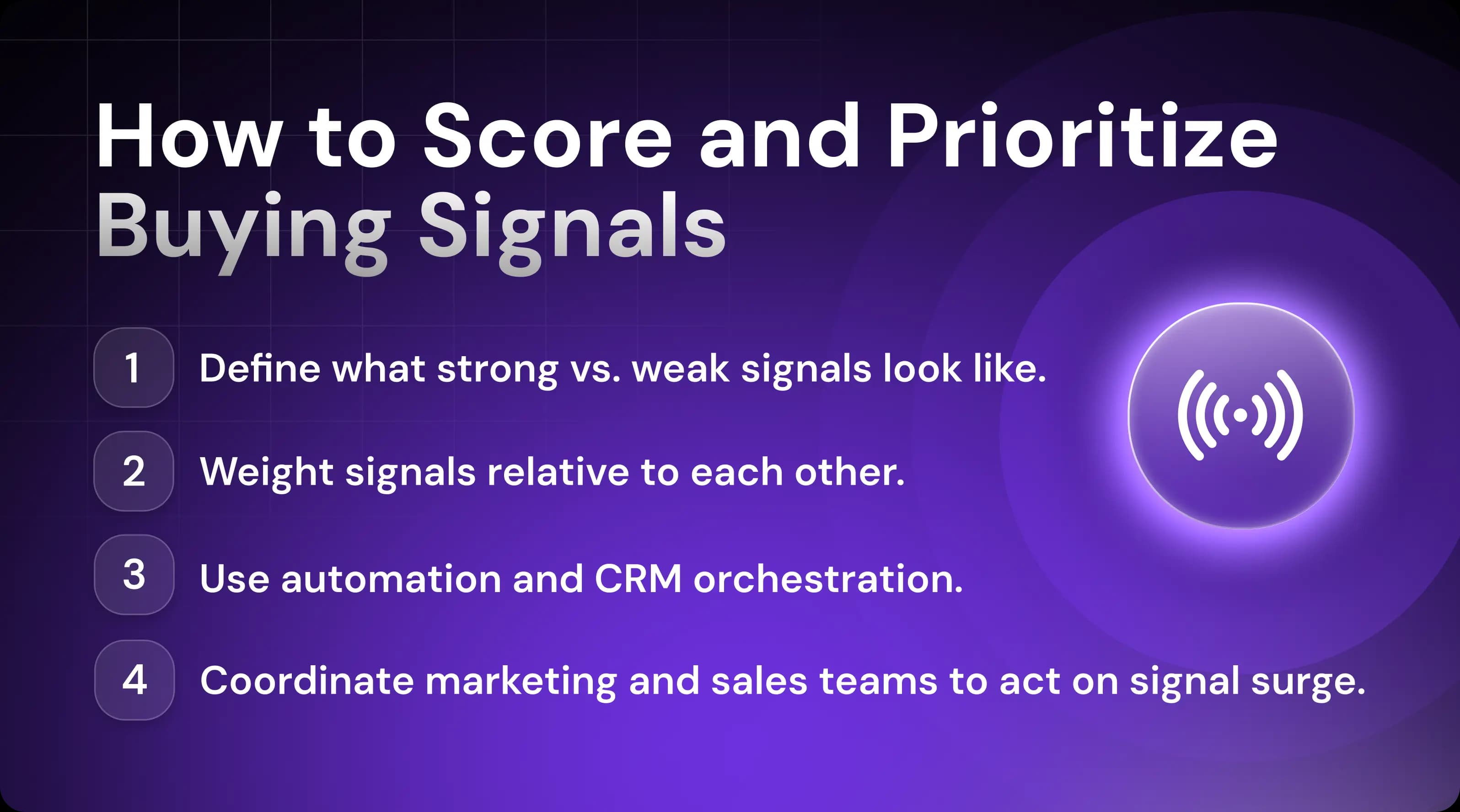
Not every prospect action deserves immediate follow-up. Some signals only matter when they appear together. That’s why it’s essential to distinguish isolated activity from patterns that indicate an active buying process.
Define what strong vs. weak looks like
Scoring buying signals only works when definitions of ‘weak’ and ‘strong’ are explicit. Bring your sales and marketing teams together to agree upfront on which signals simply indicate awareness versus sales readiness.
From there, weight signals relative to each other.
A demo request from one stakeholder means less than coordinated activity from three. A pricing page visit matters more after a case study download than before it.
Use automation and CRM triggers to avoid manual work
Once signal definitions and importance are clear, manual tracking becomes the bottleneck. Sure, you can scrape social media for comment activity, for example, but then you’ll need a sales rep to validate all the information against your ideal customer profile (ICP).
This isn’t viable because it’s not scalable.
You need automation and CRM orchestration to make it work.
Let’s take Artisan as an example to illustrate what’s possible. You can use the platform to continuously track real-time behavioral and messaging signals across accounts.
Tracked signals include the following:
Anonymous website visits
Outreach response sentiment
Intent data from dozens of sources
Changes in firmographic and demographic data
Social media activity of your target personas
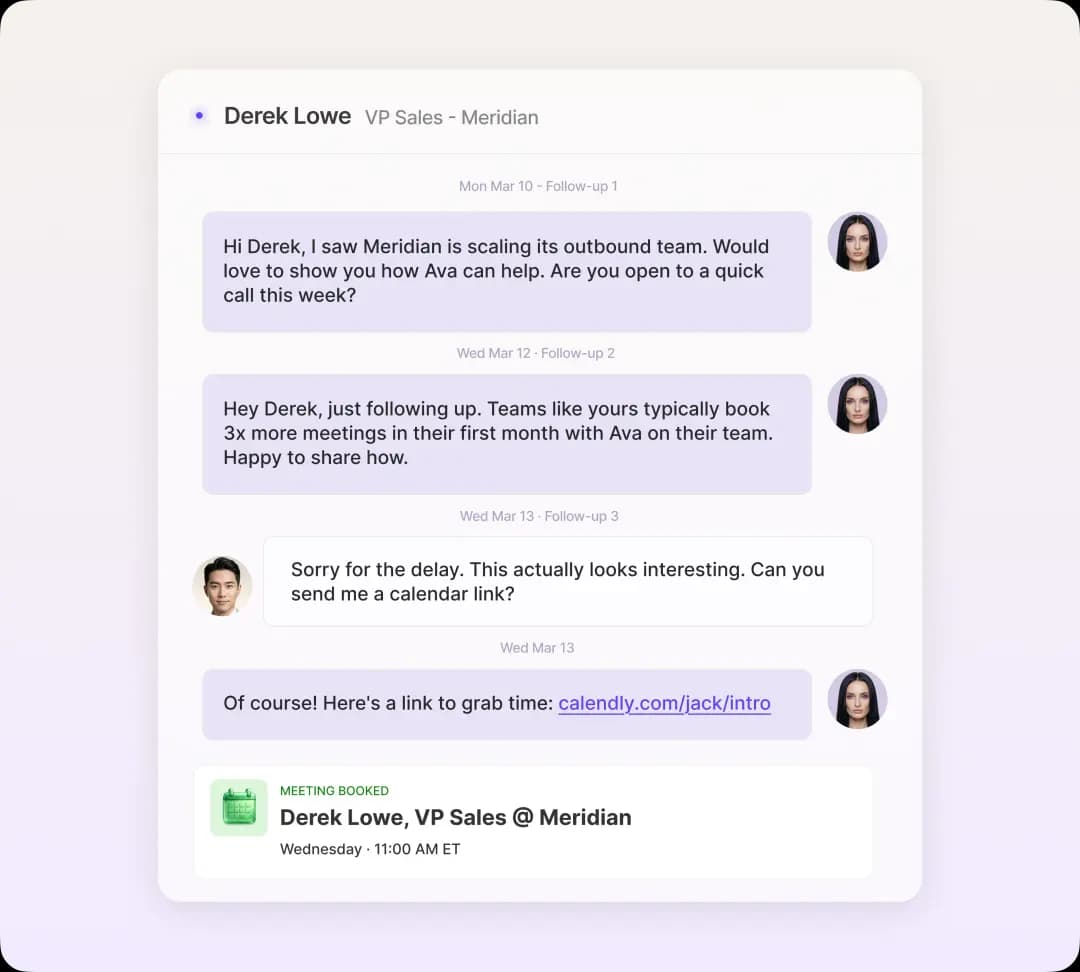
The platform automatically uses this data to launch outreach when intent is at its hottest and routes leads that respond positively to the relevant reps.
Share signal data across sales and marketing teams
Sales shouldn’t own signals in a silo. Marketing will often have access to data that warrants prioritizing an account or assigning it to a sales rep. Similarly, when marketing knows which content is most useful to sales for tracking intent (such as white papers), they can ensure resources are allocated adequately.
Make sure to connect tech that captures intent data with your CRM—and your CRM with your project management tool. This cadence means that reps will be notified about hot leads in real time and can act accordingly.
How to respond to buying signals without wasting time
Once your automation is up and running, the likelihood is that you’ll start receiving a high volume of signals all at once. This makes it easy to get lost. To stay effective, you need a strategy.
React now, not after the third signal
The most common mistake reps make is waiting for “enough” signals before acting. By the time the third confirmation shows up, the buyer has often moved on.
Strong signals don’t need accumulation. They need a response.
Multiple stakeholders accessing different parts of the site within days is already warm enough to pitch. So is integration documentation viewed after a workflow-specific demo.
Automation helps you detect high-intent signal combinations as they happen and trigger outreach the same day. For example, Artisan adjusts follow-up sequences automatically based on new buying signals.
Don’t just follow up; follow up with context
Good timing is half the deal. But it’s only half. Relevance in messaging is what turns a signal into a conversation.
Every buying signal comes with context. Your outreach should reflect it explicitly.
For example, if you capture intent signals from an executive-level title late in the sales cycle, it often means instant prioritization, as they are likely a key decision maker. You should immediately flag the account as decision-stage in your CRM, pause feature-heavy sequences, and prepare a concise email pushing for a meeting.
Other cases might signal evaluation. If a pricing deck was opened and reopened from a different domain or IP, this indicates internal sharing. It’s also important to act quickly here.
Sales reps should prepare answers to likely objections—pricing tiers, scope, and ROI. They can then craft contextually relevant follow-up, as in the example below.
“Quick email, as you may be reviewing pricing internally. Happy to clarify the ROI clients typically see in year one and where we can be flexible on pricing.”
Accelerate deals by matching signal with speed
Signals cool quickly. Reaching out while activity is still fresh keeps the conversation moving in the same direction the buyer is already moving in.
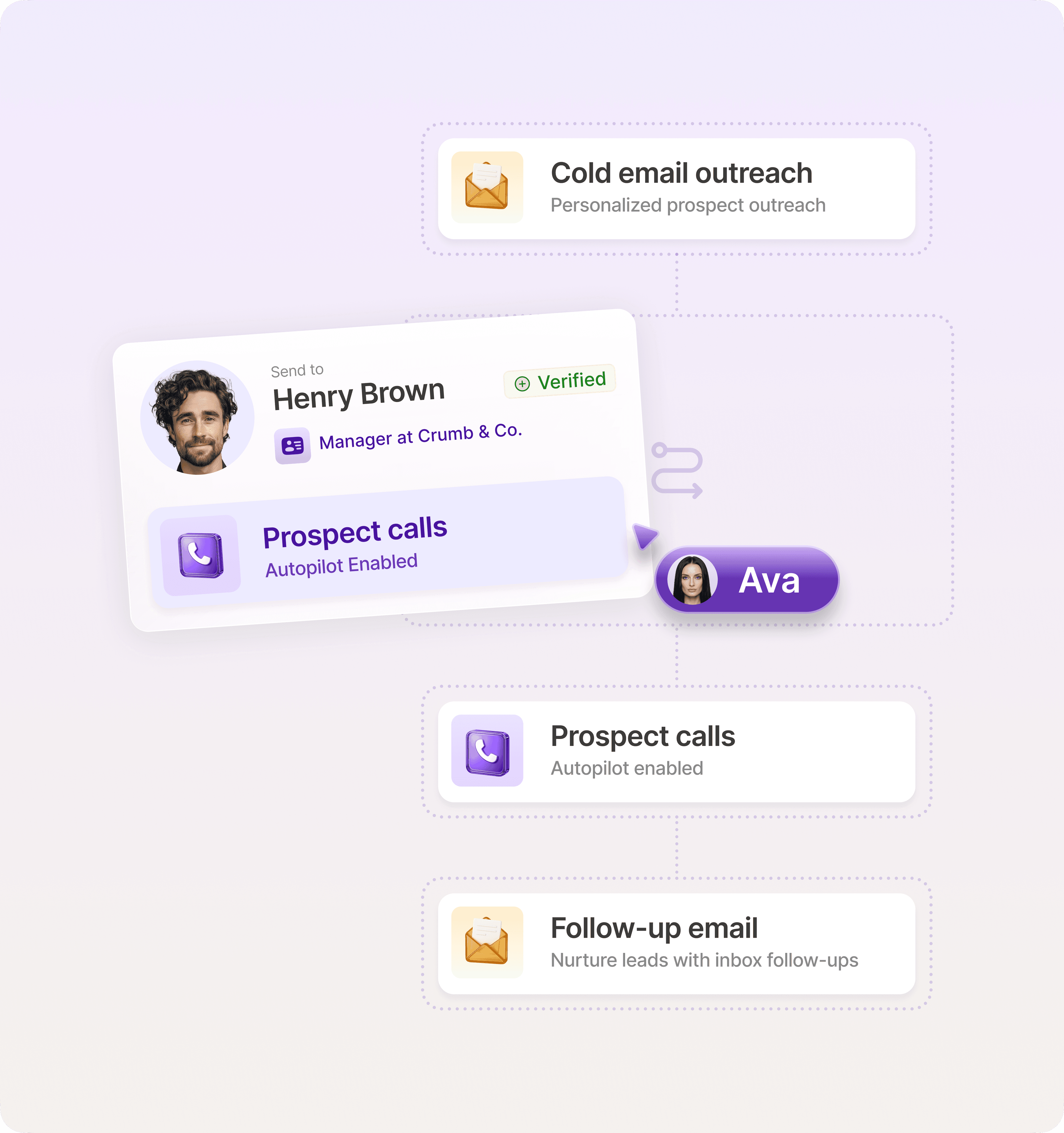
Sometimes, even a light touch in response to moderate intent is enough. Take a LinkedIn comment or profile view. An automation that delivers a short, contextual DM is often sufficient. For high-intent signals, an immediate email pitching a meeting—with a tailored follow-up sequence if it’s declined—is often all that’s required.
The key, however, is automation. Manually responding to these signals both quickly and at scale is virtually impossible even for the largest teams.
Loop in the right decision-makers
When signal data shows engagement spreading across roles, it’s usually a sign that the buying committee is forming. Instead of waiting for the buyer to introduce stakeholders, reps can proactively reference the signal with a relevant, light-touch follow-up.
Here’s an example of a gentle follow-up sent to a primary contact:
“I noticed your CTO was reviewing our API docs. Would it make sense to loop them into the next call so we can cover technical questions directly?”
Build a buying signal playbook that scales
When first implementing signal tracking infrastructure and automated workflows, you’ll be overwhelmed. That’s expected. There’s no harm in taking a few months to determine which signals work best for different personas before building scalable processes.
Let’s look at the three core steps involved in that process.
1. Align on signal definitions and scoring
Start by agreeing on what each signal means and what action it triggers. “Strong,” “moderate,” and “weak” should have operational definitions tied to real behaviors. Every signal category also needs a clear next step.
Document this inside your sales and marketing onboarding and your standard operating procedures (SOPs). New reps should know which signals demand immediate outreach, which trigger automation, and which keep leads in nurture.
2. Integrate signal tracking into your workflow
Embed signal tracking directly into your CRM, inbox, and social media workflows so reps don’t have to check separate tools.
You can then set triggers to auto-start cadences when high-intent thresholds are crossed. Even better, let AI systems like Artisan analyze behavioral and messaging data continuously and send outreach to high-priority accounts without manual review.
3. Track what works and optimize weekly
Review signal performance every week, focusing on which signals actually led to meetings, pipeline, and closed deals.
Look for repeatable patterns by ideal customer profile, persona, role, and deal stage. Then adjust outreach timing, messaging, and escalation rules based on what converts.
How Artisan helps you spot and act on buying signals
Artisan is a fully AI-powered sales platform that can help you with lead generation, lead enrichment, real-time intent data, and scalable outreach. It’s built around an autonomous AI sales agent called Ava.
Let’s look at how the platform can help you identify, nurture, and convert more leads.
Real-time signal detection
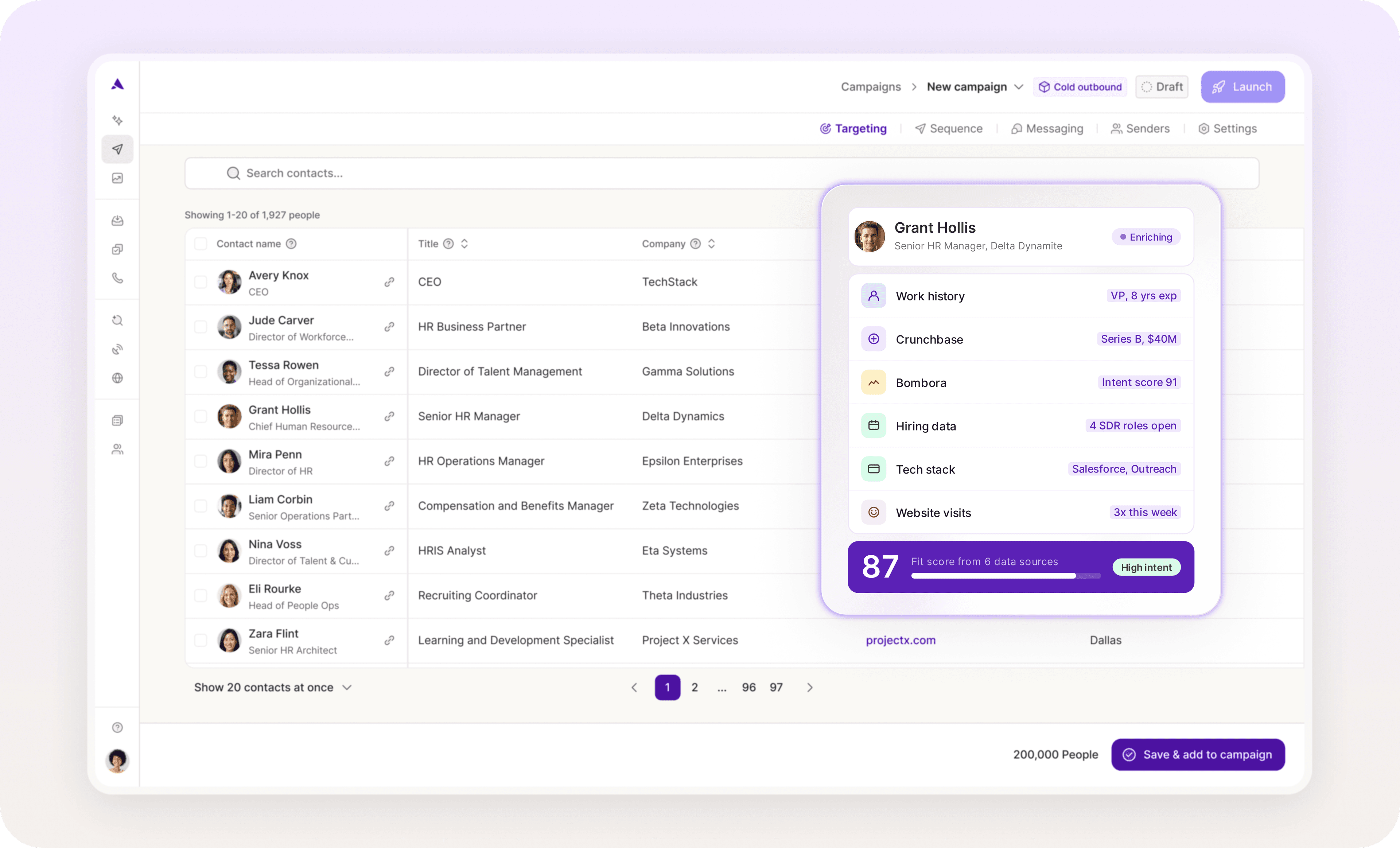
Ava scrapes the web and Artisan’s internal database of over 300 million leads. She combines demographic, firmographic, technographic, and purchase intent data to provide a 360° view of your prospects. Relevant signals trigger automated sequences or send alerts to reps instantly.
Smart lead prioritization and personalization
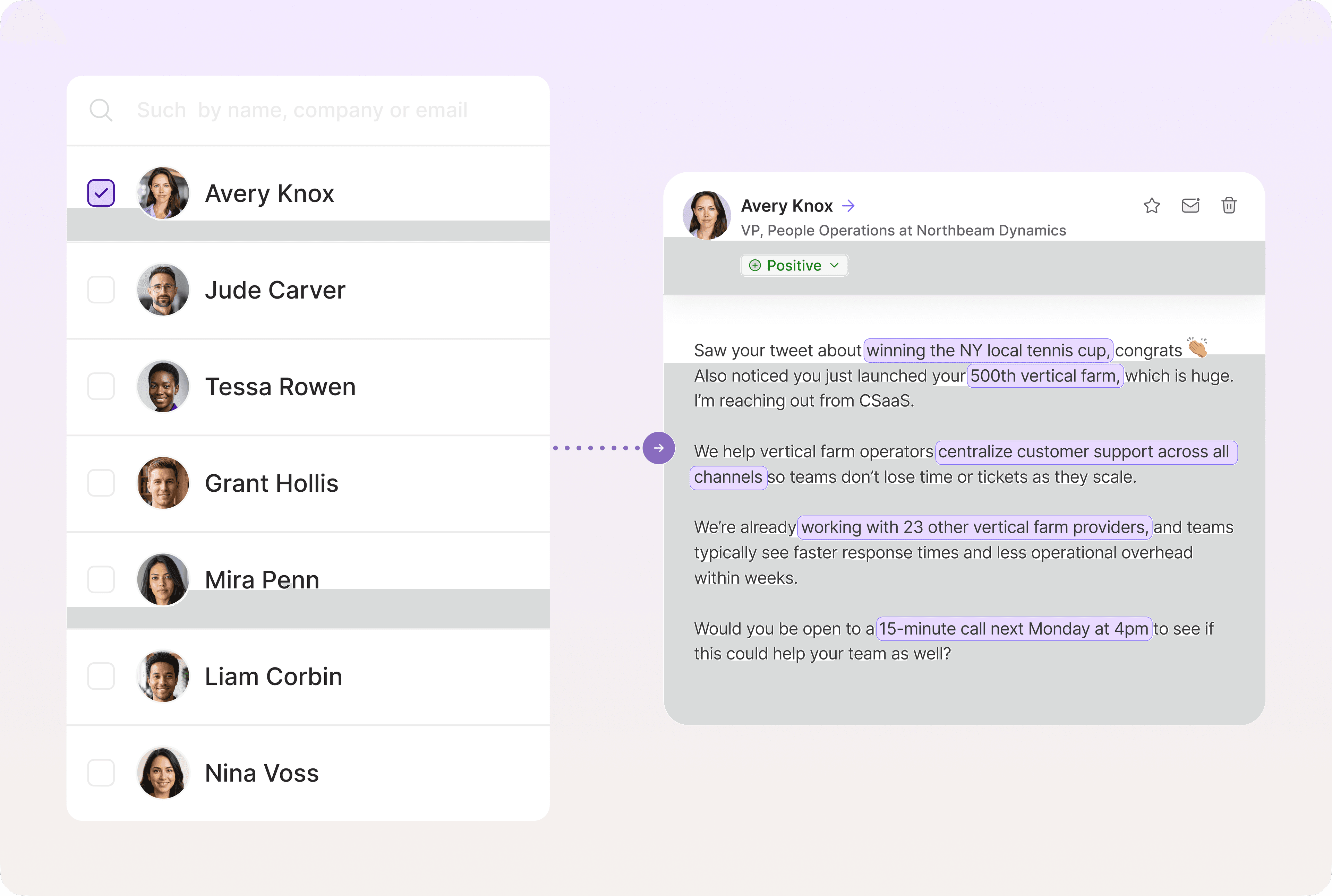
Ava ranks target account lists based on live intent data and firmographics. Using our proprietary personalization waterfall, Ava identifies the optimal approach for each lead before drafting tailored emails and professional social network messages.
Optimized playbooks that scale outreach
Artisan lets sales teams scale the delivery of highly personalized outreach. Ava also runs A/B tests in the background and auto-optimizes campaigns based on response and conversion data.
Spot the signal, steal the deal
Buying signals tell you when interest turns into intent and when evaluation turns into decision-making. Deals close faster. Customer needs are met. Intent tracking is now a non-negotiable part of B2B sales.
Artisan handles all aspects of intent tracking and follow-up. AI BDR Ava monitors lead activity and triggers immediate, personalized campaigns based on relevant data. This allows for a level of scale that simply isn’t possible with traditional automations—freeing your reps to focus on the vital in-person work of closing deals.

Automate your outbound with an AI BDR
Meet Ava—your AI BDR who handles prospecting, outreach, and follow-ups, so your team can focus on closing.

Jenny Romanchuk
SME @ Artisan
Jenny creates senior-level content for sales, SEO, and marketing professionals. She also leads partnerships at the District #1 Charitable Foundation.