Lead scoring best practices to shorten sales cycles
A practical guide to lead scoring best practices built around fit, intent, negative scoring, and sales-ready thresholds.
Sales cycles lengthen when teams spend time on the wrong leads.
The cause of this misdirected attention? Poor prioritization and the fact that most teams configure their scoring once and never revisit it.
While CRMs are typically packed with thousands of contacts, only a fraction are ready to buy at any given moment. Effective scoring is the means by which you find them.
What is lead scoring?
Lead scoring is a method sales and marketing teams use to rank leads by their likelihood of becoming customers. Each lead receives points based on two categories of signals: who the lead is (fit) and what the lead does (intent).
Fit signals include firmographic attributes like company size, industry, region, and job seniority. Intent signals come from behavior such as pricing page visits, demo requests, webinar registrations, and engagement with outreach.
A well-designed scoring model helps sales teams identify prospects that match a company’s ideal customer profile (ICP) and show buying activity. Reps can then focus on the opportunities most likely to close.
Lead scoring isn't broken, the way teams use it is
Lead quality keeps rising, with 68% of salespeople reporting improvement. But better leads don't help if poor prioritization is what breaks the pipeline.
Why most pipelines feel busy but go nowhere
A crowded CRM can create the illusion of momentum. Reps see new contacts and constant inbound or outbound touches, but that doesn't mean the right accounts are getting worked in the right order. Lead qualification is now the number one challenge for sellers, according to Outreach.
Another major challenge is that the sales cycle is getting longer. According to Salesforce’s State of Sales 2026 report, 57% of sales professionals now report this trend. The reason is straightforward: lead generation fills CRMs faster than reps can respond, which ties directly to inadequate prioritization.
The cost of poor prioritization
Poor prioritization slows deals down. Reps spend early-cycle time on leads that were never going to move, while better-fit accounts sit in a queue. The result is longer response times and lower conversion rates.
Lead scoring only works when marketing and sales agree on what "qualified" actually means and what should happen when a lead crosses that threshold. Despite generating high-quality leads year over year, teams consistently report misalignment as their top problem, which causes a domino effect across the pipeline.
1. Start with fit before you chase intent
Intent signals have become a major trend in recent years. They show up everywhere: in marketing automation, lead scoring, outreach, and follow-ups. This popularity has led many teams to overvalue intent signals in their scoring logic.
Teams often give more weight to page views, downloads, or webinar registrations before confirming whether an account actually belongs in the pipeline. The most reliable scoring models invert this order by starting with ICP alignment.
Define a sales-grade ICP
The purpose of your ICP is to filter accounts in or out of your pipeline based on demographic and firmographic attributes that correlate with closed revenue.
Start with attributes that consistently appear in closed-won deals:
Company size
Industry
Geography
Revenue range
Business model type (B2C, B2B, direct-to-consumer, hybrid)
Job role and authority
Department
Seniority level
Email domain quality (corporate domain, free domain, government (.gov)
These filters typically indicate budget, organizational complexity, and purchasing authority.
Role alignment matters just as much as company-level fit. Many scoring models inflate scores by assigning points to job titles that rarely influence buying decisions. For example, adding 25 points for a CEO title sounds logical, but if that role rarely participates in the purchasing process for your industry, its score contribution should stay minimal regardless of seniority.
Evaluate intent within the context of ICP fit
Intent signals only become meaningful after ICP fit is confirmed. The same behavior can indicate very different buying likelihoods depending on the account behind it.
For example, a pricing page visit from a high-fit company should raise priority immediately. The same visit from a company outside your ICP may indicate curiosity rather than purchase intent.
Evaluate ICP fit first, then layer in intent. Do it the other way around, and you run the risk of assigning more points to highly active but low-fit companies.
2. Combine explicit and implicit scoring signals
Once ICP fit is defined, structure your scoring model around two signal types: explicit attributes and implicit behavioral activity. Combining the two creates a single score that captures both who the lead is and how engaged they are.
Explicit scoring for who the lead is
Explicit scoring translates your ICP criteria into point values based on historical data from closed-won and closed-lost deals. Attributes that correlate strongly with revenue should carry more weight.
If, for example, your historical pipeline shows that companies with 200 to 1,000 employees in the SaaS industry close far more often than smaller startups, the scoring model should reflect that.
A lead from a SaaS company with 500 employees might get 30 points, while a similar lead from a 10-person startup receives 5 points. If a VP of Sales or head of revenue is your point of contact, assign 15 points, while a sales rep receives 5.
Here is an example of how different explicit attributes can be weighted inside a scoring model:
Attribute | Criteria | Example score |
Company size | 200–1,000 employees | +30 |
Company size | 50–199 employees | +15 |
Company size | Under 50 employees | +5 |
Industry | Core target industry | +25 |
Industry | Adjacent industry | +10 |
Industry | Non-target industry | 0 |
Job seniority | VP / C-level | +15 |
Job seniority | Director / Head | +10 |
Email domain | Corporate domain | +10 |
Email domain | Free email provider | −5 |
Geography | Core sales region | +10 |
Geography | Outside sales region | 0 |
Implicit scoring for what the lead does
Once you have a fit score built around ICP attributes, create a separate engagement score for behavioral signals and combine the two to determine lead priority.
Engagement scoring tracks actions that indicate active buying interest. Unlike explicit attributes, these signals change frequently during the buying cycle and help sales teams identify when a marketing qualified lead (MQL) is moving toward a purchase decision.
Here’s a rundown of the most common engagement signals:
Pricing page visits
High-intent form submissions (demo requests, "talk to sales")
Email opens, clicks, and replies
Repeat website visits
Hiring activity that signals company growth
Multiple stakeholders from the same company interacting with your content
Funding rounds
Blog consumption depth
Email negative signals (unsubscribe, spam complaint)
Keep in mind that not all actions should carry equal weight. Signals closer to the purchase decision should receive more points than early-stage activity.
A whitepaper download, for example, might add 5 points, while a demo request is worth 40. Similarly, a single pricing page visit might attribute 10 points, while repeated visits within a short timeframe push that up to 25, reflecting stronger buying intent.
Here is an example of how a sales team could weight behavioral signals:
Behavioral signal | Criteria | Example score |
Demo request | Form submitted | +40 |
Pricing page visit | Single visit | +10 |
Pricing page visit | 3+ visits within 30 days | +25 |
Webinar registration | Event signup | +10 |
Content download | Whitepaper/guide | +5 |
Email click | Link clicked in outreach | +5 |
Multiple stakeholders | 2+ contacts from the same company are active | +20 |
Job change / new hire | Relevant role added | +15 |
Combine ICP fit and engagement scores
Bring the two scores together into a combined score so sales can prioritize leads on both dimensions.
First, give each score group its own maximum to control its weight in the total. For example, allow up to 60 points for fit and 40 for engagement, so ICP fit still dominates the combined score.
Next, assign threshold labels from A1 to C3 (explained below) to make "fit first, then intent" explicit.
The letter represents ICP fit:
A = high fit
B = moderate fit
C = low fit
The number represents engagement level:
1 = high engagement
2 = moderate engagement
3 = low engagement
Here is a lead scoring priority matrix showing how to assign A1 to C3 labels:
Score | Meaning | Example action |
A1 | High ICP fit and strong engagement | Highest sales priority |
A2 | High ICP fit and moderate engagement | Sales follow-up |
A3 | Strong ICP fit but low engagement | Outbound prospecting |
B1 | Moderate fit and strong engagement | Sales review |
C1 | Low fit but strong engagement | Nurture or disqualify |
3. Use negative scoring to protect sales time
Positive signals alone don't produce reliable lead rankings. Negative scoring is essential in large databases where content engagement can come from researchers, junior roles, or companies outside your ICP. Without it, surface-level activity inflates scores and wastes rep time.
Disqualifying signals you should penalize
Some signals indicate that a lead should receive fewer points or even negative points in the scoring model. Penalizing these signals prevents the model from rewarding leads that show activity but have little chance of converting.
Here are the most common negative signals:
Unsubscribing from marketing emails
Repeated email bounces or invalid addresses
Extended inactivity across email and website engagement
Roles that rarely influence purchasing decisions
Students, competitors, or non-commercial email domains
Deducting points based on these attributes keeps the scoring model realistic and the pipeline clean.
Score decay keeps data honest
Score decay reduces points as behavioral data loses relevance over time. A lead who visited your pricing page six months ago should not receive the same score as someone who visited this week.
A good rule of thumb is to apply decay rules based on time windows, reducing engagement points after 30, 60, or 90 days of inactivity.

Automate your outbound with an AI BDR
Meet Ava—your AI BDR who handles prospecting, outreach, and follow-ups, so your team can focus on closing.
4. Assign point values based on revenue impact
Strong scoring models assign points based on how closely an action correlates with closed revenue. The closer a signal is to a buying decision, the higher the score should be. Start by identifying which behavioral signals most often appear before a deal moves forward.
CRMs like HubSpot, Zoho, and Pipedrive have built-in AI assistants that sales managers can use to analyze patterns in historical pipeline data.
Prioritize the following high-value actions:
Demo or "talk to sales" requests
Multiple visits to pricing or product pages
Replies to outbound outreach
Engagement from several stakeholders at the same company
These signals should receive the highest point values.
These awareness signals should carry far less weight:
Downloading a guide
Registering for a webinar without follow-up engagement
Visiting a blog post repeatedly
Social media clicks to content pages
Single visits to product pages without repeat engagement
Viewing top-of-funnel videos or explainer content
These actions happen early in the research stage and don't always indicate active buying intent.
For example, a scoring model might assign 40 points for a demo request, 15 for repeated pricing page visits, and 5 for a content download.
5. Define clear MQL and sales-ready thresholds
Clear thresholds with concrete logic ensure marketing and sales operate according to the same qualification standard. They also make it easier to build reliable lead scoring workflows and automation processes that route good-fit leads to the right teams at the right time.
Align marketing and sales teams
Lock agreement on three things: what qualifies as an MQL, what qualifies as sales-ready, and which criteria are used to trigger hand-off. Reps should know why a lead crossed the line. If they cannot explain why a lead is in their queue, they will stop trusting the model and start re-ranking manually.
These definitions also prevent marketing automation from flooding sales. Don't route every promising lead unless you want to create friction between teams. Route only leads that meet the right combination of fit and engagement.
Set thresholds that match the sales cycle
Define threshold ranges that reflect how leads actually convert:
A1–A2 (high fit and engagement): Sales-ready
A3–B1 (high or medium fit with medium engagement): MQL or sales development representative (SDR) review
B2–C1 (low fit and low engagement): Marketing continues nurturing
With these ranges in place, the scoring logic sends A1–A2 leads straight to sales. Borderline leads like A3 or B1 go to SDR review or light nurture. B2–C3 leads, regardless of engagement, enter automated nurture sequences until new activity patterns push them into higher score ranges.
For C2–C3 leads, set up the system to disqualify them automatically.
6. Turn scores into queue rules, SLAs, and rep workflows
A lead score should do more than rank profiles. It should also determine how fast a lead receives attention and what happens next. Scoring bands can be used to prioritize accounts in rep and AE queues to determine which tasks reps must execute immediately.
Trigger follow-up speed based on score tier
Individual score tiers should each carry a response standard.
For example, A1 leads may require immediate task creation and same-day follow-up. A2 leads might go to the SDR queue with a reminder to send a personalized pitch in no more than two days. Lower-score leads can stay in AI nurturing until their behavior changes.
This is how the scoring model starts shortening sales cycles. High-priority leads stop sitting in the CRM waiting for manual triage.
Assign one default action to every score band
Map each score band to a concrete workflow inside the CRM to remove ambiguity. Every band should trigger a predefined workflow for reps and automation.
Here is an example of workflow logic based on lead scores:
A1: Route to the sales owner immediately and create a high-priority call task.
A2: Assign to the SDR queue and trigger a same-day outreach sequence.
A3: Send an automated introductory email and create an SDR review task.
B1: Add the lead to an SDR monitoring list and schedule a follow-up within 48 hours.
B2–C1: Enroll the lead in an automated nurture campaign with periodic engagement checks.
C2–C3: Disqualify or suppress the lead from sales workflows until new qualifying signals appear.
Surface the score in rep queues and dashboards
Scores should be visible where reps already manage their day. Add them to default lead views, queue filters, and pipeline dashboards so reps can instantly see which leads deserve attention.
Display score tiers A1 through C3 to make prioritization intuitive. With this visibility, reps can start each day with a filtered queue, such as "High-fit, high-engagement leads,” and ensure that the highest-value opportunities are given due attention.
That said, don't let score-based views replace task discipline. Reps should still start their day with past-due tasks, not only high-score leads. Otherwise, lower-engagement but still-qualified prospects won't get timely attention.
Review the exceptions alongside the scored queue: overdue follow-ups, missing owners and records whose next step conflicts with the latest conversation. Artie includes CRM data quality among its ongoing responsibilities. Evaluate that review against your existing routing rules so a clean score does not hide an incomplete handoff.
How to measure whether your lead scoring is working
A scoring model is only valuable if high-scoring leads actually convert into meetings, pipeline, and revenue. If a model doesn't improve sales outcomes, or if reps ignore it, it needs adjustment.
Sales performance indicators
The most reliable test of a scoring model is whether higher scores correlate with better conversion outcomes.
Start by analyzing conversion rates across score ranges. Leads in the A1–A2 range should convert to meetings or pipeline significantly more often than B- or C-tier leads.
If high-score leads don't progress faster or convert at higher rates, the scoring logic likely needs recalibration.
Sales team adoption signals
Even a well-designed scoring model fails if sales teams don't trust it. Look for behavioral signals inside your CRM that indicate whether reps are actually using scores for prioritization.
Watch the following key adoption indicators:
Consistency in working leads in the highest-score tiers first
Lower frequency of manual re-ranking or ignoring score-based queues
Qualitative feedback from sales on lead quality and readiness
When reps understand how the score is calculated, adoption usually follows naturally.
When to adjust or rebuild the model
Lead scoring models should evolve as your ICP, product, and market change.
The following common signals indicate that your model needs revision:
High-scoring leads failing to generate pipeline
Sales consistently bypassing scored leads in favor of other prospects
Lead volume increasing without improvements in revenue
If any of these patterns appear, review scoring inputs: ICP attributes, engagement signals, point weights, and decay rules.
How Artisan finds and scores leads
Artisan is an AI-powered outbound platform that connects lead prospecting, scoring, and outreach in a single workflow. If cold outreach is part of your sales process, having a CRM with scoring logic alone isn't enough. Artisan integrates directly with your CRM to close the gap.
Prospecting from a database of over 300M leads
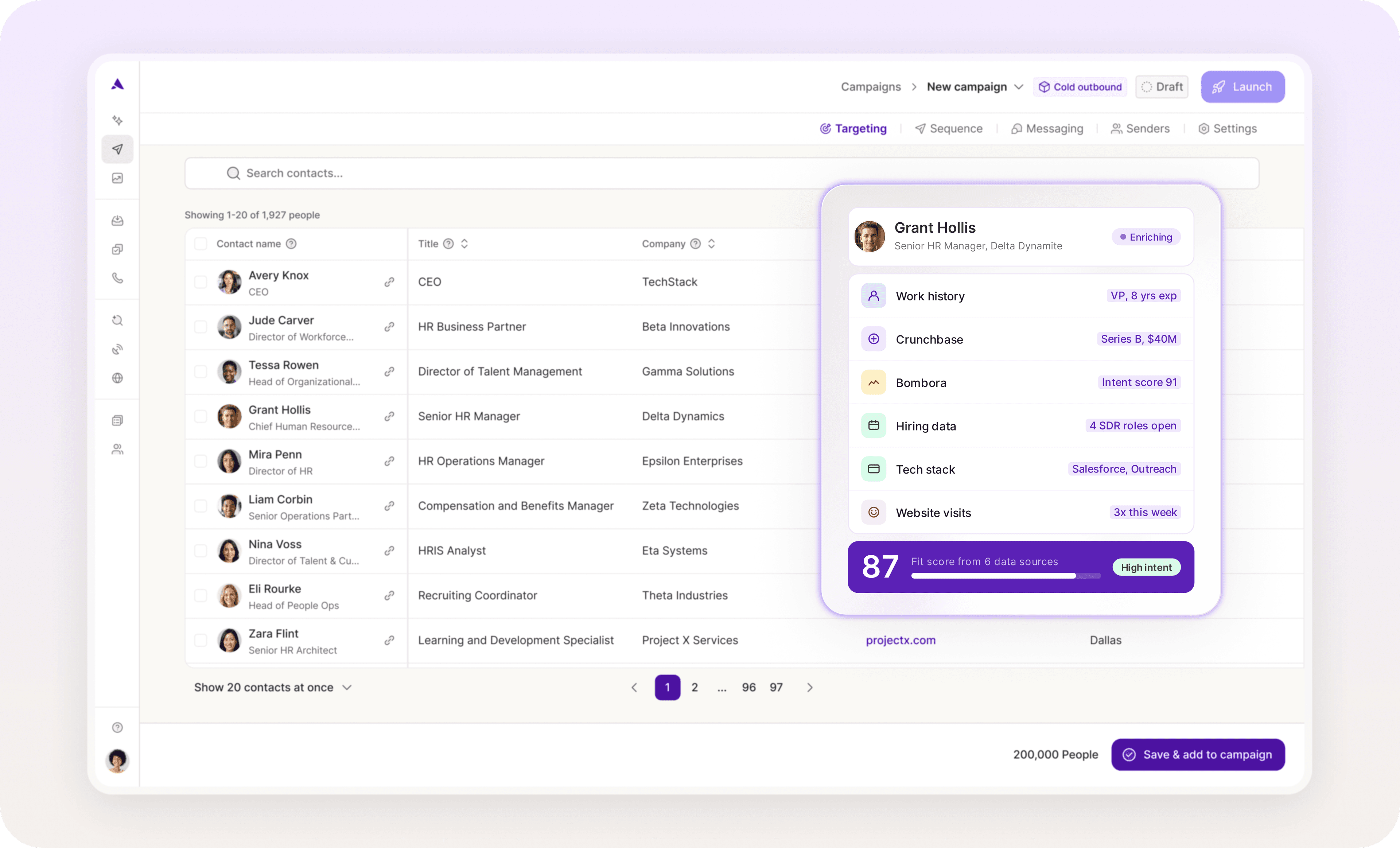
Artisan is built around an autonomous AI sales agent called Ava. Ava continuously scrapes the web and Artisan's proprietary database of over 300M contacts, combining firmographic, demographic, technographic, and behavioral signals to build a live profile of each potential customer.
Scoring built on fit and real-time intent
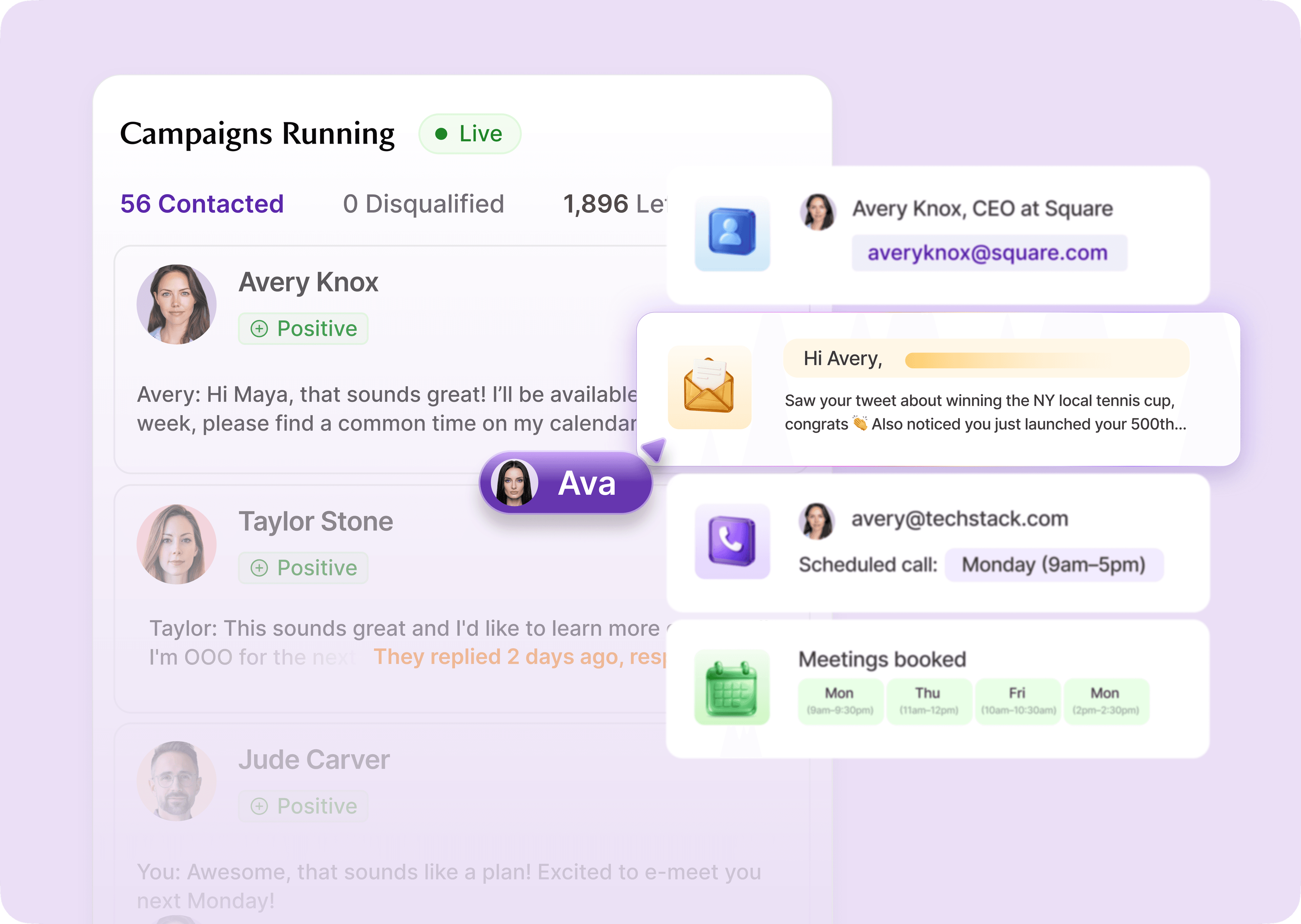
Artisan prioritizes leads and accounts based on ICP fit and intent signals. This AI-assisted scoring runs automatically in the background, drawing on hundreds of data points from Artisan's in-house database, web sources, and third-party providers.
From score to outreach automatically
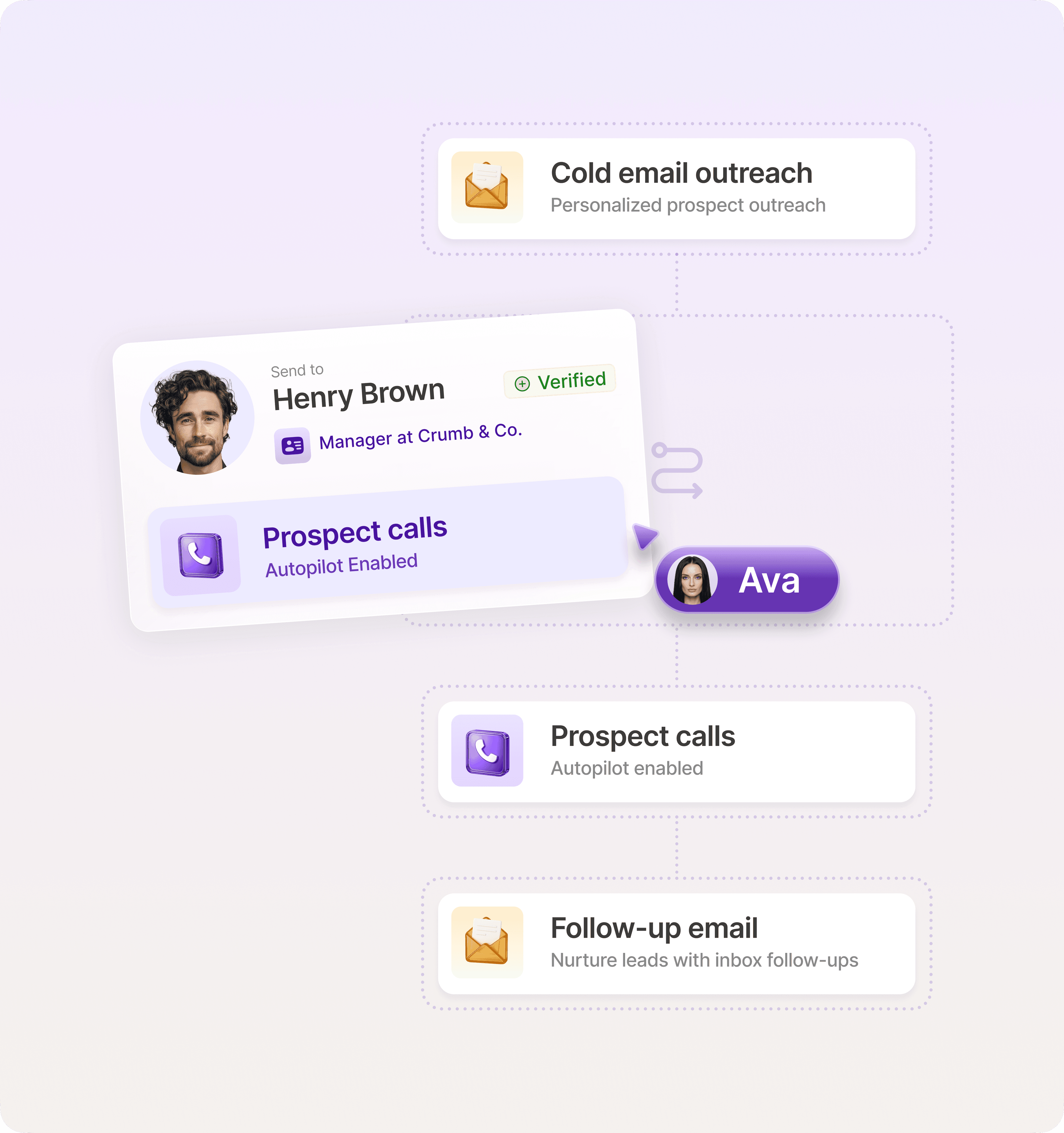
When a prospect crosses your defined intent threshold, Ava automatically launches multi-step outreach sequences and follow-ups across email and social media channels. If intent spikes again (for example, multiple stakeholders engage or pricing pages are revisited), sequences adapt in real time.
Build a scoring system your sales team actually uses
A lead scoring model should make prioritization effortless. If reps still rely on gut instinct or manually reorder leads in your CRM, the system isn't doing its job.
The models that shorten sales cycles follow a few core rules: start with ICP fit before intent, combine explicit and behavioral signals, and set clear thresholds that trigger concrete action inside your CRM.
Artisan helps automate this process by analyzing hundreds of firmographic and behavioral signals to prioritize leads. Once a lead reaches the right threshold, AI sales agent Ava autonomously initiates outreach across email and social media with personalized messaging. This means your sales team can focus on closing deals.
Automate your outbound with an AI BDR
Meet Ava—your AI BDR who handles prospecting, outreach, and follow-ups, so your team can focus on closing.

Jenny Romanchuk
SME @ Artisan
Jenny creates senior-level content for sales, SEO, and marketing professionals. She also leads partnerships at the District #1 Charitable Foundation.