Post-event email examples and templates
Real post-event email examples with CTAs, subject lines, and templates. Recaps, offers, thank-you notes, and automation tips for B2B marketers.
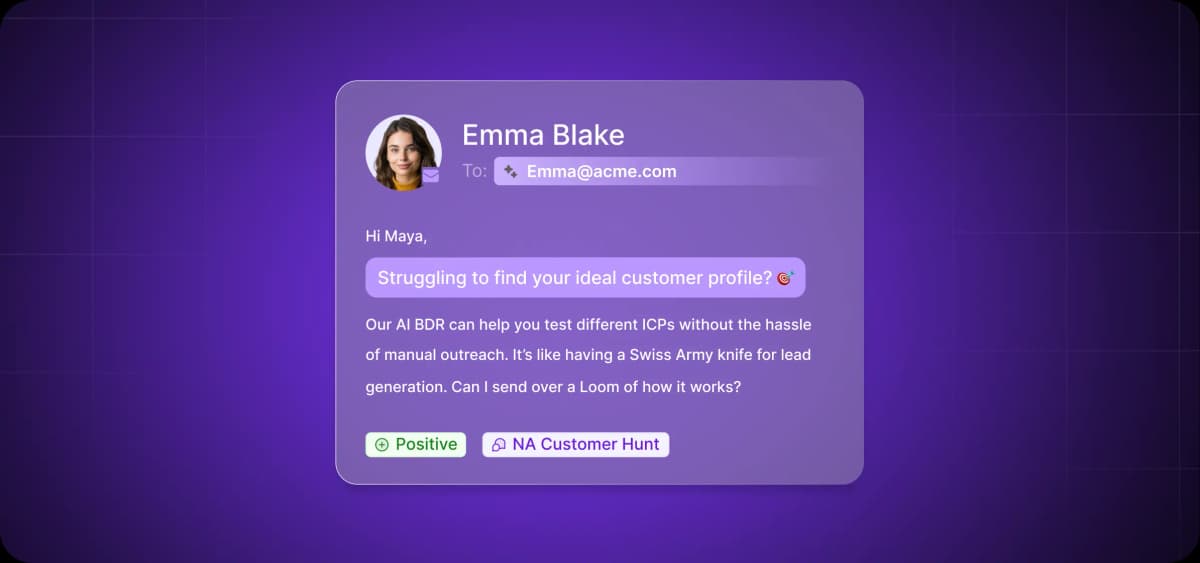
Web Summit's CEO and co-founder, Paddy Cosgrave, says the biggest mistake startups make is trying to close deals on the expo floor.
In an interview with The Next Web, Cosgrave explained that key decision-makers are getting pulled in every direction. There’s no way they can leave the event with the details of your company or pitch clear in their heads.
So the real goal of event marketing isn’t to deliver the perfect on-the-spot pitch. It’s being memorable enough to earn the right to send a follow-up email—and have it get opened.
Paddy put it succinctly: “The most important thing is that they remember who you are, they have your contact details, you have their contact details, and if you follow up with an email, they’ll open that email.”
In reality, though, after the adrenaline of a live event, the last thing anyone wants to do is manually draft and send dozens, or even hundreds, of emails. It’s tedious work, and it’s easy to let it slide.
We’re fixing that with this article. You’ll get ready-to-use templates for every key post-event scenario and learn how smart personalization and automation can make your follow-up seamless, scalable, and high-converting.
What Makes Post-Event Follow-Ups So Valuable?
During events, it's easy to capture prospects' attention. The energy is high, conversations flow naturally, and it feels like deals are practically closing themselves. But once people return to their desks, you're competing with a hundred other priorities.
Unless you show up in their world after the event, you'll fade into background noise.
According to HockeyStack’s analysis of 150 B2B SaaS companies, it takes on average 99 touchpoints for a sales-qualified lead (SQL) to become a closed-won customer. Just think about that. Ninety-nine interactions—sales emails, follow-ups, calls, demos, website visits—before a prospect signs.
Each follow-up is another touchpoint that brings you one step closer to winning the deal.
However, you'll have your own pile of work waiting when the event ends. Without a system in place, follow-up becomes a bottleneck. You'll send emails too late and miss high-priority leads.
That's why you need automation and templates. They help you reach prospects while you're still top of mind.
With that in mind, let’s look at real templates you can steal forevery stage of your outreach.
Thank-You Email Templates That Leave an Impression
The first email after your event sets the tone for everything that follows. Get it wrong, and that unsubscribe click undoes all your previous effort.
We talked to Liz Lathan, Chief Community Manager at Club Ichi, to understand the broader context for sending effective thank-you emails. “Attendees don’t care about post-event surveys,” she said. “They care about access.”
For Liz, it’s all about value: “Tie feedback to something valuable, like entry to the event photo gallery. Bonus points if you’re using an AI photo tool that lets attendees upload a selfie and find every photo they’re in.
“They also absolutely care about session content, so clearly communicate when and where presentations will be available.Finally, they care about people. A reminder to connect via the event app or attendee directory before access closes drives meaningful follow-up connections.”
How to Write an Attendee Thank-You Email: Quick Tips
Before we dive into the templates themselves, let’s have a quick look at the foundational elements of an effective thank-you email.
Here’s a quickfire guide to writing a post-event thank-you to attendees:
Open with the attendee's name and reference the event name.
Thank them for their time and participation.
Share a relevant resource, recording, or takeaway from the event.
Make the next step obvious (e.g., “Watch Recap,” “Book a Demo,” “Download Resources”).
End with a simple, friendly email sign-off.
Attendee Thank-You Email Template
Hi [first name],
I wanted to reach out to thank you for attending [event name]. It’s the time and participation of people like yourself that made it such a special occasion.
As a little post-event treat, we’ve put together a [free resource] for all attendees.
Access it here: [link]
We look forward to seeing you again next year!
Best regards,
[your name]
How to Write a Speaker or Sponsor Thank You Note: Quick Tips
When thanking speakers or sponsors who contributed to your event's success, follow these rules:
Thank them by name for their specific contribution to the event.
Mention the session they led and the impact they made.
Share any positive feedback or results from their participation.
Offer a clear path to collaborate again or stay in touch.
Speaker Thank You Email Template
Subject: Thanks for attending, [first name]
Hi [first name],
Thank you for speaking at [event name]. Your session on [topic] was one of the highest-rated of the day—attendees are still talking about [specific takeaway].
We'd love to collaborate again for [next event] or explore other ways to work together.
Let's schedule a quick call to discuss: [calendar link]
Best regards,
[your name]
Sponsor Thank You Email Template
Subject: Thanks for your support, [first name]
Hi [first name],
Thank you for sponsoring [event name]. Your support made it possible to [specific outcome, e.g., "bring together over 500 sales leaders" or "deliver hands-on workshops"].
The event drew [attendance number] attendees, with [engagement metric] visiting your booth throughout the day.
We're already planning [next event] and would love to have [company name] involved again.
Are you available for a brief call next week to discuss? [calendar link]
Best regards,
[your name]
Post-Event Emails for No-Shows
Not everyone who registers will show up, but that doesn't mean you should give up on them. A well-crafted no-show email can re-engage these prospects and keep them moving through your sales funnel.
The key is to strike the right tone. Jess Hopp, owner of Jess Hopp Consulting and all-round email whiz, always starts on a positive note: “I always recommend starting with a genuine thank-you and then acknowledging their absence in a neutral way while assuming good intent.”
She then pivots to offer build engagement. “From there,” she says, “offer continued value by sharing a recording, recap, or key takeaways so the moment still feels worthwhile. Finally, invite them to an easy next step, like a future session, to keep the door open.”
Apology and Replay Email: Quick Tips
When someone registers but doesn't attend, send them the content they missed as a way of building engagement and keeping the door open.
Follow these tips when writing apology and replay emails:
Use a subject line like "Sorry we missed you at [event name].”
Acknowledge their registration and link to the full recording, slides, or key resources from the event.
Highlight one or two major takeaways or quotes to spark interest.
End with a clear CTA to watch on-demand content or schedule a follow-up meeting.
Post-Event Replay Email Template (No-Shows)
Subject: Sorry we missed you at [event name]
Hi [first name],
We noticed you registered for [event name] but weren't able to make it. No worries—we've got you covered.
You can watch the full session here: [recording link]
We’ve talked about [key takeaway 1] and [key takeaway 2].
Want to see how [your product] can help you implement these strategies? Book a quick demo: [demo link]
Best regards,
[your name]
Invite to Future Events or Meetings for No-Shows: Quick Tips
Invites to future events are powerful for no-shows because, after the attendees themselves, they’re among the most engaged segments of your target audience. You should aim to maintain momentum without being pushy.
Here are some tips for crafting invites to future events for no-shows:
Keep the tone friendly and conversational. Life happens.
Reference their interest without repeating yourself.
Invite them to your next event or offer a direct meeting.
Include a clear CTA (e.g., "Join our next session" or "Let's book 15 minutes").
Template for Next Event Invite (No-Shows)
Subject: Let's catch up—[event name] and what's next
Hi [first name],
Glad you had a chance to check out the session. I thought [topic] might be especially relevant given [their role/challenge].
We're hosting [next event name] on [date]. where we'll dive deeper into [related topic]—would love to see you there.
Best regards,
[your name]

Automate your outbound with an AI BDR
Meet Ava—your AI BDR who handles prospecting, outreach, and follow-ups, so your team can focus on closing.
Event Recap and Key Takeaway Emails
Attendees benefit from recaps, too. This email should reinforce what they learned and give them a clear next step.
Here's how Userlytics does it—a memorable quote, a link to the recording, and a soft product mention.
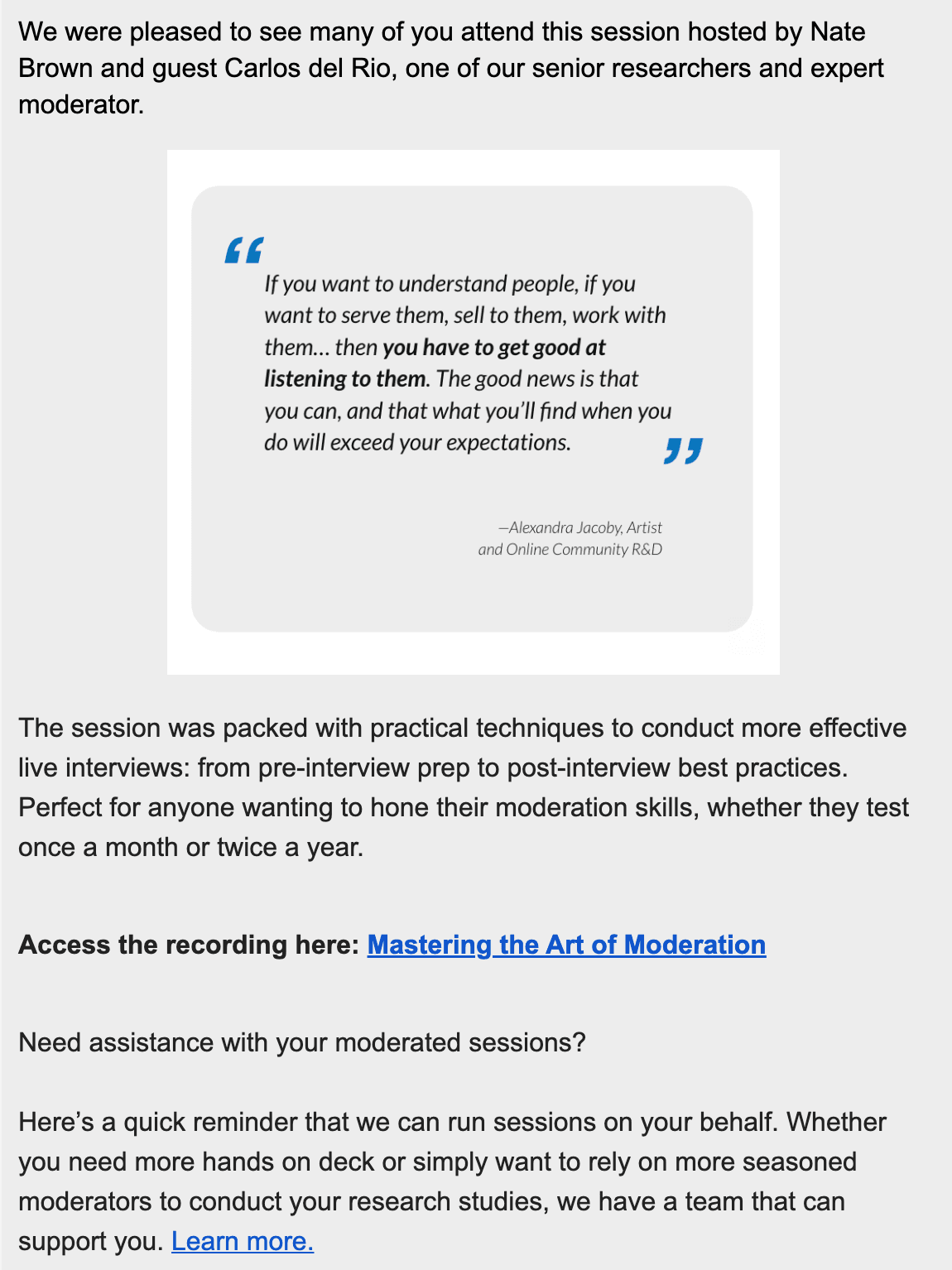
Summary Email With Value-Driven Content: Quick Tips
With a summary email, aim to send attendees a distilled version of the event's biggest insights so they can quickly access the highlights.
Here are some tips to keep in mind for summary emails:
Share 3 to 4 top insights or stats from the event.
Include a memorable quote or takeaway from a keynote speaker.
Keep the format scannable with bullets or short paragraphs.
Add a clear CTA (e.g., "Read the full recap" or "Access the summary deck").
Post-Event Summary Email Template
Subject: [event name] highlights to share with your team
Hi [first name],
Thanks again for attending [event name]—it was great connecting with you there. We've put together a resource pack that covers the sessions, key insights, and next steps.
Here's what's inside:
- [resource 1, e.g., "5-minute highlight video"]
- [resource 2, e.g., "Full slide deck from keynote"]
- [resource 3, e.g., "Blog post recap with action items"]
Access everything here: [link]
Best regards,
[your name]
Internal Resource Sharing Email: Quick Tips
Some attendees will want resources they can share internally with their team. This kind of email is relevant in two scenarios: recipients come from larger organizations who need to report back to colleagues or leadership, or they contributed to the event and want documentation of their involvement.
This is how you structure your follow-up for internal sharing:
Package content that's easy to forward to colleagues or leadership.
If they spoke or participated, include their session recording or slides.
Link to a resource you developed specifically for this purpose (e.g., a blog post, highlight video, or full presentation deck).
Keep the email clean—use bullets, short paragraphs, and clear links
Position it as a ready-to-share resource ("Share this with your team").
Post-Event Resource Sharing Email Template
Subject: Resources from [event name] that are ready to share
Hi [first name],
Thanks again for [participating in/attending] [event name]. We've packaged everything from the event into one easy-to-share resource hub.
Here's what's inside:
- [resource 1, e.g., "Recording of your panel discussion"]
- [resource 2, e.g., "Full slide deck from keynote"]
- [resource 3, e.g., "Keynote engagement report"]
Access everything here: [link]
Feel free to share this with your team or leadership—it's ready to forward.
Best regards,
[your name]
Follow-Up Emails With Offers or Next Steps
For attendees who have shown buying intent, whether explicit or implicit, you need something stronger than a thank-you message. There are two approaches based on engagement level—an exclusive offer or a highly personalized follow-up.
Exclusive Offer for Attendees
Let's say an attendee visited your booth, attended your session, or showed interest but didn't dive deep into specifics. An exclusive offer can push them to take action.
Here’s how to create a personalized email:
Open with a personalized "Thanks for attending [event name]."
Offer a limited-time incentive (e.g., discount, free trial, or bonus asset).
Include a clear CTA like "Claim Offer," "Book a Demo," or "Start Free Trial.”
Add a deadline to create urgency.
Post-Event Offer Email Template
Subject: Exclusive offer for [event name] attendees
Hi [first name],
Thanks for [specific action they took] at [event name]. It was great talking with you about [topic discussed].
As a thank you, we're offering all attendees [incentive, e.g., "20% off for the first 3 months"] if you sign up by [deadline].
Claim your offer here: [link]
This expires on [deadline], so don't miss out.
Best regards,
[your name]
Personalized Follow-Up for Hot Leads
High-intent prospects who asked detailed questions or requested follow-up require a highly personalized approach. Use the template below as a starting point, but always rely on what you’ve learned in your conversations with the leads.
Here's what to include in your post-event follow-up with hot prospects:
Reference the attendee's company or job title.
Highlight how the event content or your product solves a specific pain point they mentioned.
Invite them to continue the conversation with a CTA like "Let's explore this" or "Book a time to chat.”
High-Intent Prospect Follow-Up Template
Subject: Following up on our conversation at [event name]
Hi [first name],
Great chatting with you at [event name] about [specific topic or challenge they mentioned].
Given what you shared about [their pain point], I think [your solution] could help you achieve [specific outcome].
Let's schedule 15 minutes to explore this further: [calendar link]
Looking forward to continuing the conversation.
Best regards,
[your name]
Networking and Referral Follow-Up Templates
Events help you build relationships that don’t always result in immediate sales but open doors later. Whether you chatted with someone who isn't a fit right now or met someone who could introduce you to the right person, remember that following up with these connections is just as important as it is for hot leads.
One-to-One Outreach to New Connections
When you meet someone at an event and want to stay connected, send a follow-up that references your actual conversation.
Here are the three key elements you should include:
Mention where and how you met.
Reference the topic you discussed or a shared interest.
Add a CTA to connect on LinkedIn or continue the conversation (e.g., "Let's set up 15 minutes").
Networking Follow-Up Email Template
Subject: Great meeting you at [event name]
Hi [first name],
It was great connecting with you at [event name].
I'd love to stay in touch and hear more about [their work/project]. Let's grab 15 minutes to chat: [calendar link]
In the meantime, I'm connecting with you on LinkedIn.
Best regards,
[your name]
Request for Referrals or Colleague Intros
If someone you met doesn’t match your ICP but might know someone who does, ask for an introduction.
Here’s how to solicit referrals without overstepping:
Start with an appreciation or a compliment about your conversation.
Mention how your product or insight could benefit others on their team or in their network.
Add a soft CTA like "Is there someone you'd recommend I speak to?"
Referral Request Template
Subject: Quick question after [event name]
Hi [first name],
Thanks again for the great conversation at [event name]. It was a real pleasure meeting you.
While I understand we’re not a fit for [your solution], I wonder if you know anyone on your team or in your network who might benefit from a conversation about this.
As a thank you for any introductions, I'm happy to [referral bonus].
Let me know—I’ll send over more details.
Best regards,
[your name]
How to Write a Post-Event Email That Converts
The preceding templates give you a starting point, but you need to adapt them for your specific audience. Let’s look at how to write post-event emails that get opened, read, and acted on.
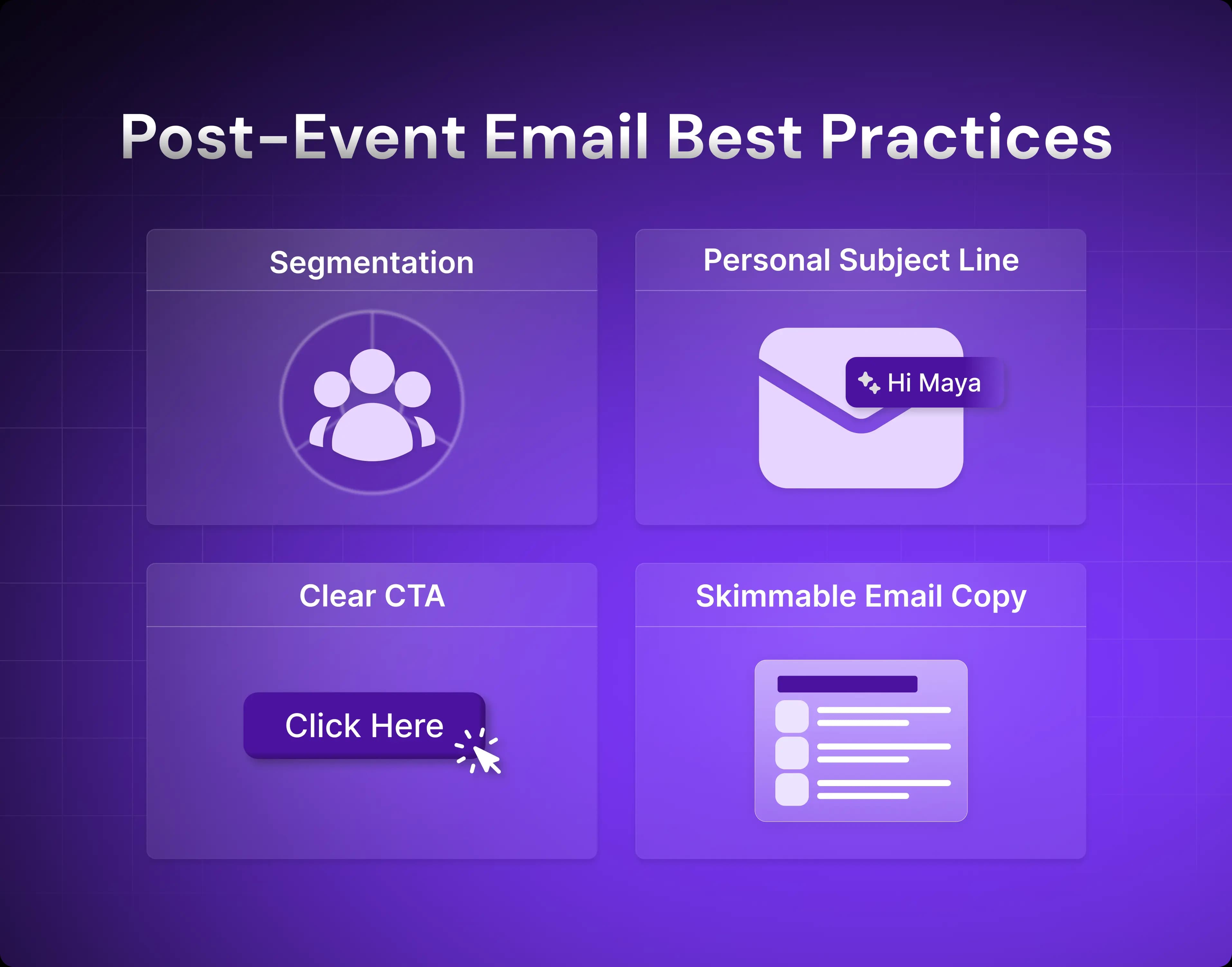
Segment and Personalize Your Messaging
Email personalization works best when it's based on data that you collect at the event. When the event launches (and even before), you should have a system in place for collecting the right contact details, organizing them, and using them to segment and personalize your messages.
Here’s how to segment your audience to make personalized follow-up easier:
Track booth visits, session attendance, demo requests, and conversation notes in your CRM as they happen at the event.
Tag each lead by intent level—hot if they asked about pricing or next steps, warm if engaged but are exploring, and cold if they’re passive.
Group attendees by job role and seniority so decision-makers get different messaging than end users.
Create separate workflows for people who attended versus those who registered but didn't show up.
Flag existing leads or customers in a separate segment so they don’t receive sales follow-up.
Add custom fields for specific pain points or challenges mentioned during conversations so you can reference them in automated follow-up.
Once segmented, match your message to one of the following groups:
Attendees vs. no-shows
High engagement vs. passive interest
Leads vs. existing customers
Job roles
All of this work is about creating relevancy, and it will pay off in a big way. The more relevant your message is, the higher your response rate will be.
Use Strong Subject Lines
Keep your subject lines personal and relevant to what happened at the event. They should speak directly to the recipient in some way.
Here are some examples of effective subject lines for post-event emails:
Thanks for joining [event name]!
Key takeaways from [speaker name]
[first name], your recap from [event name]
"You missed [event name]—here's what happened
"[first name], let's continue our conversation from [event name]
Include the recipient's first name, reference specific pain points discussed, or highlight concrete outcomes to increase open rates. Just make sure to avoid clickbait. It hurts deliverability and can trigger spam filters.
Include a Clear Call to Action (CTA)
Focus your email on one primary action—two at most. The CTA is vital, but simplicity is often the best route to generating clicks.
Use an action-oriented CTA like one of the following:
Watch your replay
Claim your spot
Download the event deck
Book a demo
Access your resources
Two CTAs work if they're complementary (like a recap link and a demo link), but don’t include more than that.
In addition, avoid hyperlinked nouns buried in sentences, such as "we prepared resources for you." Instead, add a distinct "Watch the replay" after the body text. People scan emails quickly, and hyperlinks that blend into the text are easily missed.
Keep It Concise and Mobile-Friendly
Always structure your post-event emails for quick scanning. Inboxes are fuller than ever, and recipients are unlikely to spend time wading through a wall of text.
Follow these pointers to ensure your emails are skimmable:
Use bullets for lists.
Keep paragraphs to 2 to 3 sentences.
Cut filler words and unnecessary explanations.
Make sure links and buttons are easy to tap on mobile screens.
As a general rule, if your email takes more than 30 seconds to skim, it's too long.
Automating Follow-Up With Tools Like Artisan
When you're managing hundreds of event leads, automating your follow-up isn’t a nice to have. It’s an operational necessity. Artisan is an AI-first email outreach platform that can send hundreds of emails a day while maintaining the personalization that generic automation misses.
Source and Enrich Your Leads
Whether you're building a list to invite to your event or enriching the leads you collected there, Artisan gives you access to a database of over 300 million B2B contacts. Lead profiles update continuously from dozens of web sources, so you're always working with current information.
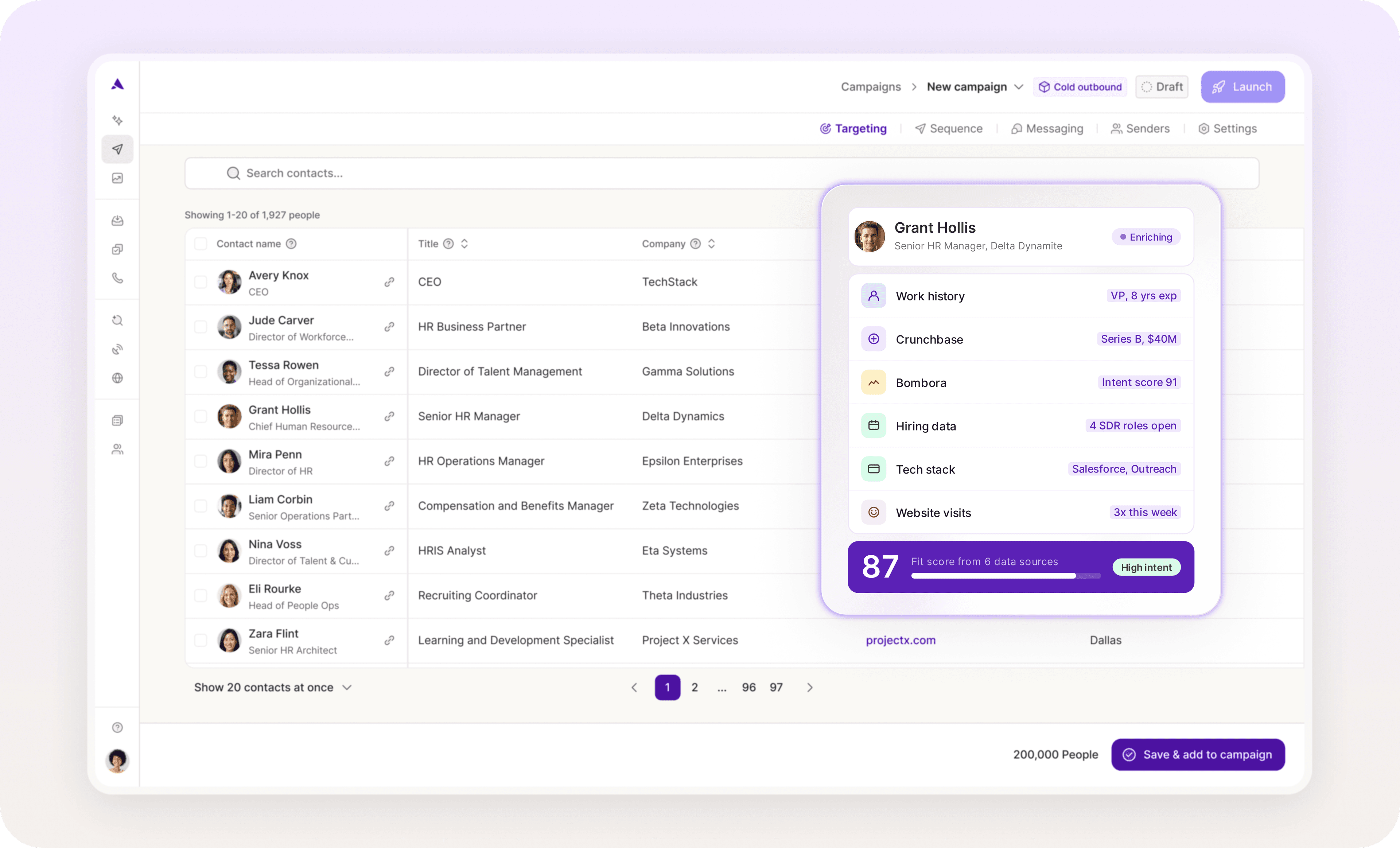
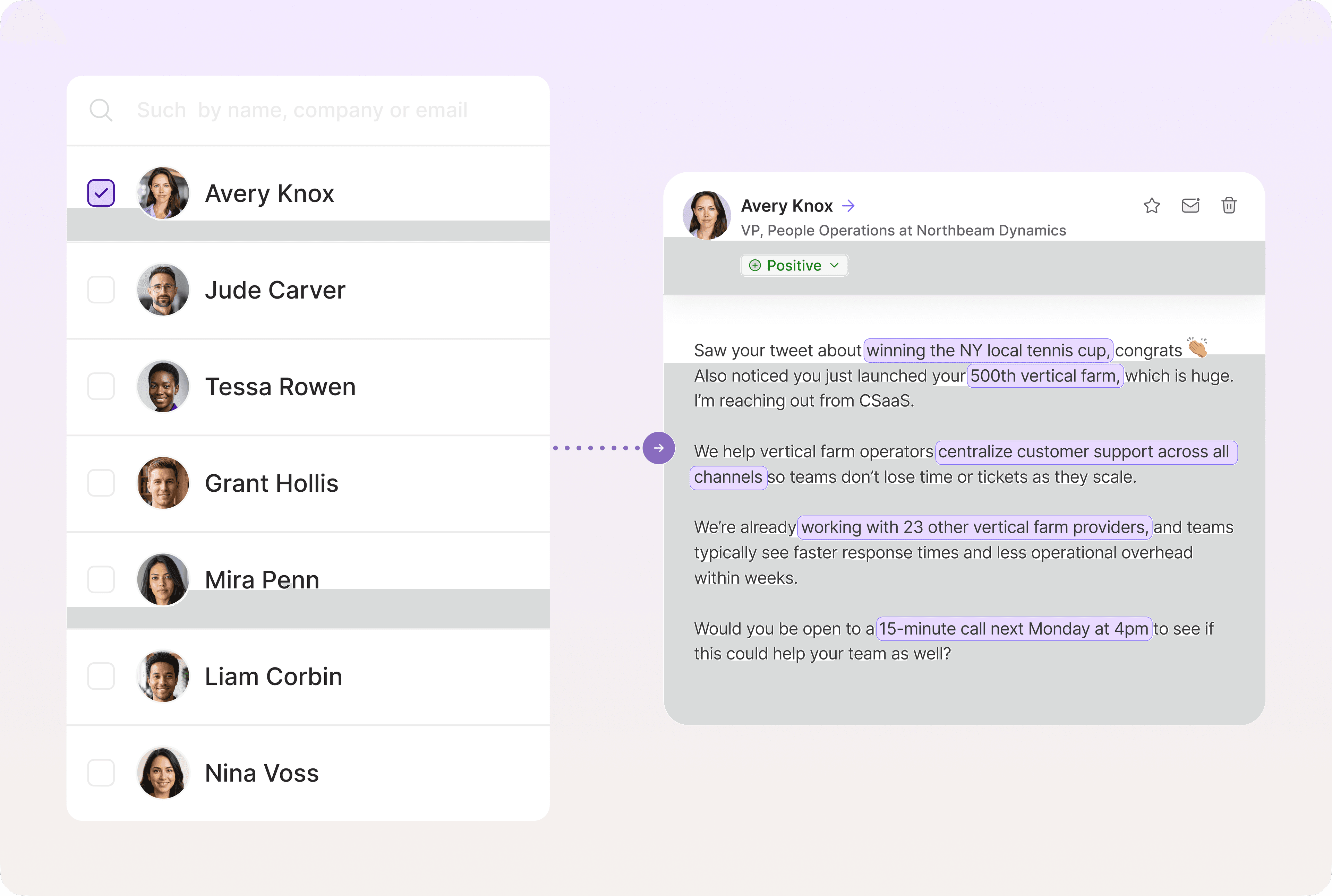
Personalize at Scale With AI
Artisan monitors your event leads for real-time signals—funding announcements, hiring sprees, product launches, and more—and triggers personalized outreach immediately. Your follow-up stays relevant without manual monitoring.
Track Engagement and Follow Up Intelligently
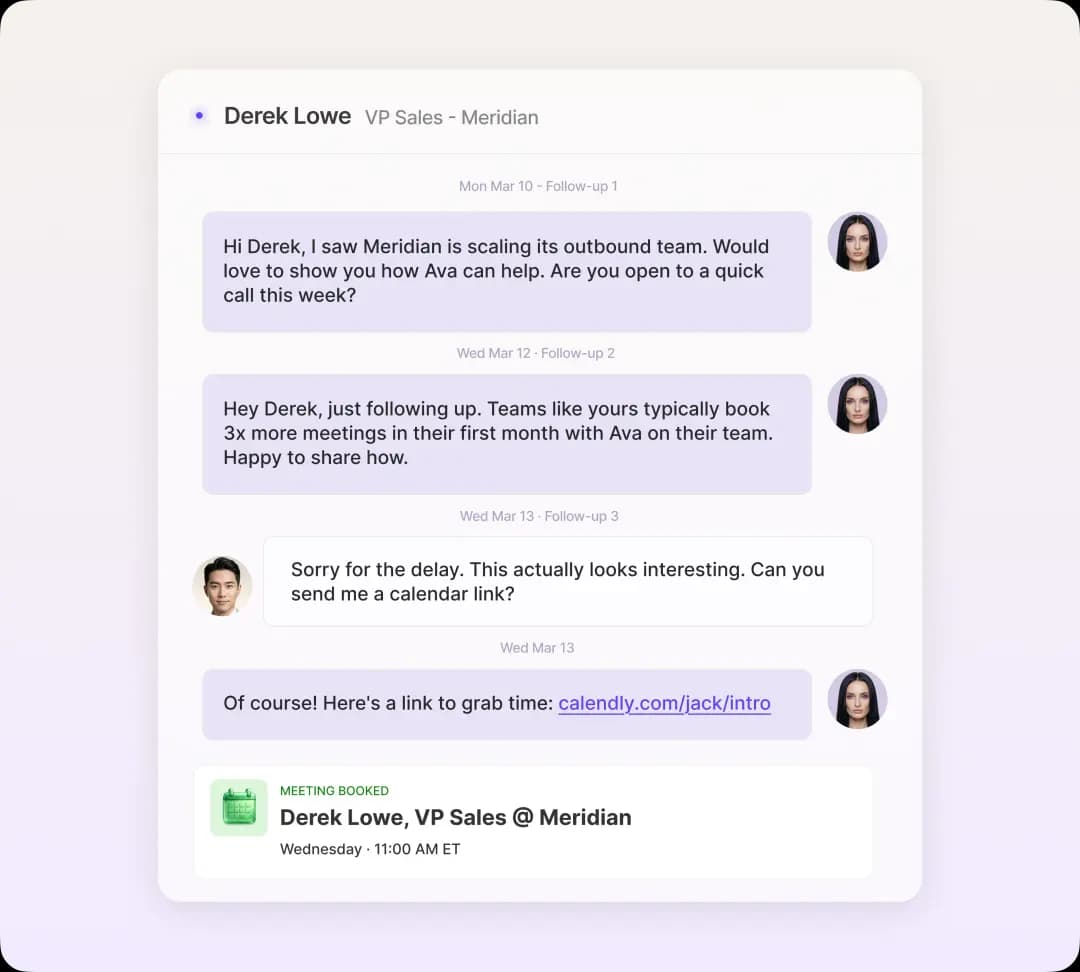
Artisan tracks who engages with your emails and then adjusts follow-up accordingly. Hot leads are routed to the right sales reps while unresponsive leads are added to nurture sequences run on full AI-powered autopilot.
The Follow-Up Is Where the Revenue Happens
Events create opportunities. Follow-up converts them.
You can have the best booth, the sharpest pitch, and the most engaged attendees, but without structured follow-up, only a portion of it turns into pipeline.
The templates in this guide give you a starting point. Personalization and segmentation make them effective. Automation makes them scalable.
Artisan automates and scales your post-event follow-up. All while monitoring leads for buying signals and personalizing outreach at a level that matches human quality. The results for you? Less busywork, higher-quality prospects, and more closed-won deals.
Automate your outbound with an AI BDR
Meet Ava—your AI BDR who handles prospecting, outreach, and follow-ups, so your team can focus on closing.

Adelina Karpenkova
SME @ Artisan
Adelina Karpenkova is a writer helping businesses tap into AI's potential and clear up misconceptions. She works with B2B teams on latest industry knowledge.