How to automate email responses: A complete guide
Learn how to automate email responses in Gmail, Outlook, Salesforce, and Power Automate. See automated email response examples and how AI agents handle replies at scale.
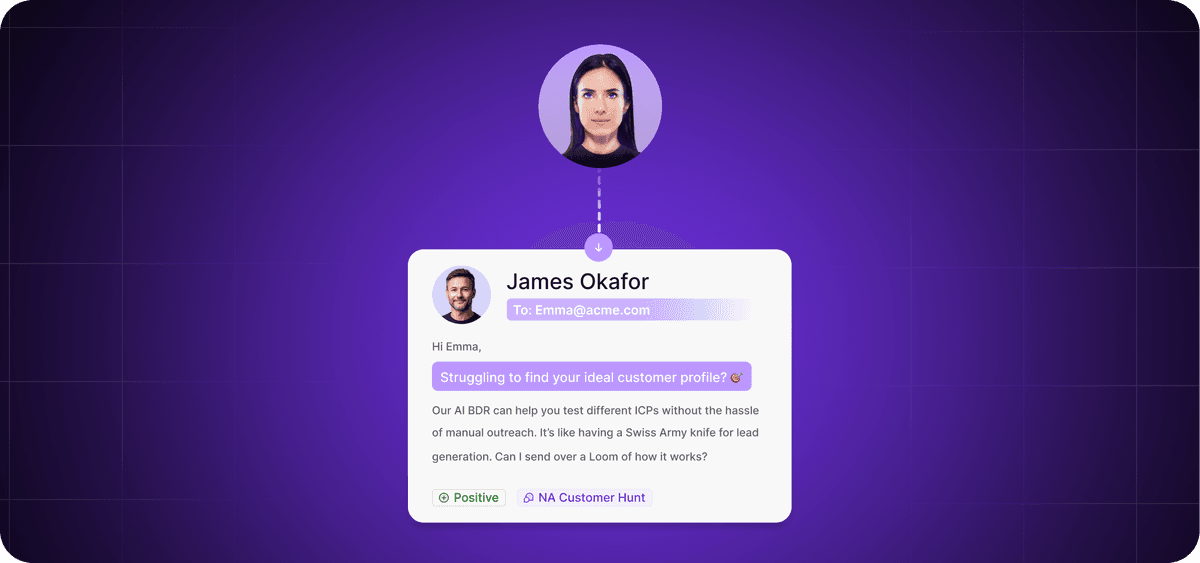
No customer-facing team should spend hours every week drafting, reviewing, and sending emails manually.
An AI-automated email system eliminates this manual busywork practically overnight.
Modern AI tools don't sacrifice personalization, either. In fact, they can actually improve relevance and customer experience.
Inbox chaos is a revenue problem
Handling all email responses manually leads to delayed replies, missed leads, and rushed emails that damage trust. When volume outpaces your team's capacity, both speed and quality suffer.
Manual replies kill speed
It’s easy for sales and customer support reps to waste hours writing and sending response emails. And even if the reply is strong, it can still fail if it reaches the lead too late.
By the time the message arrives in the prospect's inbox, there’s every chance the lead has cooled down, losing the enthusiasm that inspired them to reach out in the first place.
To make matters worse, reps handling manual replies often forget to update CRM records after sending a response. Outdated or incomplete data then undermines your team's ability to run the processes that are automated, like promotional email campaigns, since they typically rely on clean, accurate lead information.
Bad automation kills trust
Impersonal automated email responses are worse than slow manual ones. Generic templates feel robotic, reduce reply quality, and erode trust with prospects.
According to McKinsey, 71% of customers expect personalized interactions from the businesses they engage with.
Automated replies should reference the previous message directly and be relevant to the recipient’s business, situation, and information needs. A poorly configured automation system simply can’t do this.
7 automated email response use cases that drive revenue
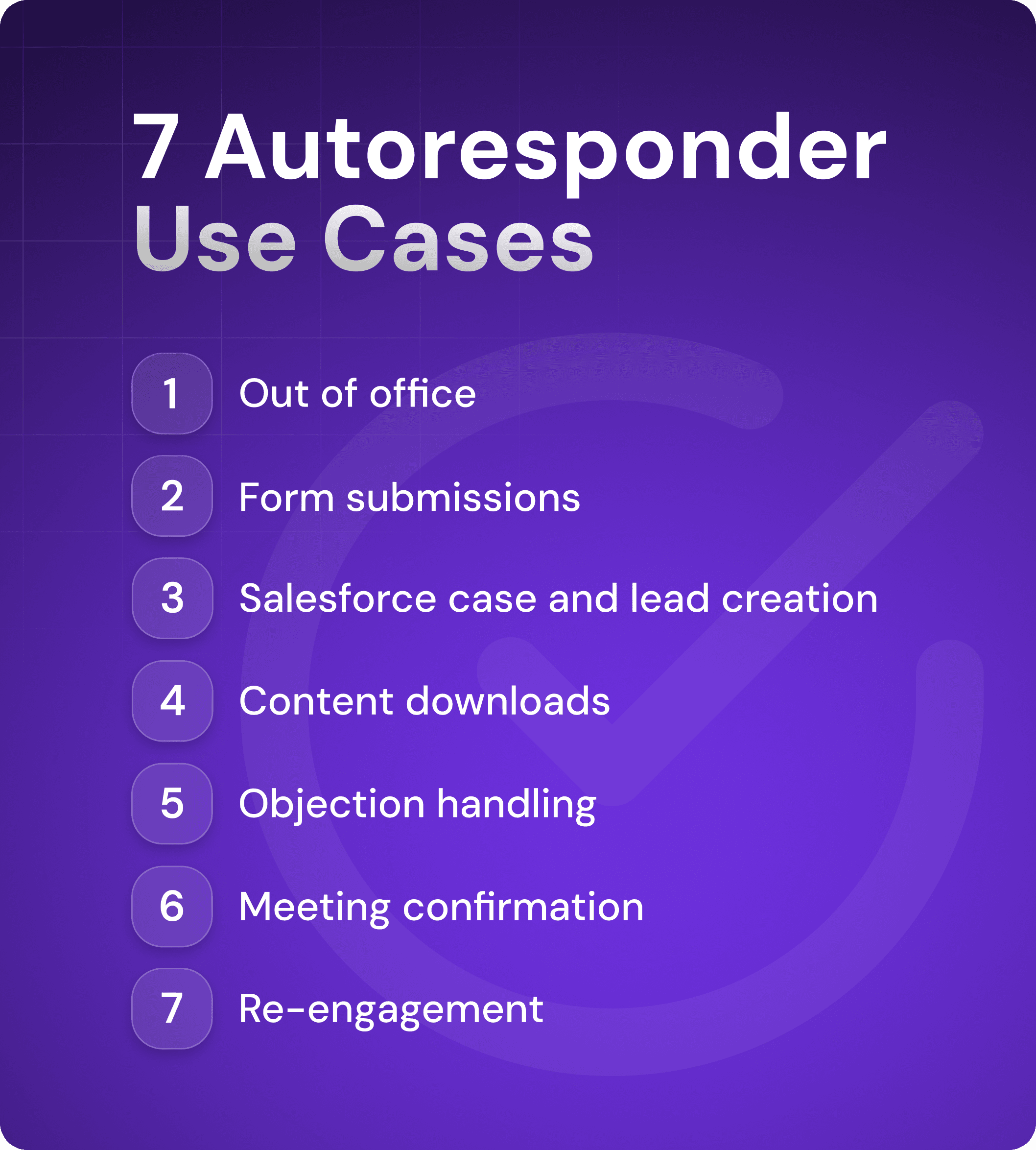
There are countless business situations in which automated email responses work better than manual alternatives, from out-of-office notices to sales meeting confirmations. Implementing autoresponders for the right use cases frees your sales team to focus on higher-value work.
1. Out of office without losing deals
A week away from your inbox doesn't have to mean lost leads, commission, and revenue.
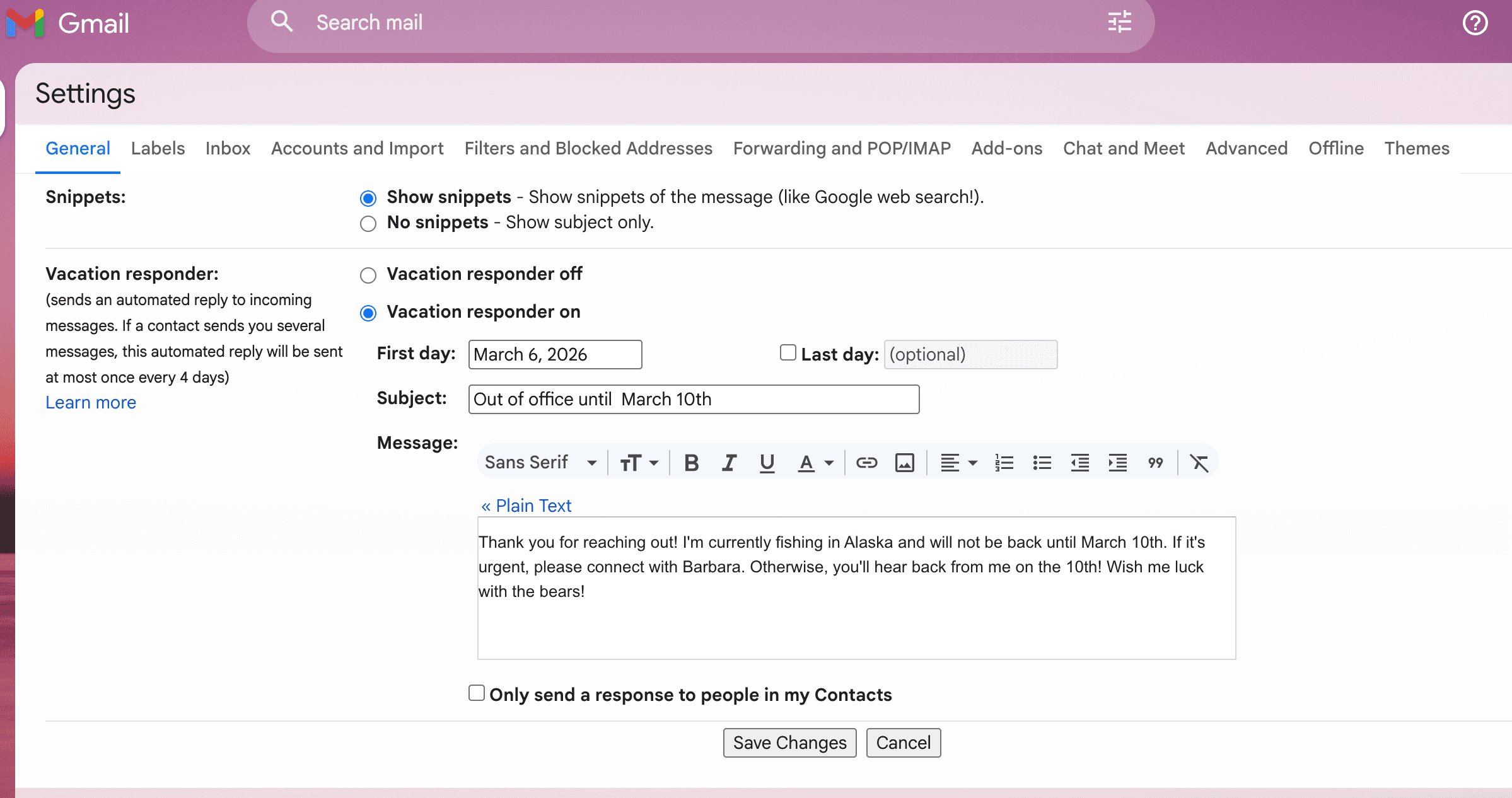
Set up automatic out-of-office email responses in your email platform to manage expectations and prevent new leads or current prospects from growing impatient while you're away
In Gmail, this feature is called the Vacation Responder. In Outlook, it's called Automatic Replies.
The keys to avoiding confusion and repeat emails are to be specific about when you will be back and state clearly that you will respond to all emails as soon as possible.
Here's an example:
2. Form submissions that trigger action
If a lead fills out a form on your website, in exchange for a lead magnet, for example, or to schedule a demo, you should respond promptly. The lead is engaged, and timing matters.
Most web form builders, including marketing and email automation platforms, let you create an autoresponder email that triggers automatically when someone submits a form.
For example, here's the automated email I received from HubSpot:
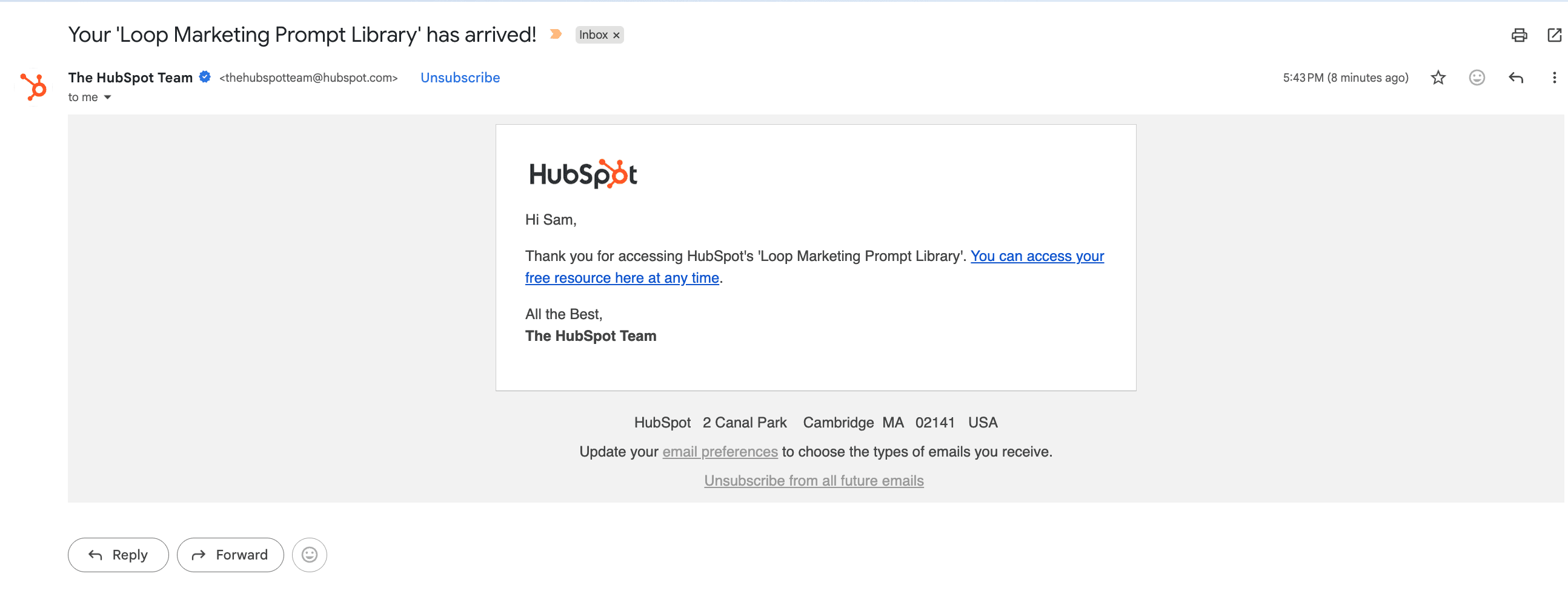
A strong automated form submission response should do the following:
Confirm receipt of the submission.
Thank the lead for taking action.
Provide a link or button to access whatever they requested.
The last point is important. For example, if they requested a live demo, the responder might include a link to a digital calendar so the lead can schedule time with a rep.
Some lead generation platforms also route leads to the right sales rep based on location, company size, and other factors. The rep can then follow up and add a personal touch on top of the autoresponder email.
3. Salesforce case and lead acknowledgments
Salesforce users have access to several autoresponder features that automate lead follow-up, case management, and customer service messaging. These include case and lead acknowledgement, which automatically send personalized email replies to customers or prospects upon submission of web-to-case or web-to-lead forms.
Here are Salesforce’s main autoresponder features:
Case auto-response rules: Auto-notify customers when a case is created (via email-to-case or web-to-case), assuring them you’ve received their inquiry.
Lead auto-response rules: Send automatic, customized emails to prospects based on criteria like lead source, industry, or location.
Dynamic email personalization: Use email templates to send personalized messages that autofill with lead or account information.
Conditional logic: Define specific criteria that triggers the email responses.
4. Content requests and asset delivery
If you offer downloadable content on your website, social posts, or marketing emails, you need a reliable, automatic way to deliver those assets to leads and customers.
The most common method is to create a web form that requires leads to enter their email address to access the content. With marketing automation software (often the same platform you used to create the form), you can then build an autoresponder email. When someone submits the form, they receive an instant email with a link to the asset.
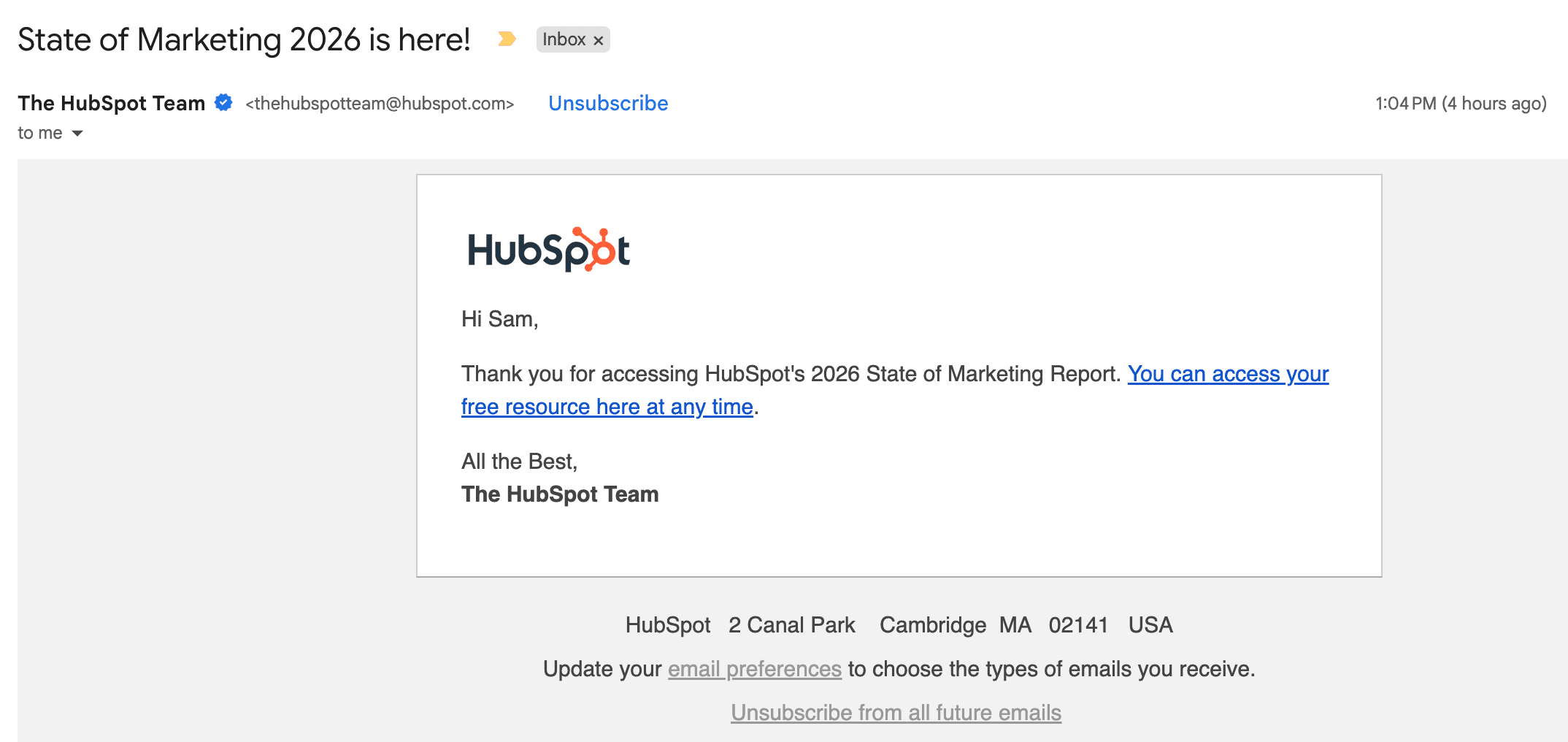
For example, here's the auto-response email I received after submitting a form on HubSpot's site to download a report:
5. Objection handling in outbound
AI SDRs are automated sales agents that send personalized emails and social media messages to leads on your behalf.
When a lead responds with an objection, the AI SDR can reply autonomously. Using natural language processing, it identifies the concern and sends a relevant, personalized rebuttal that factors in contextual data like job title, sentiment, and buying stage.
AI sales agents help you scale cold email without hiring more business development representatives (BDRs). A tool like Artisan, for example, can send hundreds of personalized emails a day without any human input. When a lead responds positively, the relevant rep is notified.
6. Meeting confirmation and qualification
When a lead schedules a meeting with you, you should send a confirmation immediately.
Most scheduling apps like Calendly or Acuity Scheduling allow you to create automated emails that trigger when a booking is made.
Your meeting confirmation email should do the following:
Confirm the booking.
Outline next steps.
Provide meeting access information, such as a Zoom link or address.
Reiterate the value of attending the meeting to boost follow-through.
This simple automation will boost meeting attendance and set a professional tone before a sales conversation.
7. Re-engagement after silence
Setting up automatic re-engagement emails that target leads who have stalled or failed to close for timing reasons, rather than lack of interest, is a fast way to unlock revenue in your CRM.
Using email automation tools, sellers can create trigger-based re-engagement campaigns that fire based on inactivity, such as a lack of email opens or too much time spent stuck in a CRM deal stage.
Some businesses use Artisan, an AI outbound automation platform, to pass this work to an AI sales agent. The platform’s AI BDR, Ava, uses lead data from your CRM to re-engage dormant leads, closed/lost accounts, or churned customers with personalized multi-channel campaigns.

How to set up automated email responses in practice
All of the major email and CRM platforms offer built-in autoresponder features. The right setup depends on your tech stack, but the core principles stay the same across tools.
Gmail templates and filters
Gmail gives you two main ways to automate email responses:
Templates: Save pre-written email responses that sales reps can tailor and send to quickly handle common inbound emails.
Vacation responder: Set an out-of-office message that automatically responds to incoming emails while you're away.
Outlook and shared mailboxes
Outlook offers several ways to automate email replies across individual and shared mailboxes:
Out-of-Office replies: Create automated responses that let senders know you’re away and won’t see their message until you return.
Rules: Build rule-based logic to automatically categorize, reply to, or forward incoming emails.
Shared mailbox automation: Apply rules at the shared mailbox level so incoming emails trigger consistent autoresponses.
Power Automate workflows
Microsoft's Power Automate allows you to build emails that send automatically when data is added or updated across the Microsoft 365 ecosystem. Salespeople who use Power Automate will typically use it to build automated cloud flows in Outlook 365 that trigger upon receiving new emails in order to instantly acknowledge inquiries or send personalized follow-ups.
The following mail automation workflows are available in Power Automate:
Automatic reply to specific inquiries: Detects emails that match keywords like "price quote" and sends a relevant automated reply.
Form submission responder: Fires when a new response is submitted via a Microsoft Form, a tool that allows you to easily create surveys, polls, and registration forms and share them via links.
Conditional email response: Uses "if, then" logic to send different replies based on the content of the email, the sender, and keywords in the subject line.
Salesforce auto-response rules
Salesforce lets you create auto-response rules that send tailored email replies to customers or leads based on specific criteria, such as the inquiry’s source or its keywords.
Here are the scenarios for using auto-response rules:
Web-to-Lead replies: Reply to leads who submit a form on your site, such as “Contact Us” or “Request a Demo” forms.
Case submission responses: Notify customers that their inquiry, via customer portal or email, has been received.
Case keyword triggers: Send replies based on keywords like “shipping” or “billing.”
How to automate email responses with AI
93% of marketers report that personalization boosts leads and sales. AI-powered email automation takes this further by generating dynamic, context-aware replies instead of relying on static templates.
Move beyond static templates
Traditional automated email response strategies run on generic, pre-written replies. This leads to a lack of personalization that makes it difficult to nurture leads and build trust.
Instead of static templates, use AI email automation tools to create more tailored automated responses.
AI email tools with autoresponders offer two key advantages:
Sender intent analysis: Rather than matching keywords to a canned reply, AI interprets the full intent of a message. It can decipher between a pricing request and a demo request, for example, even when the wording is vague.
Context-aware message generation: AI email tools use web scraping, CRM communication history, and B2B contact databases to gather intelligence on leads and write messages that match their industry and buying stage.
Connect your inbox to AI logic
Workflow tools like Microsoft Power Automate and Zapier can trigger AI to analyze incoming emails and draft responses in your inbox.
Before giving these tools full control over responses, use them in draft-first mode. This stops the automation after the draft stage so a human can review the output before sending it. These AI tools can also use webhooks to route messages to the right person for validation.
Define what happens when an email cannot be answered from approved information. A useful triage brief includes the question, relevant source, proposed response and reason for escalation. That is a bounded responsibility to evaluate with an AI employee such as Artie. Begin with drafts and an explicit reviewer, and test ambiguous messages before allowing any automatic sends.
Use an email autoresponse agent for sales
An AI email response agent can qualify your inbound leads automatically, update your CRM records, and adjust lead scoring in the background.
This agentic approach is the most advanced form of email response automation. An AI agent acts like a human sales rep, responding in a personalized manner while also making decisions about lead qualification and data organization.
Some AI agents can even handle objections, drafting persuasive replies that address the lead's specific concerns.
Best practices for automating email responses without looking like a bot
For Campaign Monitor, automated emails generate 320% more revenue than non-automated counterparts.
Results like these make it tempting to automate every email response. But rushing autoresponder implementation can signal to email service providers and recipients that your emails are coming from a bot.
To see a strong ROI from email response automation, you need to set tight automation triggers, personalize email content, and optimize inbox placement.
Set tight triggers
Only fire email automations under clear conditions. Avoid replying to newsletters, CC threads, and other irrelevant inbound traffic. Doing so wastes resources and hurts your sender reputation.
If your AI agent is automatically replying to everything that lands in your inbox, spam filters will flag you as a bot.
To set tight triggers, use filters like sender domain, subject keywords, and email tags. Be specific about the conditions that warrant an automated email. For example, you might send an automated email if a user visits a specific product page three times but adds nothing to their cart.
Defined trigger rules ensure that the right recipients receive the right emails at the right time.
Personalize beyond first name tokens
Go further than just the lead's name in your email.
Reference their company, role, and recent activity. That level of specificity increases the relevance of your message and builds trust.
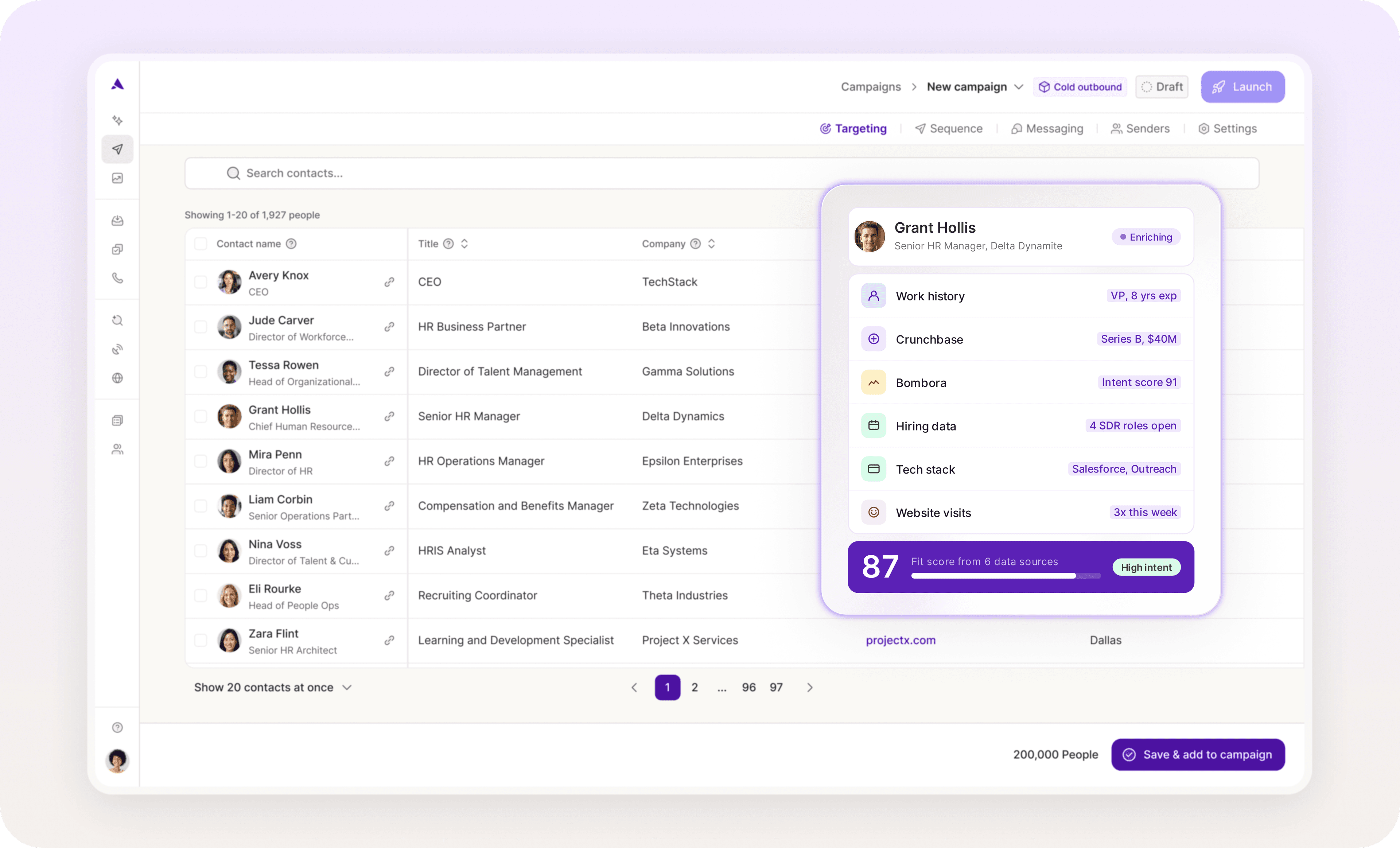
To do this, your autoresponder software will need access to enriched lead data across a range of demographic, firmographic, and behavioral signals.
You can automate CRM enrichment with a tool like Artisan. In addition to automating outreach via an AI BDR Ava, Artisan also syncs your CRM with its comprehensive B2B database, which contains intel on over 300M leads.
Protect deliverability
If email deliverability drops, fewer of your automated emails land in your leads' inboxes.
The biggest threat to deliverabilit is indiscriminate replying, especially to malicious sender addresses. This over-automation can trigger spam filters and result in blacklisting.
Follow these best practices to protect your deliverability:
Set tight triggers that only fire for verified, legitimate senders and specific email situations.
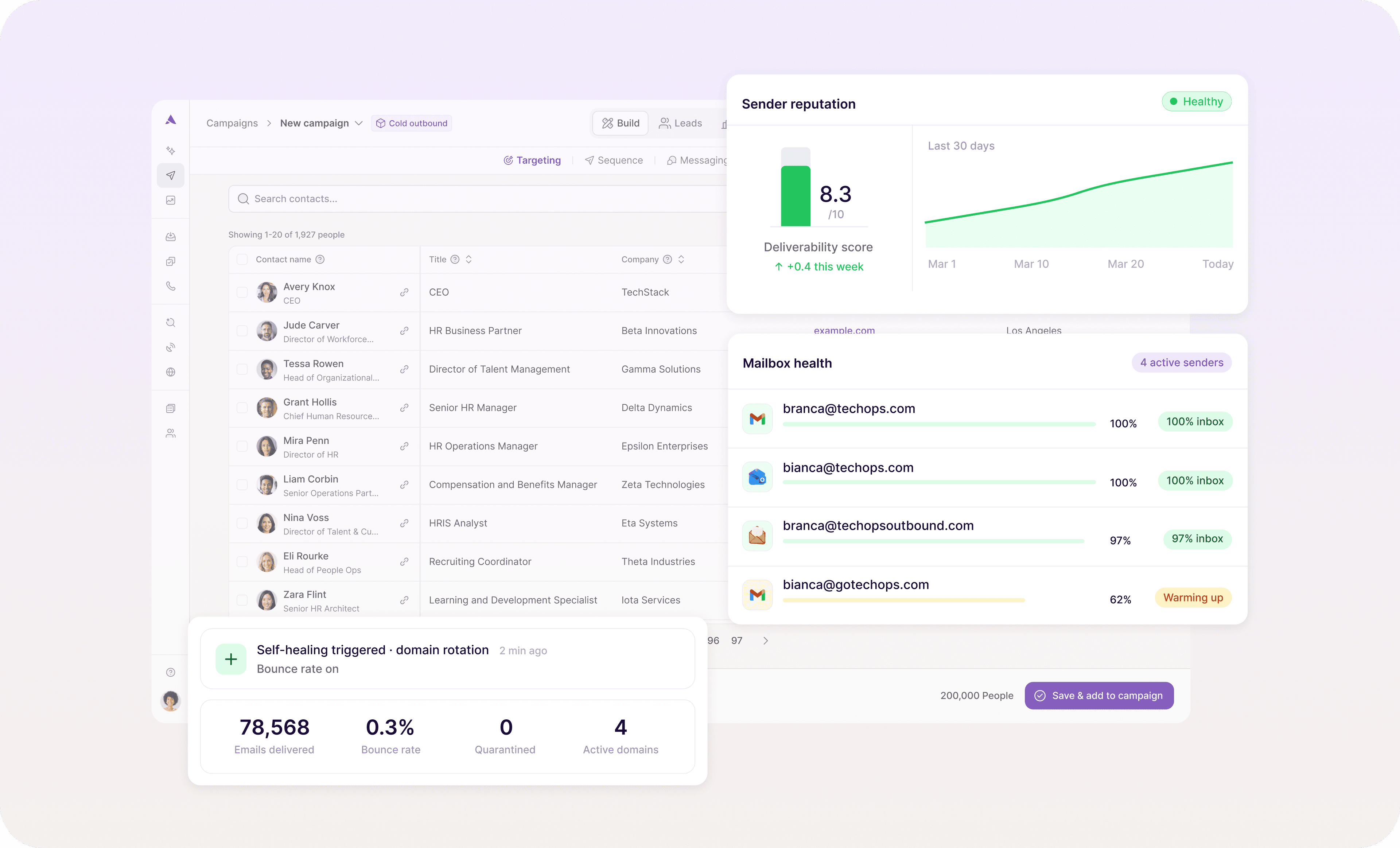
Monitor your email deliverability metrics like bounce rate and diagnose deliverability issues with email deliverability tools like Warmy, MxToolbox, or Mail Tester.
Authenticate your sending domain with SPF, DKIM, and DMARC.
Warm up new sender domains gradually, starting with 50 to 100 emails per day and adding 20% every few days to build a positive sender reputation.
Artisan comes with built-in email deliverability features, including email warm-up and mailbox health monitoring. Even better, deliverability optimization runs in the background without any manual input required.
Always provide a next step
In your email responses, always clarify next steps and include a call to action.
Letting the sender know what happens next prevents dead-end conversation loops and keeps them progressing through your digital sales funnel. This could come in the form of booking links, resource links, or login credentials to start a free trial.
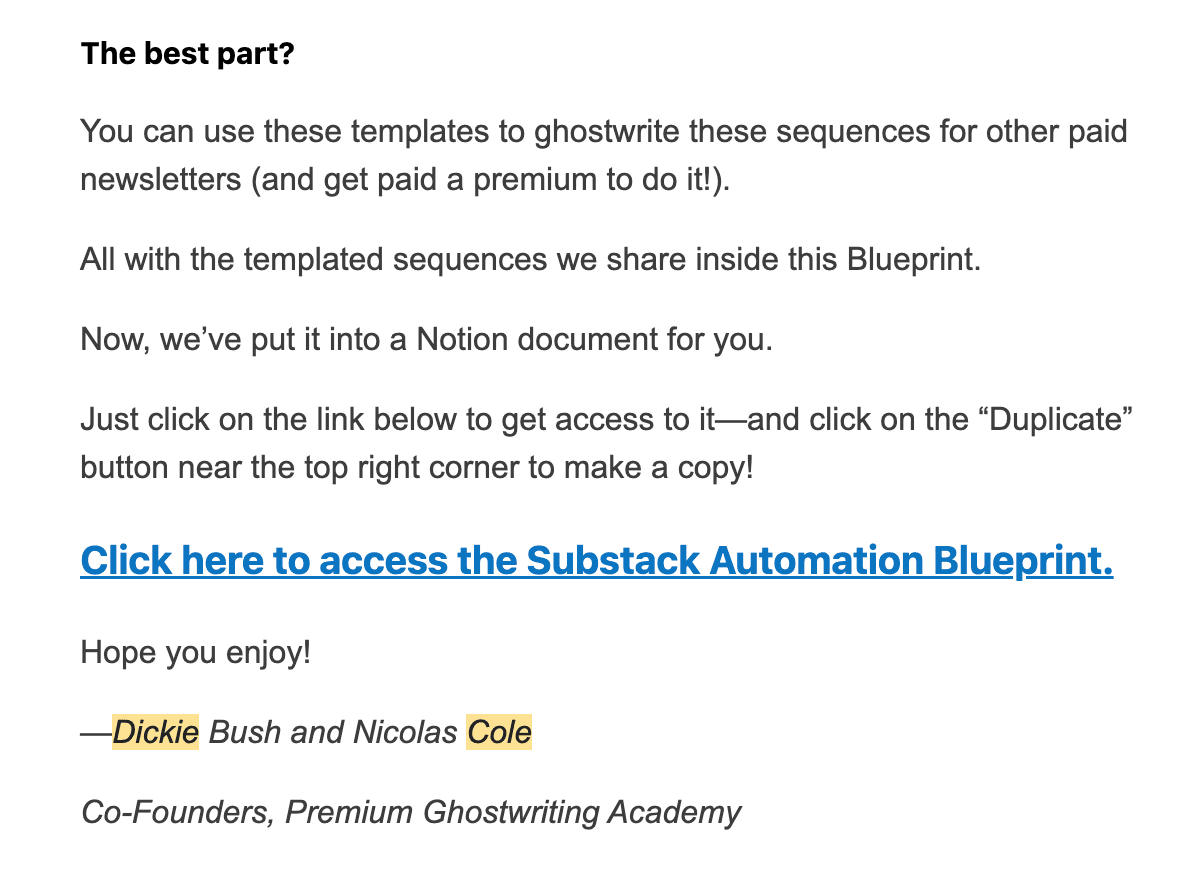
The link or button they need to click should stand out. Use bold formatting, highlight it, and surround it with white space to draw the eye. Senders will appreciate how easy it is to find what they need.
For example, after submitting my contact info to receive a Substack template folder, I received this email from Premium Ghostwriting Academy. The CTA stands out clearly.
Automate email responses like a revenue team, not a helpdesk
Done right, automated email responses do more than keep leads in the loop. They nudge prospects through the sales funnel and generate pipeline.
With AI BDR technology, you can trigger automated emails that sound human, fire immediately, and adapt to each lead's specific needs, interests, and buying stage.
Artisan takes this further by automating up to 80% of your outbound lead generation process, from finding ideal leads to creating and sending personalized messages across email and social media, all without manual intervention.

Automate your outbound with an AI BDR
Meet Ava—your AI BDR who handles prospecting, outreach, and follow-ups, so your team can focus on closing.

Sam Rinko
SME @ Artisan
Sam Rinko is a former SaaS sales rep turned tech writer. He sold real estate software before writing about lead generation, cold calling, and AI sales tools.