Google Maps lead generation: How to find local leads
Learn how to turn Google Maps lead generation into a scalable outbound system. Scrape business data, extract contact info, and automate outreach.
Struggling to find business data on local businesses like landscaping companies, law offices, and hair salons?
Many B2B databases have limited intel on these types of companies. But Google Maps? They have it covered.
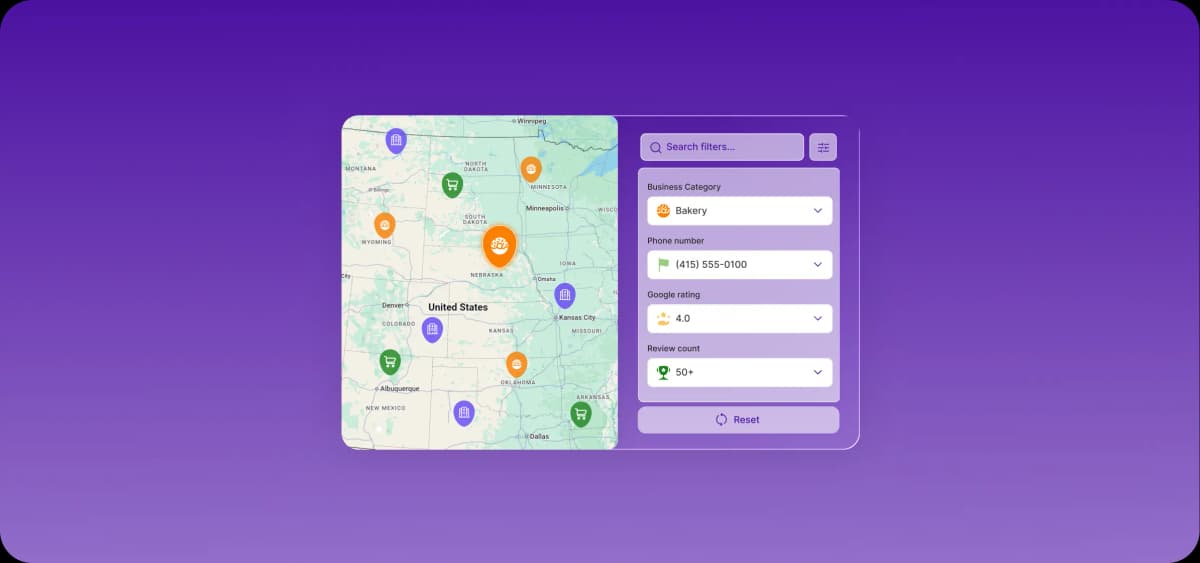
With a Google Maps scraper or Google’s Places API, an enrichment tool, and an outreach automation platform, you can build geo-targeted lists of local leads, uncover their email addresses, and turn that data into automated outreach.
Why Google Maps is a powerful lead generation channel
Google Maps carries current information on millions of local companies: accurate addresses, categories, phone numbers, and review signals.
B2B sellers can mine this information to build targeted prospecting lists segmented by location and category, find high-intent opportunities, and run outbound sales tactics like cold calling, door-to-door sales, and cold emailing.
Real-time business data that implies intent
Google Maps doesn’t provide raw intent signals, but its star ratings, review counts, and review content can serve as reliable proxies for buying interest. A restaurant consultant, for example, could pull Chicago restaurants rated below 3.8/5 to build a targeted list of venues that likely need help improving service quality.
David Pagotto, Founder and Managing Director at SIXGUN, has seen this play out multiple times. "Many businesses focus on rankings but overlook Google Maps," he said, "but local searchers often have strong purchase intent, which means a well-optimized Google Business Profile can become a consistent source of qualified leads."
Where Google Maps lead generation works best
Google Maps works best when your lead generation strategy centers on businesses in a defined geographic area. Whether you’re a web developer drumming up new accounts among local cafes or a SaaS startup that segments cold outreach by city, you can use Google Maps to assemble a list of qualified local leads quickly.
Google Maps lead generation is likely a fit if you’re doing any of the following:
Offering local B2B services: Geographic filtering lets vendors build prospecting lists of restaurants, hair salons, cafes, dental offices, home services, and other local businesses in their area.
Targeting reputation-sensitive business categories: When you sell into industries where reviews directly impact revenue, such as restaurants or healthcare, Google Maps surfaces companies with low scores, which can indicate a clear need for help.
Conducting geo-targeted outreach strategies: Sales and marketing teams can pull lists of businesses in a single region to craft location-relevant campaigns. A proptech company, for example, might reference a recent compliance law passed in a specific city.
How to generate leads with Google Maps: 5 tactical steps
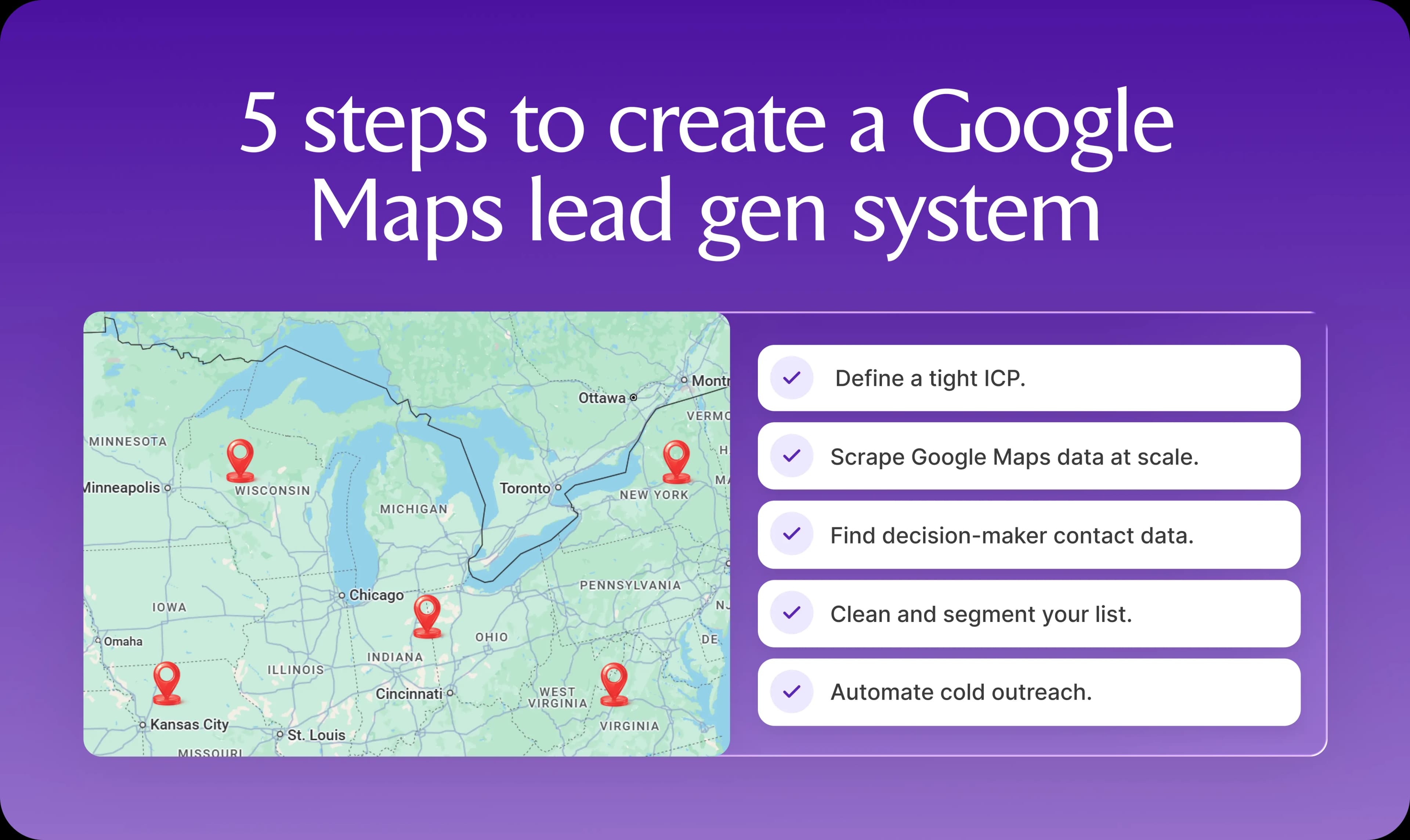
Scraping a list of geo-targeted companies is only the first step. A functional lead generation system also folds in data enrichment, lead segmentation, and personalized outreach. This combination is what turns raw Google Maps data into a pipeline of booked calls.
1. Lock in your ICP before you search
Your ideal customer profile (ICP) is a detailed description of the businesses that derive the most value from what you sell. A clear ICP helps you find and prioritize the Google Maps listings most likely to buy from you.
Follow these tips to build an ICP that guides your Google Maps lead generation:
Define the specific types of business you’re targeting: These might be HVAC vendors, hair salons, or cafes. The narrower the definition, the better your targeted lead gen results will be.
Set a realistic geographic radius based on your sales motion: Local teams that go door-to-door need tighter perimeters; a cold-calling or email-only motion can stretch the boundary wider.
Specify qualifying firmographic traits: To filter for fit, consider criteria like website presence, review count, and industry keywords.
List key buying motivations: Name your ideal customer’s pain points, challenges, KPIs, and goals. This will help you create messaging that resonates.
2. Scrape Google Maps data at scale
Manual prospecting usually means scrolling through Maps and pasting details into a spreadsheet one listing at a time.
A scraper, Maps extractor, or API-based solution does this in bulk, automatically pulling business names, categories, review counts, and phone numbers, then exporting the results as a CSV or Excel file.
Follow these four tips when choosing and running a Google Maps scraper:
Choose a beginner-friendly scraper: Tools like Outscraper, PhantomBuster, and Artisan (as part of its broader campaign workflow) let non-technical users pull hundreds of listings in minutes.
Extract core fields for qualification and outreach: These are typically the business name, business type, website, review count, star rating, and phone number.
Pay attention to star ratings: Businesses with lower average ratings are often struggling and actively looking for help from a business like yours.
Export to Excel or Google Sheets: The resulting file becomes a prospecting list ready for cleaning and enrichment.
3. Extract emails and decision-maker details
After scraping, your list will hold business names, categories, phone numbers, and general company email addresses. Reaching business owners or managers directly, rather than the customer service inbox, requires a second round of research to uncover their personal contact details.
Follow these steps to find decision-maker emails, personal details, and recent activity:
Use email finder tools on scraped domain names: Run business websites through tools like Hunter and Snov to find email addresses.
Cross-reference social media for decision-maker details: Search the business name on social media to find the name of the owner or general manager, then pass these names through Hunter or Snov to retrieve their contact details.
Check decision-makers’ other social profiles: Look at Facebook, Instagram, and Twitter to learn more about the person and business you’re targeting. Have they held recent local events? Are they opening a new location? Enrich the list with relevant details.
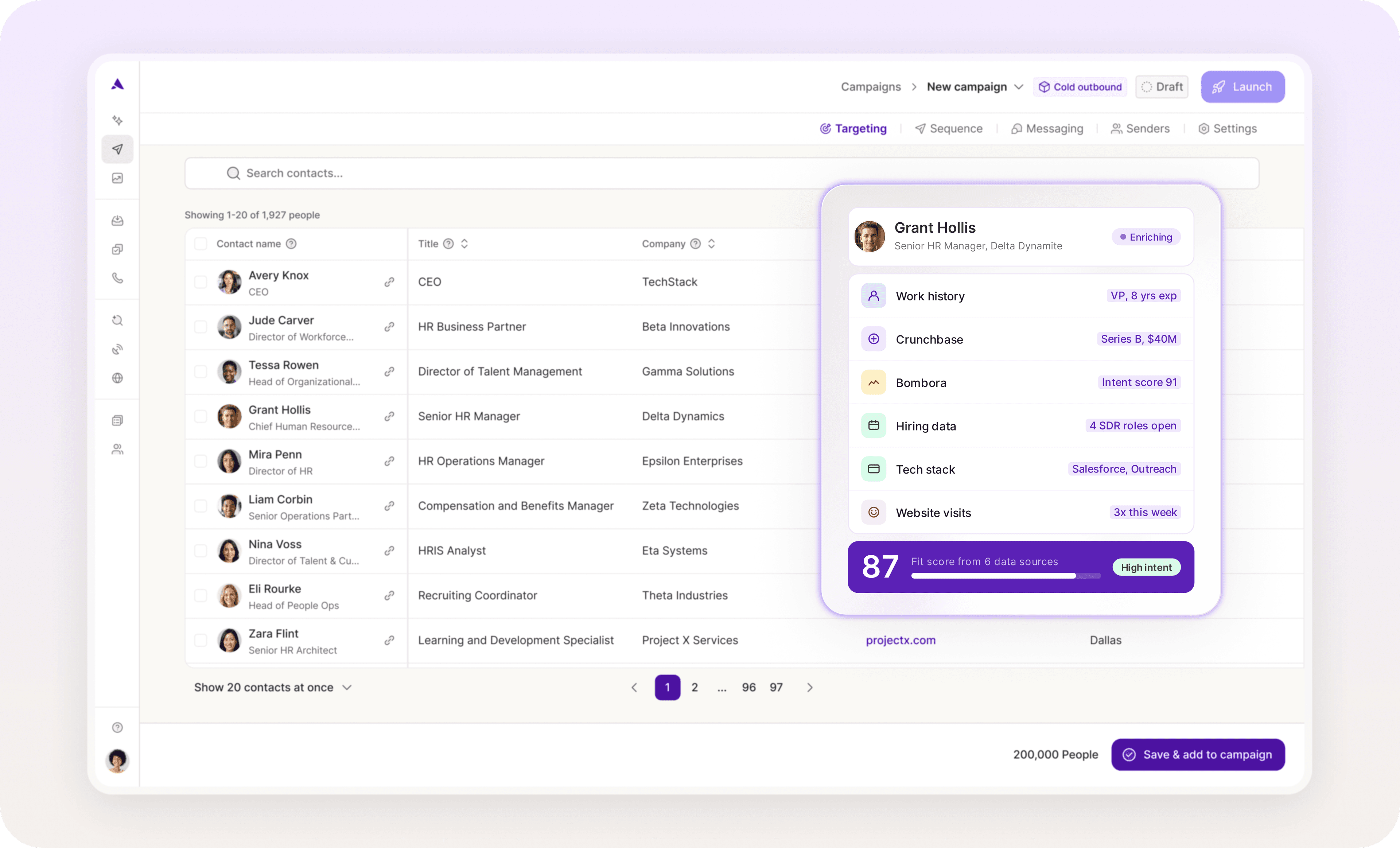
Alternatively, you can use an all-in-one platform like Artisan that automatically collects all of this information (email addresses, titles, and recent activity) using the very latest AI data-gathering technology.
4. Clean, segment, and prioritize leads
Before outreach begins, your list needs cleaning, verification, and segmentation. Removing duplicates, validating emails, and grouping businesses by industry and ICP-fit keeps outbound campaigns personalized and improves connection rates.
Follow these steps to refine your B2B lead list:
Remove duplicates: Scrapers sometimes pull the same business under slightly different names. Deduplication tools like Datablist (free) or Plauti (for Salesforce and Microsoft users) clean these up.
Validate contact information: Pass emails through a tool like NeverBounce or ZeroBounce to confirm that the addresses are accurate.
Segment by industry and ICP fit: Separate leads by industry so you can run tailored, industry-specific campaigns. Within each industry list, rank leads into high, medium, and low tiers based on how closely they match your ICP.
Cameron Figgins, owner of Absolute Maintenance, segments Google Maps leads for cold outreach. He focuses heavily on review data, prioritizing multifamily apartments with Google reviews mentioning leaks, and has seen a lot of success with this approach.
“We would generate 100 to 150 businesses or properties within 5 to 8 miles, then bucket them into actionable segments based on factors like year built, exterior appearance, online reviews, and business category. An older multifamily complex with chipped stucco and tenant reviews mentioning leaks is going to be more receptive than a recently built office space.”
5. Automate outreach across channels
After cleaning your list, you’re ready to set up your outreach automation system and begin engaging leads over social media, phone, and email to spark interest and book meetings.
Outbound automation tools like Artisan keep volume high without losing the personal touch that separates your message from the generic ones in a decision-maker’s inbox.
Always open messages with a locally relevant hook. Reference the recipient’s neighborhood, city, or recent local activity (this would have been gathered in the research phase). For your follow-up sequence, schedule approximately five messages (three via email, two via social media) over two weeks to increase the odds that business owners see your messages.
Choosing the right Google Maps scraper (without wasting time)
It’s important to choose a Google Maps scraping method that fits your team’s data requirements, budget, and technical expertise. Your two options are Google’s Places API or a third-party software solution.
Web scraping vs API access
Two main methods pull lead data from Google Maps at scale: web scraping and the Google Places API. Each comes with distinct tradeoffs around cost, compliance, and technical setup.
Here’s a quick overview:
Google Places API: A Google service that accepts HTTP requests for location data. It’s best for technically savvy enterprise teams in compliance-sensitive industries like healthcare or finance that need audit-proof data and can absorb the higher costs.
Third-party web scraper tools: Scrapers like PhantomBuster and Outscraper pull data directly from the Maps web interface. This option suits outbound sales teams that need large volumes of local business leads quickly and affordably. Note that scraping Maps data violates Google’s terms of service, so proceed at your own risk.
Both methods produce usable lead data, but they diverge on scalability, compliance, real-time extraction, and setup complexity.
Places API is fully compliant with Google’s terms of service and is best suited for highly regulated or high-volume industries. However, it can become expensive at scale and may require more technical complexity to implement effectively.
Web scraping tools offer bulk extraction at flat-rate pricing with fast, no-code setup. The downside is that output quality can vary, especially when Google updates its interface, and there is a compliance risk since scraping violates Google’s terms of service.
Which features actually matter in a web scraping tool?
When comparing web scraping tools, prioritize those that offer bulk data extraction, structured export formats, filtering, and reliable data collection. Skipping these features can leave you with inaccurate data.
Here’s a breakdown of the most important web scraping features for Google Maps lead gen:
Bulk data extraction: Scrapes thousands of listings from Google Maps in a single run.
Structured export formats: Delivers clean data in a CSV or Excel file, organized with consistent columns for business name, category, website, and every other field the scraper extracts. This makes it easy to upload the list into your CRM or outbound tool.
Filtering by category and geography: Lets you narrow your search by business type (restaurant, salon, yard care) and location (zip code, city, etc.). This helps you build targeted, ICP-fit lead lists for personalized outreach.
Reliable data collection: Maintains performance despite Google UI updates. You don’t want a scraper that breaks down every couple of weeks.
How to go from a spreadsheet to scalable B2B lead generation
If your sales team is still managing prospecting with a spreadsheet, you have a big opportunity to boost the efficiency and scalability of your lead gen process. With a few tweaks and software tools, you can turn Google Maps lead data into a steady stream of quality leads.
Why systems, not spreadsheets, are what scale
Excel files lack the time-saving automations that enable your sales team to rapidly find, enrich, and engage high-quality leads. They also tend to become disorganized, which leads to missed opportunities and headaches for the reps working off them.
Spreadsheets are poor solutions for B2B lead generation for three reasons:
Limited automation features: Your team has to manually push lead data between Excel and other systems like your CRM.
No prioritization capabilities: This makes it difficult to focus on the highest-quality leads.
No workflow tools: Spreadsheets lack the reminders and notifications that keep a well-timed follow-up sequence on track.
Turn Google Maps data into a pipeline
Instead of downloading Google Maps data into a static Excel file and prospecting from this spreadsheet, build a connected system that automatically converts local businesses into active leads.
Linking your web scraper, B2B enrichment tool, and outreach software creates this unified pipeline.
A three-part Google Maps lead gen automation works like this:
Scraping: The Google Maps scraper or API extracts raw business data (name, category, website, etc.).
Enrichment: An enrichment tool augments this data by layering in email addresses, phone numbers, firmographics, and technographics.
Outreach: The enriched data is pushed to a CRM, such as HubSpot or Salesforce, or a sequencing tool, where sales reps or AI reps reach out to the business leads.
If your scraper lacks integrations with the rest of your lead gen stack, Zapier or n8n can bridge the gap.
Alternatively, a consolidated platform like Artisan can take care of all of these processes without the need for multiple integrations. Artisan is built around Ava, an AI BDR who runs scraping, enrichment, and prospecting automatically and at scale.

3 lead generation strategies that compound over time
Scraping business leads from Google Maps alone won’t produce an automated, scalable lead generation system.
For that, you need to pair Maps data with decision-maker research, lead prioritization, and end-to-end automation.
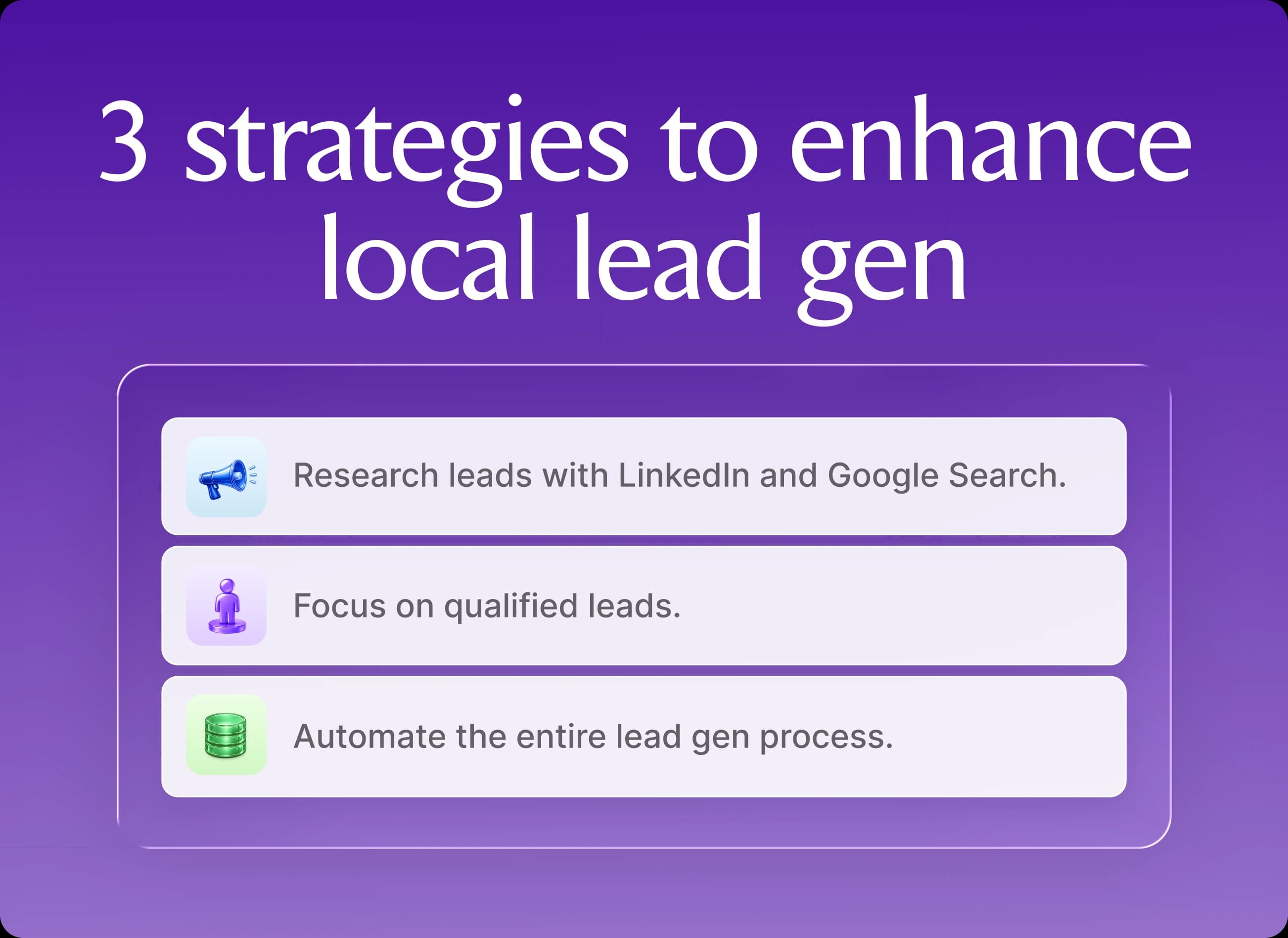
1. Pair Google Maps with social media and Google search
Google Maps is good for finding business leads in a defined area, but its listings stop at surface-level details like addresses, categories, and review counts. Deeper context on the company and its decision-makers requires layering social media and Google searches into your prospecting process.
Use these three tactics to combine Google search and social media with your Maps data:
Cross-reference companies on social media: Identify decision-makers like owners, founders, or directors of marketing, sales, or operations.
Use Google search operators: Run queries like site:[company url] "team" to find web pages that list other contacts at the company.
Validate and enrich the lead data: Review company websites, social media, and press releases for details on company size, recent activity, and product offerings.
2. Focus on qualified leads, not just more leads
Treating every business the same way is a fast track to wasted time and long sales cycles. Focus your sales team on qualified leads instead, and use lead scoring models and lead quality monitoring to keep your list sharp.
Use these three tactics to add lead qualification to your Google Maps lead gen strategy:
Define a tight ICP (industry, business type, size, geography).
Score leads based on intent signals like hiring activity or recent expansions and on how well they fit your ICP.
Track conversion metrics to refine your ICP and scoring model based on which behaviors and attributes are most common among customers that convert.
3. Automate your entire workflow
When you tie web scraping, data enrichment, outreach, and follow-up into repeatable workflows, Google Maps lead gen runs as a system rather than a series of manual tasks. End-to-end automation keeps leads moving without human intervention at every stage.
One approach is to connect your existing apps and run cross-platform automations with tools like Zapier, such as triggering enrichment the moment a new lead is scraped.
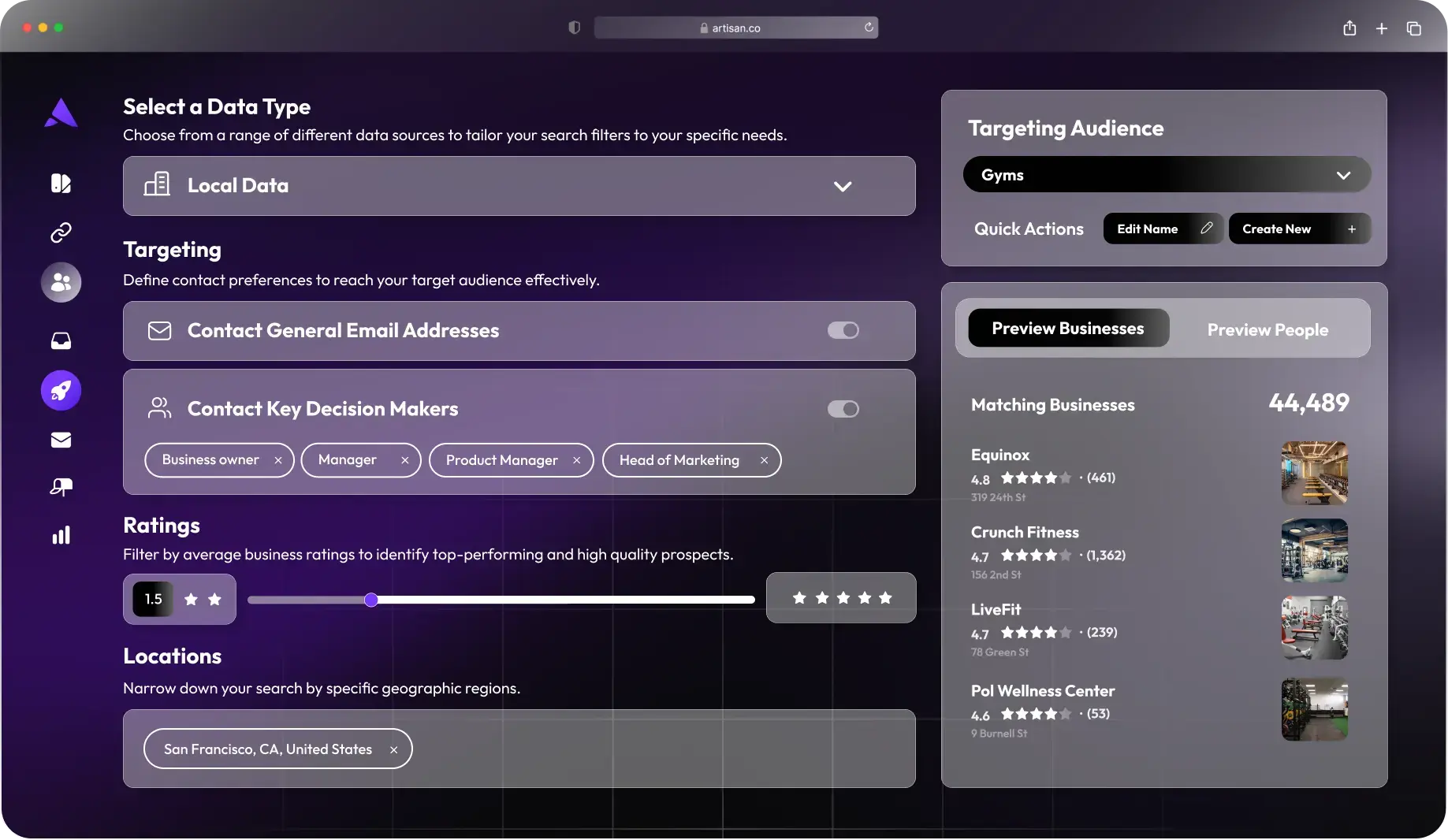
The simpler path is to execute all these tasks using Artisan. As an AI-first outreach tool, Artisan combines a database containing millions of local businesses with prospecting tools, web scraping, and deeply personalized outreach. Everything is accessible from a single integrated workspace, and AI BDR Ava automates 80% of campaign management.
Stop manual prospecting and start systematized growth
Manually compiling prospecting lists is how B2B sales reps burn out. Most didn’t join sales to spend their days combing the internet for contacts. They came to talk with people, solve problems, and build relationships.
An automated local lead generation system fixes this problem while also sharpening sales efficiency and outreach personalization. Although stitching Google Maps to several outbound tools can produce a working system, most companies find an all-in-one solution simpler to run.
Artisan is an AI outbound automation platform that provides users with access to millions of local business leads and decision-makers. Alongside this data, it pairs your sales team with an AI BDR that prospects on their behalf, conducts lead research, sends tailored email sequences, and books meetings.

Automate your outbound with an AI BDR
Meet Ava—your AI BDR who handles prospecting, outreach, and follow-ups, so your team can focus on closing.

Sam Rinko
SME @ Artisan
Sam Rinko is a former SaaS sales rep turned tech writer. He sold real estate software before writing about lead generation, cold calling, and AI sales tools.