The best SIM swap protection services in 2026
The 10 best ways to protect a phone number from SIM swap and port-out fraud in 2026, from secure carriers to the free locks nobody switches on.
Key Takeaways
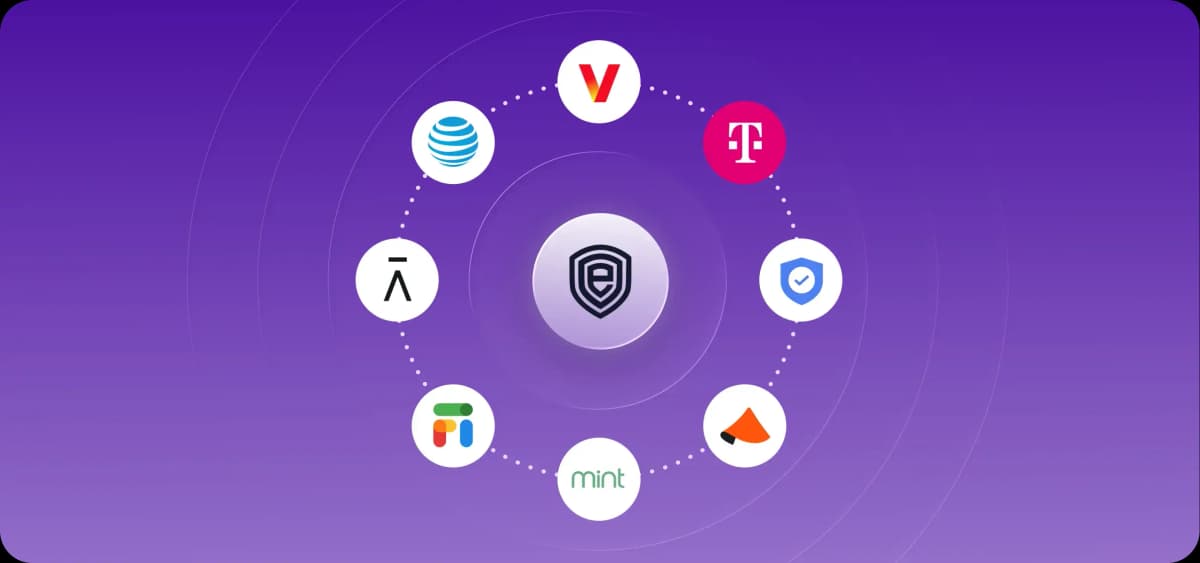
- The free account locks at Verizon, AT&T, T-Mobile, Google Fi and Mint Mobile cost nothing and are all opt-in, so almost nobody has them on.
- Efani's SAFE plan is $99 a month or $999 a year, $89 per line for business accounts of five or more, with 40 GB of priority data on AT&T or Verizon.
- In the Princeton study that produced the widely quoted "80% of SIM swaps succeed" figure, researchers succeeded in 39 of 50 attempts, and all 30 attempts at the three major carriers worked.
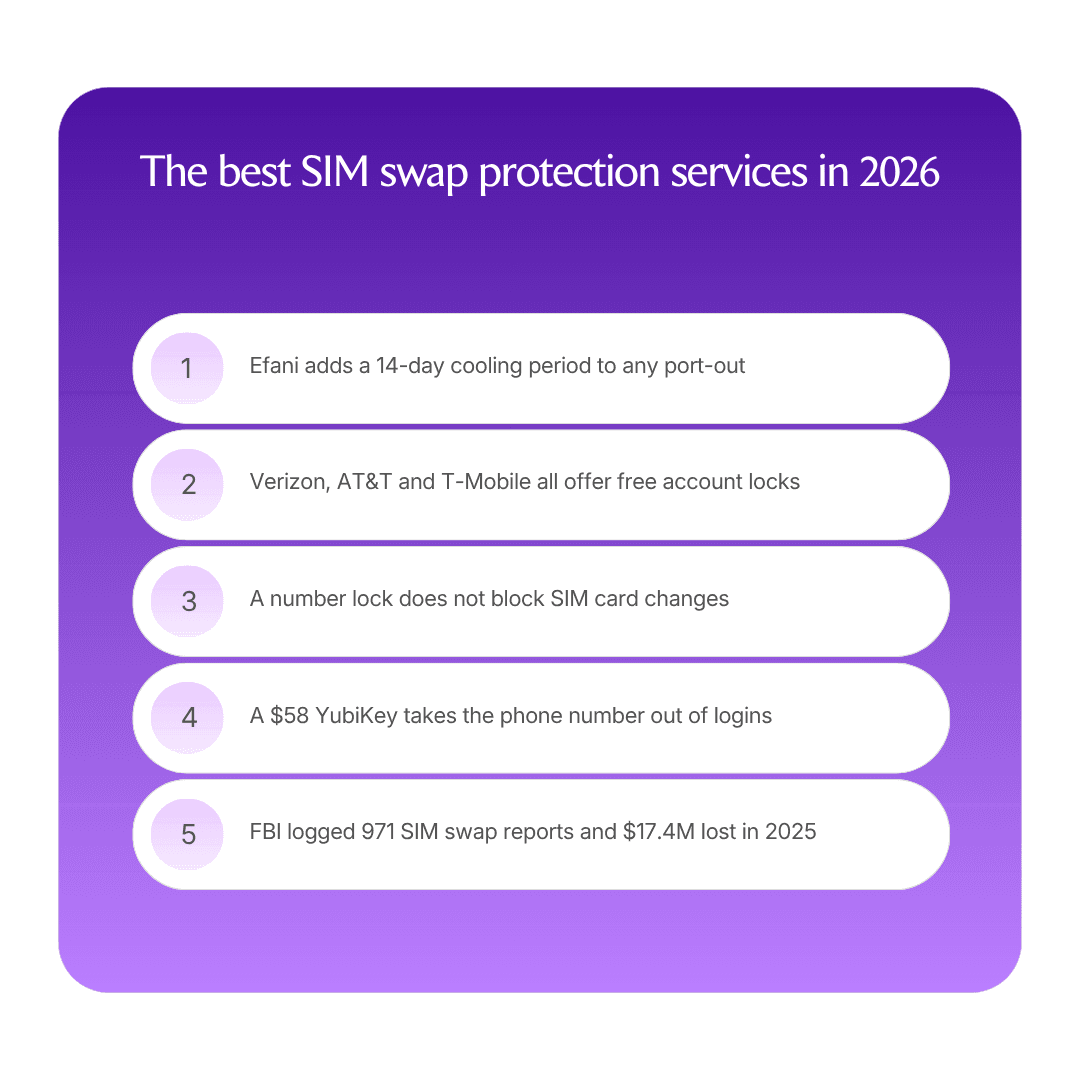
- FBI IC3 recorded 971 SIM swap complaints and $17.4M in losses in 2025, down from $48.8M in 2023. Reported losses are falling, individual losses are not.
- A YubiKey 5 NFC is $58 and removes the phone number from the login path entirely, which is the only fix that survives a successful swap.
- The man who hijacked the SEC's social account in 2024 used a printed fake ID at a retail store, not a hack. He was sentenced to 14 months in May 2025.
Efani is the strongest SIM swap protection available in 2026, because it moves your number off a mainstream carrier's retail support process and puts a 14-day port-out cooling period in front of any change. For most people the first move is free: switch on your carrier's own SIM and port-out locks today, then decide whether you need more.
How SIM swap protection compares
Rank | Option | What it is | Standout protection | Price |
1 | Efani | Security-first US mobile carrier | 14-day port-out cooling period, multi-person manual review | $99/mo or $999/yr |
2 | Hardware security keys | Phishing-resistant login hardware | Takes the phone number out of the login path | From $29 |
3 | Verizon SIM Protection and Number Lock | Free carrier account controls | Two separate locks, SIM changes and ports | Free |
4 | T-Mobile SIM Protection and Port Out Protection | Free carrier account controls | Only the primary account holder can remove them | Free |
5 | AT&T Wireless Account Lock | Free carrier account control | Blocks SIM swaps, device buys and number transfers | Free |
6 | Google Fi Number Lock | Free carrier account control | Blocks transfers to another device or carrier | Included with plan |
7 | Mint Mobile Number Lock | Free carrier account control | Blocks SIM and eSIM changes | Included with plan |
8 | Cloaked | Phone number masking | Keeps your real number off forms and databases | From $14.99/mo |
9 | Optery | Personal data removal | Removes the data brokers a social engineer reads first | From $3.25/mo |
10 | Aura | Bundled identity monitoring | Credit locks and monitoring after the fact | From $12/mo |
How we chose
Does it stop the swap, or only tell you about it? Monitoring services notify you. Locks and cooling periods prevent. Both have a place, and only one buys you time.
Does it survive the retail counter? Most successful SIM swaps are social engineering against a human, in a store or on a phone line, not a technical attack. Any protection that a persuasive caller can talk a representative out of is decoration.
Does it remove the phone number from the login path? The reason a hijacked number is catastrophic is that too many accounts still accept an SMS code as proof of identity. Fixing that at your accounts is the only defense that holds after a swap succeeds.
What does it cost, and is that published? Every price in this guide came off a public pricing page, and where a vendor does not publish one, the entry says so.
What is a SIM swap attack?
A SIM swap is when someone convinces your mobile carrier to move your phone number to a SIM card they control, then uses it to intercept the SMS codes and password-reset links that guard your email, bank and exchange accounts. The FBI's own definition calls it "the use of unsophisticated social engineering techniques against mobile service providers." Unsophisticated is the operative word.
A port-out is the same outcome by a different route: instead of a new SIM on your existing account, the attacker transfers your number to a different carrier entirely. Carriers treat the two as separate risks with separate controls, which is why turning on one lock and assuming you are covered is a common and expensive mistake.
The reason it works is that your phone number became an identity document without anyone deciding it should. The 2020 Princeton study that mapped this found that of 140-plus websites analyzed, 17 could be fully compromised by a SIM swap alone, and nine were still vulnerable in default configuration more than 60 days after the researchers disclosed it.
What are the best ways to protect against SIM swap fraud in 2026?
1. Efani: the highest-assurance option
Efani is a US mobile carrier built around one job: making your number very hard to move. It runs on AT&T or Verizon, and the security model is procedural rather than technical. Efani describes an 11-layer proprietary client authentication protocol, and says that any major change to an account has to be approved by multiple staff members through a manual process that includes a notarized statement. A SIM swap is blocked by default. Sitting behind that is a mandatory 14-day cooling period on any port-out, which is the single most useful feature in this entire guide, because it converts an irreversible five-minute theft into a two-week window in which you find out and stop it.
Efani also keeps accounts away from the mainstream carriers' own support tooling, which is the thing being attacked. In the Eric Council case, the attacker did not defeat a security system. He printed a fake ID, walked into an AT&T store in Huntsville and asked. Removing your number from that retail channel removes that whole class of attack.
The plan is one plan, called SAFE: $99 a month or $999 a year, with unlimited talk, text and data across the US, Canada and Mexico, 40 GB of priority LTE and 5G before speeds slow, mobile hotspot, Wi-Fi calling, 500 international calling minutes and coverage in 200-plus countries via roughly 450 roaming agreements. Business accounts of five or more lines are $89 per line monthly or $899 annually, payable by ACH, PayPal or check, and Efani accepts card, ACH or cryptocurrency for individuals. Premium plans go up to 200 GB. eSIM is supported and preferred, with optional dual-eSIM and a global data eSIM. There is a 60-day money-back policy, and Efani states activation usually completes within two to four hours.
Efani also markets up to $5 million of cover for losses caused by a SIM swap, which it says every member has from day one, backed by Lloyd's syndicates. Read that as a reason to ask for the policy wording rather than as a settled number: Efani publishes a policy schedule but no claims process, no exclusions list and no policy period, and the schedule's own sublimits are structured differently from the headline. Anyone buying primarily for the insurance should get the terms in writing first. Founder Haseeb Awan started the company after being SIM swapped repeatedly, and previously co-founded the Bitcoin ATM company BitAccess.
Two honest limits. The 40 GB throttle means "unlimited" is not a home-internet replacement, and Efani says so on its own FAQ. And you have to port your number to Efani, which means leaving your current plan, unlocking your device and, if you are on a corporate or family account, getting the administrator's authorization first.
Best for: founders, executives, finance signatories and anyone holding self-custodied crypto, where a hijacked number is a direct route to a large irreversible loss.
Who should pick something else: heavy data users, anyone who needs T-Mobile coverage, and anyone whose threat model is phishing or malware rather than their carrier account, since a carrier change does nothing for either.
Pricing: $99 per month or $999 per year, business lines $89 per month at five or more. Source: Efani's pricing page.
2. Hardware security keys: the only fix that survives a swap
A YubiKey or a Titan key does not protect your phone number. It makes your phone number irrelevant, which is better. Once an account uses a hardware key as its second factor and SMS recovery is switched off, someone holding your number holds nothing.
Yubico publishes its prices: the Security Key NFC and Security Key C NFC are $29, the YubiKey 5 NFC and 5C NFC are $58, the 5 Nano and 5C Nano are $68, the 5Ci is $85, the biometric Bio models are $98, and FIPS-validated variants run $88 to $115, with free US shipping over $100. Google's Titan Security Key with FIDO2 USB-A or USB-C plus NFC stores over 250 passkeys per Google's 2023 launch post, and its price is on the Google Store rather than published in a readable spec sheet, so check it there.
Buy two, always. One key is a lockout risk rather than a security measure, and the enrollment work is the real cost: the keys are cheap and going through email, banking, exchange, cloud and password-manager accounts to enroll them and remove SMS fallback is an afternoon.
Best for: everyone, and especially the handful of accounts where a takeover would be unrecoverable.
Who should pick something else: nobody, though it is a complement rather than a substitute, since a stolen number still reaches accounts you have not converted yet.
Pricing: from $29 for a Security Key NFC to $115 for FIPS models. Source: Yubico's store.
3. Verizon SIM Protection and Number Lock: free, and two separate switches
Verizon offers both controls at no cost. SIM Protection locks the lines on your account so no SIM change is processed until you unlock it. Number Lock stops your number being moved to another line or carrier. Turning either off requires responding to a security authorization code.
The part people get wrong is in Verizon's own documentation: "Number Lock on your number doesn't help prevent SIM card changes or equipment changes to your device." You need both, and neither is on by default. Do it from My Verizon or by dialing 611, and check every line on a family or business account rather than just your own.
Best for: any Verizon postpaid customer, which is to say do this before you finish reading.
Who should pick something else: nobody on Verizon. This is the floor, not the ceiling.
Pricing: free. Source: Verizon's account security pages.
4. T-Mobile SIM Protection and Port Out Protection: the best removal rules
T-Mobile also splits the protection in two, and both are free. SIM Protection prevents your number being moved to another device and covers postpaid accounts. Port Out Protection blocks transfers to another carrier and is available to postpaid, business, prepaid and Metro customers.
T-Mobile's rules on removal are the strongest of the three major carriers. An authorized user can add the protections, but only the primary account holder can remove them, which closes the gap that makes AT&T's version weaker. The catch is that Port Out Protection has to be added to each line on the account individually, so an account with six lines needs six trips through the setting. Note also that the older "Account Takeover Protection" name is gone; the current control is Port Out Protection.
Best for: T-Mobile, Metro and T-Mobile for Business customers, including prepaid, which the other two carriers cover less clearly.
Who should pick something else: nobody on T-Mobile, though the per-line setup means you should audit rather than assume.
Pricing: free. Source: T-Mobile's SIM protection support page.
5. AT&T Wireless Account Lock: broad, and easy to undo
AT&T's Wireless Account Lock is free and broader in scope than its rivals: launched in July 2025, it disables key account changes across every device and line, including billing updates, number transfers, device purchases and SIM swaps. One switch instead of two is a real usability win, and the breadth means it also blocks the fraudulent device upgrade that often accompanies a swap.
Two weaknesses are worth knowing. It is app-only, so you need the AT&T app on a device active on the account, and standalone tablets, hotspots and wireless home phones need a call or a store visit. And anyone with primary or secondary access to the account can turn it off, which is a meaningfully lower bar than T-Mobile's primary-holder-only rule. On a shared family account, that is the whole protection resting on the least careful person with login rights.
Best for: AT&T wireless customers who want one setting rather than several.
Who should pick something else: accounts with several authorized users, where the removal rule undercuts the lock. Tighten who has account access at the same time.
Pricing: free. Source: AT&T's Wireless Account Lock support article.
6. Google Fi Number Lock: good lock, single point of failure
Google Fi includes Number Lock at no extra cost. With it on, your number cannot be transferred to another phone or ported to another carrier. Plans run $65 a month for Unlimited Premium with 100 GB of high-speed data, $50 for Unlimited Standard with 50 GB, $35 for Unlimited Essentials with 30 GB, and $20 plus $10 per gigabyte on Flexible, dropping to $40, $25 and $23 per line at six lines.
The structural caveat is Google's own: "If you turn on Number Lock and lose access to your Google Account, Google Fi can't provide your port-out parameters." Fi support authenticates you through your Google Account, so your line's security becomes your Google Account's security. That is fine if that account has a hardware key on it and no SMS recovery. It is a single point of failure if it does not.
Best for: people who already run their email and files on Google and have properly hardened that account.
Who should pick something else: anyone whose Google Account still falls back to SMS recovery, which turns the lock into a circle.
Pricing: Number Lock free with any plan, plans from $20 per month. Source: Google Fi's plans and support pages.
7. Mint Mobile Number Lock: cheap plan, awkward unlock
Mint Mobile includes a free Number Lock that protects a physical SIM or eSIM from unauthorized changes, set from the app under Account then Security. Plans span 6 GB, 17 GB, 23 GB and unlimited tiers across 3, 6 and 12-month prepayments, with an introductory rate of $15 a month and renewal rates in the $20 to $45 range depending on tier and term, and reduced speeds possible above 50 GB on the unlimited plan.
The unlock path is the flaw, and Mint publishes it: disabling Number Lock "requires verification via a one-time password sent to your number or email." An attacker who already controls the number is being asked to prove control of the number. Email is the alternative, so the strength of the lock rests on your email account. Turning it on also blocks activating a new SIM, ordering a replacement or changing phones until you turn it off.
Best for: cost-conscious users who want a lock without changing carrier economics.
Who should pick something else: anyone whose threat model includes their email being compromised first, which is most realistic attack chains.
Pricing: Number Lock free, plans from $15 per month introductory. Source: Mint Mobile's plans and help pages.
8. Cloaked: keep the real number out of circulation
Cloaked generates unlimited masked phone numbers and email aliases so the number you hand to forms, vendors and marketplaces is never your real one, alongside data removal from 1,000-plus sites, spam and scam call filtering, a VPN and a password manager. Individual is $14.99 a month or $119.99 a year, Couple is $19.99 or $174.99, and Family covers up to three additional members at $29.99 or $299.99.
Be clear about what this is. Cloaked reduces how many databases hold your real number, which reduces how easily an attacker finds and targets it. It does not protect the line itself, and any account that already has your real number on file, which means your bank, your exchange and your email recovery settings, is untouched. Useful upstream, not a substitute for a lock.
Best for: reducing exposure going forward, and for anyone whose number has become the default field they type into everything.
Who should pick something else: anyone looking for actual carrier-level protection. This is disclosure reduction.
Pricing: $14.99 to $29.99 per month, or $119.99 to $299.99 per year. Source: Cloaked's pricing page.
9. Optery: remove what the social engineer reads first
A SIM swap starts with research: name, date of birth, address history, the last four of a card, the name of a family member. Data broker and people-search sites serve that on a plate, and Optery removes you from them. Core is $3.99 a month, or $39 billed yearly, covering 380-plus sites with one name and one city. Extended is $14.99 monthly or $149 a year, covering 560-plus sites with unlimited name variations, past cities, a human privacy agent and before-and-after screenshots roughly every 90 days. Ultimate is $24.99 or $249 a year across 635-plus sites. There is a free self-service tier and a 30-day money-back guarantee.
Read the site counts carefully, because Optery does: the headline figures require enabling "Expanded Reach," and without it the tiers cover 150-plus, 330-plus and 405-plus sites. Core's single-name, single-city cap is also restrictive for anyone who has moved.
Best for: making yourself harder to research before an attack, especially executives whose details are semi-public.
Who should pick something else: anyone who wants a lock or a claim. Removal is prevention at the reconnaissance stage and nothing more.
Pricing: $3.25 to $24.99 per month depending on tier and billing. Source: Optery's pricing page.
10. Aura: monitoring for after it happens
Aura bundles data removal from 425-plus brokers and people-search sites, three-bureau credit monitoring, instant credit lock, antivirus, VPN and a password manager. Family covers five adults at $32 a month billed annually or $50 monthly with $5M of identity theft insurance, Couple is $22 or $29 with $2M, and Individual is $12 or $15 with $1M. There is a 14-day trial and a 60-day money-back guarantee on annual plans.
The honest framing is that this is recovery, not prevention. Aura does nothing at the carrier layer, and the insurance is identity-theft expense reimbursement covering eligible losses and fees, which is not a promise that drained funds are restored. It earns its place at the bottom of this list because credit locks and monitoring do shorten the damage window, and because household coverage answers for the family members whose data is the way in to you.
Best for: households that want monitoring and credit controls across several people in one subscription.
Who should pick something else: anyone treating it as SIM swap protection. Turn on your free carrier locks first, then consider this.
Pricing: $12 to $50 per month depending on tier and billing. Source: Aura's pricing page.
What does the data actually say about SIM swap risk?
Two numbers get quoted constantly and both need context.
The first is the FBI's. Its 2025 Internet Crime Report logged 971 SIM swap complaints and $17,366,758 in losses, against 982 complaints and $25,983,946 in 2024 and 1,075 complaints and $48,798,103 in 2023. Reported losses have fallen roughly 64% in two years, and complaint volume is flat to slightly down. Anyone selling you a rising-threat story using IC3 data is misreading it. What has not changed is the shape of the loss: a few thousand incidents a year, each one capable of emptying an account permanently.
The second is the "80% of SIM swap attempts succeed" line, and it deserves better handling than it usually gets. It comes from Lee, Kaiser, Mayer and Narayanan's SOUPS 2020 paper, which tested 50 prepaid accounts, 10 each at AT&T, T-Mobile, Tracfone, US Mobile and Verizon, with researchers deliberately failing authentication challenges. They succeeded 39 times out of 50. All 30 attempts at the three major carriers worked. Their key mechanical finding was that "callers only needed to successfully respond to one challenge in order to authenticate, even if they had failed numerous prior challenges in the call."
That study ran in 2019 on prepaid accounts, before any of the free locks in this guide existed. It is evidence that carrier authentication was broken then, not a measurement of 2026 success rates. Use it for what it shows: the attack surface is a human following a script, and the fix is a control that a script cannot override.
What changed in SIM swap protection since 2024?
The carriers finally shipped the locks. AT&T launched Wireless Account Lock in July 2025, and Verizon, T-Mobile, Google Fi and Mint all now publish free SIM or port-out controls. Every one of them is opt-in, none is on by default, and none of the carriers advertises them the way they advertise a data allowance.
The federal rules are still in limbo. The FCC adopted its SIM Swap and Port-Out Fraud order, FCC 23-95, on 15 November 2023, published it on 8 December 2023 with a stated effective date of 8 January 2024, and it requires secure authentication before a SIM change or port, immediate customer notification, and free optional account locks. Then in July 2024 the Wireline Competition Bureau granted industry a waiver so that compliance "will not be required until OMB completes review of the information collection requirements" and the Commission publishes a compliance date. The associated OMB collections were approved with change in January 2025. Confirm the current compliance status with the FCC before relying on the rules, because the practical position through 2026 is that carrier locks are voluntary features rather than enforced obligations.
Enforcement got harder. In April 2025 the Fifth Circuit vacated the FCC's roughly $57M forfeiture against AT&T in the customer location-data case, holding the in-house adjudication unconstitutional. That decision is about location data rather than SIM swap, but it weakens the FCC's ability to fine carriers for this class of violation by forfeiture order, which is worth knowing when you are deciding how much to rely on regulation versus your own controls.
The prosecutions show how low-tech this is. Eric Council Jr. was sentenced in May 2025 to 14 months and $50,000 forfeiture for the SEC social account hijack, having used a printed fake ID at a retail store to get a replacement SIM. In February 2026 Kimionte Bennett was sentenced to 70 months with $1,769,438 in restitution for a scheme that reassigned victims' numbers to attacker-controlled SIMs to intercept multi-factor codes and drain crypto accounts. No zero-days in either.
Why this matters if you run a revenue team
Your reps' mobile numbers are business infrastructure. They are on email signatures, in your CRM, on conference badges and in every prospect's phone, and the people whose numbers are most exposed are usually the ones with the most account access. An account executive's hijacked number is a route into email, and from email into your CRM.
Two practical steps that cost nothing. Make free carrier locks part of sales onboarding, alongside the laptop and the password manager, and audit whether your CRM and calling tools are handing out personal mobile numbers where a pooled business number would do. Company-owned numbers on an outbound dialer keep the personal line out of circulation, and disciplined CRM data management limits how much personal contact detail sits in systems that a compromised login can export. Neither is a security program, and both narrow the target.
Frequently asked questions
Can you completely prevent a SIM swap?
Not by carrier controls alone. You can make it very hard, which is what a 14-day port-out cooling period and a multi-person manual review at Efani are for, and you can make it survivable by removing the phone number from the login path with hardware keys and passkeys. The realistic goal is that a successful swap becomes an inconvenience rather than a loss.
Is Efani worth $99 a month?
It depends on what a hijacked number would cost you. For someone with self-custodied crypto, signing authority on company accounts, or a public profile that makes them a target, $1,188 a year against an irreversible six-figure loss is cheap. For someone whose accounts are already on hardware keys with no SMS recovery, the free carrier locks plus that setup cover most of the same ground. Buy the port-out cooling period and the manual review process, not the insurance headline.
What is the difference between SIM protection and number lock?
SIM protection stops your number being moved to a different SIM card on your existing account. Number lock, or port-out protection, stops your number being transferred to another line or another carrier. They defend different attack routes, and Verizon states outright that number lock does not prevent SIM card changes. On Verizon and T-Mobile you need to switch on both. AT&T's single Wireless Account Lock covers both plus device purchases and billing changes.
Does two-factor authentication over SMS still make sense?
It is better than nothing and worse than everything else. SMS codes are exactly what a SIM swap steals, so any account where SMS is the second factor or the recovery method inherits your carrier's weakest support representative. Move important accounts to an authenticator app or, better, a hardware key or passkey, and then go back and remove the SMS fallback, which is the step people skip and the one that matters.
How do attackers get the information they need?
Mostly by looking it up. Data brokers and people-search sites publish addresses, relatives, past cities and dates of birth, breach dumps supply the rest, and a social media profile fills the gaps. In the SEC case the attacker needed only enough to produce a convincing fake ID and answer a question at a counter. That is why data removal services sit in this guide at all: they raise the cost of the reconnaissance step.
What should I do first, today?
Three things, in order. Switch on every free SIM and port-out lock your carrier offers, on every line on the account, not just yours. Remove SMS as a recovery method from your email, then your bank and any exchange, replacing it with an authenticator app or a hardware key. Then decide whether your exposure justifies a security-first carrier. The first two are free and take under an hour.
Are the free carrier locks actually effective?
They are meaningfully better than nothing and they are not equal. T-Mobile's rule that only the primary account holder can remove the protections is the strongest, AT&T's breadth is good but any authorized user can undo it, and Mint's unlock flow sends a one-time code to the very number being protected. Read your carrier's removal process rather than the marketing, because that process is what an attacker will be talking to.
The takeaway
Most of the value in this list is free and unused. Turn on your carrier's SIM and port-out locks, take SMS out of your recovery paths, and you have closed the routes that nearly every real case in the last two years actually used. Do that first.
Then decide about the rest by exposure. If a hijacked number would cost you something you cannot get back, Efani's cooling period and manual review process are the strongest protection you can buy in 2026, and hardware keys at $29 to $58 are the cheapest thing on this page with the largest effect. If you are protecting a household rather than a treasury, data removal and monitoring are a more sensible place to spend.
Jaspar Carmichael-Jack
Co-Founder & CEO @ Artisan
Jaspar is an entrepreneur with expertise in sales, marketing, and operations. He founded Artisan in 2023, a company automating workflows with AI employees.