Boost conversions with AI-powered automated lead scoring
Learn how automated lead scoring helps you focus on high-value leads and boost conversion rates. A tactical guide for startup founders and sales leaders.
Sales always begins with qualification, whether manual or automated. What drives conversions is how fast and how accurately you qualify.
AI-powered lead scoring delivers both speed and accuracy.
It ranks leads in real time based on closed-won data and removes the guesswork from prioritization.
What is automated lead scoring?
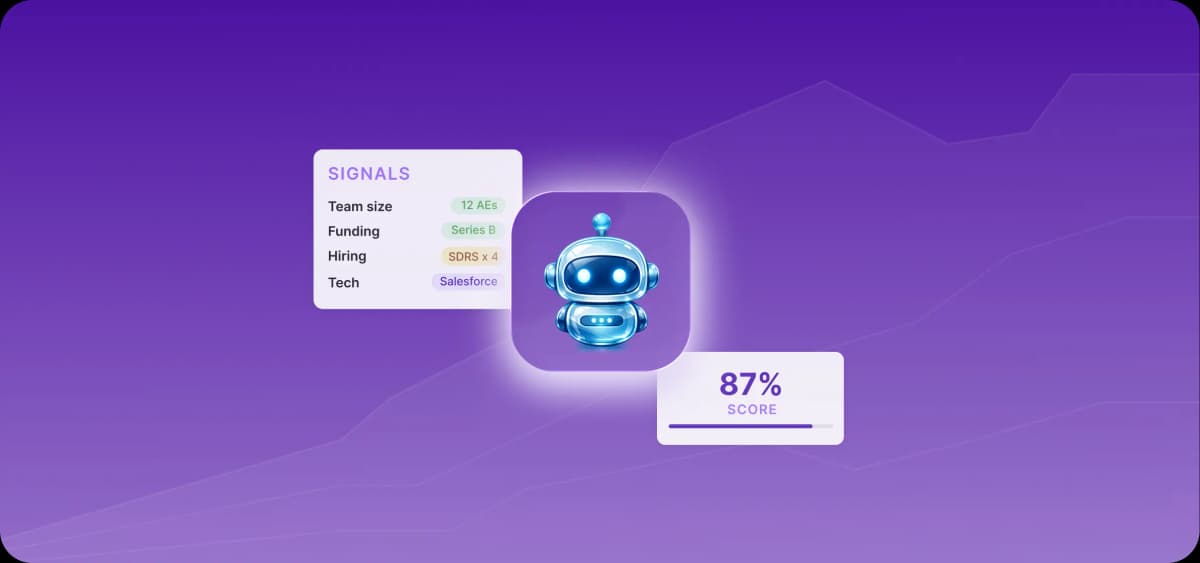
Automated lead scoring ranks leads based on their likelihood of converting and triggers next steps without manual triage. In modern workflows, this means combining CRM data, enrichment, engagement signals, and intent data into a single score that updates in real time.
Behind the scenes, machine learning algorithms analyze conversion patterns and adjust scoring weights automatically based on new pipeline data.
7 signs you're ready for automated lead scoring
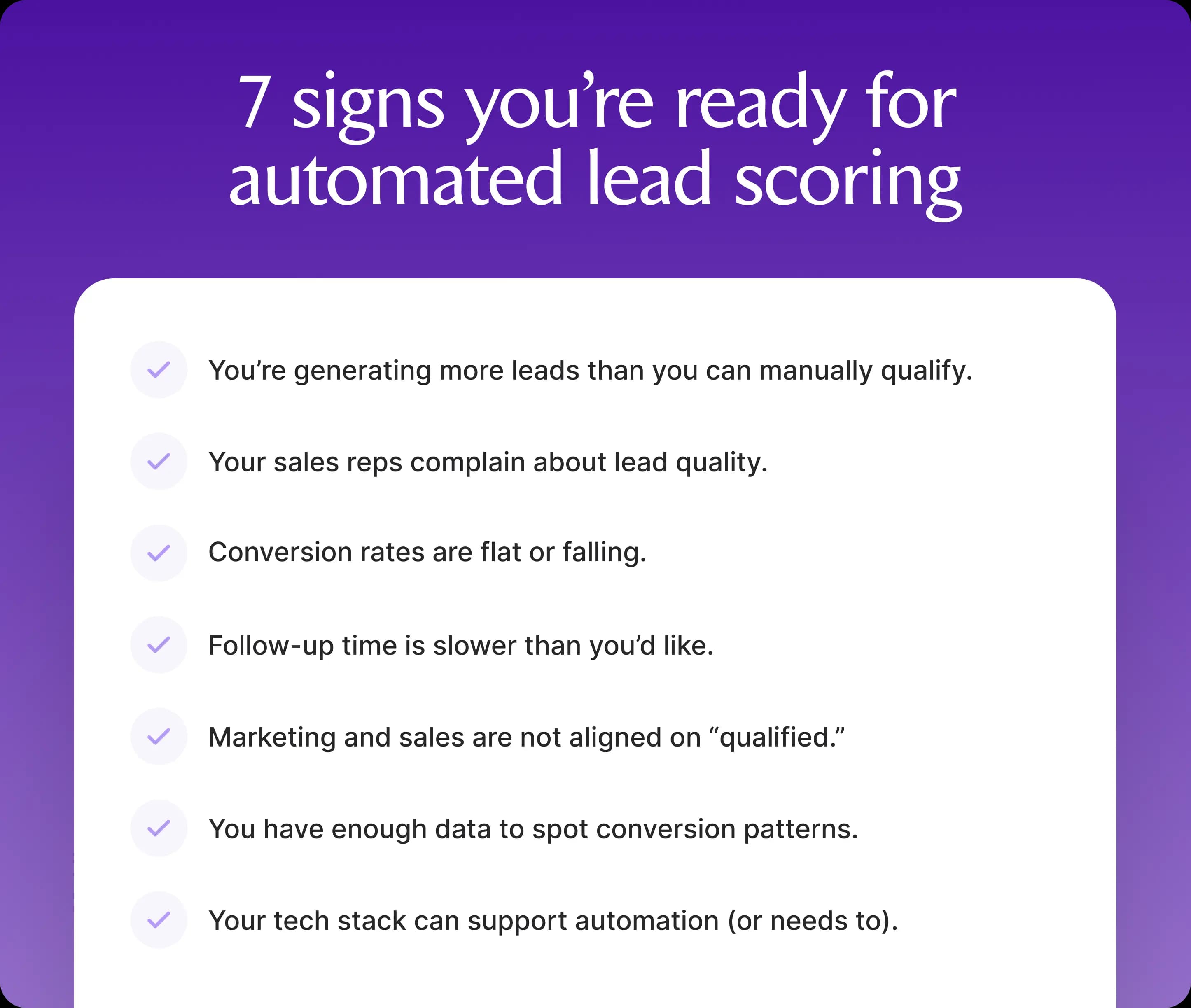
Manual qualification can break down before you even realize it. If three or more of these signs apply to you, you're ready for AI-powered lead scoring.
1. You're receiving more leads than you can manually qualify
When your sales team spends more time sorting leads than actually selling, qualification becomes a bottleneck, and response time slips.
According to ZoomInfo’s report The State of AI in Sales & Marketing 2025, sales teams using AI save around 12 hours per week and see a 47% productivity lift, mostly by removing manual tasks like triage and prioritization.
2. Your sales reps complain about lead quality
If reps don't trust the leads they receive, they ignore scores and work off instinct. This is usually a clear signal that your scoring model doesn't reflect reality.
Most scoring models are built once and rarely updated with real outcomes. Over time, they drift away from an agreed-upon definition of "qualified."
Automated lead scoring fixes this by continuously recalibrating based on conversion data. Your model begins to reflect reality, and reps start trusting it again.
3. Conversion rates are flat or falling
Are you generating more leads, but revenue isn't moving? This scenario usually points to a prioritization problem. Your pipeline likely contains high-fit but low-intent leads that you can't easily filter without AI-powered scoring.
4. Follow-up time is slower than you'd like
Hot leads don't stay hot for long. The longer it takes to identify and act on real intent, the more deals slip through. Manual qualification delays this process. Reps work through queues, inboxes, and static lists instead of reacting to signals as they happen.
Automated lead scoring reduces this delay by ranking leads in real time and pushing the most relevant ones to the top.
5. Marketing and sales are not aligned on "qualified"
Marketing generates leads based on engagement. Sales evaluates them based on readiness to buy. When these definitions don't match, friction builds quickly. Automated scoring aligns both teams around outcome-based signals and ties qualification to what actually converts.
6. You have enough data to spot conversion patterns
Automated lead scoring turns historical outcomes into active prioritization. You can't deploy it in the first month of collecting pipeline data, but after two to three months, most teams have enough to work with.
You have “enough” data if you meet all of the following criteria:
50–100 closed-won deals in a similar segment
100–200 closed-lost deals (so the model can distinguish)
At least 2–3 months of consistent pipeline activity
Basic data hygiene (same fields filled across deals)
7. Your tech stack can support automation
You're ready for an automated lead scoring model when your stack can act on signals in real time.
This means your CRM, enrichment tools, and activity data are connected and able to trigger workflows like assigning leads, updating scores, and routing them, all without manual steps.
At the same time, gaps in your stack often become obvious at this stage. If data is duplicated, delayed, or missing across tools, any scoring model will break under real usage.
Using an all-in-one solution like Artisan helps you avoid the steep learning curve that comes with setting up complex tech stacks. Artisan is built around AI BDR Ava, an autonomous sales rep that handles all aspects of lead scoring, qualification, prioritization, and outreach.

How automated lead scoring changes the game
Automated lead scoring restructures your workflow around qualification. It gives sales and marketing teams a shared framework for deciding who matters now, what happens next, and which signals actually move your pipeline.
Unites sales and marketing around qualified leads
Lead scoring works best when it requires sales and marketing to use the same qualification logic. With a shared framework, marketing stops optimizing for surface-level engagement alone, and sales stops re-ranking leads manually based on instinct.
The payoff of this alignment is improved lead quality for 41% of sales teams, followed by increased revenue for 29%, according to HubSpot's 2025 Sales Trends report.
Automated scoring helps foster alignment because it combines ICP fit and buyer intent to assign a deal score, drawing on both marketing and sales analytics from your CRM.
Boosts conversion rates through prioritization
Research by Outreach identified lead qualification as the number one challenge for sellers. Buyer journeys are messier, more self-research happens before a rep is involved, and queues fill faster than teams can work them manually.
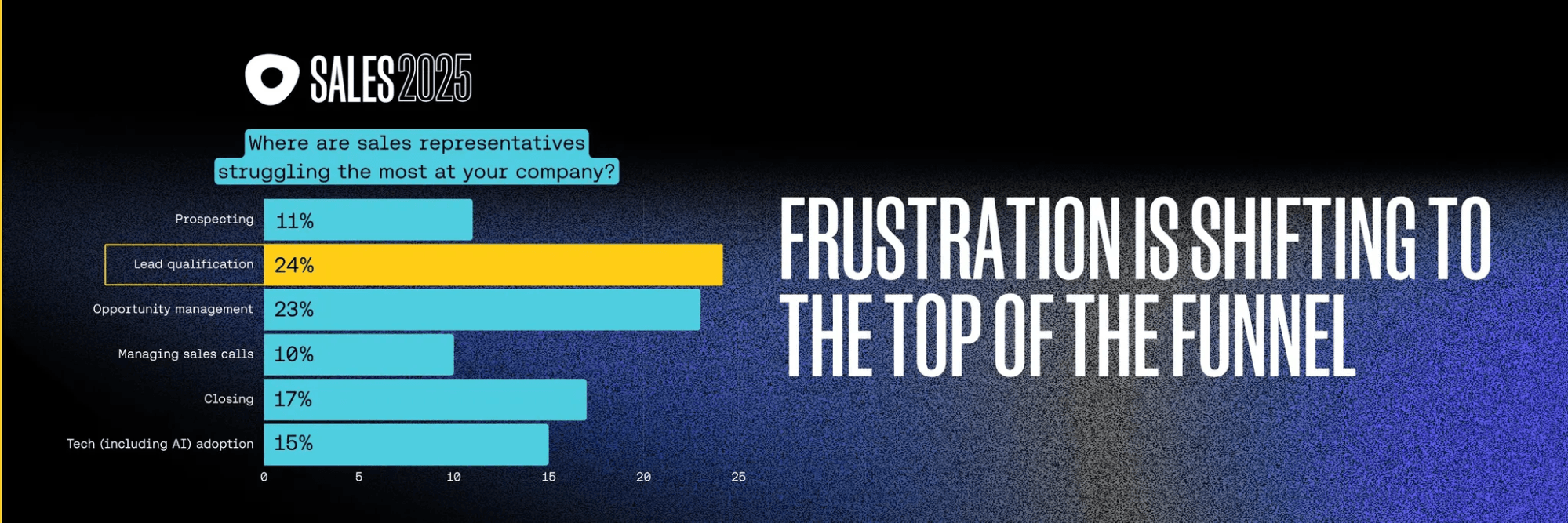
If your reps are still sorting lists by hand, high-fit accounts can sit untouched while lower-value leads consume attention.
Automated scoring closes this gap by ranking leads in real time and tying these rankings to routing, segmentation, and timely follow-up. Your team reaches the right leads while intent is still fresh.
Cuts time and closes more deals
The biggest operational win from automated lead scoring is straightforward: reps spend less time on research, field checks, and guessing who to contact first. AI handles the repetitive qualification layer, so sellers can spend more of their day in actual conversations.
What data should you include in your lead score?
A lead score is only as good as the signals behind it. This means combining fit, behavior, and outcomes into one model based on past conversion rates from closed-lost and closed-won deals.
Demographic and firmographic fit
Start by qualifying leads based on your ICP and buyer personas. This layer ensures your team spends time on accounts that are actually able and willing to buy.
Demographics like job title, seniority, and function tell you whether you're dealing with a decision-maker, an influencer, or someone who is unlikely to move a deal forward.
Firmographics like company size, revenue, and industry give you a first read on deal size and ICP alignment.
Here’s an example of firmographic and demographic scoring logic:
Signal | Example condition | Score impact |
Job title | VP, Director, Head of | +15 |
Seniority | Manager or above | +10 |
Company size | 50–500 employees (ICP range) | +20 |
Industry | SaaS, tech (core segment) | +15 |
Non-ICP role | Student, unrelated function | -20 |
Engagement and behavior signals
Behavior signals show what a lead is actually doing: visiting your website, engaging on social media, or assisting with company-level changes like new hiring, funding rounds, layoffs, or market expansion.
Watch for these high-signal actions that indicate mid-funnel progression:
Website visits
Repeat sessions
Pricing page views
Product interactions
Webinar registrations
Demo requests
Gated content downloads
There’s one caveat, however, that you should keep in mind when it comes to intent signals. HubSpot reported that 74% of sales professionals say AI makes it easier for buyers to research products independently. Buyers now ask ChatGPT, Copilot, or Gemini about features and pricing, read Reddit, and compare vendors before ever speaking to a sales rep.
So you see more digital activity earlier in the journey, and those signals don’t always mean readiness to buy. If you stick to the old lead scoring playbooks, where one pricing visit equated a strong signal, your scoring model would assign 10 points per visit. Thus, the score inflates too early.
On top of that, AI-assisted research tends to be bursty, so the prospect activity decays quickly. Your scoring model should account for this shift by limiting the weight of early research behavior and reducing scores when activity quickly goes stale.
Here is an example of behavioral scoring logic:
Signal | Example condition | Score impact |
Pricing page visit | Viewed within the last 7 days | +25 |
Website visits | 3+ sessions in 7 days | +15 |
Webinar signup | Attended or registered | +10 |
Email engagement | Multiple opens + click | +10 |
No activity | 30+ days inactive | -15 |
Point values that actually reflect buyer readiness
Not all actions are equal. A pricing page visit or a demo request carries more weight than a blog post view. A repeat visit from the same account matters more than a one-time click. Your scoring model should reflect these differences clearly.
Subtracting points is just as important. Unsubscribes, irrelevant job titles, or inactivity should actively push leads out of priority queues.
Here’s what a weighted scoring model looks like:
Action/attribute | Why it signals | Score impact |
Demo request | High buying intent | +40 |
Pricing page (repeat visits) | Active evaluation | +30 |
Content download | Early-mid funnel interest | +10 |
Unsubscribe | Disengagement | -25 |
Non-ICP company | Low likelihood of closing | -30 |
Use historical score data to set handoff thresholds
You need a clear threshold for when a lead moves from marketing to sales. That threshold should be agreed on by both teams and based on data about the number of points that reliably predict closed deals.
For example, if leads that score above 80 points consistently close, that becomes your SQL threshold. If leads in the 60 to 79 range convert less reliably, they should remain MQLs.
Build a scoring model that doesn't waste anyone's time
An effective scoring model helps sales teams act faster. If it requires too much maintenance or too much explaining, no one will use it.
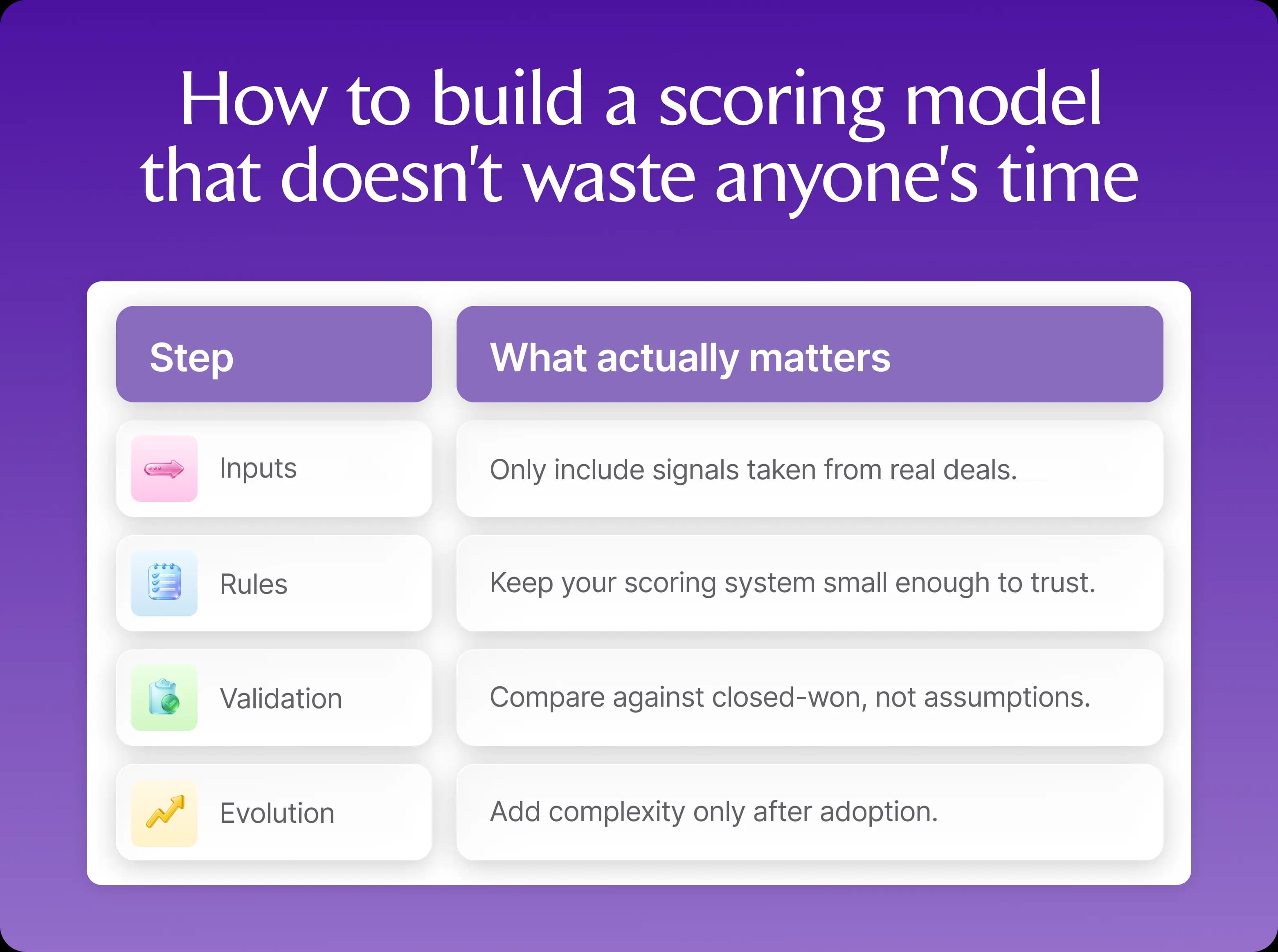
How to build a scoring model that doesn't waste anyone's time | |
Step | What actually matters |
Inputs | Only include signals taken from real deals. |
Rules | Keep your scoring system small enough to trust. |
Validation | Compare against closed-won, not assumptions. |
Evolution | Add complexity only after adoption. |
Start with clear scoring criteria
Begin with signals that were present in previously successful deals. This typically means putting together a mix of demographic, firmographic, and behavioral attributes like role, company fit, buying activity, and disqualifiers.
This starting point is where many teams overcomplicate their model. They create dozens of fields, assign arbitrary points, and try to anticipate every edge case, only to end up with scores no one can explain.
A better approach is to build your lead scoring on data that consistently shows up in closed-won and closed-lost deals.
If closed-won deals usually come from director-level buyers at mid-market SaaS companies who view pricing and request demos, use these signals. If certain titles, industries, or geographies never convert, score them down.
Balance simplicity with flexibility
Keep your first version small. Around 10 to 15 rules are usually enough to tell you whether your model is viable. Build it inside the tools you already use so scores update automatically. Then watch what happens. Do reps trust the score? Do leads move faster? And do handoffs improve?
Add complexity only after you know the model is working.
The table below presents 12 rules for your scoring model, with an example of how many points you might assign. Each signal maps to a stage in the customer journey, from early awareness to active evaluation and purchase readiness.
Category | Signal | Score |
Firmographic fit | ICP company size (50–500 employees) | +15 |
Target industry (core verticals) | +10 | |
Non-ICP industry | -20 | |
Demographic fit | Director/VP/Head of… | +15 |
Manager level | +8 | |
Junior or unrelated role | -15 | |
High-intent behavior | Demo request | +40 |
Pricing page visit (last 7 days) | +25 | |
3+ visits in 7 days | +15 | |
Mid-intent behavior | Webinar signup or attendance | +10 |
Content download (high-value) | +8 | |
Negative signals | No activity for 30+ days | -15 |
Email unsubscribe | -25 |
Identify your most powerful predictive signals
Once you have enough data, review your closed-won deals and identify the actions, account traits, and patterns they shared before conversion.
Look at your last 20 to 50 closed-won deals and ask:
What happened right before the sale?
What signals are repeated across accounts?
What showed up early vs. late?
These patterns act as the basis for your scoring criteria.
In addition, watch for these intent signals that usually indicate sales readiness:
Multiple stakeholders engaging
Short gap between first touch and high-intent action (1–7 days)
Repeat high-intent page visits (e.g., pricing or product pages)
Demo or meeting request
ICP fit combined with a recent activity spike
Finally, add time sensitivity as well. Recent signals should outweigh older ones.
How to automate scoring with AI: A practical guide
You don't need to rebuild your entire funnel to bring AI into lead scoring. Most modern CRMs already have built-in AI features that automate scoring out of the box.
If your pipeline data is inconsistent, however, AI won't fix it. It will mirror the inconsistency. Before introducing AI-powered workflows, make sure you maintain good CRM data hygiene.
Method 1. Start with AI scoring inside your CRM
Most CRMs now offer AI lead scoring. The easiest way to get started is to configure a predictive model inside your CRM.
For example, HubSpot’s AI-powered CRM scores leads using the following criteria:
ICP fit and engagement score
Changes in lifecycle stages (e.g., from MQL to SQL)
An evaluation timeframe (the period the model analyzes recent activity within a defined window, such as the last 30–90 days)
If in HubSpot you set “Score type: Engagement,” “Start: Lead,” “End: Customer,” and “Timeframe: 90 days,” the AI will analyze contacts who moved from Lead to Customer in the past 90 days, identify the engagement patterns they share, and generate a score based on these signals.
This is the easiest way to bring AI into lead scoring, since you aren't building a model from scratch. Instead, you tell your CRM to look at the leads that historically moved forward, find patterns, and score new leads against them.
Method 2. Keep the score simple, but automate everything around it
Simplicity is the best option when you aren't ready for full AI scoring inside your CRM but you still want lead qualification to move faster and to remove the manual steps that slow it down.
With this approach, you set up a small rules-based score and use sales and marketing automation to handle the repetitive work around it, such as lead enrichment, routing, alerts, sequence enrollment, and handoff.
CRMs like Attio, Salesforce, Pipedrive, and HubSpot all support these AI-powered workflows.
Method 3. Turn forms and chats into scoreable intent data
Some of the strongest buying signals don’t appear as clean CRM properties like "job title" or "page viewed." They come from form answers, chatbot questions, and sales calls.
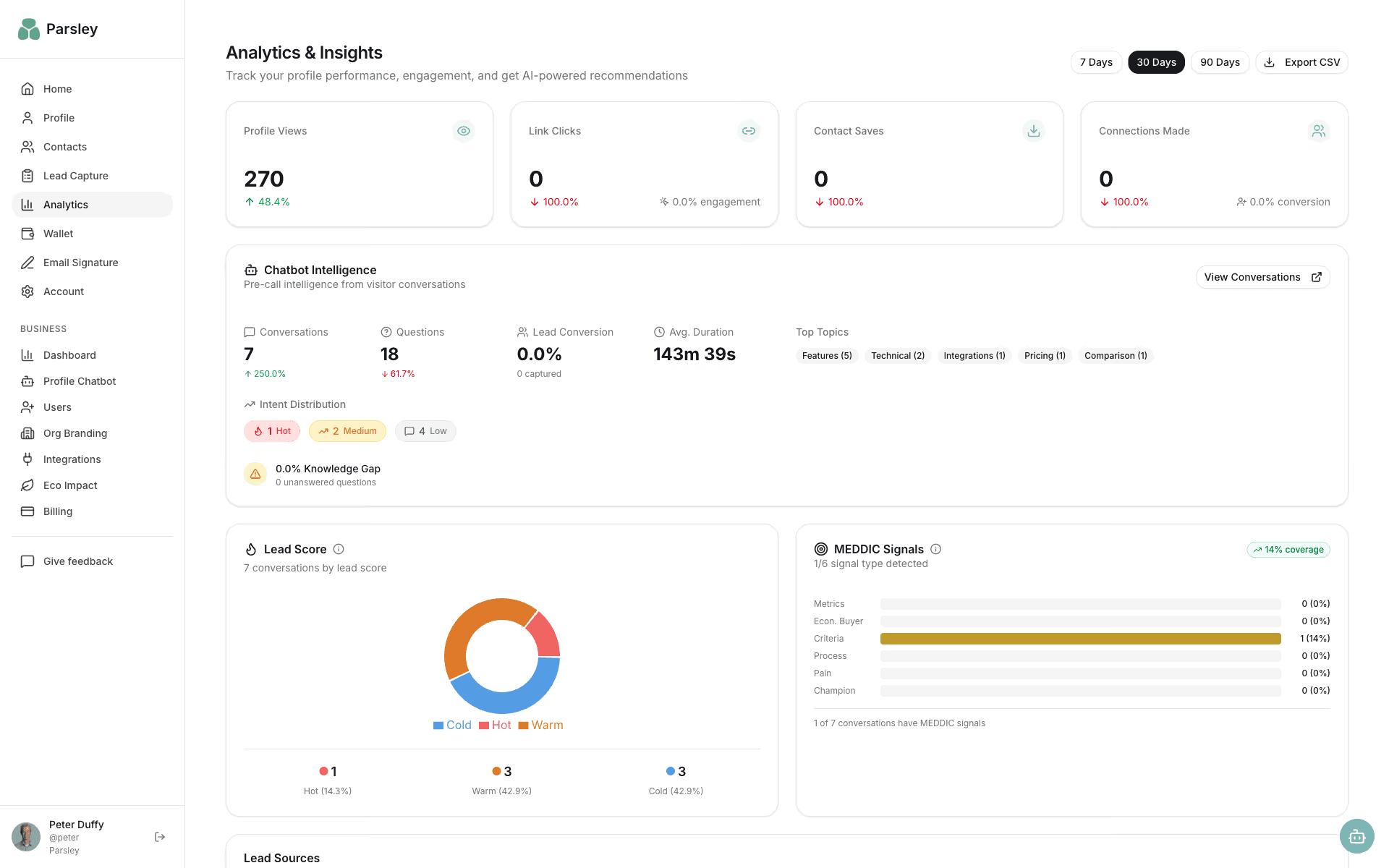
Attio CRM is a good example of a CRM that can handle this qualitative data. It offers two integrations, Surface and Parsley, that read unstructured input, extract useful signals, and turn them into data points you can use for scoring.
Surface, for example, scores and qualifies leads in real time using adaptive forms. Parsley pushes chatbot conversations into Attio as notes with budget, authority, need, and timing (BANT) signals, intent, and lead quality scores.
Method 4. Use Claude to propose weighted scoring criteria
Claude can analyze your CRM data and propose scoring criteria, making it an effective way to introduce AI into a manual scoring workflow. It excels at surfacing precise insights from files.
Here's how to use Claude for lead scoring:
1. Export a clean sample first
Pull your last 30 to 50 closed-won and closed-lost deals, plus the notes, transcript summaries, form answers, and chat logs attached to them. Export in CSV format.
2. Ask Claude to classify repeated pre-conversion signals
Upload your files to Claude and use the following prompt to propose scoring criteria and corresponding number values:
"Review our 50 won and lost deals in the last 90 days. Identify repeated signals that appear before conversion, especially around budget, authority, need, timing, pricing interest, implementation urgency, and integration requirements. Propose scoring criteria based on the signals that showed up before conversion. Propose score decay attributes and explain your choice. Finally, suggest 15 scoring rules and value points for each, as well as negative value points."
3. Push the logic back into your CRM
Create missing fields and assign score weights in your CRM.
4. Validate against new leads
Check whether leads matching these extracted patterns are actually converting at a higher rate. If not, adjust the rules.
How Artisan scores engagement inside your outbound platform
Artisan is an outbound sales platform that connects prospecting, intent data collection, and cold outreach under one roof. Most teams run these processes across multiple tools, which makes it difficult to build a seamless lead scoring workflow.
Ava scores and qualifies leads in real time
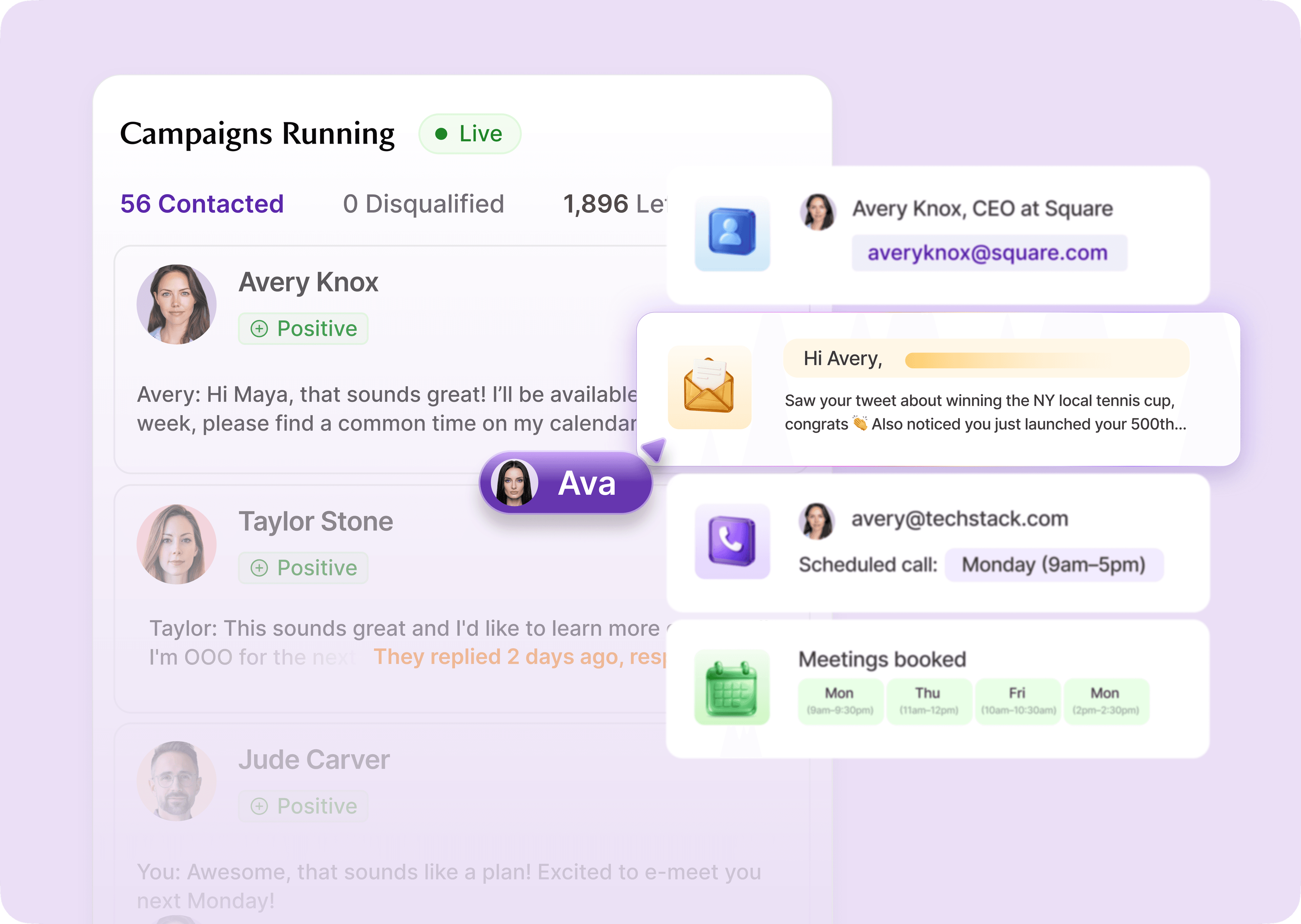
Ava prioritizes leads and accounts based on ICP fit and intent signals. This AI-assisted scoring happens automatically in the background and draws on hundreds of data points from Artisan's in-house database, the web, and third-party sources.
Scoring that's embedded in outreach, not bolted on
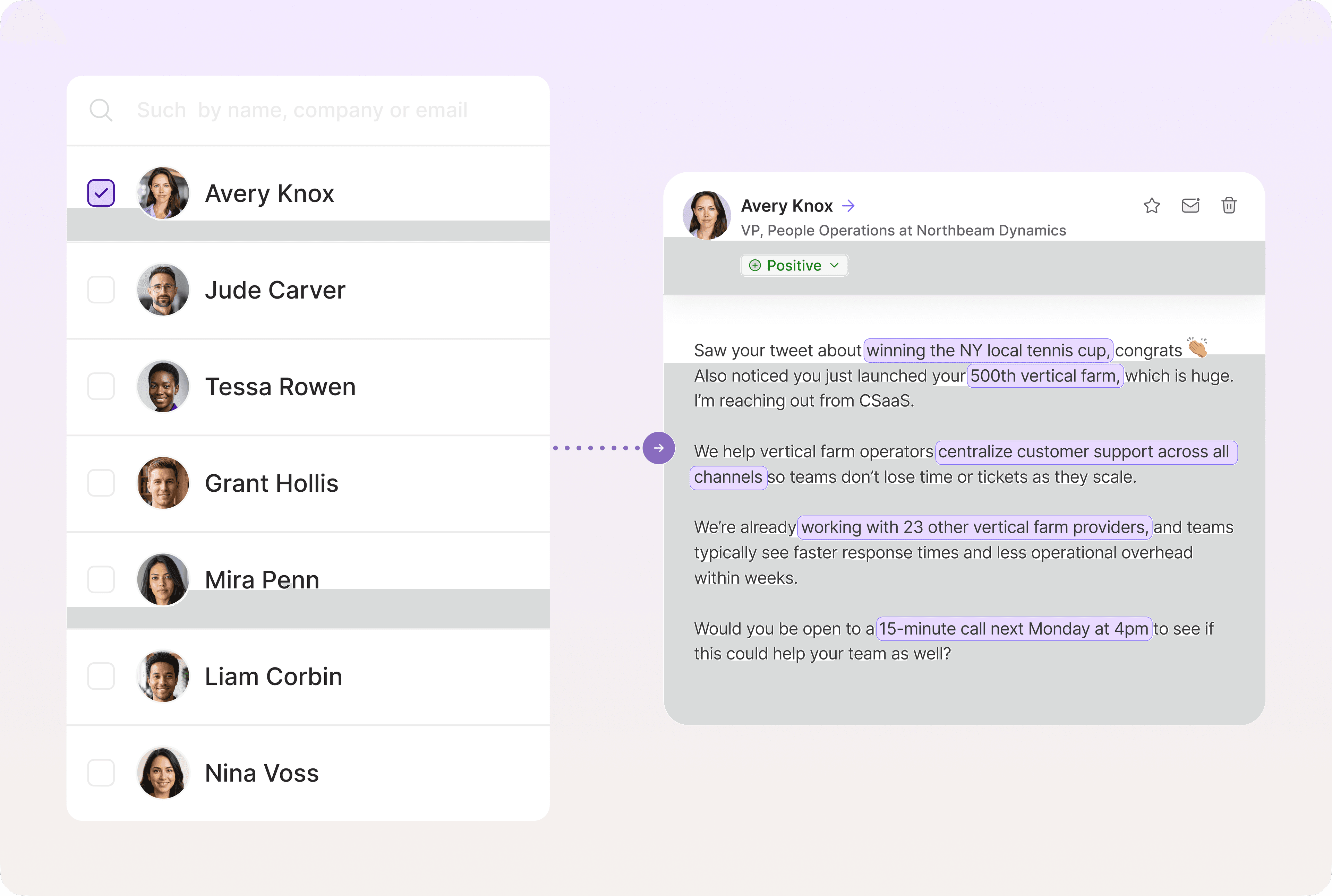
When a lead or account crosses a priority threshold, Ava launches deeply personalized outbound across email and social media without waiting for manual routing or approval. If intent spikes, Ava adapts sequences in real time. You can also set up semi-manual rules that require reps to review lead scores before Ava sends cold emails.
Built for speed, not admin overhead
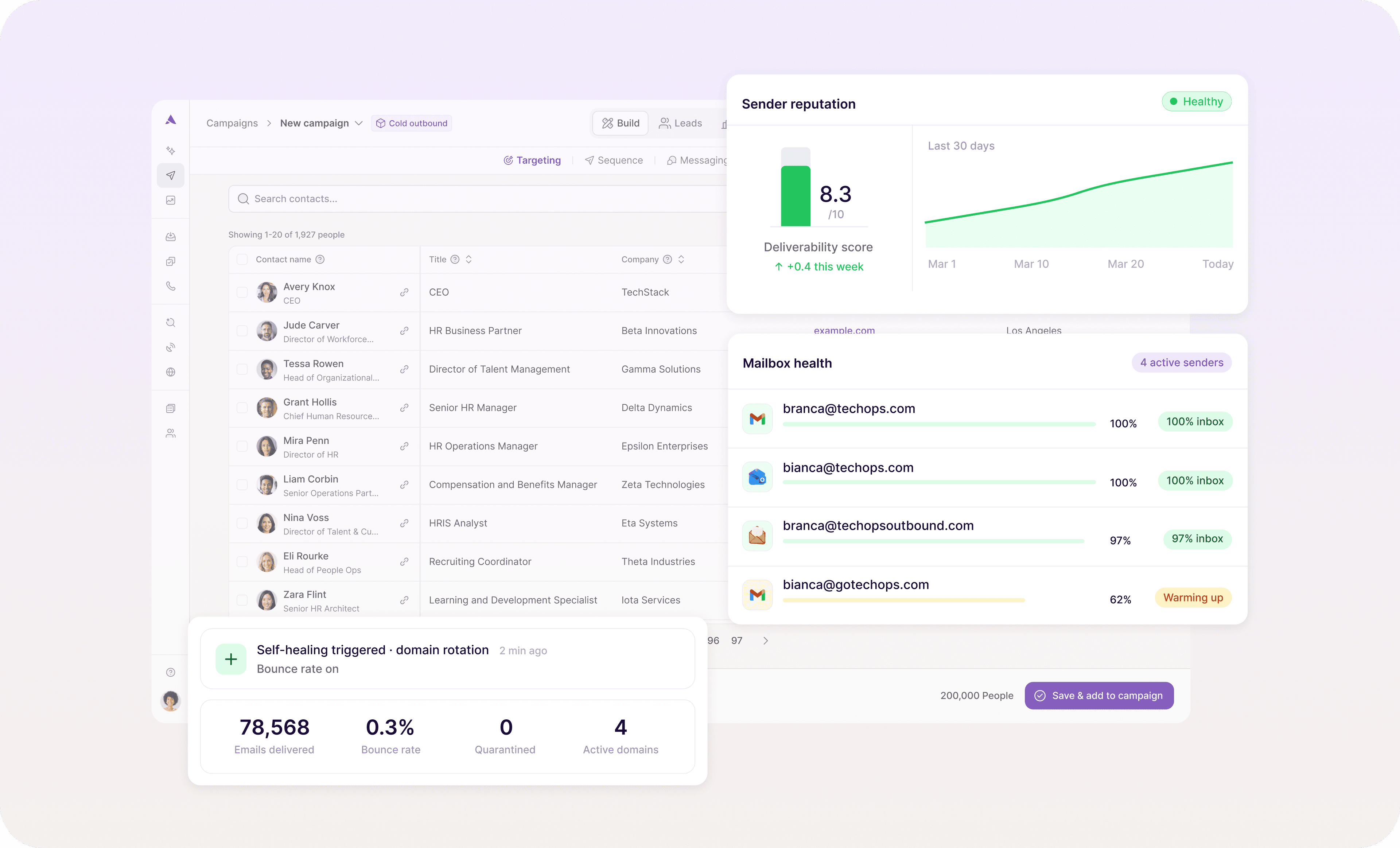
With Artisan, there's no exporting lists, syncing tools, or manually pushing leads between platforms. Ava handles prioritization, testing, and sequence optimization in the background while feeding response data back into your scoring model.
Qualified leads don't wait and neither should you
AI-powered lead scoring works when it reflects how buyers actually move. This means using the right mix of ICP fit, intent, and behavioral signals, keeping your model simple enough to trust but comprehensive enough to account for all relevant data points.
Scoring on its own, however, is not enough. Once a lead shows real buying intent, the advantage comes from acting on it immediately and at scale.
Artisan, an AI-first outbound solution, helps teams do exactly that by collecting firmographic, behavioral, and intent data. AI BDR Ava then translates these signals into scores and sends personalized outreach across email and social channels.

Automate your outbound with an AI BDR
Meet Ava—your AI BDR who handles prospecting, outreach, and follow-ups, so your team can focus on closing.

Jenny Romanchuk
SME @ Artisan
Jenny creates senior-level content for sales, SEO, and marketing professionals. She also leads partnerships at the District #1 Charitable Foundation.