WhatsApp for marketing: Tools, API and costs
A complete guide to WhatsApp for marketing covering Business API, automation tools, pricing, compliance, and real-world campaign examples.
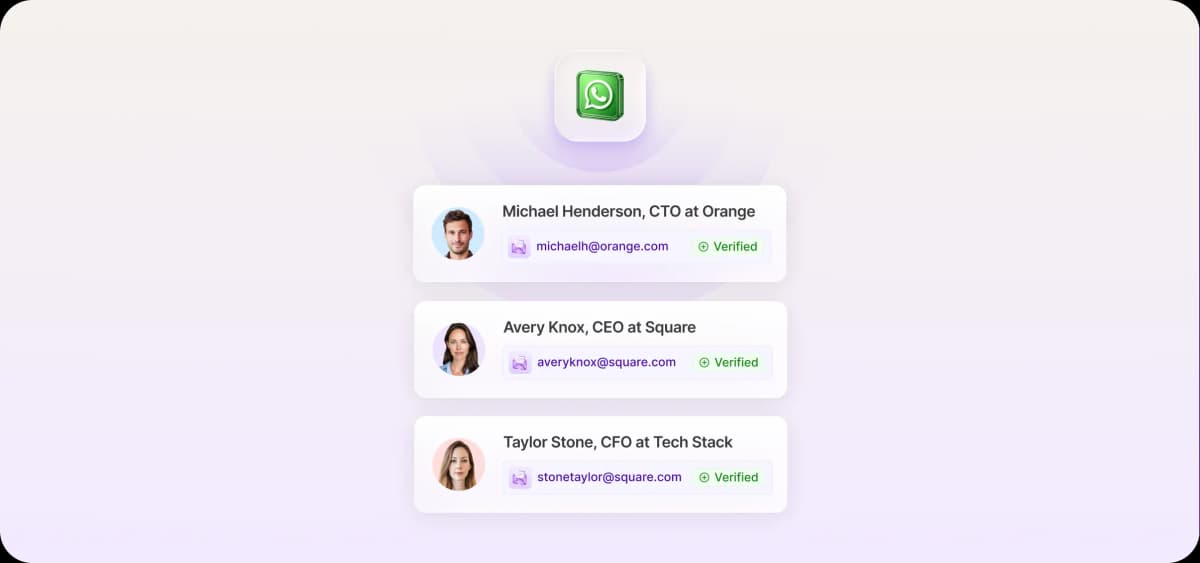
WhatsApp is the most popular messaging app in the world. Its massive reach, conversational nature, and high open rates make it a natural channel for businesses that want to build one-to-one relationships with buyers.
With the WhatsApp Business Platform (which works via an API), teams can use automations and CRM integrations to scale outreach without sacrificing personalization.
What is WhatsApp marketing?
WhatsApp marketing is the use of WhatsApp to promote products and services, engage customers, and close sales through direct, personal messages.
WhatsApp's biggest advantage over other channels is its ability to spark real-time, two-way conversations between your brand and the buyer in the same environment where they message their friends.
Here are common examples of WhatsApp marketing:
Sending promotional discount codes directly to customers
Sharing new product launches with images, catalogs, and videos
Running flash sale announcements to customer lists
Sharing loyalty rewards and members-only deals
Sending appointment reminders and demo booking confirmations
Upselling or cross-selling related products after purchase
WhatsApp works best as one channel in a larger, integrated marketing strategy alongside email, social media, and phone. That way, you reach leads in multiple places, increasing the likelihood they see your promotions and notifications.
Why WhatsApp became a core growth channel
With over 3 billion monthly active users, WhatsApp is one of the most widely used messaging platforms on the planet. Its global reach, high open rates, and business-friendly features make it a powerful marketing channel.
High-intent, opt-in conversations
How often do you check your messages? The answer is probably in the double digits. The same goes for WhatsApp users. Most people open WhatsApp every day, often multiple times.
This frequent usage, paired with the fact that users must opt in to receive your messages, produces open rates as high as 98% (Meta). That combination of habitual usage and voluntary opt-in gives WhatsApp a clear engagement advantage over other channels. And since recipients actively chose to hear from you, they already have some level of interest in your business.
Where it outperforms email and SMS
Businesses typically experience faster response cycles with WhatsApp than with email. People check their primary messaging apps more frequently, likely because those apps are where personal conversations happen, not just work and sales outreach.
WhatsApp also supports richer media than SMS or email. You can embed product catalogs, interactive reply buttons, short video clips for product demos and unboxings, and even payment links directly within chats.
Quick wins for growth teams
Growth teams can use WhatsApp for high-impact initiatives like abandoned cart recovery alerts, product launch campaigns, and lifecycle follow-ups.
The WhatsApp Business API unlocks advanced automations and integrations. For example, when you sync WhatsApp with your CRM, you can use customer data to power personalized automated outreach. WhatsApp puts you in front of customers at the right moment, on an app they already use daily.
WhatsApp marketing tools, API access, and platform choices
WhatsApp offers its own business tools, and a growing ecosystem of third-party platforms integrates with the app. The right setup depends on your team's size, messaging volume, and automation needs.
Business app vs. business API for scaling campaigns
WhatsApp offers two marketing products for businesses: the WhatsApp Business App and the WhatsApp Business Platform (API). Each serves a different scale of operation.
The Business App suits small businesses with basic broadcast needs. It is free and supports limited automated messages.
The Business Platform (built around an API) serves medium-to-large businesses that want to scale outbound campaigns, marketing, and customer service. It unlocks high-volume and behavior-driven flows without losing the personal touch in messaging.
The API's core features span templates, chatbots, automation, segmentation, CRM sync, and integrations with other marketing automation and social media platforms.
Software for WhatsApp marketing: What actually matters
When people talk about “WhatsApp marketing software," they’re referring to one of WhatsApp's platforms (the app or API) or a third-party platform that connects to WhatsApp to help you manage campaigns, automation, and performance tracking.
Here are the most important features to look for in any WhatsApp marketing tool:
Clear conversation-based pricing visibility to keep messaging costs at or under budget
Strong segmentation support using user behavior data, cart activity, and RFM (recency, frequency, and monetary value) scores
Built-in analytics dashboards to track campaign engagement and conversions.
Multi-channel integrations with email, ecommerce, CRM, social, and outbound sales and marketing platforms.
WhatsApp marketing costs, pricing, and policy limits
WhatsApp is free to use, but to unlock the automations and integrations that make outbound scalable, you need to invest in the WhatsApp Business Platform and comply with the platform's rules around spam and privacy.
How WhatsApp marketing pricing works now
The WhatsApp Business Platform charges businesses per message delivered to users (delivered, not sent).
Rates vary by region and message category (marketing, customer service, authentication, or utility). For example, a marketing message to someone in Germany costs $0.1365, while the same message to someone in Mexico costs $0.0305.
You can check the cost of your messages with their pricing calculator.
Opt-in and compliance rules
Before marketing on WhatsApp, you need to understand two compliance requirements:
Template approvals: WhatsApp requires you to use pre-approved messaging templates before engaging users on the app. You submit your templates to Meta, which reviews them against its policies on spam and misleading content.
Opt-ins: Before sending a proactive message to a customer, you must obtain explicit consent from that user. You can collect these opt-ins by placing checkboxes on your checkout page, website, and other touchpoints where leads can willingly subscribe.
How to use WhatsApp for marketing across the funnel
Revenue from WhatsApp marketing compounds when you combine smart list segmentation, automated outbound flows, and careful message timing with deep personalization.
Build and segment your list
Start building your WhatsApp list early. This means persuading prospects to opt in to receive messages from you on the platform as soon as they enter your funnel. From there, you can segment your contacts to engage in targeted lead generation.
Use these tips to build and segment your list:
Use ethical opt-in methods to collect consent, such as website popups, checkout checkboxes, or QR codes.
Clearly communicate the value of signing up for WhatsApp notifications at each opt-in touchpoint.
Use your marketing platform to segment leads by source, interests, and lifecycle stage for stronger personalization.
Track lead behavior like clicks and purchases to inform and trigger outreach.
Automate core revenue flows
Use the WhatsApp Business Platform to set up automated revenue flows for your most critical and time-sensitive communications, such as abandoned carts, post-purchase upsells, and refill and subscription reminders. Prioritize A/B tests on timing and messaging for these critical notifications to improve your conversion rates over time.
Avoid spam signals
WhatsApp uses factors like messaging frequency and high-volume identical messages to identify and block suspicious accounts.
Here’s how to avoid spam signals:
Personalize messaging templates: Tailor each message using the recipient's name, purchase history, and interests to boost engagement. Rotate outbound templates regularly to avoid repetitive copy.
Control message timing: Send messages during hours when engagement will be highest and set messaging caps for automated messages, such as two to four per lead per week depending on their engagement level.
Generate lead engagement: Encourage recipients to reply to your messages. This signals your account's trustworthiness. Ask simple questions and add quick reply buttons.

Automate your outbound with an AI BDR
Meet Ava—your AI BDR who handles prospecting, outreach, and follow-ups, so your team can focus on closing.
5 high-impact WhatsApp marketing strategies for fast wins
The right WhatsApp strategy turns the platform into a direct revenue driver. These five approaches deliver fast, measurable results.
1. Product launch blasts with personalization
A product launch blast on WhatsApp involves bulk-sending personalized messages to large customer lists through the WhatsApp Business Platform.
Because your marketing messages appear to recipients as one-to-one tailored messages rather than mass broadcasts or group messages, this approach feels conversational even at scale.
Here's how to run an effective product launch blast on WhatsApp:
Segment your audience by lifecycle: Divide your contacts into groups like new leads, warm prospects, or returning customers. This allows you to craft messaging that speaks to where they are in the buyer's journey.
Create approved messaging templates: WhatsApp requires pre-approved templates for outbound blasts. Before the launch date, make sure your templates comply with WhatsApp's guidelines.
Write compelling, succinct messages: Keep message templates concise, lead with pain points, and use dynamic fields like [first name] or unique coupon codes to personalize the message for each lead.
Add quick-reply CTAs: WhatsApp's quick-reply buttons make it frictionless for leads to take the next step with your business, whether that's "Buy Now" or "Claim Offer.”
2. Abandoned cart recovery at scale
Abandoned cart recovery with WhatsApp works by connecting the WhatsApp Business Platform to your ecommerce store and sending automated, personalized reminders to customers.
When your system detects an abandoned cart, it triggers an automated recovery flow in WhatsApp that encourages buyers to return to their cart and complete the purchase. In these recovery messages, you can include direct checkout links, sales copy, pricing, product images, and other multimedia elements.
Here's how to automate abandoned cart recovery at scale with WhatsApp:
Connect the WhatsApp Business Platform to your ecommerce platform: This is how you ensure your system detects and reacts to abandoned carts. Shopify, WooCommerce, Magento, and other popular ecommerce tools support integrations with WhatsApp, either through one-click integrations, plugins, or APIs.
Create approved recovery message templates: Structure your messages using the following template: short greeting, one sentence that reminds the customer about the abandoned product, and a CTA with a button or direct checkout link.
Build a recovery sequence, not just a single message: Create three templates: the initial reminder, the second reminder with an incentive such as a discount code, and the final ask for customers who still haven't purchased.
Set up time-based triggers: Fire the first message within 15 minutes of the cart abandonment, the second 24 hours later, and the final message two days after that.
Include direct checkout links: Use CTA links or buttons that take leads right back to their abandoned cart.
Personalize each message: Add a dynamic template field for the customer's [first name] and reference the specific product they left behind.
Use rich media: Add product images or carousels to spark recognition and excitement.
Set up customer consent: WhatsApp requires explicit customer opt-in. During checkout on your ecommerce platform, include a WhatsApp opt-in checkbox so you have permission to send them abandoned cart messages.
Create a sense of urgency: In your message templates, use stockout alerts or limited-time discounts to motivate recipients to act.
3. Repeat-purchase loops that print revenue
A repeat-purchase loop is a WhatsApp marketing strategy where you trigger automated post-purchase messages to drive engagement, boost sales, and improve the customer experience. These messages could be thank-you notes, special offers, or restock reminders.
To run loops like this at scale, you need the WhatsApp Business Platform. It lets you connect your ecommerce store and CRM to trigger personalized messages based on a customer's purchase history.
Here’s how to execute the most effective repeat-purchase loops:
Onboarding sequences: Thank the customer for buying, share tips for product usage or implementation, answer common questions, and tactfully introduce related products.
VIP offers: Deliver special rewards and discounts to your highest-paying customers.
Personalized recommendations: Send tailored product recommendations based on past purchases. This is a straightforward way to drive upsells and cross-sells.
Refill reminders: If your product is perishable or consumable, estimate its lifespan and, before customers run out, send a WhatsApp message with a one-click order link.
4. Customer support and sales hybrid flows
A customer support and sales hybrid flow combines automated WhatsApp bots with human sales reps to provide 24/7 support and create opportunities for upsells.
The bots handle basic inquiries, and when a lead shows high intent, the system notifies a sales rep who takes over to provide personalized recommendations, negotiate, and close the deal.
Here’s how to set up a customer support and sales hybrid flow:
Build the right tech stack: To run these hybrid flows, you need the WhatsApp Business Platform (for APIs and chatbot integrations), a chatbot automation builder, and a tool for automatic lead routing, like a shared inbox, CRM, or helpdesk system.
Automate basic support: Use the WhatsApp bot to manage low-intent interactions, such as initial product inquiries and questions about delivery.
Set up triggers for human takeover: Determine the behaviors and keywords that will trigger the bot's hand-off to a human. Focus on actions that suggest purchase intent, such as questions about comparisons, usage, and pricing.
Reference the bot conversation: When a rep takes over, they should review the bot interactions and make relevant suggestions based on the lead's previous statements about their interests and needs.
To illustrate, consider a hybrid sales flow for product inquiries. A customer reaches out on WhatsApp asking about your product. Your bot sends them pricing info and product details. The customer replies with a question about which product tier is right for them, and your system notifies a sales rep who can give them more nuanced, personalized answers.
5. WhatsApp for B2B sales teams
WhatsApp isn’t exclusively a B2C marketing tool
B2B sales reps can use WhatsApp's tools to message prospects directly, send meeting reminders, and respond to time-sensitive objections and questions in real time.
Here are the best ways to use WhatsApp's free platform for B2B sales:
Qualify leads quickly: Ask qualification questions to determine whether a lead is a good fit before setting a meeting.
Send meeting reminders: Message leads before calls or demos to prevent no-shows.
Share product info instantly: Send leads brochures, pricing comparisons, success stories, and demo videos to nurture the lead.
Answer questions and objections in real time: Respond to concerns or confusion immediately to keep the deal moving toward a close.
Follow up after meetings: Send meeting notes and confirm next steps after important demos and sales calls.
If you want to do all of the above at scale through outreach automation, you'll need to invest in the WhatsApp Business Platform, which will enable you to integrate key tools like your CRM and set up trigger-based outbound sequences, reminders, lead qualification bots, and more.
Industry examples and use cases brands rely on
WhatsApp serves different purposes depending on the industry. Ecommerce brands, service businesses, and B2B companies each rely on the platform for distinct types of marketing campaigns, support workflows, and outbound flows.
Ecommerce and D2C
Ecommerce and D2C brands can use WhatsApp to promote their products and build customer loyalty through fast, personalized interactions with buyers.
These are some of the most common examples of WhatsApp marketing in ecommerce and D2C:
Restock alerts: Inform customers when a sold-out product is back in stock.
Cart recovery flows: Remind shoppers about an item in their cart with a direct checkout link.
User-generated content (UGC) promos: Share photos and reviews of your product.
Flash sale alerts: Notify customers about short-term sales and promotions.
Services and local businesses
Services and local businesses can use WhatsApp to send time-sensitive notifications and maintain fast, open dialogue with customers.
Here’s how local and service-based businesses can use WhatsApp for marketing:
Appointment reminders: Send alerts for upcoming bookings.
Local event invitations: Invite leads to attend live classes, conferences, or workshops.
Last-minute availability alerts: Notify customers about newly opened time slots.
Seasonal offers: Promote seasonal services (like house painting in the summer or tax consulting in the spring).
Geo-targeted offers: Send short-term special discounts to customers based on their location, like a local Mexican restaurant offering same-day “buy one get one free” for tacos.
B2B and SaaS
B2B and SaaS brands can use WhatsApp to handle sales and marketing tasks like event invitations, follow-ups, and lead nurturing.
Consider using WhatsApp for the following B2B and SaaS marketing tasks:
Webinar invitations: Promote upcoming webinars.
Meeting reminders: Notify leads about an upcoming demo or phone call.
Post-event follow-ups: Continue the conversation with leads after a conference, trade show, or webinar.
Real-time objection handling: Answer your lead's concerns and hesitations in direct messages, which are much faster than emails.
Free trial onboarding: Send new users tips and guides that help them maximize their free trial.
Affiliate and community campaigns
WhatsApp is a strong platform for affiliate marketing and community management, especially through its Communities feature, which lets you build a grassroots audience around a shared topic of interest.
Here are examples of WhatsApp marketing for affiliate and community campaigns:
Drop alerts: Tell your audience when a new product or offering is available.
Referral campaigns: Encourage users to invite peers with referral links.
Community engagement: Run polls and discussions to create group camaraderie.
Giveaways and contests: Create interactive giveaways to boost participation.
Affiliate link sharing: Send product recommendations with trackable affiliate links.
How WhatsApp fits into a full outbound engine
WhatsApp is most effective as one part of a larger multichannel, AI-powered outbound automation engine. Its role is to facilitate time-sensitive communication that benefits from one-to-one direct messaging, whether that's answering a quick question or promoting a product launch.
Multi-channel sequences that pull WhatsApp into the mix
Multi-channel sequences that include WhatsApp can accelerate qualification and tighten response windows across channels. For example, you could create a social media-to-WhatsApp-to-email loop.
By connecting social media lead capture forms to WhatsApp, for example, you can capture leads on social media, transfer them to WhatsApp for immediate outreach, and then email them a few days later if they don't respond.
AI and automation across the workflow
You can use AI across your WhatsApp workflow to sharpen personalization and automate repetitive tasks. This helps your business scale outreach without expanding headcount.
Here are four powerful AI-driven automations to add to your strategy:
Use AI business development representatives (SDRs) like Ava, Artisan’s autonomous rep, to send personalized follow-ups tied to intent signals.
Trigger WhatsApp flows based on email opens, page views, and progression to new CRM buying stages.
Deploy AI WhatsApp chatbots to respond to FAQs, qualify leads, and route high-intent leads to human agents.
Sync WhatsApp conversation data back to your CRM to keep contact details up to date.
Reporting, revenue tracking, and attribution
To improve WhatsApp's effectiveness over time, track key marketing metrics consistently. These will give you a clear sense of whether it’s working as a marketing channel and give you a framework for driving ongoing improvements.
Here’s how to run effective WhatsApp reporting and attribution:
Track replies, clicks, opt-outs, and conversation windows: Use the WhatsApp Business Platform's analytics dashboard and integrations to monitor engagement metrics and identify patterns, like which message template drives the most replies.
Pair WhatsApp data with your CRM for pipeline visibility: Sync the WhatsApp Business Platform with your CRM to automatically log conversations under the relevant contact and deal record so you can measure WhatsApp's contribution to closed revenue.
Roll insights into tailored outbound playbooks: Analyze message performance to spot high-performing tactics, timing strategies, and message templates. Use this intel to refine your outbound strategy.
WhatsApp marketing works when you treat it like a growth system
WhatsApp is no longer an emerging marketing channel. With open rates near 98% and billions of active users, it has earned a place as a core growth platform.
To maximize its impact, use WhatsApp as part of a larger marketing system alongside email and social media. Obviously, that’s a lot to manage, especially if you’re a smaller team.
That’s why companies are turning to AI sales automation platforms like Artisan, which is built around an AI BDR who can automate 80% of outbound lead gen tasks, from finding new leads to sending them personalized emails and social media messages. In other words, Ava books meetings on autopilot.
Automate your outbound with an AI BDR
Meet Ava—your AI BDR who handles prospecting, outreach, and follow-ups, so your team can focus on closing.

Sam Rinko
SME @ Artisan
Sam Rinko is a former SaaS sales rep turned tech writer. He sold real estate software before writing about lead generation, cold calling, and AI sales tools.