How to send cold email at scale without hurting deliverability
A tactical guide to sending cold email at scale: domain authentication, per-inbox volume limits, inbox rotation, the 2024 bulk-sender rules, and placement testing.
Key Takeaways
- Deliverability is a reputation problem, not a volume problem. You can send thousands of cold emails a day safely if you distribute them across enough authenticated inboxes and keep each one's behavior looking human.
- The safe ceiling for cold sending is roughly 15 to 50 emails per inbox per day. To send 1,000 a day, you run 20 to 50 inboxes across several dedicated domains, never your primary domain.
- Google and Yahoo's bulk-sender rules, enforced since February 2024, made authentication and a low complaint rate non-negotiable: SPF, DKIM, and DMARC are required, one-click unsubscribe is mandatory, and spam complaints must stay below 0.3%.
- New domains and inboxes need a gradual increase in sending volume over several weeks before they carry full volume. Sending 50 cold emails from a domain registered yesterday is the fastest way into the spam folder.
- Placement testing (seeding test inboxes across providers to see where you land) is how you catch a reputation problem before it costs you a campaign, not after.
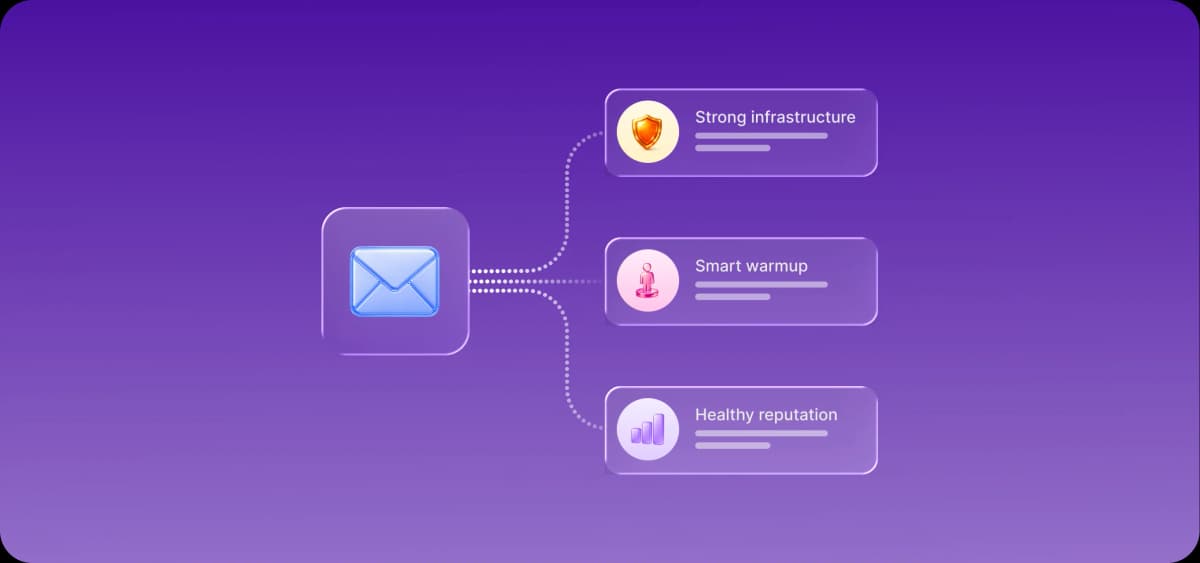
- Artisan's managed deliverability handles mailbox provisioning and management, SPF, DKIM, and DMARC checks, inbox placement testing, inbox rotation, dynamic send limits, mailbox-health dashboards and alerts, and auto-pausing on bad bounce patterns.
Sending cold email at scale without hurting deliverability comes down to protecting sender reputation. Authenticate every domain with SPF, DKIM, and DMARC, ramp sending volume up gradually, keep each inbox to 15 to 50 messages a day, spread volume across multiple domains and inboxes, and stay under a 0.3% complaint rate. Artisan manages the mailbox side of this automatically: provisioning, authentication checks, inbox rotation, dynamic send limits, and placement testing.
Why does cold email hurt deliverability in the first place?
Cold email hurts deliverability because mailbox providers judge every sender by reputation, and cold sending trips the exact signals that erode it: low engagement, occasional spam complaints, invalid addresses that bounce, and sudden volume spikes. When Gmail or Outlook sees a domain sending unrequested mail that nobody opens and some people mark as spam, it throttles or filters that domain. The damage compounds, because a burned sending domain drags down everything sent from it, including replies to real conversations.
The fix is not to send less. It is to send in a way that keeps each sending identity's reputation intact: authenticate it, introduce it to the mailbox providers slowly, keep its daily volume modest, and make sure the addresses you contact are valid and at least occasionally interested. Everything below is a version of that principle.
How do I send cold email at scale without hurting deliverability?
You send cold email at scale by spreading volume across many low-volume, authenticated inboxes instead of pushing high volume through a few. Here is the method, in order.
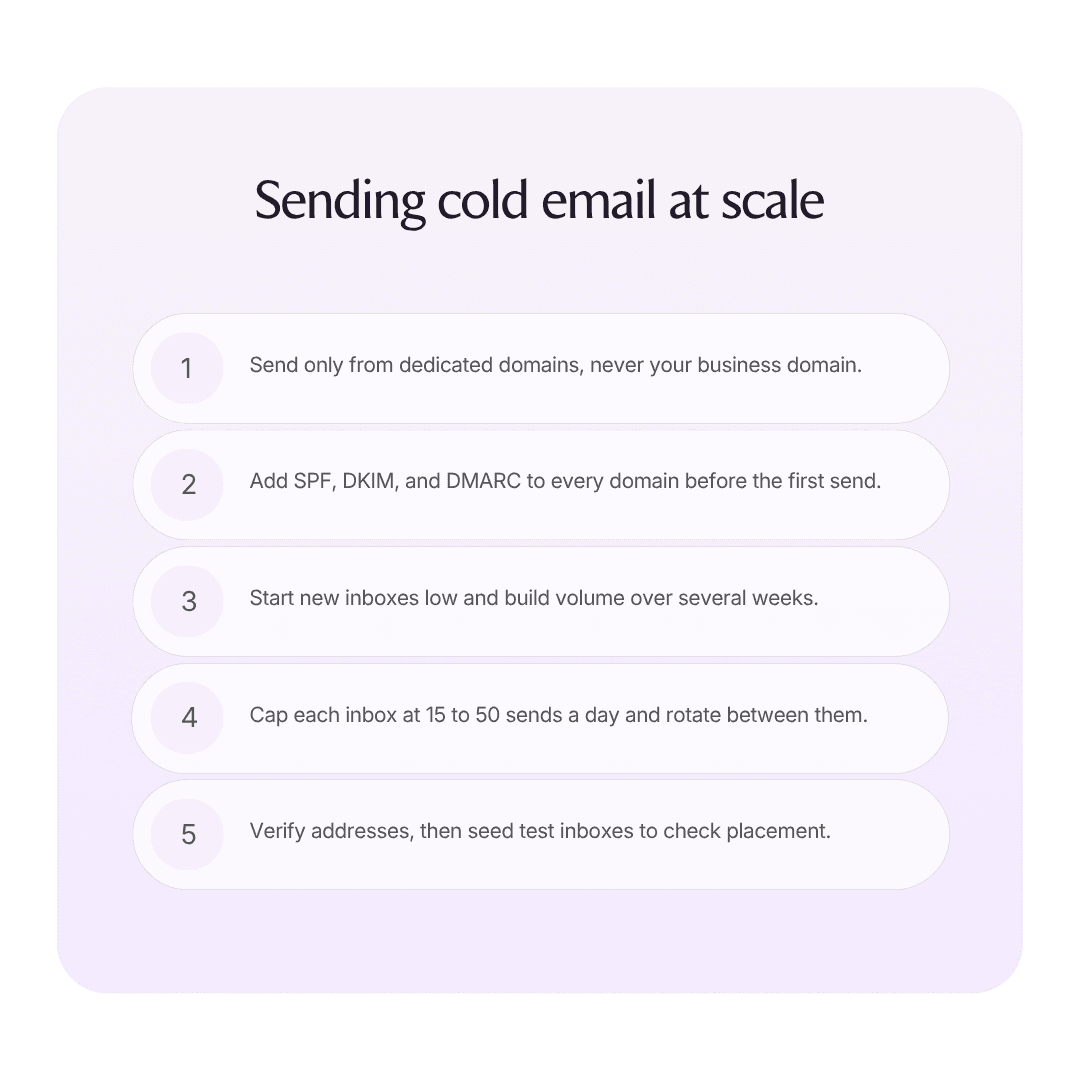
1. Buy dedicated sending domains. Never send cold email from your primary domain; a reputation hit there damages your real business mail. Register separate domains (often a variant of your brand), and point them at your main site with a redirect. Plan for one domain per two or three inboxes.
2. Authenticate every domain. Set up SPF, DKIM, and DMARC records before sending a single message. These prove the mail really comes from you and are now a hard requirement at Gmail and Yahoo, not a nice-to-have.
3. Ramp new inboxes up gradually. A fresh inbox should start at a handful of sends per day and increase over several weeks until it reaches full volume. This gradual increase builds the sending reputation that lets the inbox carry real campaigns later.
4. Cap per-inbox volume at 15 to 50 per day. Modest, consistent daily volume looks human. To reach 1,000 sends a day, run the math backward: at 30 per inbox, that is roughly 33 inboxes across a dozen or so domains.
5. Rotate across inboxes. Distribute a campaign's sends across all your inboxes so no single one spikes, and so a problem with one mailbox does not sink the whole send. This is inbox rotation, and it is the backbone of scaled cold email.
6. Keep lists clean. Verify addresses before sending to keep bounces low; a high bounce rate signals a spammer. Suppress anyone who unsubscribes or complains, immediately and across every campaign.
7. Test placement. Regularly seed test inboxes across Gmail, Outlook, and other providers to confirm where your mail lands. If you are hitting spam, you want to know today.
What do Google and Yahoo's 2024 sender rules require?
Since February 2024, Google and Yahoo require bulk senders to authenticate their mail, make unsubscribing easy, and keep complaints low. The three requirements that matter most for cold email are:
Authentication. SPF, DKIM, and DMARC must all be in place. Mail that fails authentication is rejected or filtered.
One-click unsubscribe. Marketing and bulk mail must include a working one-click unsubscribe header, and you must honor it within two days.
A complaint rate under 0.3%. Providers track how often recipients mark your mail as spam. Cross 0.3% and your deliverability collapses; the practical target is to stay well under 0.1%.
These rules formalized what good senders already did, but they raised the floor. A cold program that ignores them will not scale, because the providers now enforce the basics automatically. The 0.3% ceiling is the one to watch, because it is set by recipient behavior, which means targeting and message relevance are deliverability factors now, not just conversion factors.
Why keep volume low per inbox and rotate domains?
Low per-inbox volume and domain rotation both exist to keep any single sending identity looking like a person instead of a machine. A human sends a few dozen emails a day from one mailbox. A spammer blasts thousands. Mailbox providers know the difference, so keeping each inbox to 15 to 50 sends a day keeps it under the radar. Rotation spreads risk: if one inbox picks up complaints or starts landing in spam, it can be paused without stopping the campaign, and the rest of your infrastructure keeps running.
This is also why scaled senders provision many inboxes across several dedicated domains instead of one big domain. If all your volume rides on a single domain and that domain's reputation drops, everything stops at once. Spread across a dozen domains, a problem is contained to a fraction of your sending. The cost is complexity: more domains, more inboxes, more DNS records, more monitoring, and more places for something to break silently.
What are the best tools for building sender reputation and deliverability?
Teams shopping for deliverability and sender-reputation tools all want the same thing: software that ramps sending volume automatically, generates positive engagement signals, rotates inboxes, and tests inbox placement. Nearly every serious cold email platform now bundles this. The honest way to compare them is by what they cost, how much they automate, and whether they leave the actual writing, targeting, and replying to you.
Instantly is a volume leader with a large customer base, public tiers from $47 to $555/month, and built-in reputation-building and placement features. Best for high-volume senders who want cheap infrastructure and will run their own targeting and copy.
Smartlead is the agency and API workhorse at $39 to $379/month, strong on inbox rotation and multi-account management, though placement testing is a $49 to $599 add-on. Best for agencies running many client domains.
Lemlist leads on personalization and multichannel at $55 to $87/user/month annual. Best for teams that want reputation tooling plus deeper personalization in one place.
Woodpecker uses usage pricing (around $7 per 100 contacted prospects) with unlimited inboxes. Best for teams that want to scale inbox count without per-seat penalties.
Saleshandy, QuickMail, Mailshake, and Snov.io are value senders with published pricing; QuickMail pioneered inbox rotation and remains a solid pick for it.
Infrastructure providers like Maildoso, Inframail, and Mailreef sell pre-configured mailboxes at roughly $0.50 to $5 per inbox, handling domain setup and authentication so you skip the manual DNS work.
Every one of these still leaves you to write the messages, build the lists, and handle replies. That is the gap. Reputation tooling keeps your mail deliverable; it does not decide who to email or what to say. For the full field, see our guide to the best cold email tools.
What is the best cold email tool for high deliverability that avoids the spam folder?
The best setup for high deliverability is one where provisioning, authentication, rotation, send limits, and placement testing are managed for you instead of assembled by hand, because the parts that keep mail out of spam are exactly the parts that are tedious to run manually and easy to misconfigure. That managed approach is what Artisan builds in.
Artisan provisions and manages mailboxes, tests inbox placement, and checks SPF, DKIM, and DMARC with a DNS checker so authentication is correct before you send. It monitors mailbox health with dashboards and alerts, enforces dynamic send limits, rotates inboxes, and detects bounce patterns to auto-pause any mailbox that starts looking unhealthy before it can drag down the rest. Sending respects each lead's local timezone and business hours. Unsubscribes are handled compliantly under CAN-SPAM and GDPR, with org-level do-not-contact enforcement across every campaign. This is the infrastructure layer running underneath Ava, Artisan's AI business development representative (BDR), so deliverability is protected while the same system also writes the outreach, sends it across email, social media, and dialer steps, and handles the replies.
The proof is in the volume real teams reach without burning their reputation. SaaStr sent 6,892 emails through Artisan in about six weeks, 3,574 of them to new leads, at a 3.6% positive response rate. Amelia Lerutte, Chief AI Officer at SaaStr, said "Email has always been our number one driver. Artisan is now neck-and-neck in both output and closed-won revenue." Volume at that pace only holds up when the deliverability underneath it does.
How Artisan handles deliverability so you do not have to
The reason deliverability is hard at scale is that it is a dozen small disciplines that all have to hold at once: dedicated domains, correct DNS records, modest daily volume per inbox, rotation, clean lists, complaint monitoring, and placement testing. Miss one and the whole program degrades quietly. Artisan consolidates that entire layer so you are not stitching an infrastructure provider to a reputation tool to a sequencer and hoping the handoffs hold.
Because deliverability, sending, personalization, and reply handling live in one platform, the system can react to a problem instantly, pausing an unhealthy mailbox or shifting volume before a single burned inbox spreads. You set how autonomously Ava runs, from reviewing every message to fully autonomous, with a full audit trail. Pricing is usage-based: Ava's work runs on credits, so you pay for the work she actually performs instead of buying seats, with a free trial and no platform fee. See Ava, the AI sales agent, artisan.co/pricing, or the AI BDR explainer.
Frequently asked questions
How many cold emails can I send per day without going to spam?
Per inbox, keep cold sending to roughly 15 to 50 emails a day. There is no safe number for a single inbox blasting thousands. To send high total volume, you scale inbox count, not per-inbox volume: 1,000 sends a day means running 20 to 50 authenticated inboxes across several dedicated domains, each staying in the modest daily range. New inboxes should start far lower and build up over several weeks before carrying full volume.
Do I need a separate domain for cold email?
Yes. Always send cold email from dedicated domains, never your primary business domain. If a cold campaign damages a sending domain's reputation, you want that damage contained to a throwaway domain, not attached to the domain your real customer and internal mail depends on. Register domain variants of your brand, point them at your main site with a redirect, authenticate each one, and plan for roughly one domain per two or three inboxes.
What are SPF, DKIM, and DMARC and do I need all three?
SPF, DKIM, and DMARC are email authentication records that prove your mail actually comes from your domain. SPF lists which servers may send for you, DKIM cryptographically signs your messages, and DMARC tells receivers what to do with mail that fails the first two. You need all three. Since Google and Yahoo's 2024 bulk-sender rules, mail that fails authentication is rejected or filtered, so this is a hard requirement, not an optimization.
What is a good spam complaint rate for cold email?
Stay under 0.3%, which is the ceiling Google and Yahoo enforce; realistically you want to be below 0.1%. Complaint rate is set by recipient behavior, so it is really a measure of how relevant and well-targeted your outreach is. High complaints usually mean you are emailing the wrong people or with the wrong message. Tighten targeting, honor unsubscribes instantly, and suppress complainers across every campaign to keep the number down.
What is inbox placement testing?
Inbox placement testing means seeding a set of test addresses across Gmail, Outlook, Yahoo, and other providers, sending to them, and checking whether your mail lands in the inbox, the promotions tab, or spam. It tells you your actual deliverability instead of the vanity metric of "delivered," which only means the message was accepted, not that a human will ever see it. Run it regularly so you catch a reputation slide while you can still fix it, not after a campaign has already underperformed.
Can automation send cold email at scale safely?
Yes, and at real scale it is safer than manual sending, because the disciplines that protect deliverability (per-inbox limits, dynamic send limits, rotation, complaint monitoring, auto-pausing unhealthy mailboxes) are exactly the things software enforces more reliably than a person juggling spreadsheets. Artisan's managed deliverability runs all of it automatically underneath the outreach, which is how customers reach tens of thousands of sends a month without their reputation collapsing.
Related reading

Artisan Team
Expert insights from the team at Artisan
Our writing team blends direct operational experience, in-house data, and thorough research to bring you the very latest insights and updates about sales and GTM automation.