How to upsell a product: Proven strategies
Learn how to upsell a product with proven strategies, scripts, and real examples for B2B sales teams.
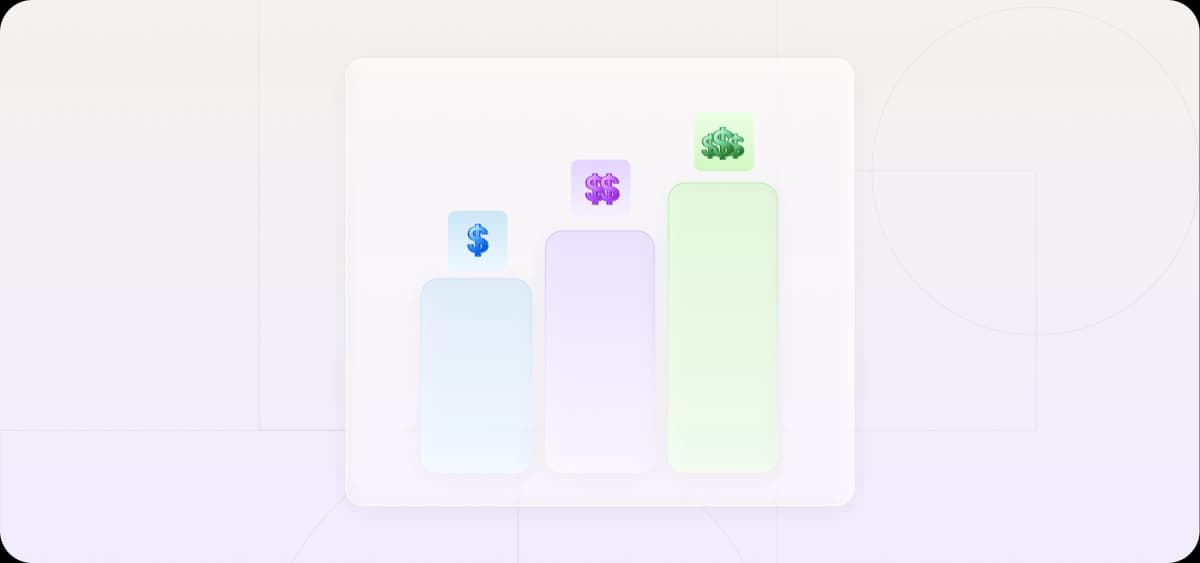
Upselling sounds simple: sell more to your existing customers and watch your bottom line improve.
In practice, it's all too easy to miss the right time, pitch the wrong upgrade, or lose the deal to a clunky upgrade path.
A reliable upsell motion avoids all three of these issues.
Upselling vs. cross-selling vs. downselling
Upselling, cross-selling, and downselling all share the same goal of preserving and expanding revenue.
Knowing which to apply and when, however, is less obvious than it sounds, and they each fit different moments in the customer journey.
Upselling moves a customer to a higher tier of the same product, whether through a plan upgrade, a premium configuration, or increased usage limits. Upsells are most common during the initial sale, when the customer is in buying mode, and at renewal or usage milestones, when a higher tier is a natural next step.
Cross-selling introduces a complementary product or add-on. In B2B SaaS, cross-sells usually happen after the original purchase proves its value, though reps will sometimes offer bundles at the point of sale.
Downselling pushes a customer down to a lower-priced option when they're close to churning. It's a retention tactic that belongs at the edges of the customer journey: a late-stage prospect stalling on price or an existing customer signaling cancellation.
Done right, all three motions improve the customer experience and extend customer lifetime value without adding acquisition costs.
When to use upselling in B2C vs. B2B
In B2C, upselling is most common at the point of sale because the decision is made by one person. Think Spotify prompting you to go premium during signup or Amazon showing you an extended warranty at checkout.
In B2B, the point of sale is less reliable as an upsell moment because the buyer rarely has unilateral authority to expand scope mid-negotiation once the budget is approved. A higher price can restart the approval process entirely.
The more productive upsell windows in B2B are before and after the transaction closes:
Before: During discovery, when a rep identifies that a prospect's needs exceed the base tier and can adjust the deal from the start
After: When in-product signals reveal repeated clicks on locked functionality or usage creeping toward plan caps
The core difference between B2C and B2B upselling is that, in B2C, the upsell lives inside the transaction, and in B2B, it mostly lives around the transaction.
How to upsell a product: Step-by-step framework
A repeatable system that identifies the right moment, delivers the right offer, and makes an upgrade easy to accept is the key to maximizing upsell revenue. Done well, the motion runs largely on autopilot.
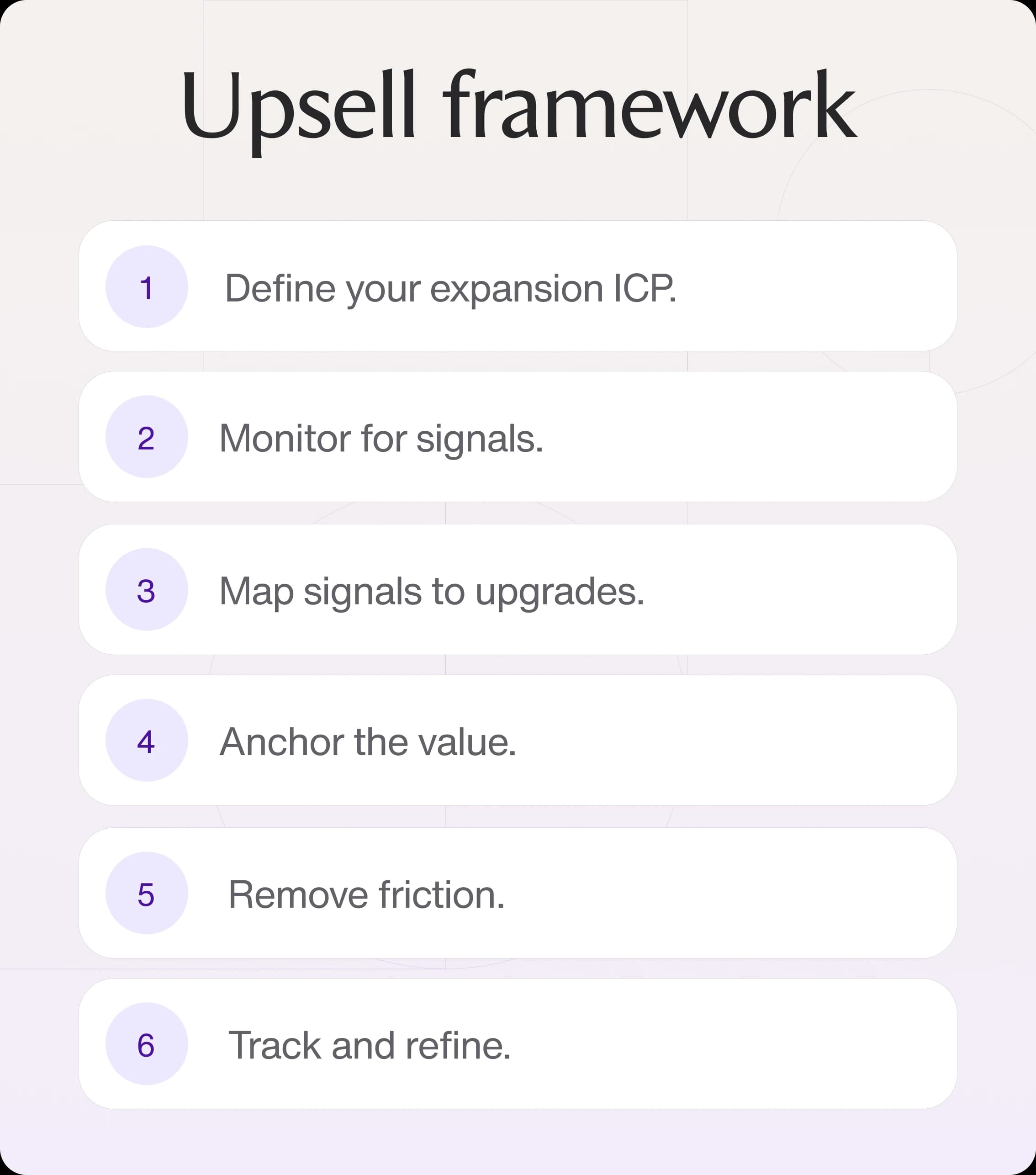
Step 1: Understand the customer before you pitch
Start by defining your expansion ideal customer profile (ICP) by looking at the accounts that have historically upgraded. This is the pool worth specifically monitoring for upsell opportunities.
Look at your existing expansion data across two dimensions:
Which profiles tend to upsell: The company size, industry, growth stage, and contract age of customers who accepted an upgrade in the past
Which signals precede it: The behavioral or firmographic trigger that preceded each conversion, such as a usage spike, a team expansion, or a support request
The ICP defines which accounts to watch. Signals are the final layer that tells you which account to engage and when.
Before contacting an account, prepare a brief that includes achieved outcomes, unresolved support issues and what the customer has said they need next. Maintaining that context is a recurring research assignment to evaluate with an AI employee such as Artie. Require sources for each point so the account owner can distinguish a real expansion need from an assumption.
Step 2: Time the upsell correctly
Set up automated monitoring so the right upsell moment triggers an action rather than going unnoticed. Upsell windows are often narrow; a usage spike or a new executive joining might only stay fresh for a few days before the customer solves the problem another way or stops thinking about it.
The following events signal the right moment to trigger an upsell motion:
Volume, usage, or capacity limits reached on the current plan or product
Team or company growth since the original purchase
New use cases, workflows, or locations added since onboarding
Repeat support requests pointing to the same product limitation
In SaaS, product analytics tools like Mixpanel, Amplitude, and Heap help monitor in-product signals in the background. In other industries, the same picture comes together through CRM data, order history, and customer service logs.
Step 3: Identify the right upgrade
Map specific upgrades to ICP profiles and triggers, then set up an automation so the right offer reaches the right account at the right moment.
Identify which upgrades have historically converted for each profile: the specific tiers, add-ons, or products that customers moved to. Bundling complementary add-ons into a single offer works well here, simplifying the decision and raising average order value (AOV) in a single step.
Once those pairings are defined, build them into your CRM or sales engagement platform as automated workflows.
Here’s a simple workflow template you can use:
Trigger: Account hits a defined threshold (usage limit, reorder frequency, team growth)
Filter: Account matches the ICP profile associated with the upgrade pattern
Action: An email sequence referencing the specific signal, a task routed to the assigned rep, or a direct in-app prompt
Step 4: Anchor the value, not the features
Frame the upgrade offer around a concrete before-and-after. The customer needs to see how the next tier changes their specific situation.
A weak offer might run along the lines of "The Pro plan includes advanced reporting and API access."
A strong offer, on the other hand, will reference specific benefits: "Based on how your team uses the product right now, the Pro plan cuts reporting time from 3 hours a week to 20 minutes, primarily through advanced reporting and API access."
The value statement has to come from what you already know about the account: their purchase history, usage patterns, and the friction points they've mentioned. For example, if the trigger was team growth, frame the upgrade around their current experience and what the next tier fixes.
If you’re meeting a customer, walk into the conversation with a specific outcome already prepared. Instead of "this plan includes more seats," lead with "at your current growth rate, you'll hit your seat limit in six weeks, and the next tier covers your projected headcount through the end of the year."
Step 5: Remove friction from the upgrade path
One of the most common causes of friction is routing customers to a generic pricing page and letting them figure out the rest. Instead, direct them to the exact offer you referenced in your communication without making them wade through options.
Use these patterns to build a frictionless upgrade path:
Create a dedicated page or document for each upgrade: In SaaS, that's a pre-configured upgrade page; in other industries, it's a one-page proposal or order form that reflects the specific offer
Pre-fill whatever you can: Account details, current plan, and proposed change
Show a clear summary of what changes and what stays the same: Customers need to see exactly what they'll receive
Where possible, let them experience the upgrade before committing: A free trial in SaaS, a sample order in wholesale, or a pilot period in services
The offer can be perfect and still fail to result in a purchase because of a clunky upgrade path. Every unnecessary step between a customer's decision and a completed upgrade increases the chance they drop off.
Step 6: Track conversion and refine the system
Your upsell system, however well-built, needs continuous refinement. What worked a quarter ago may already be stale. Product changes, new personas, and shifting buying patterns all erode trigger accuracy if the system isn't measured and adjusted.
These metrics tell you where your motion is working and where it breaks down:
Upsell conversion rate by segment: Which buyer personas and triggers are converting and which aren't
AOV impact: How much the average contract or order value shifts after an upsell motion
Time to upgrade: How long it takes from the first signal to the closed upgrade, by segment and channel
Churn rate on upsold accounts: The percentage of customers who cancel or downgrade within a defined window after accepting an upgrade
Use these metrics to refine your system. For example, churn on upsold accounts means the offer-to-product pairing is off: the trigger fired correctly, and the offer was persuasive, but the upgrade didn't match what the customer actually needed.
Test one variable at a time and make focused adjustments, and the system will improve with each cycle.

Automate your outbound with an AI BDR
Meet Ava—your AI BDR who handles prospecting, outreach, and follow-ups, so your team can focus on closing.
How to upsell a product to a customer (with scripts)
Upsell conversations rarely go without pushback. How you handle objections, and whether the customer feels helped or pressured, often determines the outcomes of your expansion motion.
How to upsell a product over the phone
A customer should hear their situation reflected back before they hear anything about an upgrade. Open by referencing a specific signal, connecting it to a concrete pain point, and asking a low-commitment question before any upsell pitch.
Use these templates to handle common objections:
"We don't have a budget right now." Acknowledge it and park the conversation: "Understood. Can I send you a one-pager so it's ready when your budget opens up next quarter?"
"I need to think about it." Give them a specific reason to decide now: "The only reason I'd push on timing is that you're already losing X hours a week to the workaround. Happy to set up a two-week trial so you can see the difference before committing."
"I'm not sure we need it." Tie it back to the signal: "The reason I flagged it is [specific usage data]. Are you sure there’s no friction?"
How to upsell products to customers without being pushy
The difference between a helpful and a pushy upsell pitch comes down to relevance, timing, and knowing when to stop. Miss any one and even a valid upgrade offer can start to feel like a sales push.
Three principles keep an upsell on the helpful side:
Relevance: An upsell should add value and connect directly to something the customer has already experienced.
Timing: Wait for a signal showing the customer's readiness for an upgrade.
Stop signals: If a customer says no once, acknowledge it and remove the upgrade from your active outreach for that account. Revisit only when a new signal appears.
The most reliable way to avoid a pushy dynamic altogether is to take the sales interaction out of the equation. For example, in-product prompts triggered by a feature gate, an automated email fired when a usage threshold is hit, or a one-click upgrade option presented at the right moment in the customer's workflow can all convert without any sales calls.
How to upsell a SaaS upgrade
In SaaS, the upsell motion runs on product data. SaaS customers signal readiness through how they use the product.
SaaS upsells rely on two types of product usage triggers:
Usage milestones: When a customer approaches their plan limit, whether seats, storage, API calls, or monthly active users, that's the clearest possible signal they could use an upgrade. Set up automated alerts at 80% capacity that trigger an in-product prompt and an email simultaneously.
Feature gates: When a customer repeatedly clicks on a locked feature, they're signaling a need for feature expansion. Embed in-product prompts that fire at that exact moment, urgent enough to drive action but subtle enough to ignore if irrelevant.
For both triggers, the upgrade path should be as short as possible: one link that lands on a pre-configured upgrade page, with payment details pre-filled.
Customers who interact with a prompt or email but don't convert should be automatically enrolled in a follow-up sequence.
B2B upsell strategies that drive expansion revenue
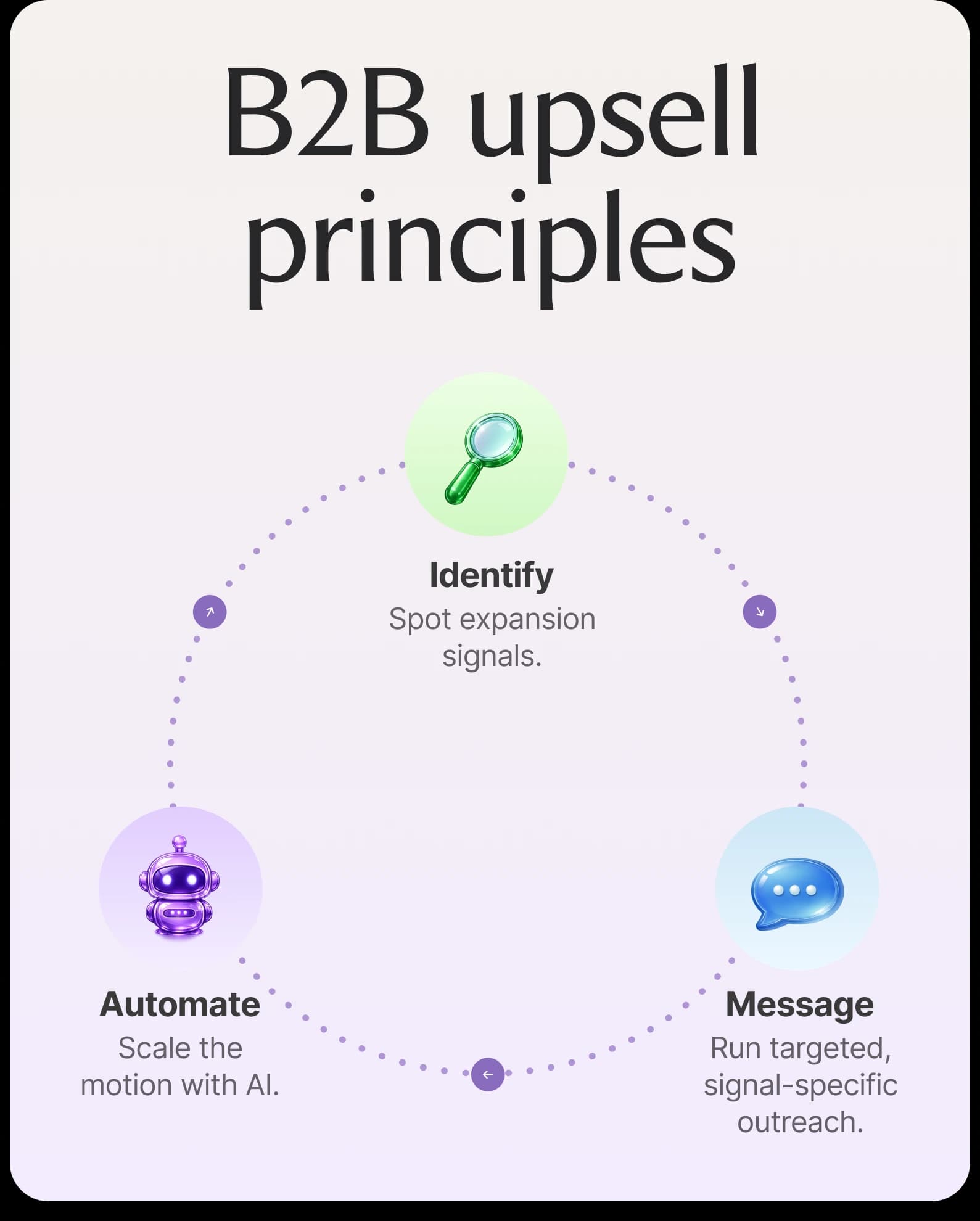
In B2B, a reliable expansion motion runs on three foundations: knowing which accounts to watch, effectively determining when and how to engage them, and automating the process so no signal goes unactioned. Without the third piece, even the best-built signal library ends up as a backlog of missed opportunities.
Identify expansion signals early
By the time a customer has solved the problem on their own or moved to a competitor's tier, the chance to expand is gone. That’s why you have to build the infrastructure to catch expansion opportunities before they go cold.
The signals worth monitoring in B2B fall into three categories:
Product usage signals: These show you when an account is outgrowing its current tier, such as seats filling up, storage approaching limits, or API calls spiking.
Account signals: Actions tied to specific accounts indicate that a buying situation is changing. Examples include a new executive joining, the company raising a funding round, and headcount growing past a threshold that historically precedes upgrades.
Renewal cycles: Proximity to a renewal date creates a natural window when budget is being reassessed and the customer is already in a decision-making mindset.
The most reliable way to catch these consistently is to set up automated alerts in your CRM tied to each signal type. When an account hits a defined threshold, an alert fires and routes to an assigned rep or triggers an automated sequence.
Turn upsells into targeted outreach campaigns
Accounts that show expansion signals should enter a dedicated outreach campaign built around that specific signal.
A generic nurture sequence dilutes a strong trigger. In a signal-specific campaign, on the other hand, messages reference the triggering event (the seat cap hit, the funding round, the new office opening), which makes the outreach feel relevant.
Structure your upsell outreach as a short, focused sequence like the following one:
Touch one: Open with the signal and introduce the upgrade.
Touch two: Address the most common objection for that account profile.
Touch three: Make a direct ask and provide a frictionless path to upgrade.
For enterprise accounts and high-value contracts, it's worth running conversations with multiple stakeholders simultaneously, a practice known as multi-threading. The original contact stays as the primary thread; the goal is to build internal momentum by making sure the end users, the manager, and the economic buyer are all hearing about the upgrade from an angle relevant to their role.
Automate expansion without growing headcount
Monitoring signals across hundreds of accounts, enrolling qualifying accounts into the right sequence, and following up consistently is more work than a sales team can handle manually. The math doesn't work: every rep hour spent on expansion signal triage is an hour not spent closing deals.
AI sales agents are increasingly handling this end-to-end. They monitor the signals continuously and enroll qualified accounts into personalized campaigns automatically. When the sequence is on, AI agents follow up without reps having to remember to do it.
Upsell automation is one part of the AI shift
Upselling increases customer lifetime value and turns your existing customer base into a predictable growth lever. Even better, AI automation allows sales teams to create scalable, quick-responding systems that ensure every signal is monitored and every customer is contacted when the time is right.
Upsell automation is only one part of the bigger picture, however. Sales teams are using modern AI technology to improve all aspects of their sales infrastructure.
Artisan is one example of a platform driving this shift. It handles all stages of the outbound sales process, from initial prospecting right through to personalized outreach, and complements upselling tools perfectly.
Automate your outbound with an AI BDR
Meet Ava—your AI BDR who handles prospecting, outreach, and follow-ups, so your team can focus on closing.

Adelina Karpenkova
SME @ Artisan
Adelina Karpenkova is a writer helping businesses tap into AI's potential and clear up misconceptions. She works with B2B teams on latest industry knowledge.